



WrenchwellBookings become jobs, technicians get their day on their phone, and every finished visit leaves a report with photos and a signature.
Full name: “Wrenchwell: Field Service Jobs & Dispatch”
From $129 a month per business account. 14-day free trial.
Your CRM already books the visits. Wrenchwell runs the day after the booking: who goes where, in what order, what they found, and proof it got done. Technicians don't need a CRM login or another app; they open a personal link on their phone.
What you get
Bookings turn into jobs
Every booking on the calendars you pick becomes a job with the customer's name, phone and address, assigned to the booked team member. Reschedules, reassignments and cancellations follow the booking. Add one-off jobs by hand, or from any workflow with the "Create job" step.
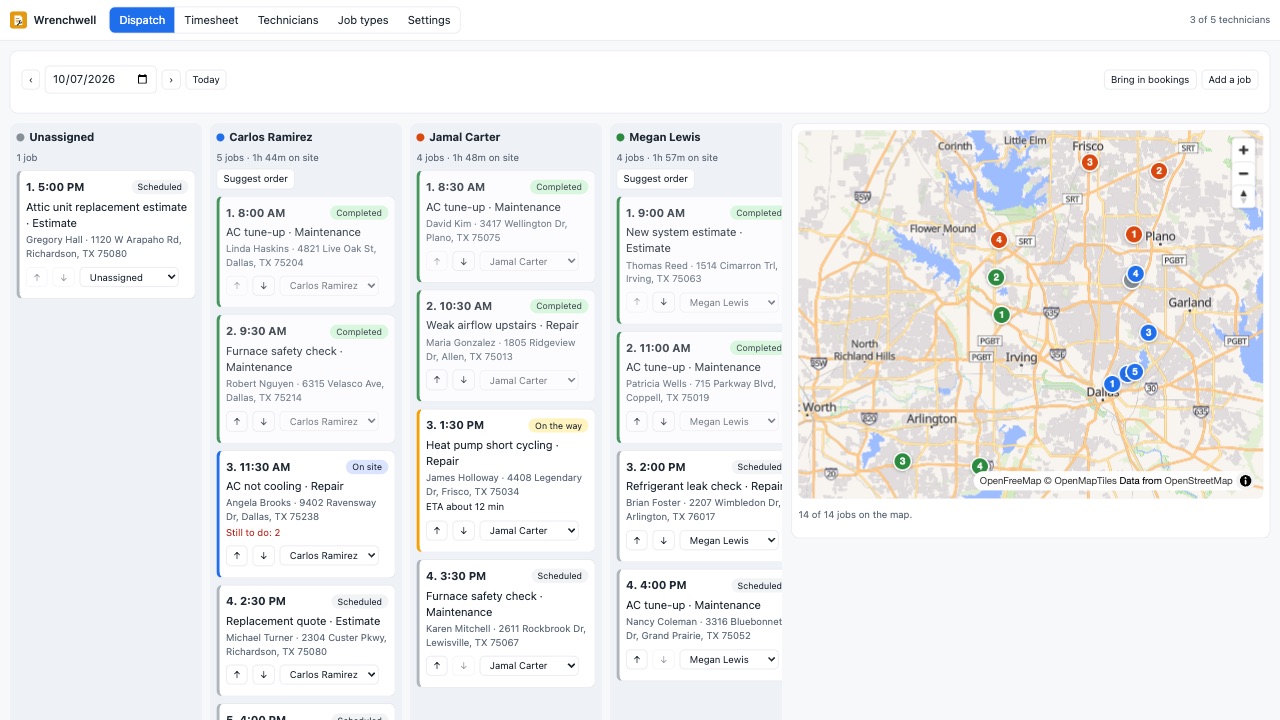
A dispatch board for the whole team
- One column per technician, unassigned jobs on the left, and the day on a map with numbered stops. Reassign with one click (the booking follows), move stops up or down. Suggested order: we reorder a technician's day for the shortest drive from your shop and show the miles saved. Booked times stay as they are.
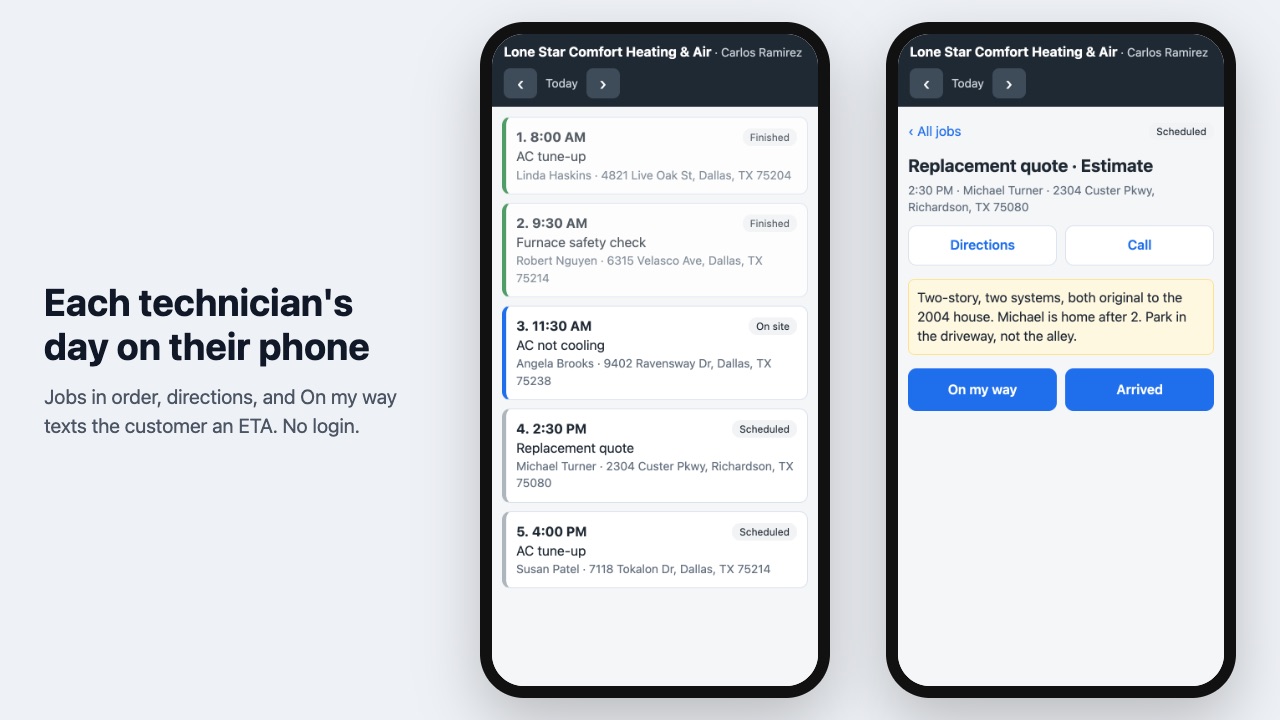
The day on the technician's phone
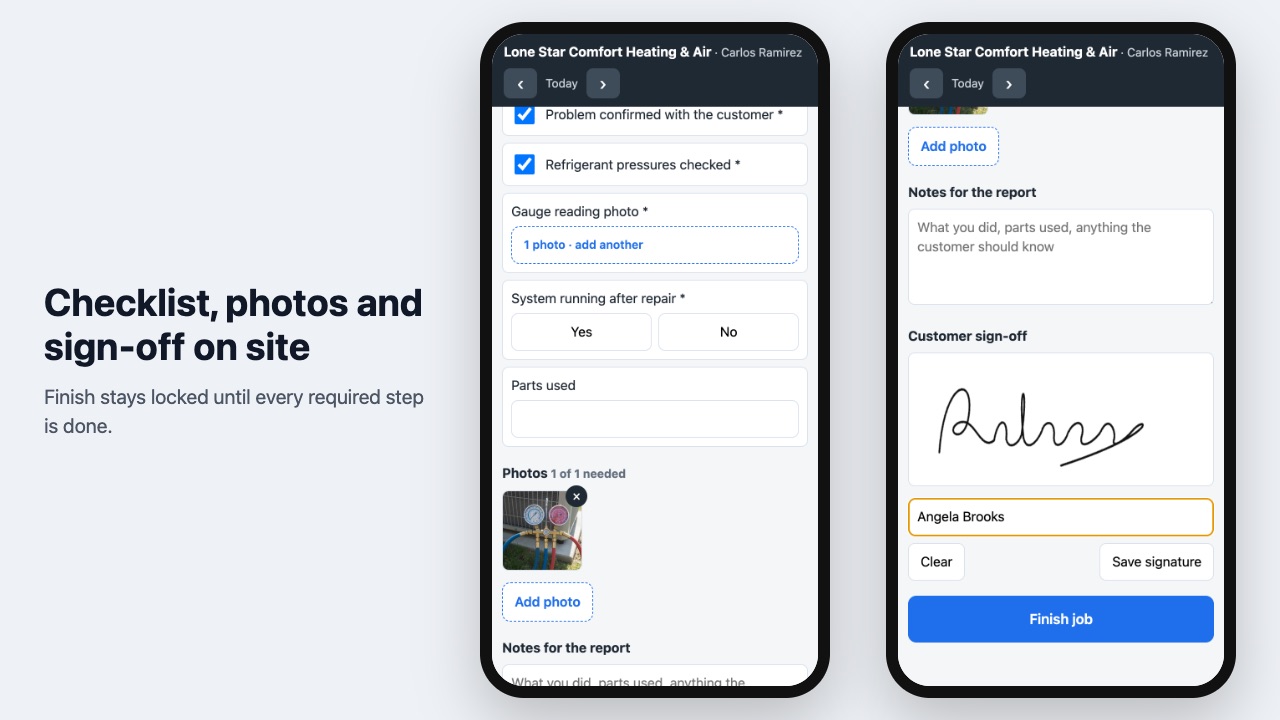
- Today's jobs in order, directions and a call button for each. "On my way" texts the customer from your number, with an ETA when the phone shares its position. The text is yours to edit. "Arrived" starts the clock. Checklists per job type: tick boxes, yes or no, numbers, notes and required photos. Photos go straight to your media library. The customer signs on the screen. "Finish" waits until the required items are done, so a job can't close with the photo still missing.
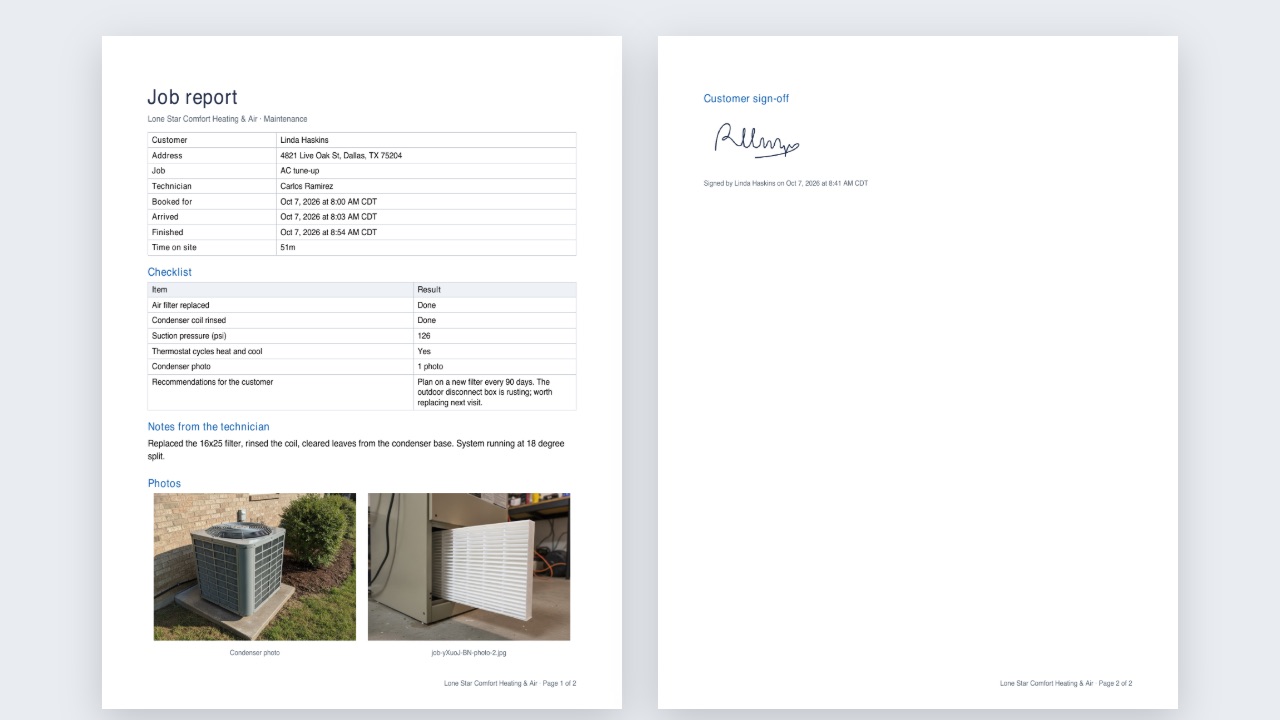
A report for every visit
When a job is finished, a PDF with the checklist, the photos, the technician's notes and the signature lands in your media library, on the contact as a note, and in the customer's inbox (all optional). The booking is marked showed and the contact gets a tag, so your review request workflow can start on time.
Know where the hours went
A weekly timesheet per technician: jobs finished, time on site and drive time, from the taps they already make. Download it as CSV for payroll.
Plays well with your workflows
Three triggers (Technician on the way, Job started, Job completed) carry the job, the technician, the ETA and the report link. Send a review request when the job is done, alert the office when a job starts late, or follow up on a quote visit.
What it doesn't do
It doesn't send invoices (your CRM's invoices do that), count inventory or follow technicians on GPS between stops. There's no separate phone app: the technician page runs in the phone's browser. Route suggestions use straight-line distance; ETAs use driving time when the phone shares its position.
Private by design
Customer details, notes, photos and signatures are encrypted at rest. Technician links are private and can be reset at any time. Disconnect deletes everything we hold.
Questions about Wrenchwell
What does Wrenchwell do?
Bookings become jobs, technicians get their day on their phone, and every finished visit leaves a report with photos and a signature. Your CRM already books the visits. Wrenchwell runs the day after the booking: who goes where, in what order, what they found, and proof it got done. Technicians don't need a CRM login or another app; they open a personal link on their phone.
What does Wrenchwell work with?
Wrenchwell works in HighLevel, including white-label HighLevel accounts.
How much does Wrenchwell cost?
Crew: $129 a month or $1,290 a year per business account. Team: $249 a month or $2,490 a year per business account. Fleet: $399 a month or $3,990 a year per business account. Billed through the HighLevel App Marketplace.
Is there a free trial?
14-day free trial.
How do I get Wrenchwell?
Email hello@greatwork.company and we'll help you get Wrenchwell set up.
Who makes Wrenchwell?
Great Work LLC, an independent software company. Email hello@greatwork.company with any question about Wrenchwell and a person will answer.
More HighLevel apps
 Zonewell
 Sluicewell
 Exhibitwell
 Repstub