



KickwellCollect logos, hours, domain and texting details from every new client, and save them into their account.
Full name: “Kickwell: Client Onboarding”
$97 a month or $970 a year for your whole team. 14-day free trial, up to 3 onboardings.
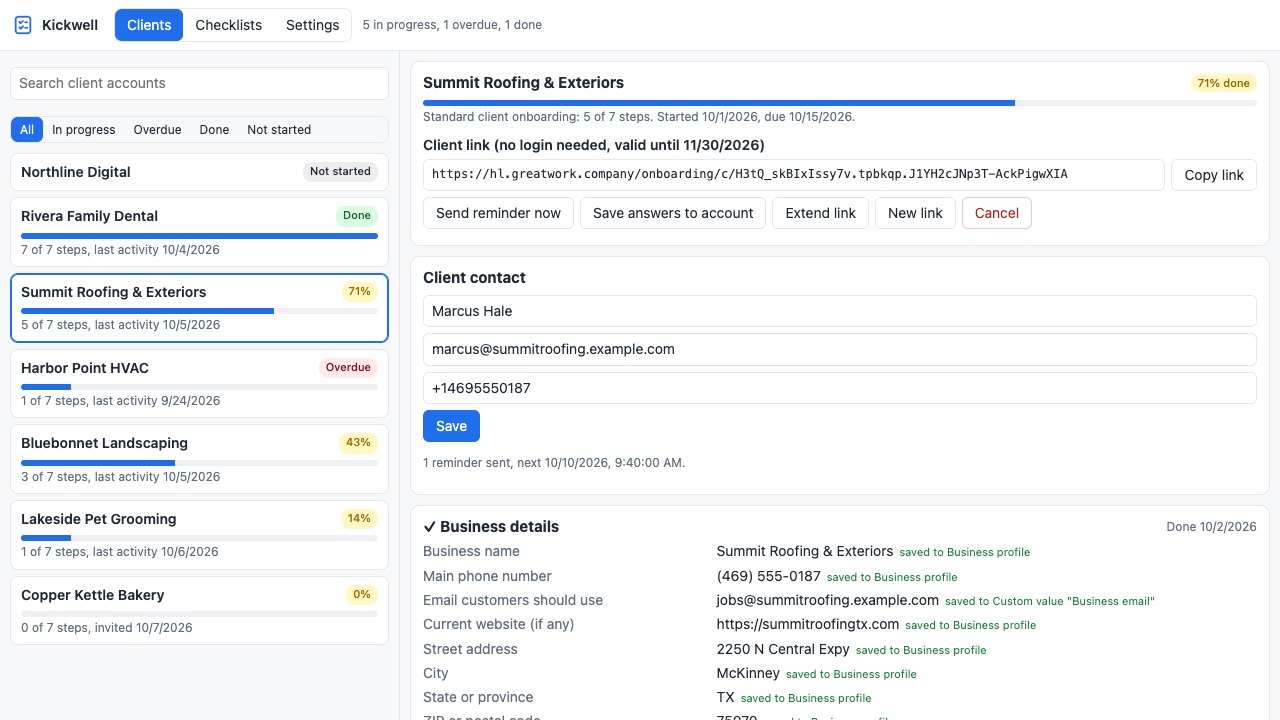
Kickwell runs the part of client onboarding your CRM leaves to email threads: getting every detail and file out of a new client, and putting it where it belongs in their account.
What you get
One checklist, every client
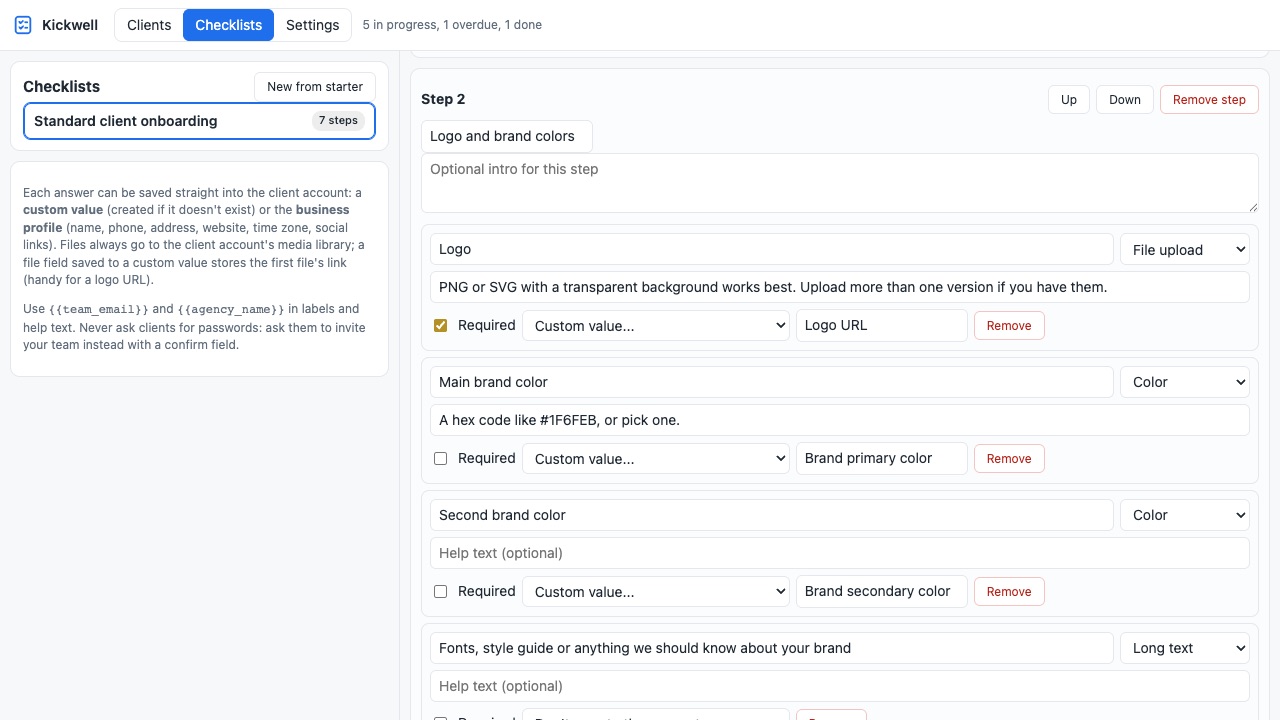
Start from a ready-made checklist (business details, logo and brand colors, business hours, website domain and DNS, business texting registration, Google Business Profile access, accounts to connect) or build your own with short and long text, choices, colors, weekly hours, file uploads and confirm boxes with instructions.
A private link, no login
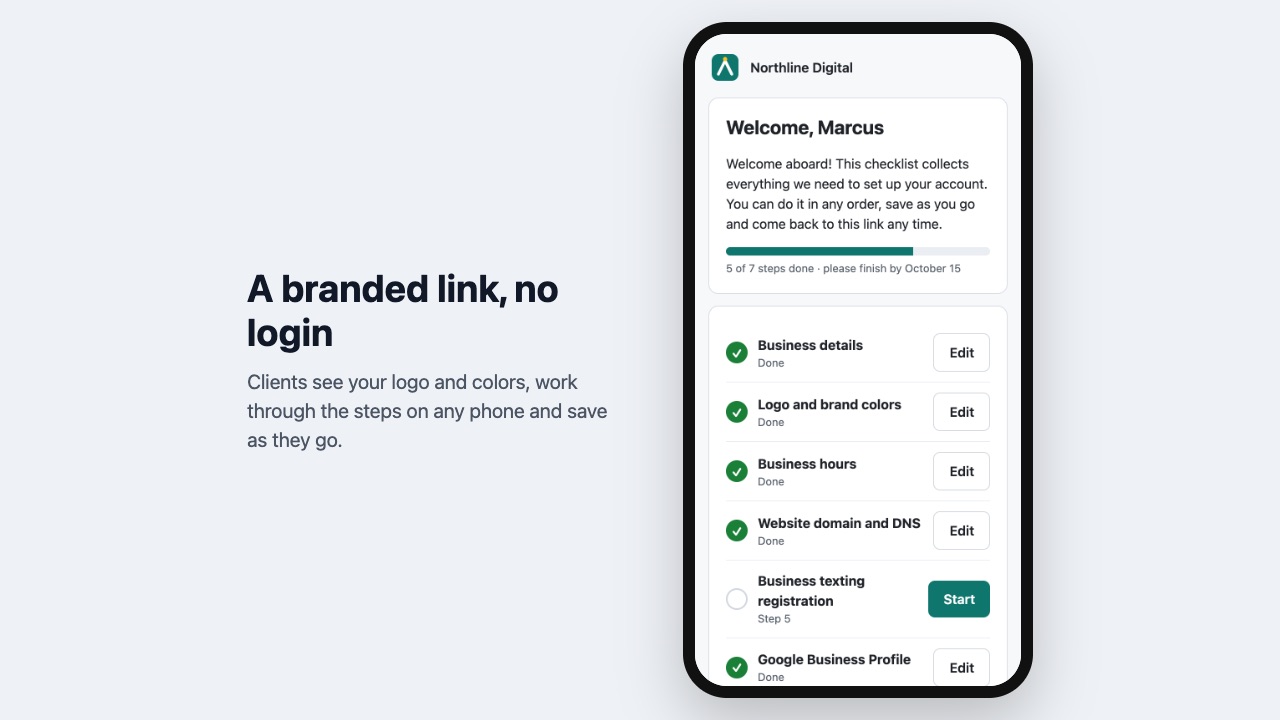
Each client gets a link to a page with your name, logo and color. They fill it in on any phone or computer, upload files, save as they go and come back any time. It never asks for passwords: where you need access, the checklist asks them to invite your team and links to the instructions.
Answers saved into the client's account
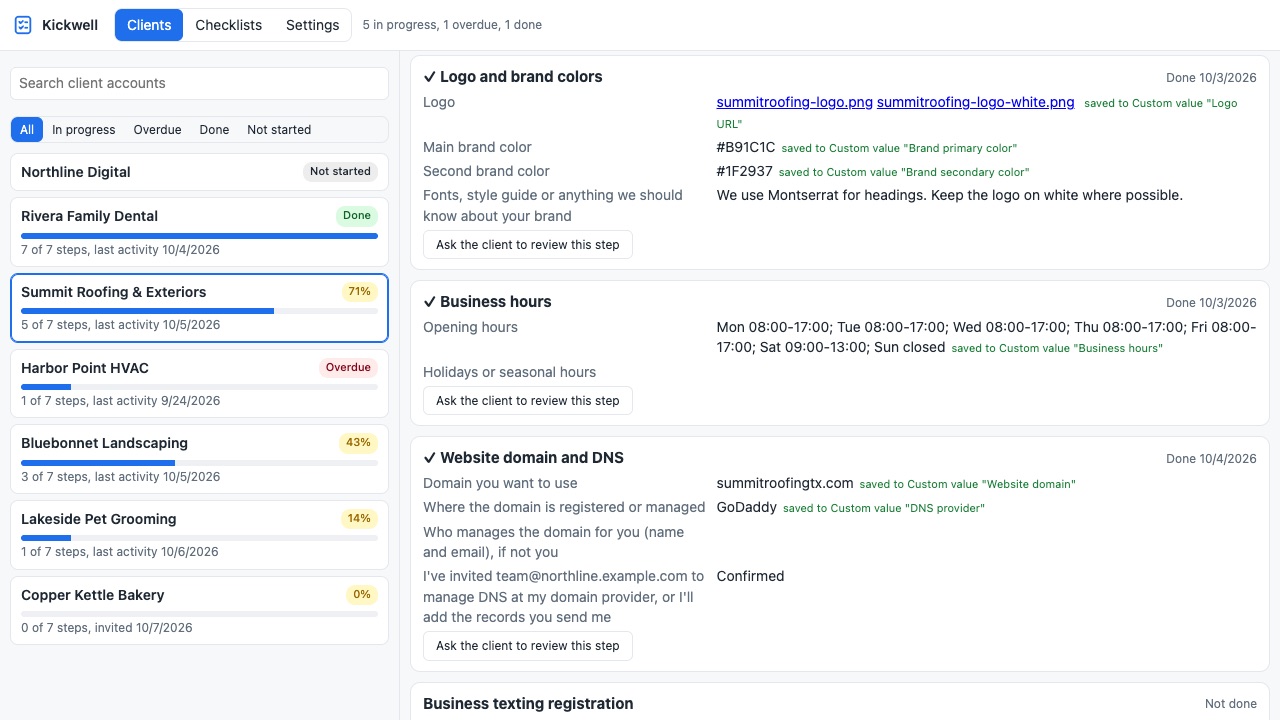
Map any answer to a custom value (created if missing) or to the account's business profile (name, phone, address, website, time zone, social links). Files go straight to the client's media library, and a file can fill a custom value too, so your snapshot's logo and brand-color placeholders fill themselves.
Every client at a glance
See each client account with its progress, overdue onboardings, last activity, every answer and file, and what was saved where. Copy or reissue a link, send a reminder, or send a step back to the client for another look.
Reminders that stop by themselves
Links and reminders go out by email or text from your own account, every few days until the checklist is done.
Workflow triggers
"Onboarding step completed" and "Onboarding finished" start workflows in your own account (with the client's contact, so you can move a deal, assign a task or notify the team) and in the client's account (to switch on campaigns when setup is complete).
Automatic start
Optionally start the right checklist the moment you create a new client account.
Questions about Kickwell
What does Kickwell do?
Collect logos, hours, domain and texting details from every new client, and save them into their account. Kickwell runs the part of client onboarding your CRM leaves to email threads: getting every detail and file out of a new client, and putting it where it belongs in their account.
What does Kickwell work with?
Kickwell works in HighLevel, including white-label HighLevel accounts.
How much does Kickwell cost?
$97 a month or $970 a year for your whole team, with unlimited client accounts. Messages are sent through your CRM's own email and SMS, so its usual messaging rates apply. Billed through the HighLevel App Marketplace.
Is there a free trial?
14-day free trial, up to 3 onboardings.
How do I get Kickwell?
Email hello@greatwork.company and we'll help you get Kickwell set up.
Who makes Kickwell?
Great Work LLC, an independent software company. Email hello@greatwork.company with any question about Kickwell and a person will answer.
More HighLevel apps
 Kioskwell
 Foliowell
 Okaygate
 Exhibitwell