



Targwell for BaseLinker Allegro, Amazon, eBay and Kaufland orders from BaseLinker in the ticket, matched by email. $9/agent.
$9 a month per agent. 14-day free trial (Zendesk asks for a card at install). Billed monthly by Zendesk. No free plan.
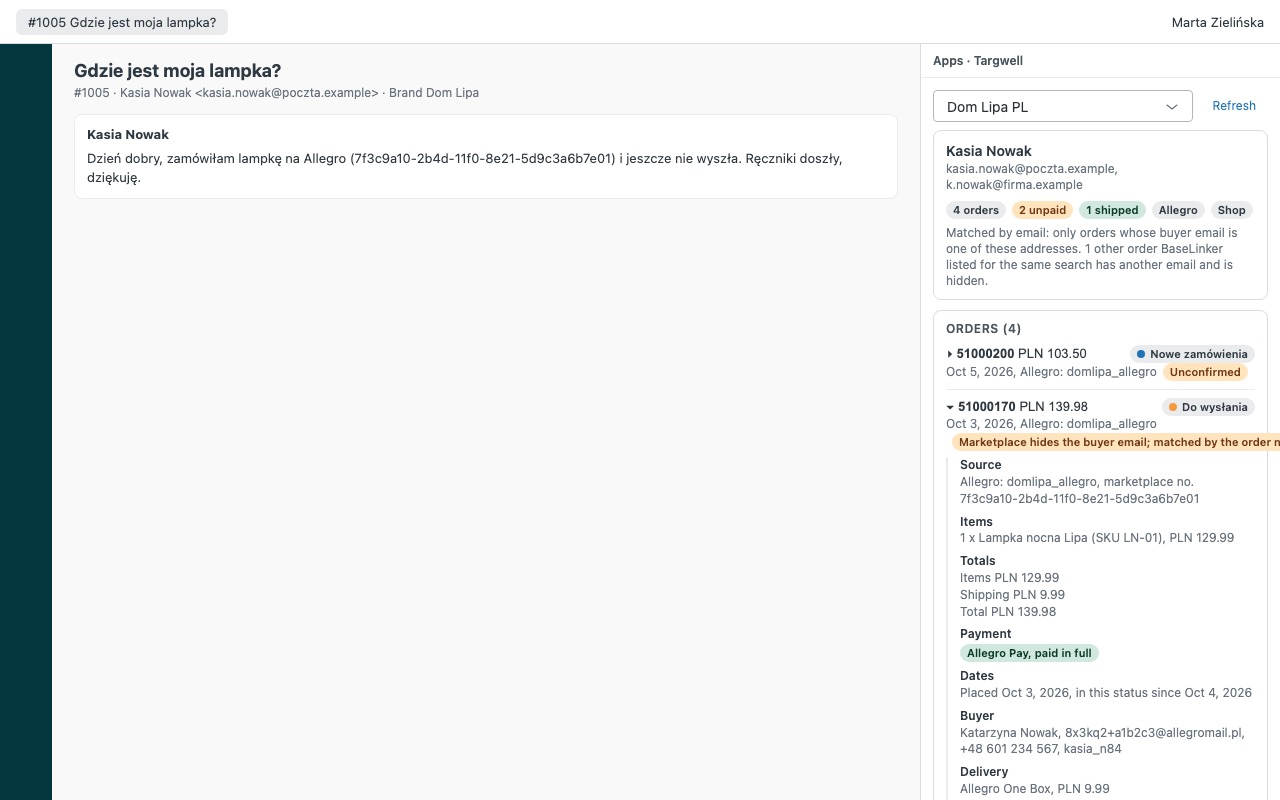
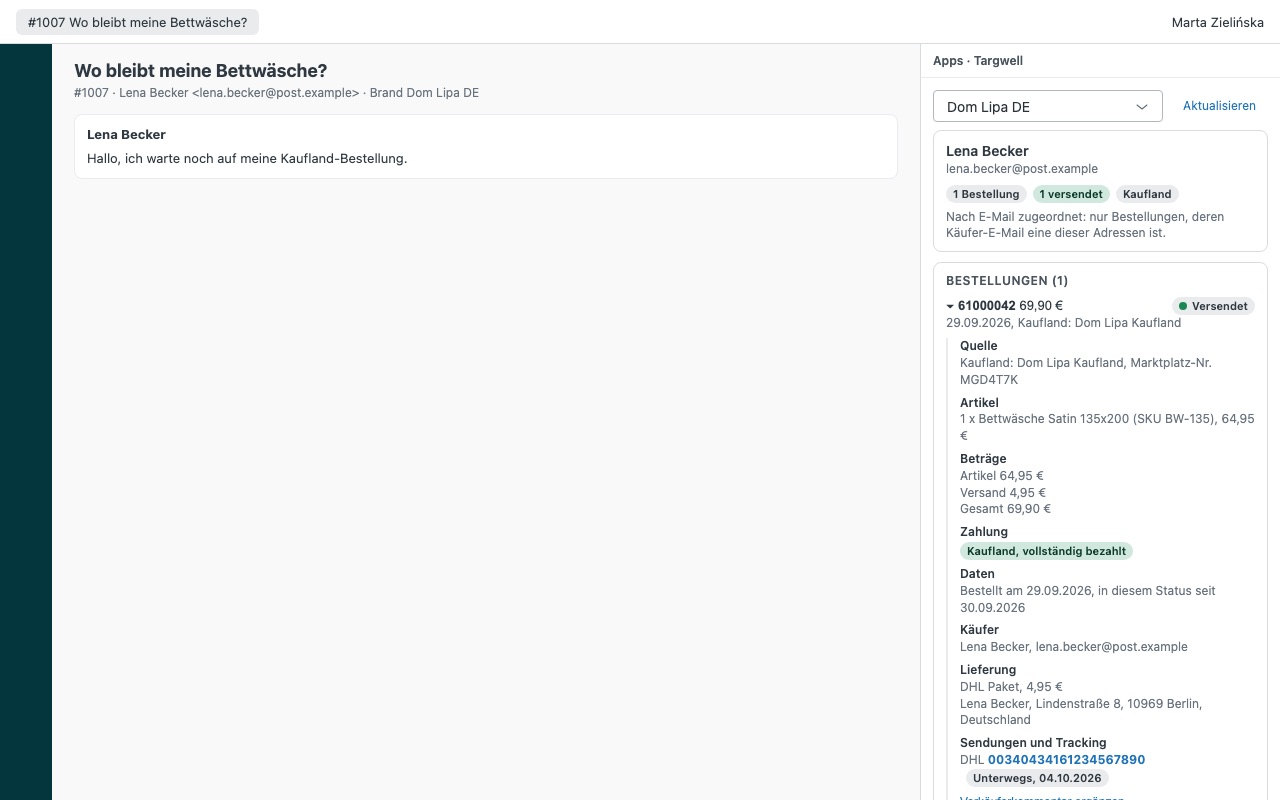
Targwell shows the requester's BaseLinker orders next to every ticket, in English, Polish or German. One connection covers every channel BaseLinker collects: Allegro, Amazon, eBay, Kaufland, your own shop and manual orders. Your agents answer "where's my order?" without opening the BaseLinker panel in another tab.
What agents see - Every order matched to the requester by each email on their Zendesk profile. Targwell keeps an order only when its buyer email is exactly theirs, so a look-alike address never shows a stranger's order. - Marketplace orders behind relay emails (Allegro, Amazon, eBay): when the ticket names the order, Targwell shows it if the buyer's full name or phone matches the requester, with a badge saying how it matched. An order someone else placed is named with a masked email, never shown. - Status (with your own status names and colors), source and marketplace order number, items with SKU, totals, payment state (paid, unpaid, cash on delivery), delivery or pickup point, buyer and seller comments, and shipments with courier, tracking number, tracking status and carrier link. - One click puts the order status and tracking into the reply, using the customer-facing status name you set in BaseLinker. - A lookup box for a BaseLinker order number, an Allegro, Amazon or eBay order number, an email or a phone number.
How Targwell works
- Copy a BaseLinker API token. In BaseLinker, open Account & other > My account > API and create a token, or copy an existing one.
- Install Targwell from the Zendesk Marketplace and paste the token into BaseLinker API token. Nothing is created in Zendesk or BaseLinker.
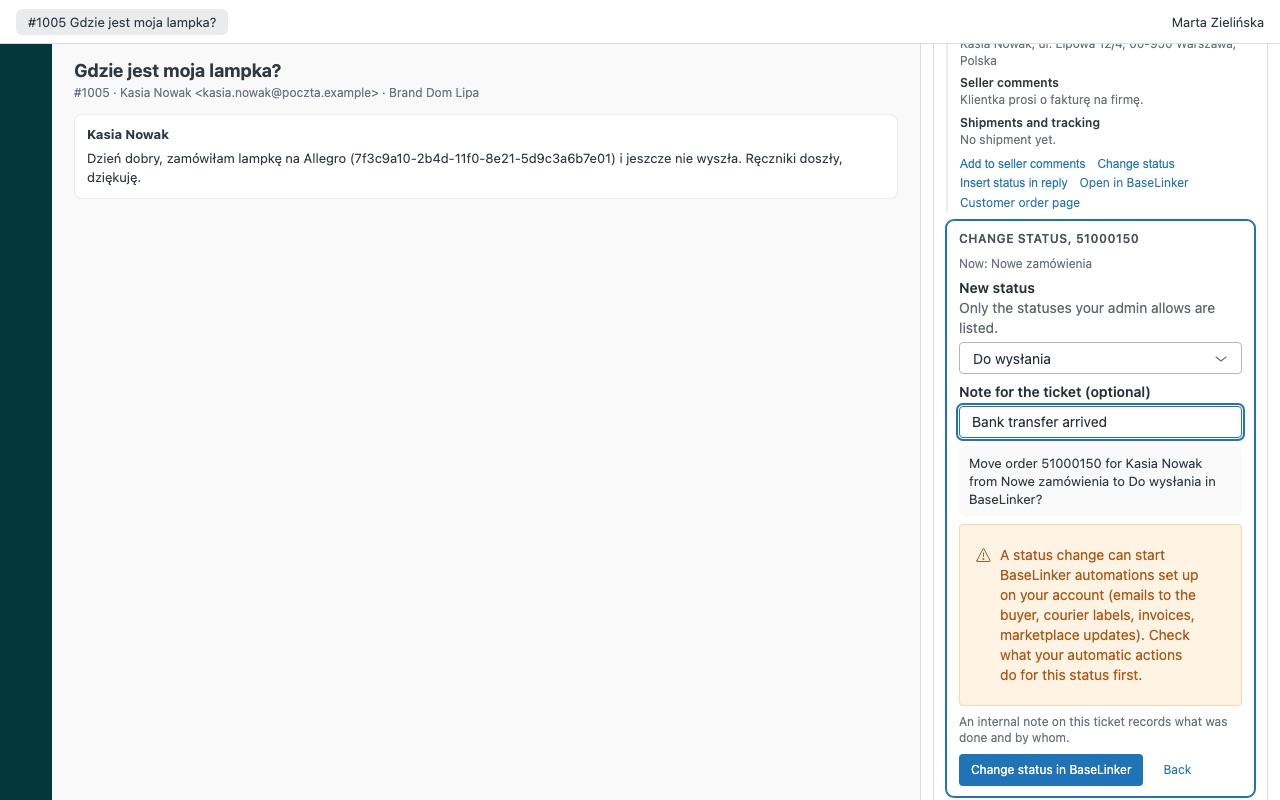
- Choose who may act. Admins by default. Adding to seller comments is on; status changes stay off until you turn on Allow status changes; Statuses agents may set limits them (left empty, any status is allowed).
- Open a ticket. Targwell searches every email on the requester's profile and keeps an order only when its buyer email is exactly one of them. Order numbers written in the ticket, including Amazon, eBay and Allegro numbers, are read too.
- Read the order. Status with your own names and colors, source and marketplace order number, items with SKU, totals, payment state, delivery or pickup point, buyer and seller comments, and shipments with courier, tracking number and tracking status.
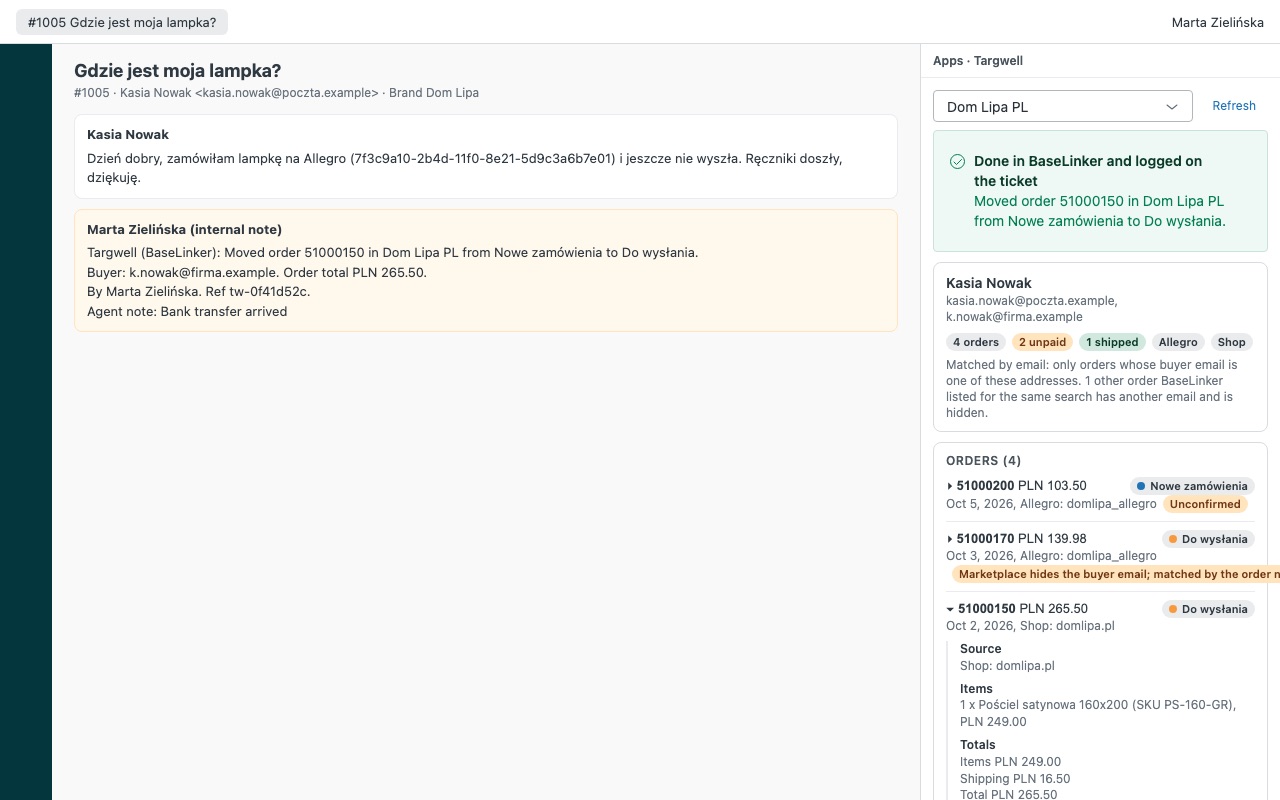
- Answer or act. Insert status in reply puts the order status and tracking into the reply. Add to seller comments and Change status are confirmed first and logged as an internal note with a
targwell_commentortargwell_statustag.
Who it's for
Marketplace sellers on Allegro, Amazon, eBay and Kaufland
"Gdzie jest moja paczka?" and "where is my order?" need the order and its tracking. One BaseLinker connection covers every channel BaseLinker collects, so agents don't open each marketplace's panel.
Teams in Poland, Germany and beyond
The interface follows each agent's Zendesk language: English, Polish or German. Set Language to en, pl or de to fix it for everyone.
Sellers running more than one BaseLinker account
Connect up to three accounts, each with its own label, token and Zendesk brands. A brand's tickets open its account first, and agents can switch.
What you need
- Zendesk Support and an admin to install Marketplace apps.
- A BaseLinker account with access to its API settings.
- Optional: your order card address with
{id}in place of the order number, for an Open in BaseLinker link. - Before allowing status changes, a look at your BaseLinker automatic actions for those statuses, because a status change can start them.
Targwell for BaseLinker guides
Questions about Targwell for BaseLinker
What does Targwell for BaseLinker do?
Allegro, Amazon, eBay and Kaufland orders from BaseLinker in the ticket, matched by email. $9/agent. Targwell shows the requester's BaseLinker orders next to every ticket, in English, Polish or German. One connection covers every channel BaseLinker collects: Allegro, Amazon, eBay, Kaufland, your own shop and manual orders. Your agents answer "where's my order?" without opening the BaseLinker panel in another tab.
What does Targwell for BaseLinker work with?
Targwell for BaseLinker works in Zendesk Support.
How much does Targwell for BaseLinker cost?
Standard: $9 a month per agent.
Is there a free trial?
14-day free trial (Zendesk asks for a card at install). Billed monthly by Zendesk. No free plan.
Where do I install Targwell for BaseLinker?
From the Zendesk Marketplace. Use the Install button on this page, or search for "Targwell for BaseLinker" there.
Who makes Targwell for BaseLinker?
Great Work LLC, an independent software company. Email hello@greatwork.company with any question about Targwell for BaseLinker and someone will answer.
Can agents see orders placed by someone else?
No. An order is shown only when its buyer email is exactly one of the requester's addresses, or when the ticket names it and the buyer's full name or phone matches. Anything else the ticket names is listed by number with a masked email, and an agent can look it up on purpose.
Will Targwell use up our BaseLinker API limit?
BaseLinker allows 100 API requests a minute, shared with every integration on your account. Targwell reads the status list and order sources once per sidebar, then one list and one read per email; shipments load only when an agent opens an order. A refused call is reported, never retried.
Can a status change be sent twice?
No. Each action is checked against a fresh read of the order, sent once and read back. If BaseLinker's answer is lost, Targwell reads the order again instead of sending twice.
Do buyers see seller comments?
No. Seller comments are BaseLinker's admin comments. They hold 200 characters in total, and Targwell adds a line while keeping what's there.
Does it store our orders?
No. It reads orders only for the person on the ticket or one lookup, keeps nothing after the sidebar closes and has no export.
What happens when I uninstall it?
The app and its settings, including the token, are removed. The targwell_* tags stay on past tickets.
More Zendesk apps
 Tenurewell
 Staffwell
 Termwell
 Sprucewell