



SprucewellFind and replace across Guide articles, fix broken links, add 301 redirects. Preview, then undo.
Full name: “Sprucewell: Help Center Find, Replace and Links”
From $85 a month per Zendesk account. 14-day free trial (Zendesk asks for a card at install). Billed monthly by Zendesk. No free plan.
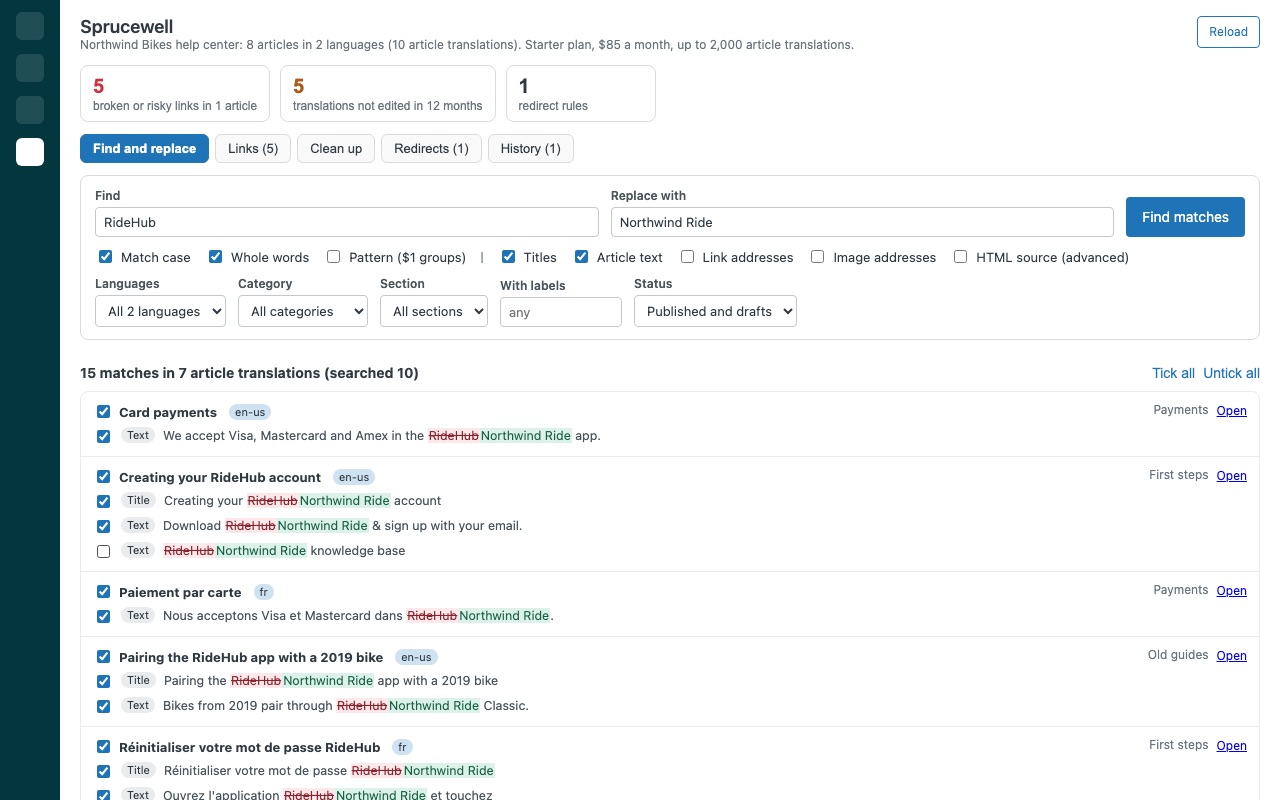
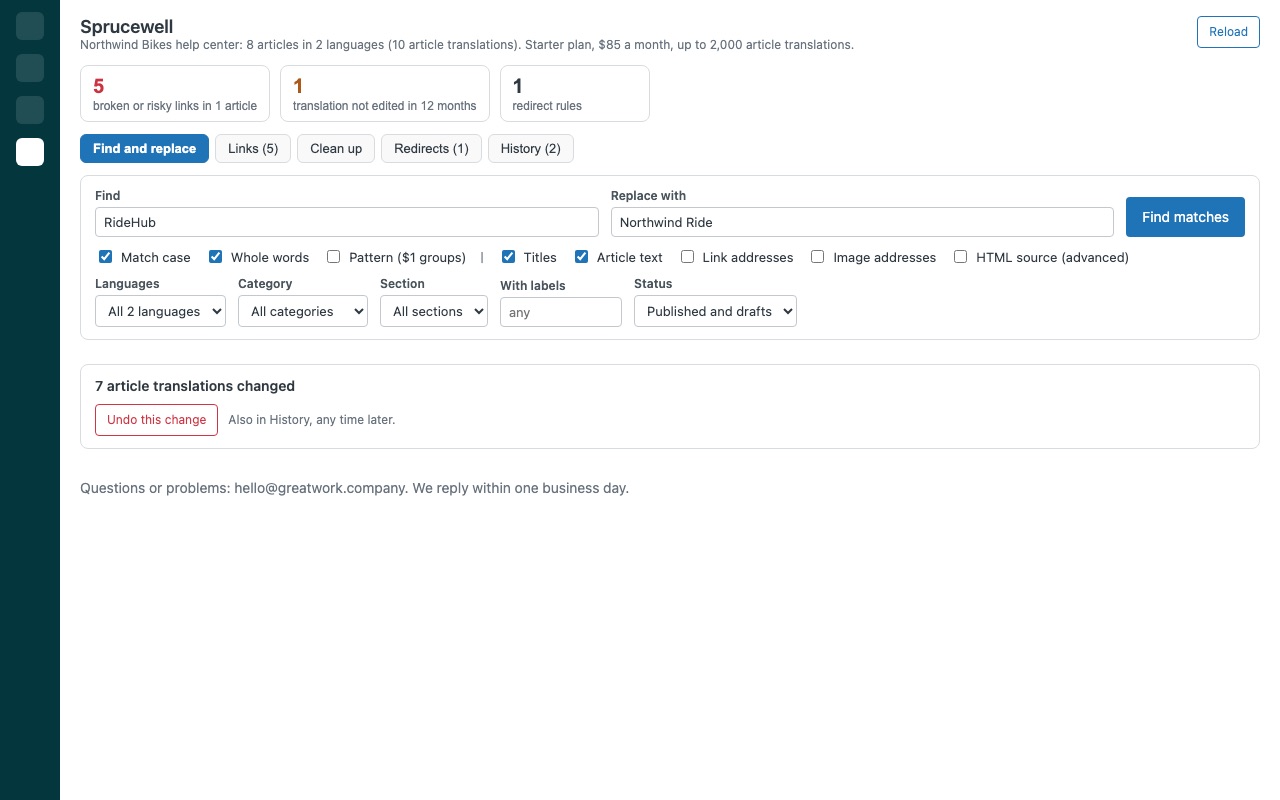
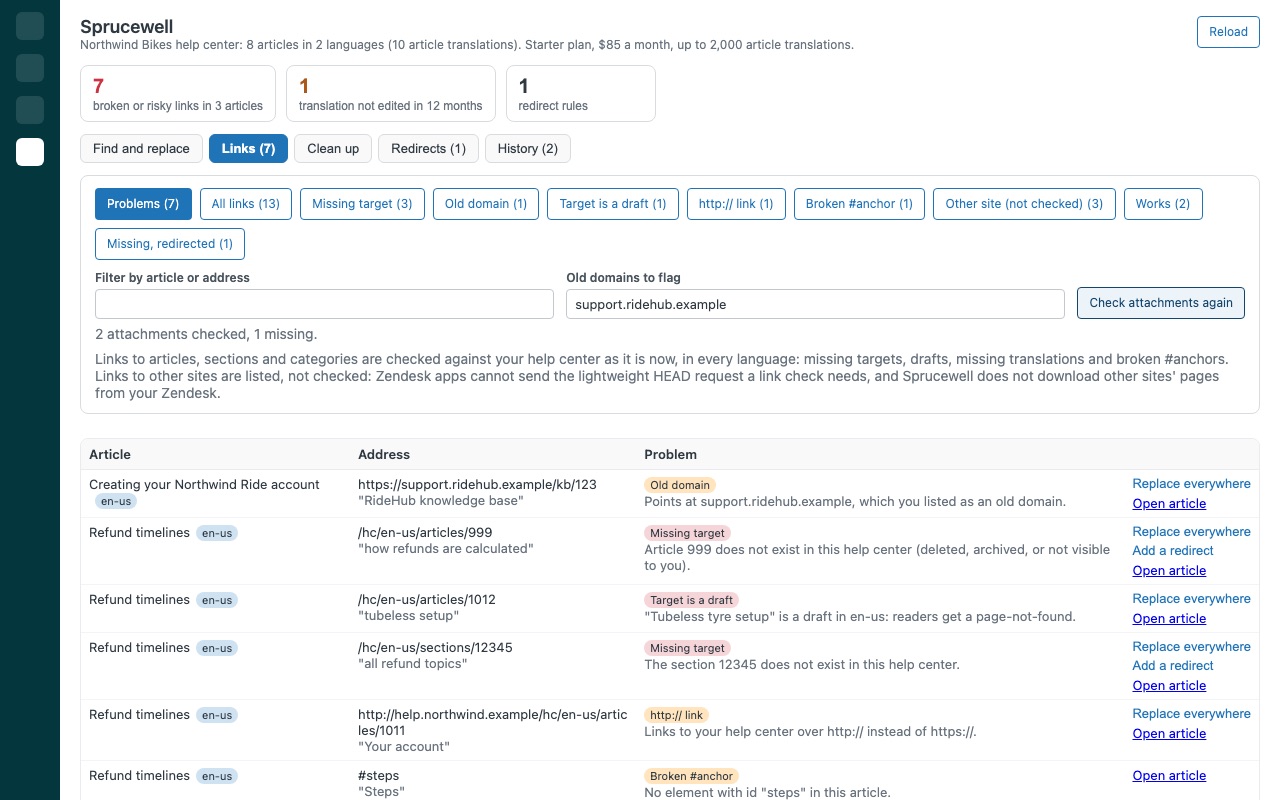
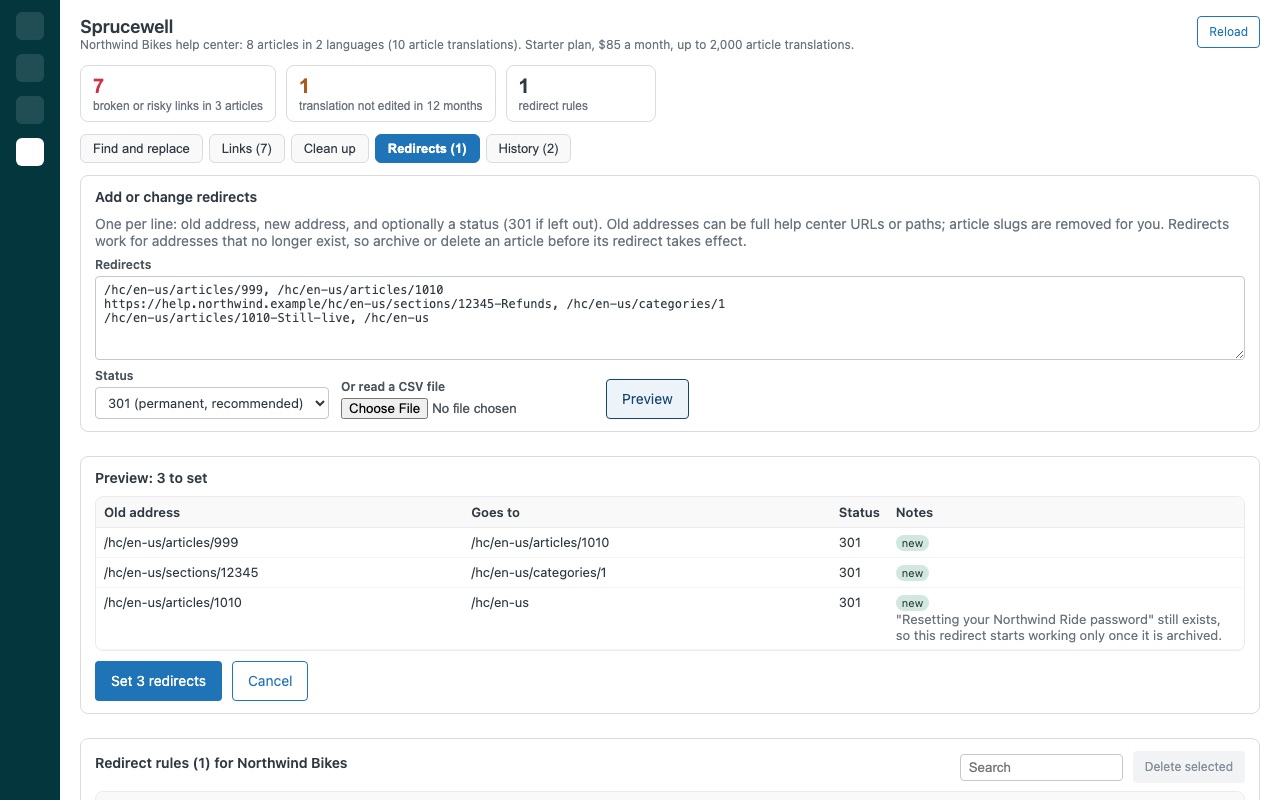
Rename a product across every help center article, fix every broken link, and keep old addresses working with real 301 redirects, all from one screen in Zendesk. Sprucewell finds every place that needs a change, in every language, shows you each one before anything is written, and keeps a copy of everything it changes so you can put it back.
Sprucewell is built by Great Work LLC. It is not made or endorsed by Zendesk.
What you get
Find and replace across every article and language
Search titles and article text in every language at once, or filter by section, label or status. Match case, whole words, or a pattern with $1 groups. Only the words readers see change. Markup is never touched unless you ask. Link and image addresses are separate options, for domain moves.
Fix broken links
Every link and image in every language is checked: deleted articles, drafts, missing translations, gone #anchors, missing attachments and old domains. Fix in one click. Replace a bad address in every article that has it, or send a missing article straight to Redirects.
Clean up outdated content
Find what nobody has touched in 6, 12 or 24 months, oldest first. Bulk changes: add or remove labels, move section, or archive.
Real 301 redirects, managed in a screen
Add, update and delete your help center's own redirect rules (301, 302, 303, 307 or 308): one at a time, pasted as a list, or from a CSV file. The preview flags duplicates and replaced rules. Every change can be undone.
Undo anything
Before Sprucewell writes, it saves what it is about to change in your own Zendesk account. Undo a whole change or a single item from History. Archived articles are the one exception: Zendesk restores them in Knowledge admin, and Sprucewell says so before you archive.
Requirements
Zendesk Suite (any plan) or Support Enterprise with Knowledge (Guide), because the undo copies are kept in a custom object. Sprucewell creates it at install. Editing articles needs a Guide admin, or an agent allowed to edit those articles. Redirects need a Guide admin.
Questions about Sprucewell
What does Sprucewell do?
Find and replace across Guide articles, fix broken links, add 301 redirects. Preview, then undo. Rename a product across every help center article, fix every broken link, and keep old addresses working with real 301 redirects, all from one screen in Zendesk. Sprucewell finds every place that needs a change, in every language, shows you each one before anything is written, and keeps a copy of everything it changes so you can put it back.
What does Sprucewell work with?
Sprucewell works in Zendesk Support.
How much does Sprucewell cost?
Starter: $85 a month per Zendesk account. Growth: $125 a month per Zendesk account. Scale: $175 a month per Zendesk account.
Is there a free trial?
14-day free trial (Zendesk asks for a card at install). Billed monthly by Zendesk. No free plan.
How do I get Sprucewell?
Email hello@greatwork.company and we'll help you get Sprucewell set up.
Who makes Sprucewell?
Great Work LLC, an independent software company. Email hello@greatwork.company with any question about Sprucewell and a person will answer.
More Zendesk apps
 Staffwell
 Slotwell
 Tabwell
 Skipwell