


Staffwell Employee profiles from HiBob, Deel or BambooHR on the ticket. You pick the HR fields agents see.
$499 a month per Zendesk account. 14-day free trial (Zendesk asks for a card at install). Billed monthly by Zendesk. No free plan.
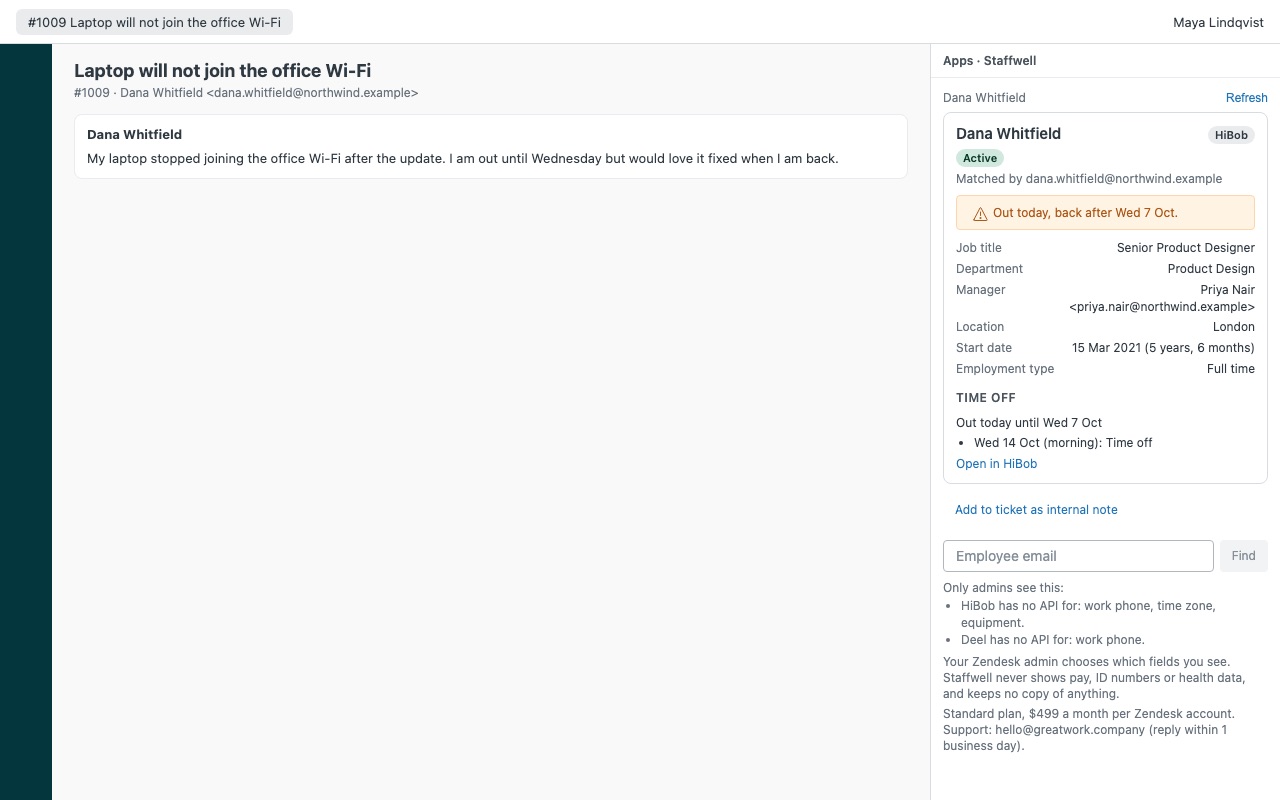
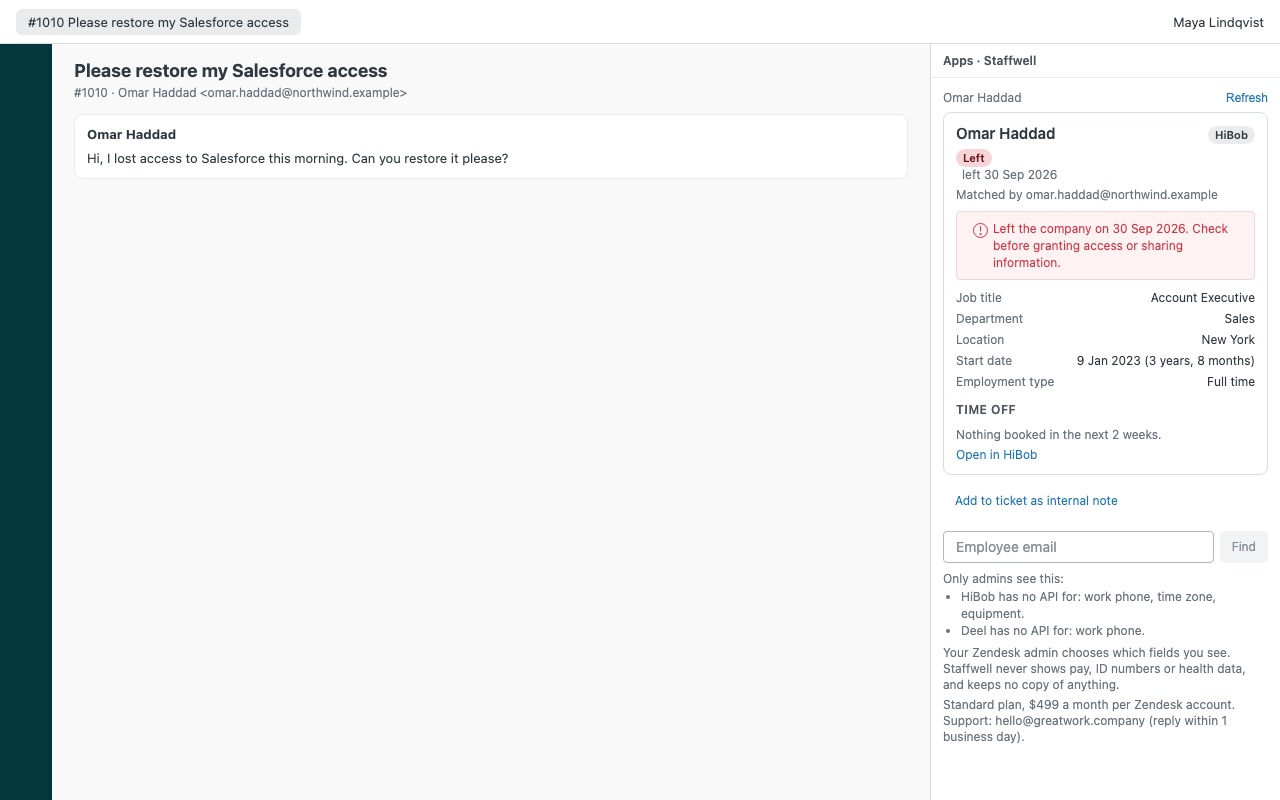
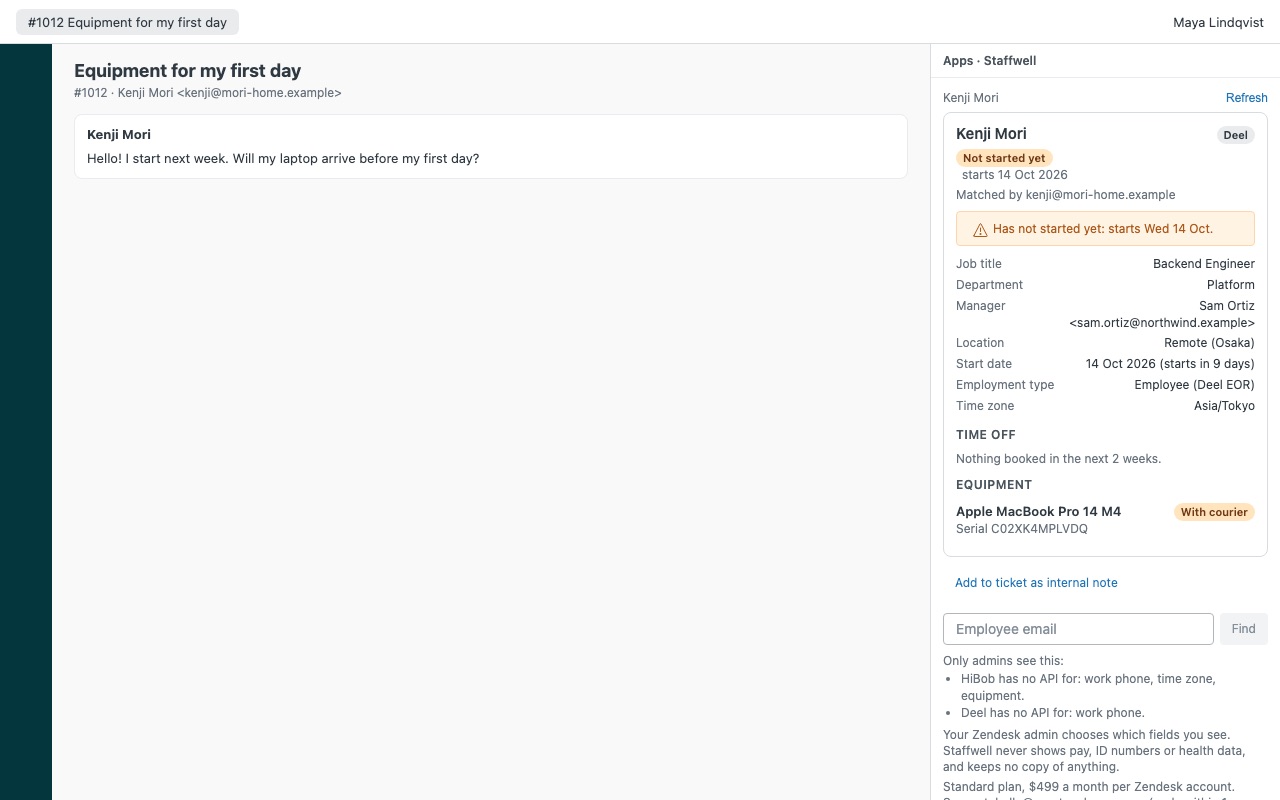
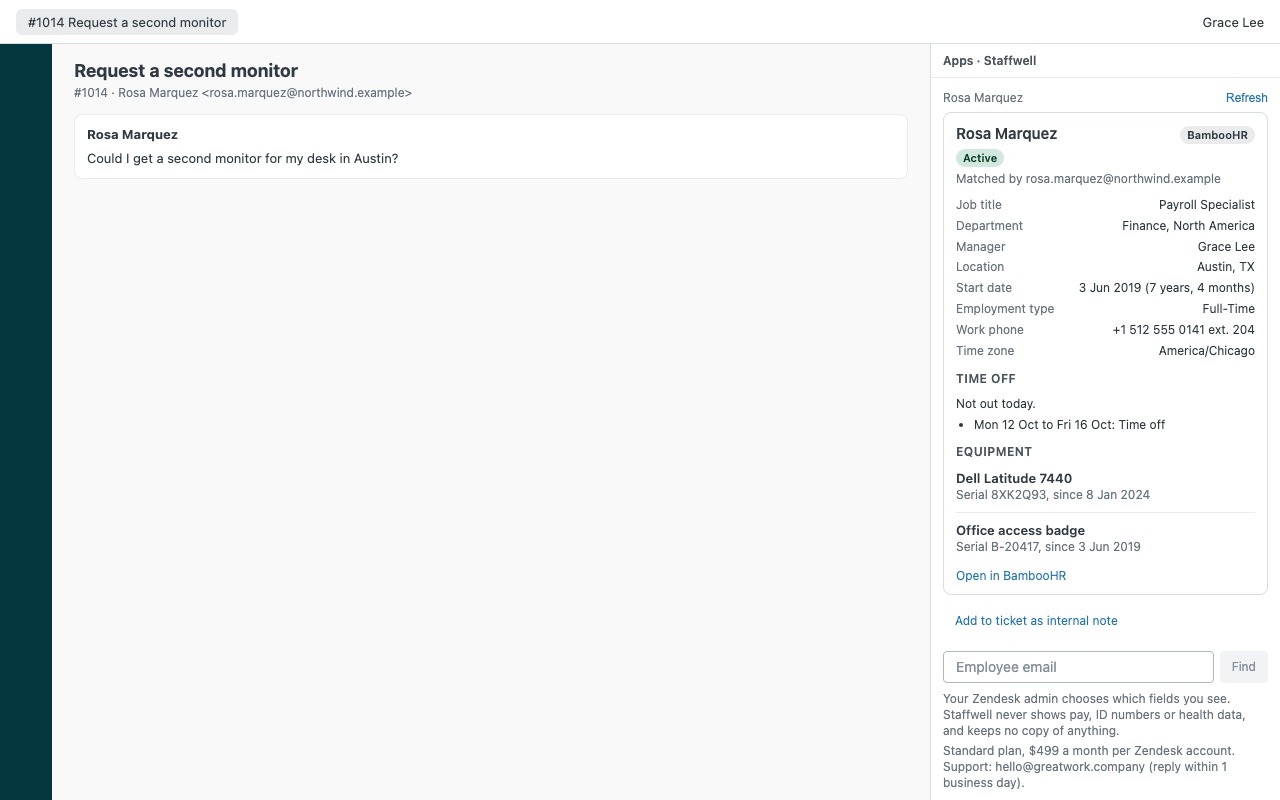
Know who you are helping before you reply: the employee's live HR record from HiBob, Deel or BambooHR, right in the ticket, showing only the fields each role may see. Staffwell is built for internal IT and HR help desks. It finds the requester by every email address on their Zendesk profile and shows their employment status, job title, department, manager, location, start date, employment type, time off today and in the next two weeks, and the equipment the HR system has on record.
Staffwell is built by Great Work LLC. It is not made, endorsed or sponsored by Zendesk, HiBob (Bob), Deel or BambooHR. Those names are trademarks of their owners.
What you get
Warnings first
Left the company (with the date), so nobody restores access or shares information by mistake. Leaving with the last day, on leave, has not started yet with the start date, and out today with the day they are back.
You decide what agents see
Two field lists: the fields every agent sees, and extra fields only HR roles see (admins, custom roles or groups you name). The default shows IT agents the basics and keeps start date, employment type, phone and equipment for HR. Staffwell asks the HR system only for the fields the agent in front of it may see. Hidden fields are never requested, so they never reach that agent's browser.
Built for HR data
Your HR credentials are stored as Zendesk secure settings. They never reach the agent's browser, and Zendesk only sends them to the HR system's own API host. Read only: Staffwell never changes anything in HiBob, Deel or BambooHR.
Plan (billed monthly by Zendesk)
Standard: $499 per month per Zendesk account, all three HR systems included.
How Staffwell works
- Create a read-only credential in each HR system you use. A HiBob service user, a Deel organization token with
people:read, or a BambooHR API key from a user whose access level covers only the fields you'll show. - Install Staffwell from the Zendesk Marketplace and paste each credential into its secure setting. Connect one, two or all three systems.
- Choose who sees what. Fields every agent sees and Extra fields for HR roles are two lists, and Who sees the HR fields names the roles or groups that get the second list.
- Open a ticket from an employee. Staffwell matches the requester by every email on their Zendesk profile and shows their record, warnings first: left the company, leaving, on leave, not started yet, or out today.
- Look someone up on purpose. No match? Type a work email into Employee email and press Find. Lookup is by exact email only.
- Add facts to the ticket when needed. Add to ticket as internal note lets the agent tick the fields to include and confirm. The ticket gets the
staffwell_notetag.
Who it's for
Internal IT help desks
Before resetting a password or shipping a laptop, the agent sees whether the requester still works there, who their manager is, where they're based and what equipment the HR system has on record.
HR and People teams in Zendesk
HR agents see the extra fields you allow, such as start date, employment type, work phone and time zone, while other agents see only the basics. Fields an agent may not see are never requested for them.
Companies with staff in more than one HR system
Contractors hired through Deel and employees in HiBob or BambooHR show in the same panel. When the requester matches in more than one system, each match shows as a button.
What you need
- Zendesk Support and an admin to install the app.
- HiBob: a service user in a permission group with View on the People's data and Time off fields in the docs, with "Lifecycle status equals Employed" removed from its access so leavers can be shown.
- Deel: an organization token with
people:read, plustime-off:readandit-assets:readif you show time off and equipment. Leave sensitive data access off. - BambooHR: your subdomain and an API key from a user whose access level covers only the fields you'll show.
Staffwell guides
Questions about Staffwell
What does Staffwell do?
Employee profiles from HiBob, Deel or BambooHR on the ticket. You pick the HR fields agents see.
What does Staffwell work with?
Staffwell works in Zendesk Support.
How much does Staffwell cost?
Standard: $499 a month per Zendesk account.
Is there a free trial?
14-day free trial (Zendesk asks for a card at install). Billed monthly by Zendesk. No free plan.
Where do I install Staffwell?
From the Zendesk Marketplace. Use the Install button on this page, or search for "Staffwell" there.
Who makes Staffwell?
Great Work LLC, an independent software company. Email hello@greatwork.company with any question about Staffwell and someone will answer.
Can Staffwell show salary or other sensitive data?
No. Pay, bank details, ID and tax numbers, birth dates, gender, home addresses, dependents, benefits and health data are never shown, and there's no setting to turn them on. Staffwell has no way to request them.
Does it tell agents why someone is away?
No. Leave reads "On leave" (or "On garden leave"), and time off reads "Time off". With Show the type of time off on, ordinary types such as Vacation or Training are named; sick, medical, parental and personal leave never are.
Does Staffwell change anything in our HR system?
No. It only reads, and the credential's own permissions are the outer limit of what it can read.
Is HR data copied into Zendesk?
No. Data is read live while the sidebar is open and is gone when it closes. The only thing written to Zendesk is an internal note an agent chooses to add.
Do you support Workday or Personio?
Not today. Staffwell works with HiBob, Deel and BambooHR.
What happens when I uninstall it?
The stored credentials are deleted. Internal notes and staffwell_note tags already on tickets stay. Delete the service user, token or API key in the HR system too.
More Zendesk apps
 Targwell for BaseLinker
 Sprucewell
 Tenurewell
 Slotwell