


Lettercrest Email template editor for Zendesk: visual design per brand, live preview, checks and rollback.
$79 a month per Zendesk account. 14-day free trial (Zendesk asks for a card at install). Billed monthly by Zendesk. No free plan.
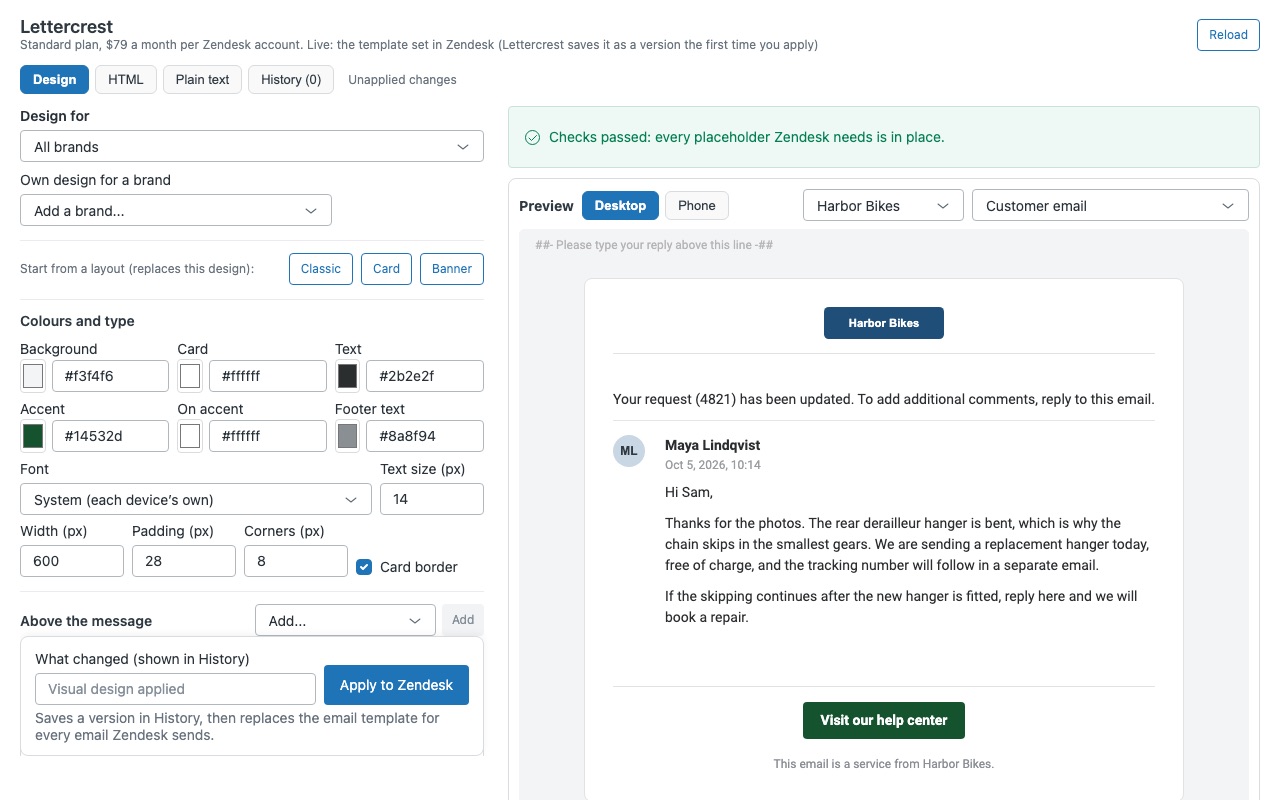
Make every email Zendesk sends look like your brand, without writing HTML. Lettercrest is a visual editor for your Zendesk email template: pick a layout, add your logo, set colours and fonts, and see the result on desktop and phone with a real-looking message in it. It checks the placeholders Zendesk needs, applies the template straight to your account, and keeps every version so you can roll back in one click.
Lettercrest is built by Great Work LLC. It is not made or endorsed by Zendesk.
What you get
Design it visually
Start from a layout (Classic, Card or Banner) and change anything: colours, font, text size, width, padding, corners and border. Blocks above and below the message: logo, banner, text, button, links, divider, footer line or your own HTML.
A design for each brand
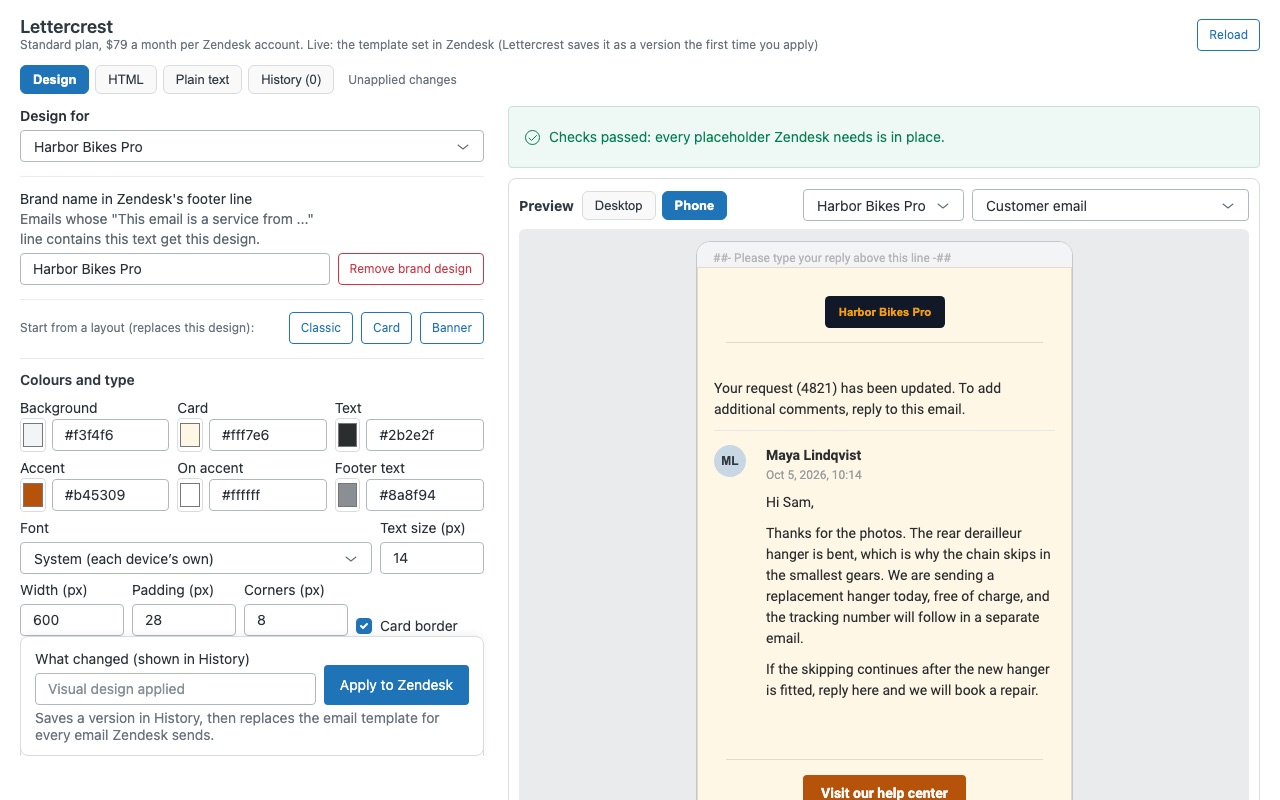
Zendesk keeps one email template per account. Lettercrest lets you design one look per brand (logo, colours, header and footer) and folds them into that one template, so each email goes out in the design of its ticket's brand. Help center notifications fall back to your default design.
See it before your customers do
Live preview with a sample ticket update filled into {{content}}. Desktop and phone, per brand and per audience. Layouts are built for mail apps.
Checks before anything goes live
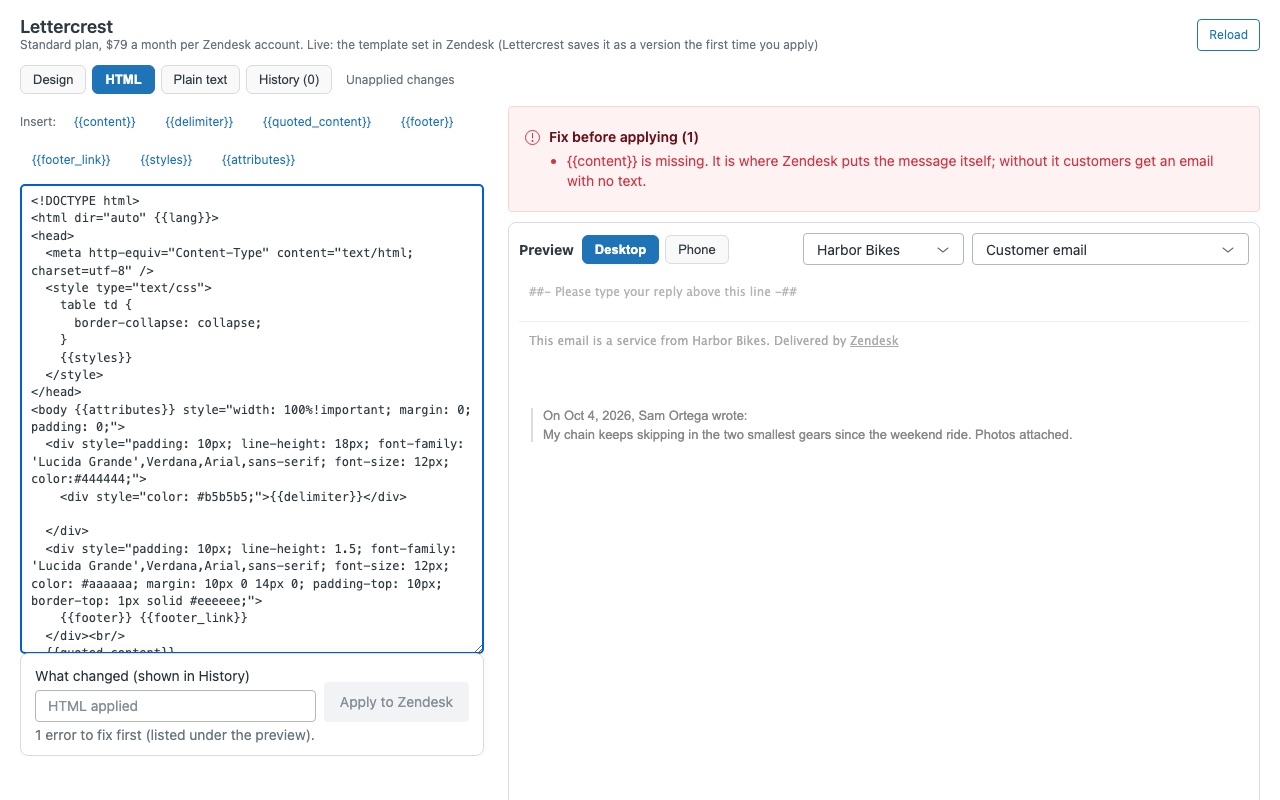
Lettercrest refuses to apply a template without {{content}}, with it twice, or without {{delimiter}} when your account uses the reply delimiter. It flags what mail apps break: missing {{styles}}, unclosed tags and Liquid, images without alt text, external stylesheets and templates large enough for Gmail to clip.
Every version, one-click rollback
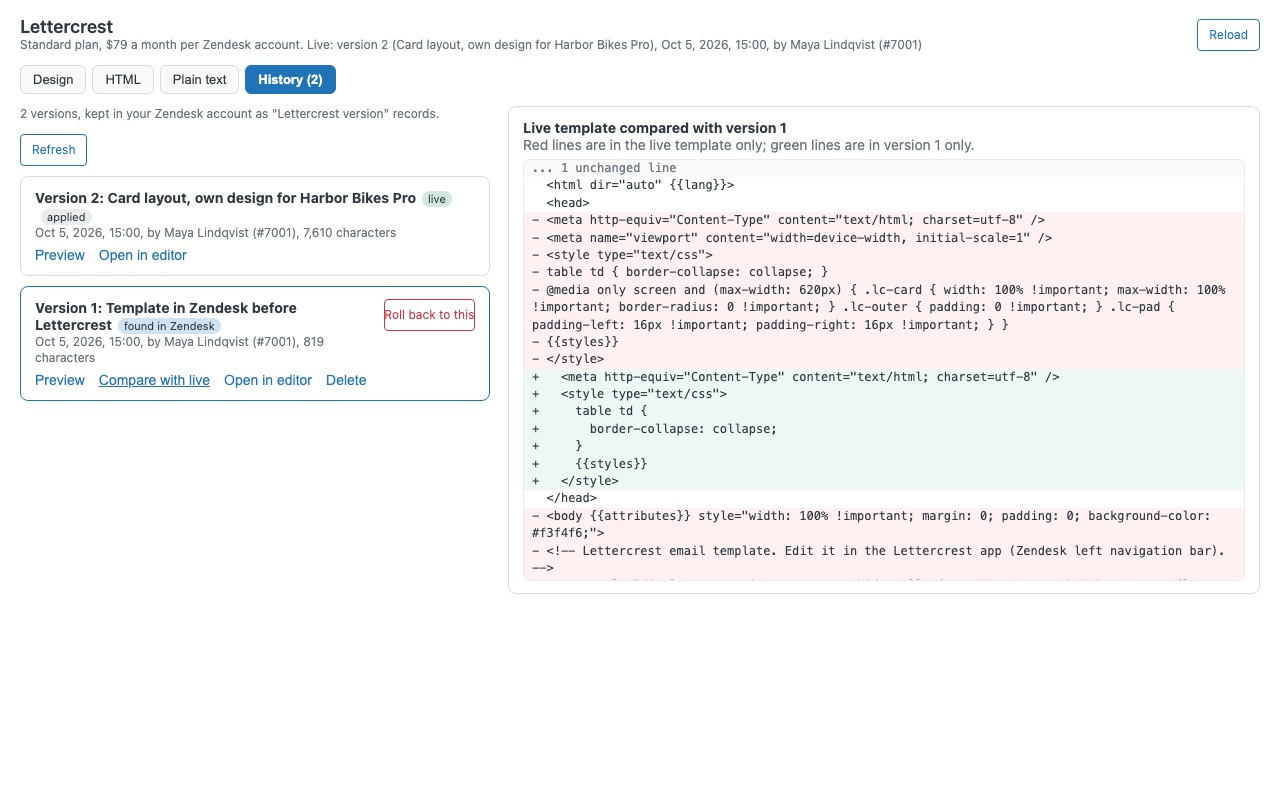
Before the first change, the template that was live is saved, so you can always go back to exactly what you had. Every applied version is kept in your Zendesk account with who applied it, when and why. Compare any version with the live one, or roll back in one click.
How Lettercrest works
- Install Lettercrest from the Zendesk Marketplace and restrict it to admins under Role restrictions. Zendesk only lets admins, and custom roles with the "Manage extensions and channels" permission, change the email template.
- Open it from the left navigation bar. It reads your current HTML and plain-text templates. A template you made by hand opens in the HTML tab exactly as it is. Nothing changes in Zendesk until you click Apply to Zendesk.
- Design it. Start from a layout (Classic, Card or Banner), set colours, a mail-safe font, width, padding and corners, then add blocks above and below the message: logo, banner, text, button, links row, divider, space, the Zendesk footer line or your own HTML.
- Give each brand its own look. Under Own design for a brand, a brand starts as a copy of the default design with its own logo. Lettercrest folds every brand design into Zendesk's one template.
- Preview it. A made-up ticket update fills
{{content}}, on Desktop or Phone, per brand, as a Customer email, Agent notification or Help center notification. - Apply after the checks. Problems that would break emails, such as a missing
{{content}}, keep Apply off. Write a note in What changed and apply; Lettercrest saves the version first and reads the template back from Zendesk. - Roll back any time. History keeps every version with who applied it, when and why. Compare with live, Preview or Roll back to this.
Who it's for
Teams that want branded emails without writing HTML
Your logo, colours and a footer with your links, designed with blocks and checked on a phone-width preview before a customer sees it.
Companies running several brands on one Zendesk
Zendesk keeps one email template per account. Lettercrest puts each brand's logo, colours, header and footer behind a check on the brand name in Zendesk's footer line, so every email goes out in its ticket's brand.
Admins who have broken the template before
Every applied version is saved in your Zendesk account, including the template that was live before Lettercrest. If someone saves in Admin Center while you edit, Lettercrest stops and asks before replacing their change.
What you need
- A Zendesk Suite plan (any) or Support Enterprise, because version history lives in a custom object.
- An admin, or a custom role with "Manage extensions and channels", to apply templates.
- Email template editing turned on for your account. Zendesk turns it off on trials and some other accounts; Lettercrest shows a yellow notice and keeps Apply off until Zendesk Customer Support enables it.
- More than one Zendesk brand if you want designs per brand.
Lettercrest guides
Questions about Lettercrest
What does Lettercrest do?
Email template editor for Zendesk: visual design per brand, live preview, checks and rollback.
What does Lettercrest work with?
Lettercrest works in Zendesk Support.
How much does Lettercrest cost?
Standard: $79 a month per Zendesk account.
Is there a free trial?
14-day free trial (Zendesk asks for a card at install). Billed monthly by Zendesk. No free plan.
Where do I install Lettercrest?
From the Zendesk Marketplace. Use the Install button on this page, or search for "Lettercrest" there.
Who makes Lettercrest?
Great Work LLC, an independent software company. Email hello@greatwork.company with any question about Lettercrest and someone will answer.
Does Lettercrest change what my triggers say?
No. Trigger, automation and macro text arrives in the template's {{content}} placeholder. Lettercrest changes the design around it.
What does it create in my account?
One custom object, "Lettercrest version", that holds the saved versions. The Versions to keep setting (default 100) controls how many older versions History offers to delete, and nothing is deleted until an admin clicks Delete.
Does it read my tickets or customers?
No. It reads your email templates, your brand names and logos, and its own versions. The preview uses a made-up message, and nothing is sent to Great Work.
Do side conversation emails use the new design?
No. Side conversation emails don't use the email template, which is a Zendesk rule. Sell email templates are a separate feature and aren't edited either.
What happens to my template if I uninstall?
It stays exactly as it is. Zendesk keeps the "Lettercrest version" object and its records, so a reinstall still has your history. Delete the object in Admin Center > Objects and rules > Custom objects to remove them.
More Zendesk apps
 Leverwell
 Lessonwell
 Loyalwell
 Larkwell