


Larkwell Zoho CRM, Books, Billing and Inventory next to each ticket: deals, invoices, subscriptions, orders.
From $100 a month per Zendesk account. 14-day free trial (Zendesk asks for a card at install). Billed monthly by Zendesk. No free plan.
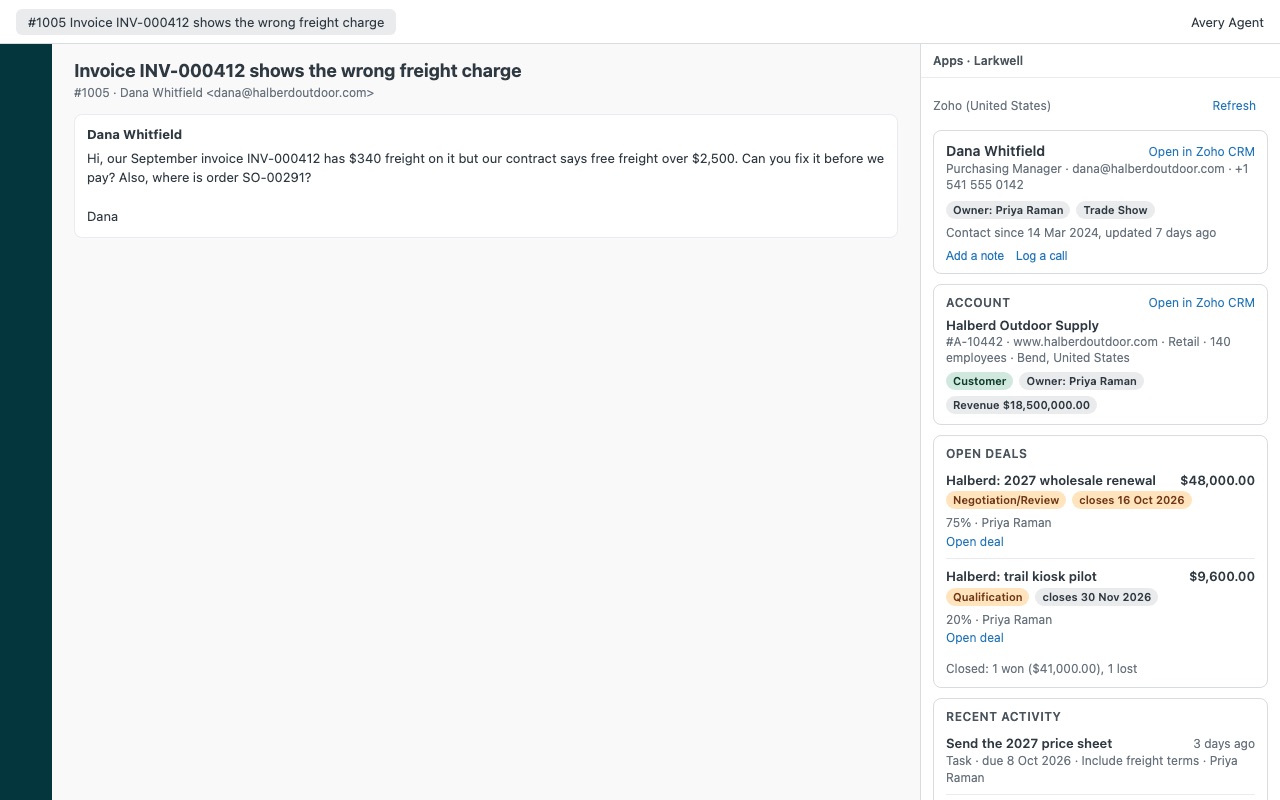
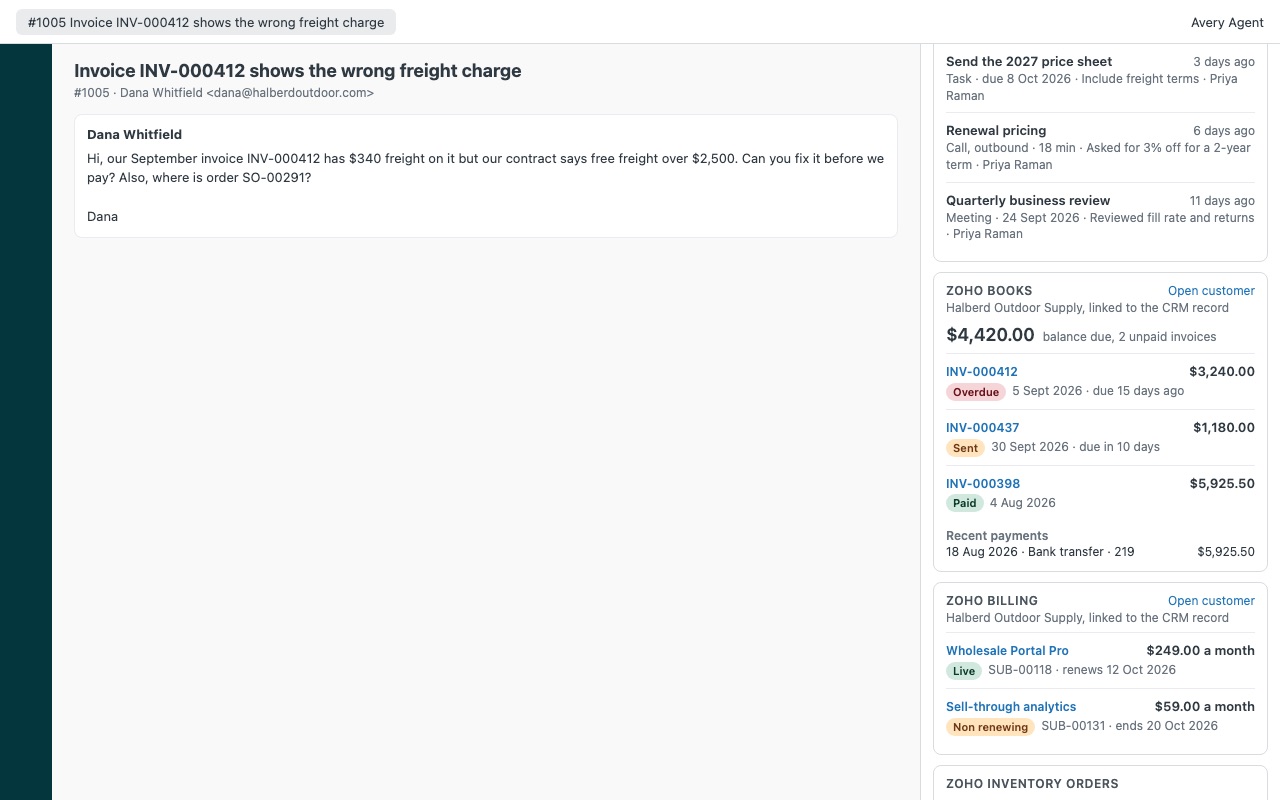
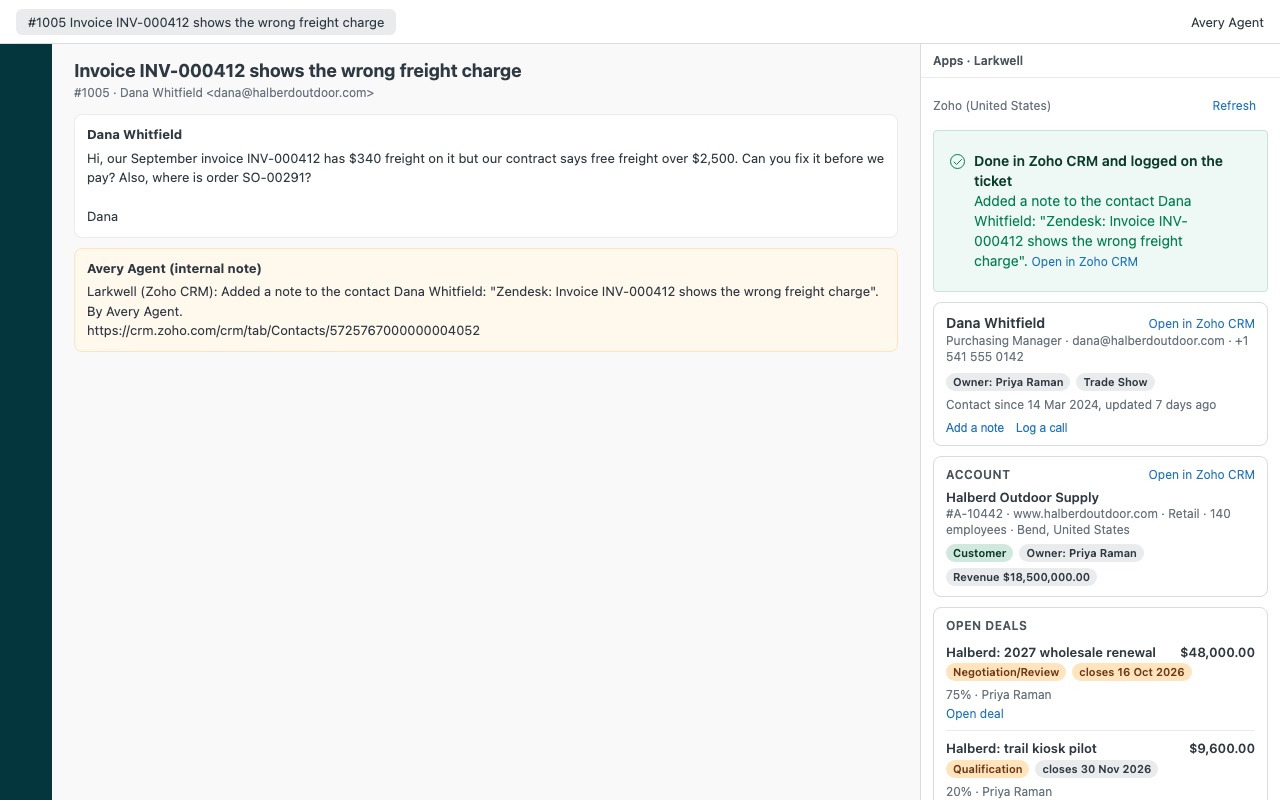
Larkwell puts your customer's Zoho records next to every Zendesk ticket: Zoho CRM, Zoho Books, Zoho Billing and Zoho Inventory in one panel, read live from your own Zoho account.
What your agents see
How Larkwell works
- Create a Self Client in Zoho. In the Zoho API Console for your data center, choose Add Client > Self Client > Create and copy the Client ID and Client Secret.
- Install Larkwell in Zendesk and enter the data center code (such as
usoreu), the Client ID and the Client Secret. - Make the refresh token. Open any ticket as an admin. The Larkwell setup check shows the scope string; generate a code with it in the API Console, paste it into Make a refresh token from a grant code and click Get refresh token.
- Open a ticket. Larkwell finds the requester's Zoho CRM contact by every email address on their Zendesk profile and shows the contact, the account, open deals and recent activity.
- Read the money side. Zoho Books balance due and unpaid invoices, Zoho Billing subscriptions with the next renewal date, and Zoho Inventory sales orders with tracking numbers, each shown only if your account uses that product.
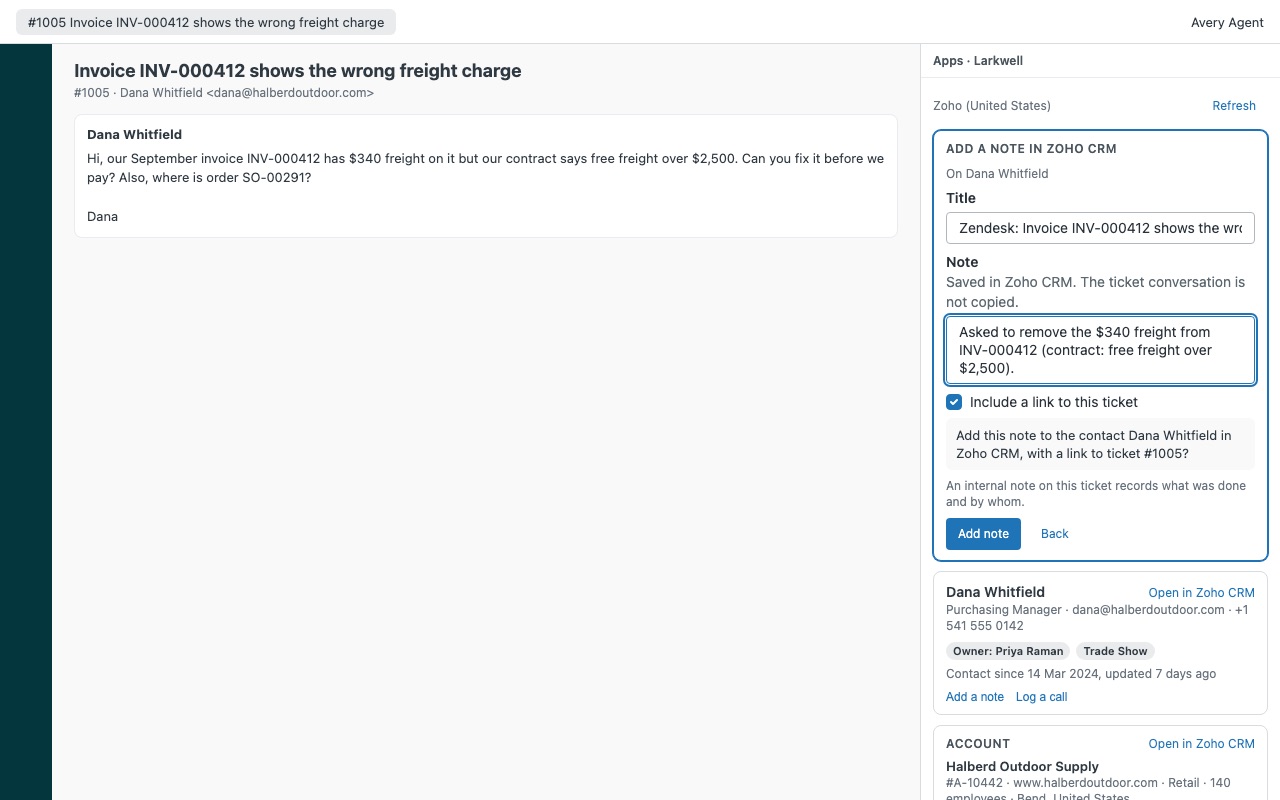
- Act from the ticket. Agents you allow can choose Create a Zoho CRM contact, Add a note or Log a call. Each asks for confirmation, and an internal note and a
larkwell_*tag go on the ticket.
Who it's for
Support teams in a company that sells with Zoho CRM
The agent sees who owns the account, which deals are open and when they close, and the last calls and notes, before replying to a customer the sales team is working.
Billing questions answered on the first reply
"Did my payment go through?" and "when does my plan renew?" are answered from the unpaid invoices, recent payments and subscription status in the panel, with invoice numbers that open the invoice in Zoho Books.
Order and shipping tickets
For Zoho Inventory users, recent sales orders show their status and total, and the three newest show shipments with carrier and tracking number.
What you need
- Zendesk Support, and an admin to install the app and run the setup check.
- A Zoho admin, or a Zoho user who can see the records your agents need, to create the Self Client. About 10 minutes.
- Zoho CRM, Books, Billing or Inventory on any data center Larkwell supports: us, eu, in, au, jp, ca, uk, sa, ae or sg.
- A refresh token with only the scopes Larkwell lists. A read-only panel needs no CREATE scope.
Larkwell guides
Questions about Larkwell
What does Larkwell do?
Zoho CRM, Books, Billing and Inventory next to each ticket: deals, invoices, subscriptions, orders. Larkwell puts your customer's Zoho records next to every Zendesk ticket: Zoho CRM, Zoho Books, Zoho Billing and Zoho Inventory in one panel, read live from your own Zoho account.
What does Larkwell work with?
Larkwell works in Zendesk Support.
How much does Larkwell cost?
Team: $100 a month per Zendesk account, up to 6 agents. Scale: $15 a month per agent.
Is there a free trial?
14-day free trial (Zendesk asks for a card at install). Billed monthly by Zendesk. No free plan.
Where do I install Larkwell?
From the Zendesk Marketplace. Use the Install button on this page, or search for "Larkwell" there.
Who makes Larkwell?
Great Work LLC, an independent software company. Email hello@greatwork.company with any question about Larkwell and someone will answer.
Can I use a token with ZohoCRM.ALL?
No. Larkwell refuses to run if the token can read Zoho CRM security profiles (ZohoCRM.ALL or settings scopes) or Zoho Books bank accounts. Generate a new code with the scope string from the setup check.
What if the requester isn't a contact in Zoho CRM?
With Match an account by email domain on, Larkwell shows the account whose website uses the requester's email domain. Mailbox providers such as gmail.com are never matched. Books, Billing and Inventory still show by email.
Do I need all four Zoho products?
No. Each one is optional and detected automatically: a product shows when the token has its scopes and your Zoho account has an organization in it. Show Zoho CRM, Books, Billing, Inventory turns one off even when the token reaches it.
Does Larkwell copy our Zoho data anywhere?
No. Records are read when the panel opens and gone when it closes. Great Work runs no server for it and receives nothing.
Will it create duplicate contacts?
No. Larkwell searches Zoho CRM again right before creating a contact, so it never adds a second contact for the same email.
What happens when I uninstall it?
Uninstall in Zendesk, then revoke the token in Zoho Accounts > Security > Connected Apps or delete the Self Client. Notes and tags on tickets, and records created in Zoho CRM, stay.
More Zendesk apps
 Lessonwell
 Lanewell
 Lettercrest
 Huddlewell