


Tomewell Help center PDF manuals, branded, with contents and page numbers. 14-day trial, then $79/mo.
From $79 a month per Zendesk account. 14-day free trial (Zendesk asks for a card at install). Billed monthly by Zendesk. No free plan.
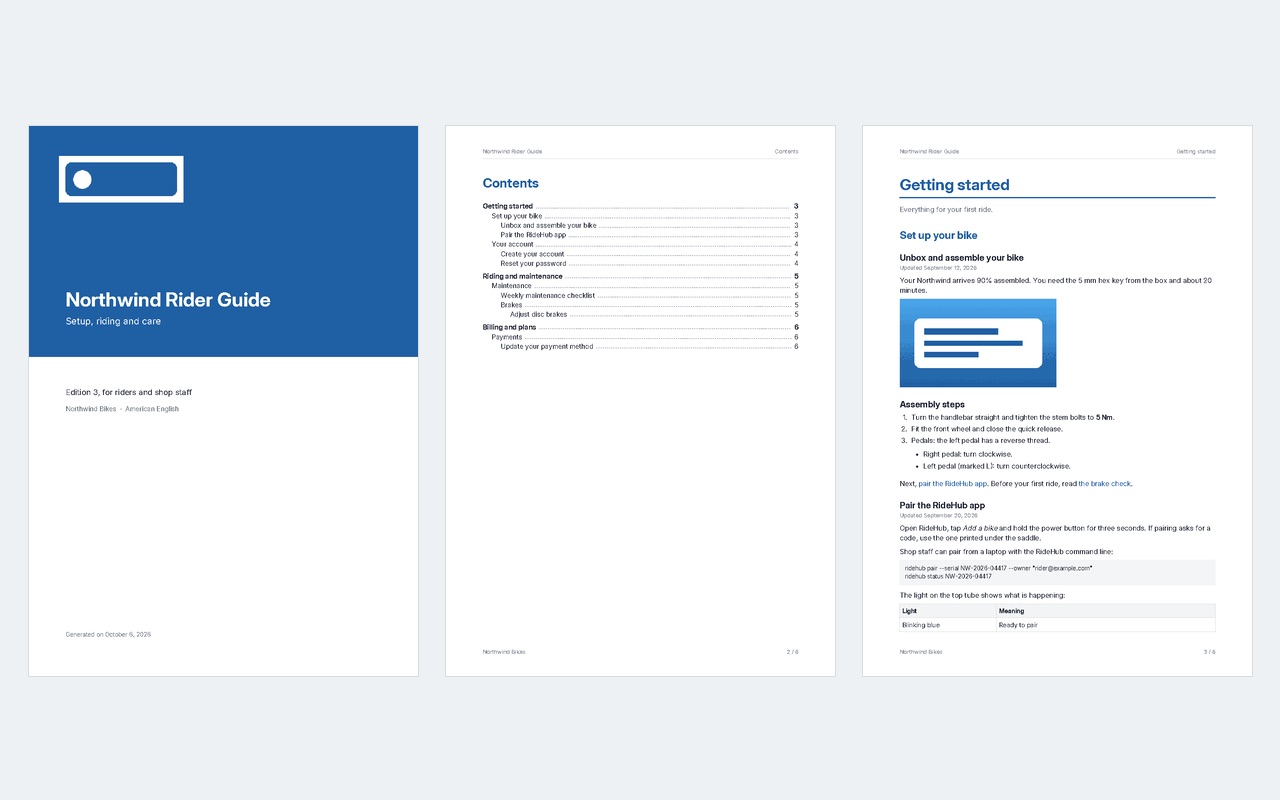
Turn your help center into a branded PDF manual, per brand and per language, and rebuild it in one click after every edit. For the customer who wants the whole user guide on paper, the partner who needs it offline, and the auditor who asks for "the documentation" as one file.
What you get
A real manual, not a stack of printouts
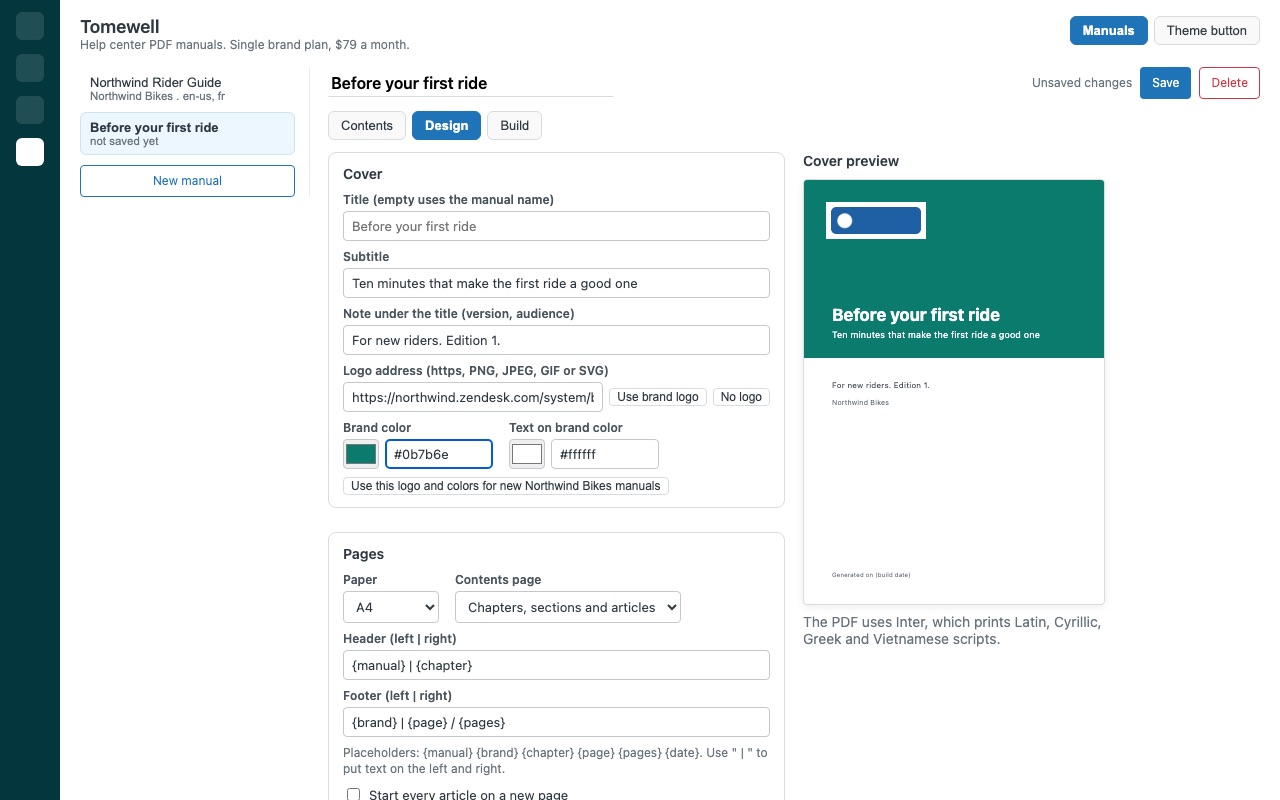
A cover with your logo, brand colors, title, subtitle and a "generated on" date. Contents with page numbers, and every entry is a link to its page.
Pick it once, rebuild it whenever
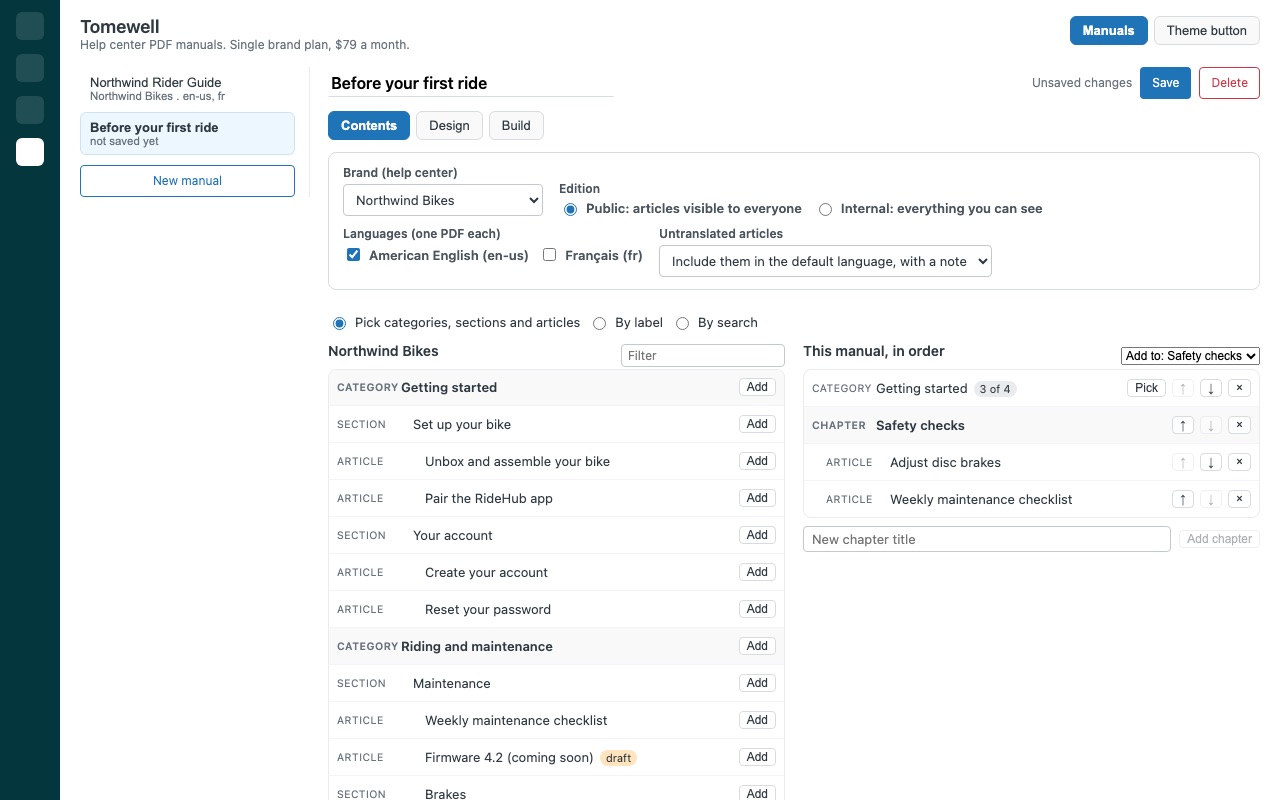
Choose categories, sections and single articles, put them in your order, and add chapters of your own ("Before you ride"). Leave out single articles, or build by label or search words.
Every language and every brand
One PDF per help center language, with category and section names translated. Articles that aren't translated yet are included in the default language with a short note, or left out: your choice per manual.
Public or internal, never by accident
Public editions include only articles visible to everyone, so nothing restricted or still in draft lands in a customer PDF. Internal editions (staff handbooks with restricted articles, drafts if you want them) stay off until an admin turns them on.
Put it where readers find it
Download the PDF, or publish it in your help center with one click and link it from any article. Publishing again updates the PDF at the same address, so links never go stale. Optional "Save as PDF" button for your theme: readers get a clean, branded print of any single article, and a link to the full manual.
Limits
Help center content only. Tomewell doesn't touch tickets, users or any other Zendesk records, and has no data export: the output is a formatted PDF. Languages in Chinese, Japanese, Korean, Arabic, Hebrew, Thai and Indic scripts can't be printed yet.
How Tomewell works
- Install Tomewell and pick a plan: Single brand for one help center, or Multi-brand for every brand. Open it from the Tomewell icon in Zendesk Support's left navigation bar.
- Make a manual. Click New manual, name it, and add categories, sections or single articles from the help center tree. Add chapters of your own, reorder with the arrows, or pull articles in by label or by search words.
- Pick the edition and languages. A Public edition includes only articles visible to everyone and leaves out drafts. Tick each language you want; each one becomes its own PDF.
- Design it once. Cover title, subtitle, logo and brand colors, A4 or US Letter, contents depth, and headers and footers with
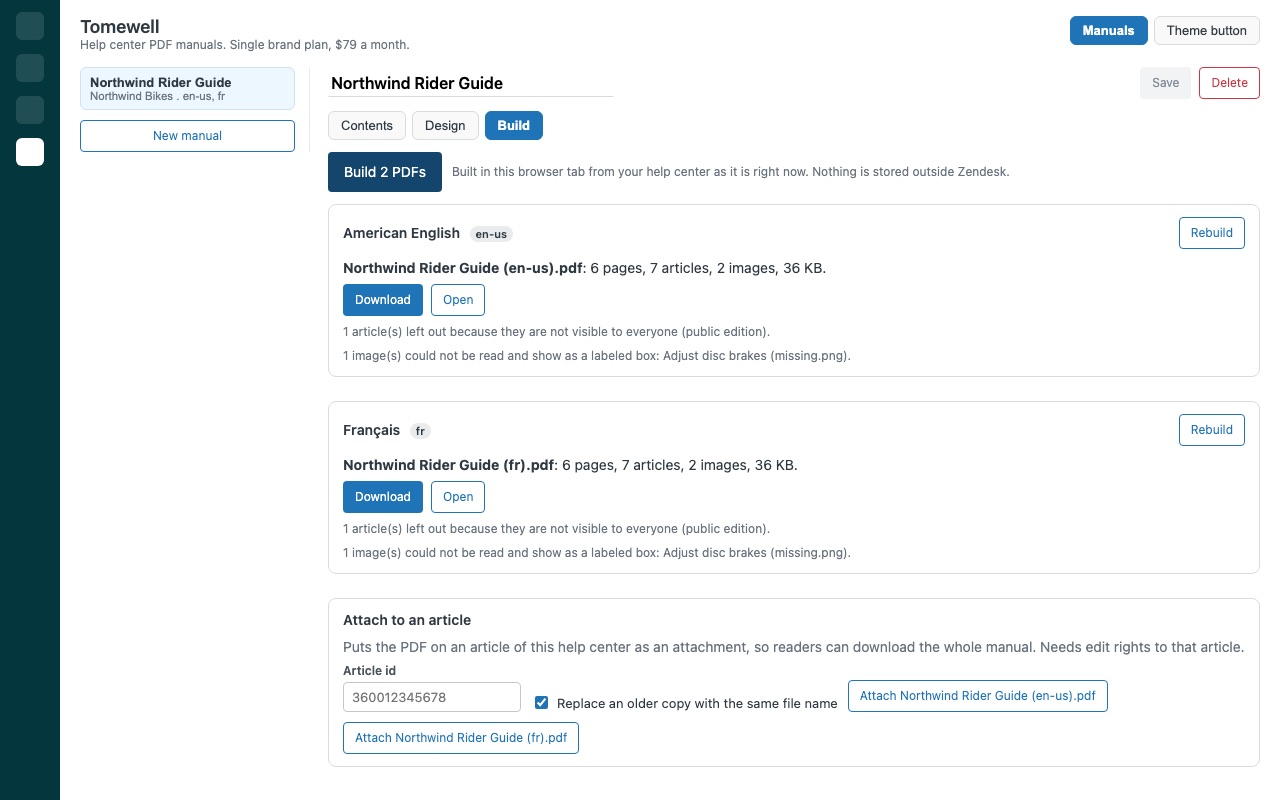
{page},{pages},{chapter}and more. Then Save. - Build. On the Build tab, click Build PDF. Tomewell reads the articles as they are right now and shows the page count and anything it left out.
- Share it. Download the PDF, or click Publish to put it in your help center's media library and link it from an article. Publishing again updates the copy at the same address.
Who it's for
Product teams whose customers want the manual on paper
A buyer asks for "the user guide as one file". Pick the categories that make up the guide, save the manual, and rebuild it after every round of edits so the PDF matches the help center.
Onboarding and partner teams
Save an onboarding manual with the articles a new client needs, in the order they need them, under chapters you name. Build a current copy, in the client's language if you have it, each time someone starts.
Compliance and documentation reviews
When an admin allows internal editions, a manual can include restricted articles and drafts for staff, legal or auditors, with a cover note like "For legal review" and the date it was generated.
Companies with several brands
On Multi-brand, each brand has its own saved logo and colors, and manuals can come from any brand's help center.
What you need
- Zendesk Support with a help center (Knowledge).
- A Zendesk admin to install Tomewell and save manuals. Agents with access can build saved manuals.
- To publish in the help center: a Guide admin or an agent who manages help center content.
- Help center content in Latin, Cyrillic, Greek or Vietnamese script.
Tomewell guides
Questions about Tomewell
What does Tomewell do?
Help center PDF manuals, branded, with contents and page numbers. 14-day trial, then $79/mo. Turn your help center into a branded PDF manual, per brand and per language, and rebuild it in one click after every edit. For the customer who wants the whole user guide on paper, the partner who needs it offline, and the auditor who asks for "the documentation" as one file.
What does Tomewell work with?
Tomewell works in Zendesk Support.
How much does Tomewell cost?
Single brand: $79 a month per Zendesk account. Multi-brand: $149 a month per Zendesk account.
Is there a free trial?
14-day free trial (Zendesk asks for a card at install). Billed monthly by Zendesk. No free plan.
Where do I install Tomewell?
From the Zendesk Marketplace. Use the Install button on this page, or search for "Tomewell" there.
Who makes Tomewell?
Great Work LLC, an independent software company. Email hello@greatwork.company with any question about Tomewell and someone will answer.
Does Tomewell change our articles?
No. It only reads them while a PDF is built. It writes the saved manual definitions into its own app settings and, when you ask, a PDF into the help center's media library.
Do new articles show up in the manual?
Yes, when you added a category or section. Both follow the help center's order and include new articles on the next build. Single articles you added stay as they are.
What languages can it print?
Latin, Cyrillic, Greek and Vietnamese scripts. Chinese, Japanese, Korean, Arabic, Hebrew, Thai and Indic languages can't be printed yet, and Tomewell says so instead of printing empty boxes.
How big can a manual get?
Up to 600 images per PDF and up to 40 saved manuals per account. Published PDFs can be up to 20 MB, Zendesk's limit for help center files; larger manuals are downloaded instead.
Does the PDF use our theme's styling?
No. Tomewell prints headings, lists, tables, code, quotes, callouts and images in its own clean layout, with your logo and colors on the cover, headings and links.
What happens to published PDFs if we uninstall?
They stay in the help center's media library until you remove them there. The saved manual definitions are removed with the app's settings.
More Zendesk apps
 Trailwell
 Tillwell
 Trolleywell for BigCommerce
 Termwell