



Trailwell Mixpanel, Amplitude or PostHog usage on every ticket: last seen, key events, errors. From $100/mo.
From $100 a month per Zendesk account. 14-day free trial (Zendesk asks for a card at install). Billed monthly by Zendesk. No free plan.
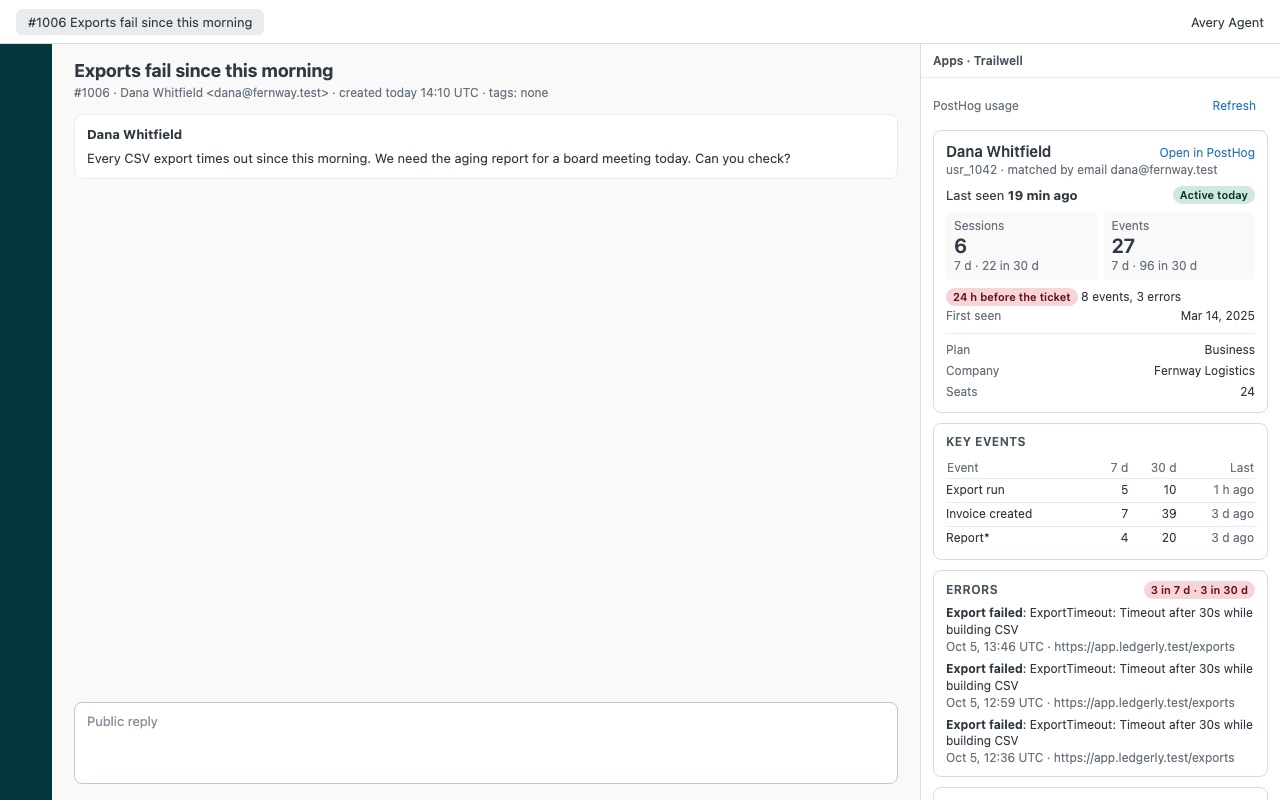
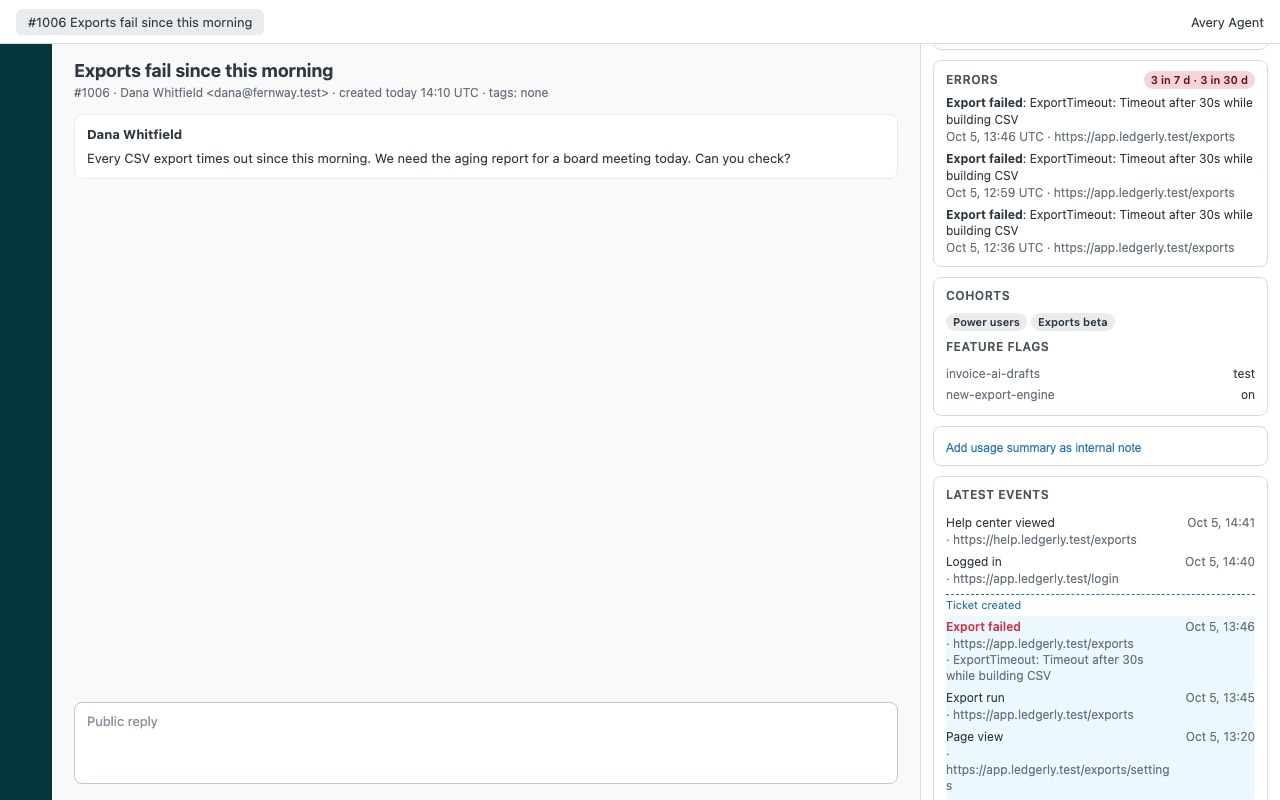
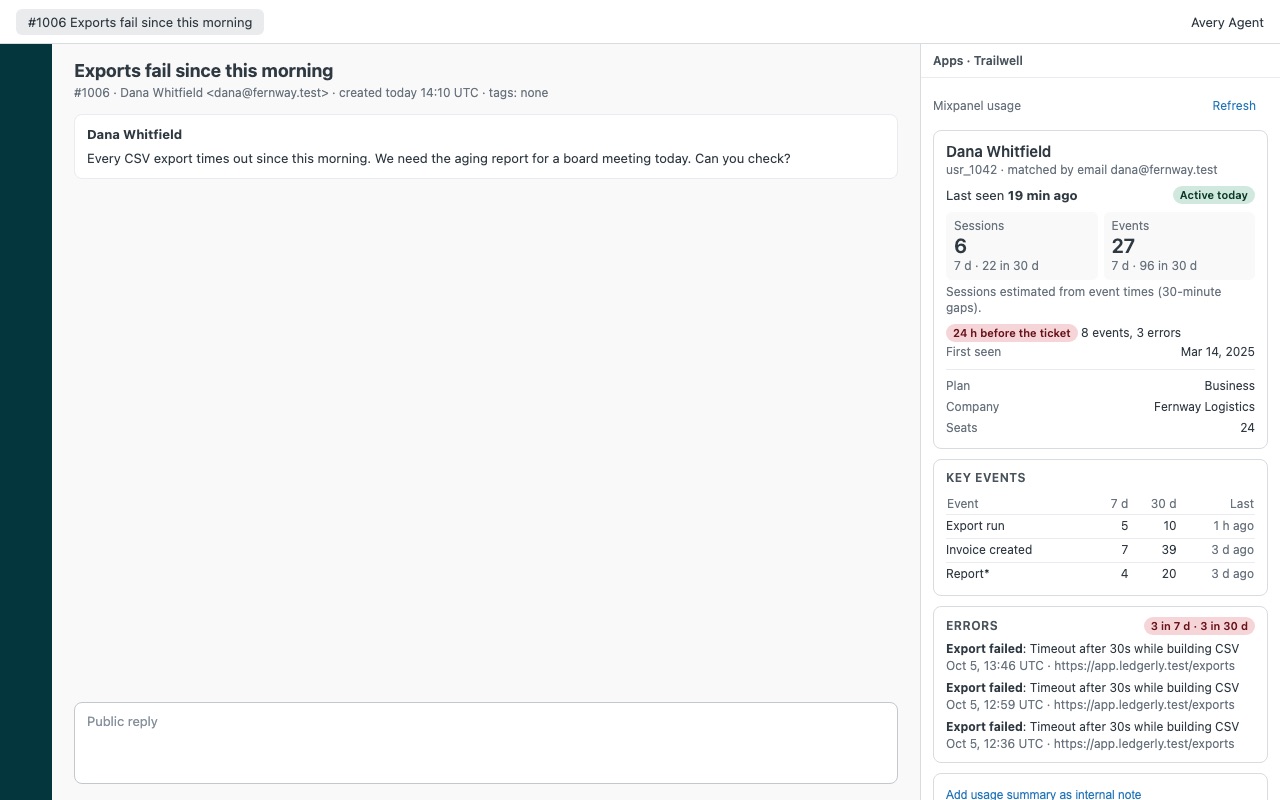
See what the customer did in your product right before they wrote in, from Mixpanel, Amplitude or PostHog. Trailwell puts the requester's product usage next to the ticket: when they were last seen, sessions and events this week and this month, the features you care about with counts, errors, and the events from the hours before the ticket. "It just stopped working" gets a lot more specific when you can see the three failed exports at 13:46.
Trailwell is built by Great Work LLC. It's not made, endorsed or sponsored by Zendesk, Mixpanel, Amplitude or PostHog. Mixpanel, Amplitude and PostHog are trademarks of their owners.
What you get
The customer's usage on the ticket
Found automatically by the requester's email addresses, by your Zendesk user external id (when your product sends it as the user id), or both. Nothing found? Look anyone up by email or user id. Last seen with a plain badge (Active today, Active this week, Quiet, Dormant) and first seen.
Works with the tool you already use
Mixpanel: a service account (read-only Consumer role is enough) and your project id. US, EU and India data residency. Amplitude: your project's API key and secret key. US and EU data centers.
Hand it to the team in one click
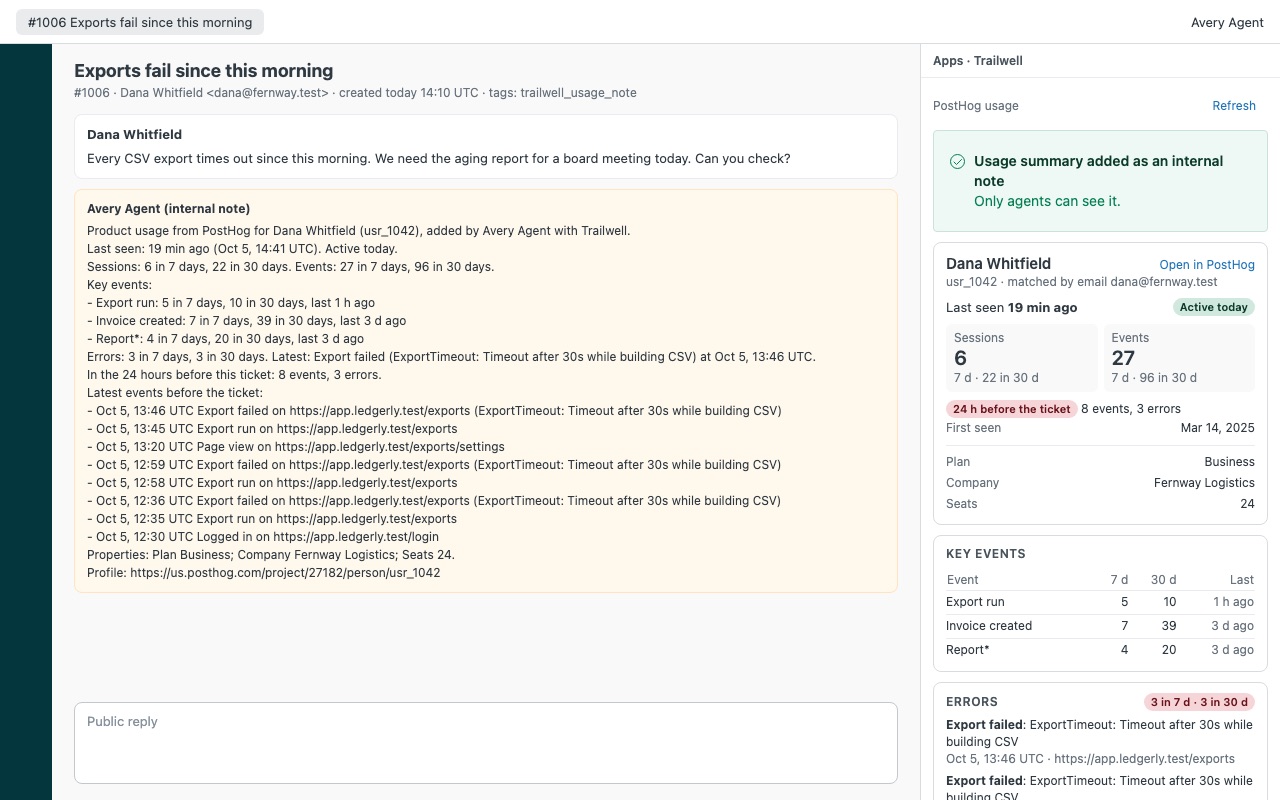
Add usage summary as internal note, tagged trailwell_usage_note. Handy when you escalate to engineering. You decide who may add it. Trailwell never writes to Mixpanel, Amplitude or PostHog. It has no call that could.
Limits
Each tool's API sets an hourly budget: Mixpanel allows about 30 tickets an hour per project, Amplitude 180. Trailwell tells the agent when it's used up. Amplitude finds people by user id, so email lookups work when your product uses the email as the user id.
How Trailwell works
- Create read credentials in your analytics tool: a Mixpanel service account with the Consumer role, Amplitude's API key and secret key, or a PostHog personal API key with read scopes.
- Install Trailwell and pick the plan for your team size: Team for up to 12 agents and admins, Scale from 13.
- Set Analytics tool to
mixpanel,amplitudeorposthogin the app settings and fill in that tool's connection. Zendesk stores the keys as secure settings. - Choose how people are found. Match by email (the default), by the Zendesk user's external id when it holds your product's user id, or both.
- Pick what matters. List up to 12 key events (end with * for a prefix, like
Export*), up to 12 key properties such asplan, company, seats, and the events that count as errors. - Open a ticket. Trailwell shows last seen with a badge, sessions and events for 7 days and your history window, key events with counts, errors, and a timeline with the 24 hours before the ticket shaded.
- Hand it on. Click Add usage summary as internal note when you escalate, so engineering sees the same picture. The note is tagged
trailwell_usage_note.
Who it's for
Product support at SaaS companies
"It stopped working" turns into something specific when you can see the failed exports right before the ticket. Agents check whether the feature was used, when, and what errored, before asking the customer to describe it again.
Teams that escalate to engineering
The usage note puts the requester's recent events, errors and key properties on the ticket as an internal note, so the engineer picking it up doesn't need access to the analytics tool.
Success teams watching account health
Last seen and the Active today, Active this week, Quiet and Dormant badges show at a glance whether the person writing in is a daily user or someone drifting away.
What you need
- Zendesk Support, and a Zendesk admin to install Trailwell and fill in its settings.
- One of: a Mixpanel project with a service account (Consumer role), an Amplitude project's API key and secret key, or a PostHog project with a personal API key.
- People identifiable by email, or your product's user id stored as each Zendesk user's external id. Amplitude finds people by user id, so email matching works there only when your product uses the email as the user id.
- For data outside the US: Mixpanel EU or India residency, Amplitude EU, PostHog EU Cloud or a self-hosted address are all supported.
Trailwell guides
Questions about Trailwell
What does Trailwell do?
Mixpanel, Amplitude or PostHog usage on every ticket: last seen, key events, errors. From $100/mo.
What does Trailwell work with?
Trailwell works in Zendesk Support.
How much does Trailwell cost?
Team: $100 a month per Zendesk account, up to 12 agents. Scale: $9 a month per agent.
Is there a free trial?
14-day free trial (Zendesk asks for a card at install). Billed monthly by Zendesk. No free plan.
Where do I install Trailwell?
From the Zendesk Marketplace. Use the Install button on this page, or search for "Trailwell" there.
Who makes Trailwell?
Great Work LLC, an independent software company. Email hello@greatwork.company with any question about Trailwell and someone will answer.
Does Trailwell write anything to Mixpanel, Amplitude or PostHog?
No. It only reads, and it writes nothing to your analytics tool. It sends the requester's email addresses or external id to your own project to find them.
Will it use up our analytics API quota?
Each ticket takes 2 queries. Mixpanel allows 60 queries an hour per project (about 30 tickets), Amplitude 360 user lookups an hour (about 180 tickets). Turn off Load usage automatically and agents press Load only when they need it.
Are the session counts exact?
Amplitude and PostHog count distinct session ids. Mixpanel sends none, so Trailwell starts a new session after 30 minutes without events and labels the number "estimated".
What time zone are events shown in?
UTC, with the 24 hours before the ticket shaded and a "Ticket created" line in the timeline.
Can it show company or account-level usage?
Not yet. Trailwell shows one person's usage; company and group profiles aren't shown.
What if our team grows past 12 agents on Team?
Usage stays visible, and the note action turns off with a message naming the right plan until you switch to Scale.
More Zendesk apps
 Trolleywell for BigCommerce
 Tomewell
 Twigwell
 Tillwell