



Stillframe Freeze a JQL result on a Confluence page with the date it was taken. Version history, compare, lock. Readers need no Jira access.
Listed on the Atlassian Marketplace as “Stillframe: Jira Snapshots in Confluence”
From $8 a month for up to 10 users. Billed by Atlassian, with a 30-day free trial.
The native Jira macro is always live. Stillframe copies a JQL result into your page as a dated table or chart that stays put: for sign-offs, audits and status reports. Every snapshot is kept, compared and lockable. Runs on Atlassian.
What you get
Frozen on the page, with its date
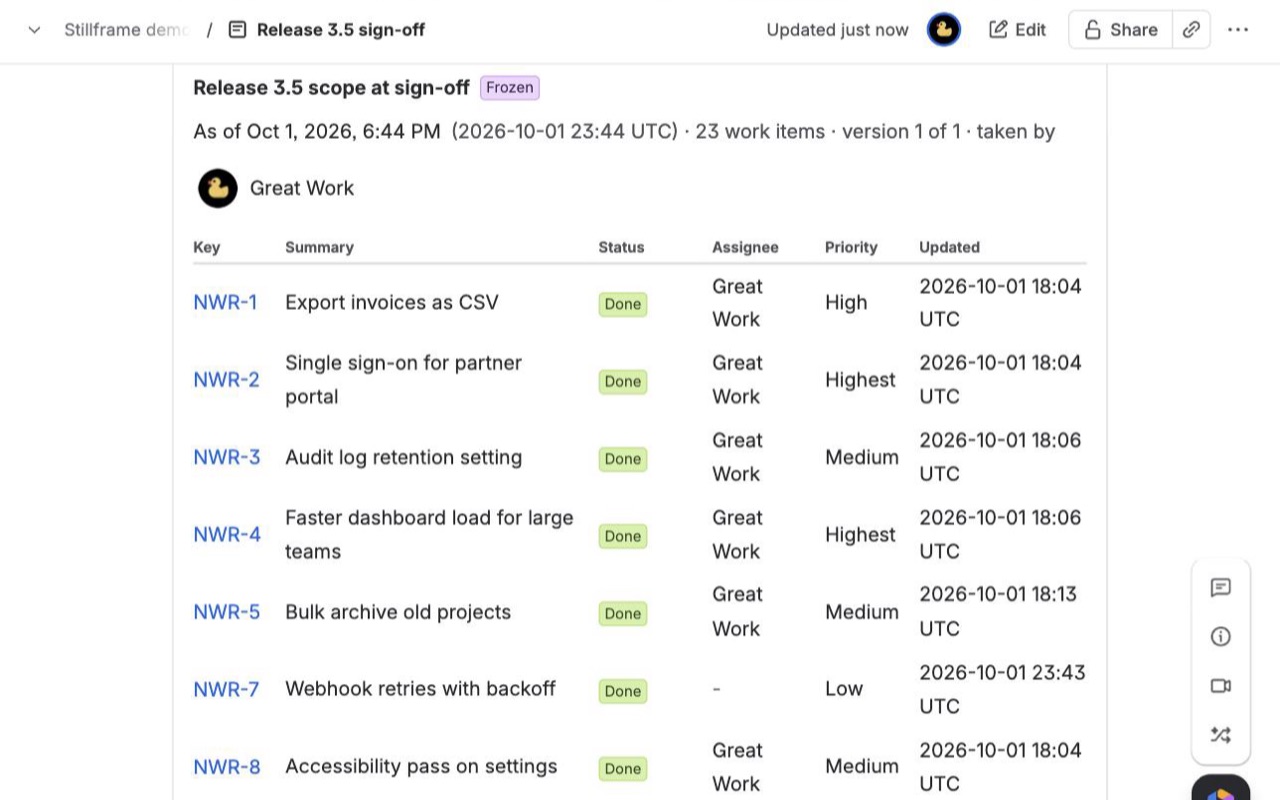
A JQL result copied into the page as a table or chart, stamped "As of" with the date, time and who took it. It stays exactly as it was when Jira changes, and people without Jira access can read it.
Every snapshot kept, compared, pinned
Open any earlier version, see what was added, removed or changed between two versions, pin the ones that matter with a note, and export any version as CSV.
Lock it, or put it on a schedule
Lock a snapshot after sign-off so nothing replaces it. Or take one every day, week or month to build a history of a query without anyone clicking.
How Stillframe works
- Install Stillframe in Confluence from the Atlassian Marketplace, then connect it to Jira on the same site in Atlassian Administration > Apps. One subscription covers both.
- Edit a page and type
/Stillframe snapshot. Insert the macro and publish the page. - Click Set up snapshot. Paste JQL, or start from a saved filter under Start from a saved filter (optional). Pick the columns in the order you want them; the work item key is always the first one.
- Choose what to show. Under Show, pick Table, Chart or Chart and table. Charts are pie or bar, grouped by any column you picked. Set Sort by, Direction and a Row limit.
- Click Preview. It runs as you, so you see exactly the work items you can browse.
- Click Save and take snapshot. A few seconds later the table is on the page with "As of", the date and time, who took it and how many work items it holds.
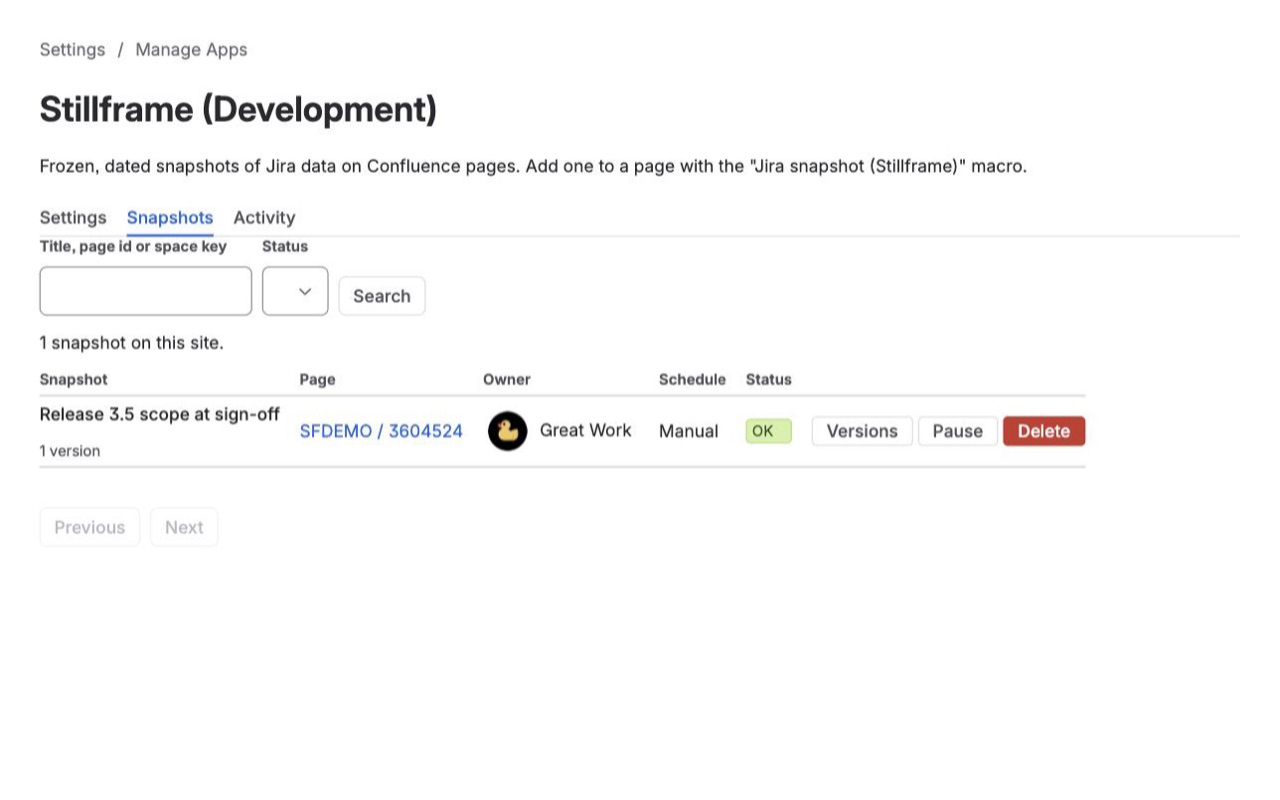
- Take more later. Take snapshot now adds a new version. History lists every version with View, Compare and Pin. Lock keeps the current version as the record and stops new snapshots.
Who it's for
Release and change sign-offs
A change board approves version 3.5 with 42 work items in it. Take a snapshot of fixVersion = "3.5", pin it with the note "Signed off by the change board", and lock it. A month later the page still shows the 42 items and their statuses on the day of the sign-off, even after half of them were moved or reopened.
Weekly or monthly status reports
Put a snapshot on a status page and set Take a new snapshot to Every week on Monday at 06:00 UTC. Each week adds a version, and Compare between any two shows which work items were added, which dropped out and which fields changed, with before and after values.
Audits and compliance samples
An auditor asks what was open in the incident project at quarter end. A snapshot taken that day answers it, with the CSV of that version and the activity log in Confluence settings > Stillframe showing who took, locked or deleted what.
Stakeholders who only use Confluence
Customers in a shared space, executives or contractors can read the frozen table without a Jira license. The page's own permissions decide who sees it.
Stillframe or the Jira issues macro
Confluence's built-in Jira issues macro asks Jira every time the page opens. That's the right tool for a live list your team checks daily, and it's free. It can't show what the list looked like last Tuesday, and readers need Jira access to see the rows. Atlassian closed the requests to freeze the macro's output (CONFCLOUD-59944, Won't Fix) and to let Confluence-only users read it (CONFCLOUD-39256, Won't Do).
Use Stillframe when the date matters more than the latest value. If you want charts that stay live and count only what each reader can see, Chartmere is our app for that.
Limits and requirements
- Confluence Cloud and Jira Cloud on the same site. It can't snapshot Jira from a different site, and it never edits Jira.
- Up to 20 columns and up to 2,000 rows per snapshot by default; a Confluence admin can raise the cap to 5,000. JQL can be up to 4,000 characters.
- A snapshot only holds work items the person taking it can browse.
- JQL that depends on who is searching is refused:
watchedIssues(),votedIssues(),issueHistory(),currentLogin(),lastLogin()and the approval functions.currentUser()becomes the person taking the snapshot. - Schedules run at a whole hour in UTC, daily, weekly or monthly (day 1 to 28).
- PDF and Word exports of the page include the first 300 rows; the CSV holds them all.
Stillframe guides
Questions about Stillframe
What does Stillframe do?
Freeze a JQL result on a Confluence page with the date it was taken. Version history, compare, lock. Readers need no Jira access. The native Jira macro is always live. Stillframe copies a JQL result into your page as a dated table or chart that stays put: for sign-offs, audits and status reports. Every snapshot is kept, compared and lockable. Runs on Atlassian.
What does Stillframe work with?
Stillframe works in Confluence and Jira Cloud.
How much does Stillframe cost?
$8 a month for up to 10 users, or $80 a year. From 11 users: $1.30 per user a month, with lower rates for larger sites.
Is there a free trial?
Billed by Atlassian, with a 30-day free trial.
Where do I install Stillframe?
From the Atlassian Marketplace. Use the Install button on this page, or search for "Stillframe: Jira Snapshots in Confluence" there.
Who makes Stillframe?
Great Work LLC, an independent software company. Email hello@greatwork.company with any question about Stillframe and someone will answer.
Do readers need a Jira license to see a snapshot?
No. Anyone who can view the Confluence page can read the frozen table and chart. Clicking a work item key opens Jira, which needs Jira access as usual, and editors can turn those links off with Link work item keys to Jira.
What happens to the snapshot when a work item changes in Jira?
Nothing. Values are copied as text when the snapshot is taken, so the page keeps showing them until someone takes a new snapshot. The previous one stays in History.
How many versions does Stillframe keep?
100 per snapshot by default; an admin can change that. Older unpinned versions are removed first, and pinned versions are always kept.
Can I snapshot a saved Jira filter?
Yes. Type part of its name in Start from a saved filter (optional) and Stillframe fills in its JQL. The page shows the filter's name under the snapshot.
Can a page editor see fields they shouldn't?
Only fields they could already see in Jira. A Confluence admin can also list fields that may never be captured, such as a salary field; those are never requested from Jira and drop out of existing snapshots at their next capture.
What happens if I copy a page that has a snapshot?
The copy shows "This page was copied" with two choices: Copy snapshot here, which keeps the original date and values, or Set up a new one.
Can I see from Jira which pages captured a work item?
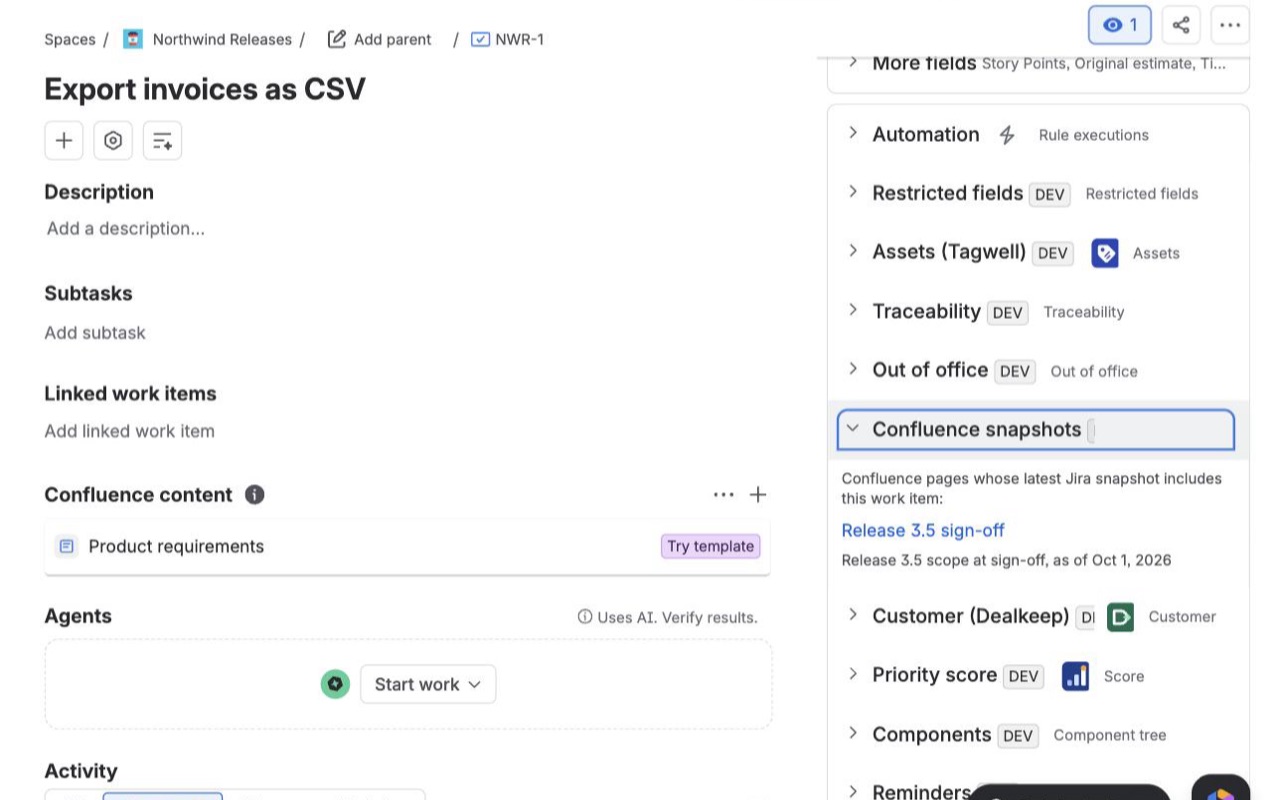
Yes. The Stillframe snapshots panel on a work item lists the pages whose latest snapshot includes it, with the snapshot date, limited to pages you can open.
Does any Jira data leave Atlassian?
No. Stillframe runs on Atlassian's Forge platform and stores snapshots in your site's app storage. It has no outside servers.
More Jira apps
 Tracestitch
 Spillproof
 Attachwell
 Remindwell