



Postiewell Maropost (Neto) orders sidebar: orders, tracking and returns, found by email. US$9/agent.
$9 a month per agent. 14-day free trial (Zendesk asks for a card at install). Billed monthly by Zendesk. No free plan.
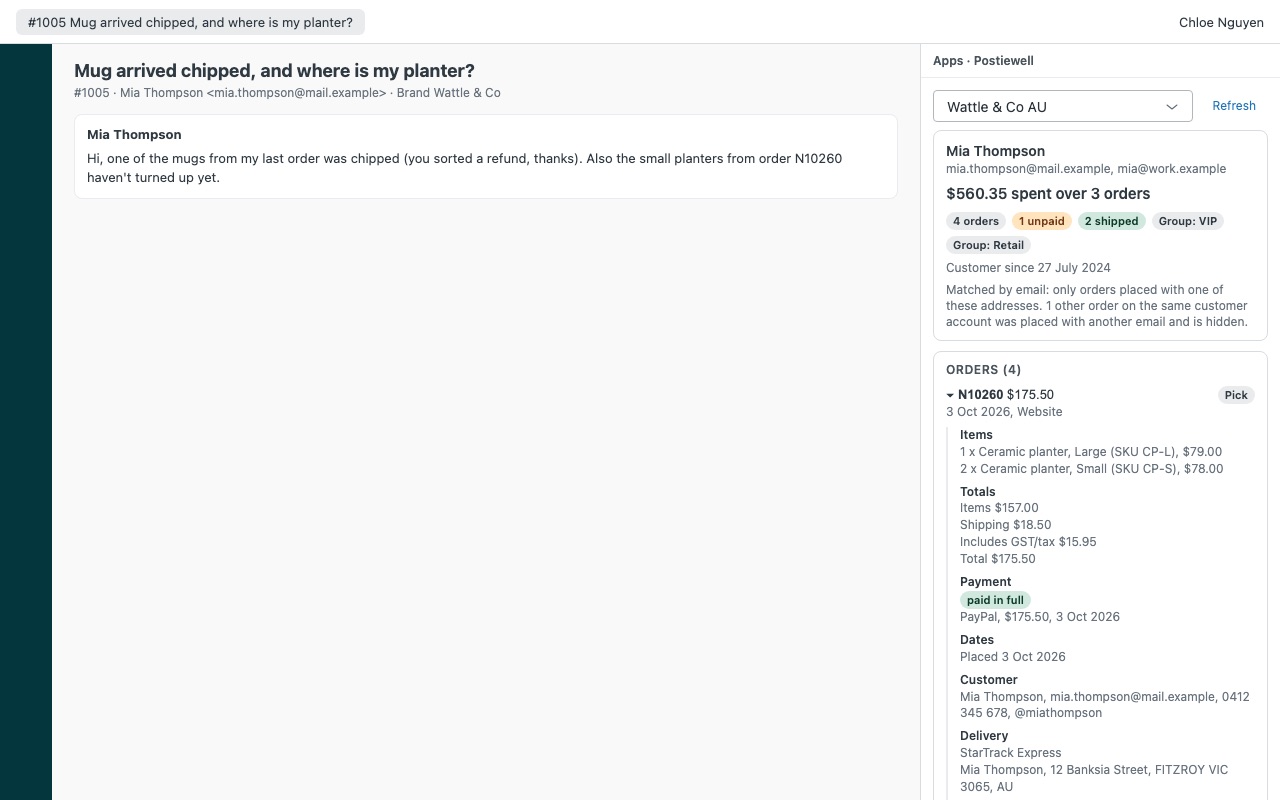
Postiewell shows the requester's Maropost Commerce Cloud (Neto) orders next to every ticket: items, payments, tracking, returns and what they've spent with you. Your agents answer "where's my parcel?" without opening the control panel in another tab, or in four.
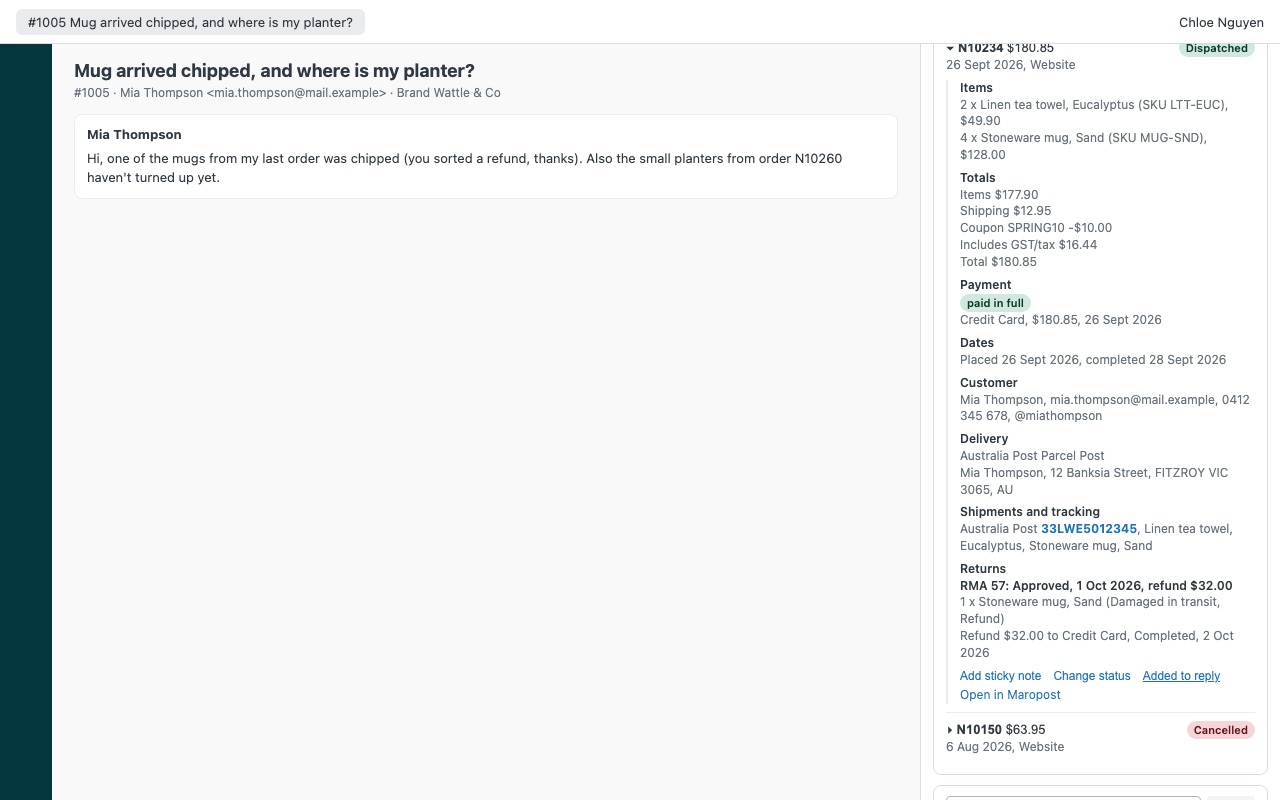
What agents see - Every order matched to the requester by each email on their Zendesk profile. Postiewell finds their customer accounts in Maropost, then keeps an order only when it was placed with exactly one of their addresses, so a shared or look-alike account never shows a stranger's order. - Order status, items with SKU and backorders, totals with coupons and GST, each payment against the grand total, delivery address and instructions. - Tracking from every order line: carrier, tracking number and a link, plus how many items are still to ship on a split order. - Returns (RMAs) with the items, reasons, outcome and refunds. - Lifetime spend over the orders found (cancelled orders and quotes left out), customer group, credit hold and customer since. - One click puts the status and tracking into the reply. - A lookup box for an order number (like N10155) or an email. An order the ticket mentions that someone else placed is named with a masked email, never shown.
How Postiewell works
- Create an API user in Maropost. Add a staff user for Zendesk, give it a permission group that can view orders, customers and returns, and generate a user-based API key on it.
- Install Postiewell from the Zendesk Marketplace and enter your store domain, the staff user's username, the API key and your store currency (AUD by default).
- Open a ticket. Postiewell looks up every email on the requester's Zendesk profile as a Maropost customer and keeps only orders placed with exactly one of those addresses.
- Read the order. Items with SKU and backorders, totals with coupon and GST, payments, delivery address and instructions, tracking from each order line with carrier links, returns (RMAs) with refunds, and the order's sticky notes.
- Answer faster. Insert status in reply adds the status and tracking to your reply for you to edit.
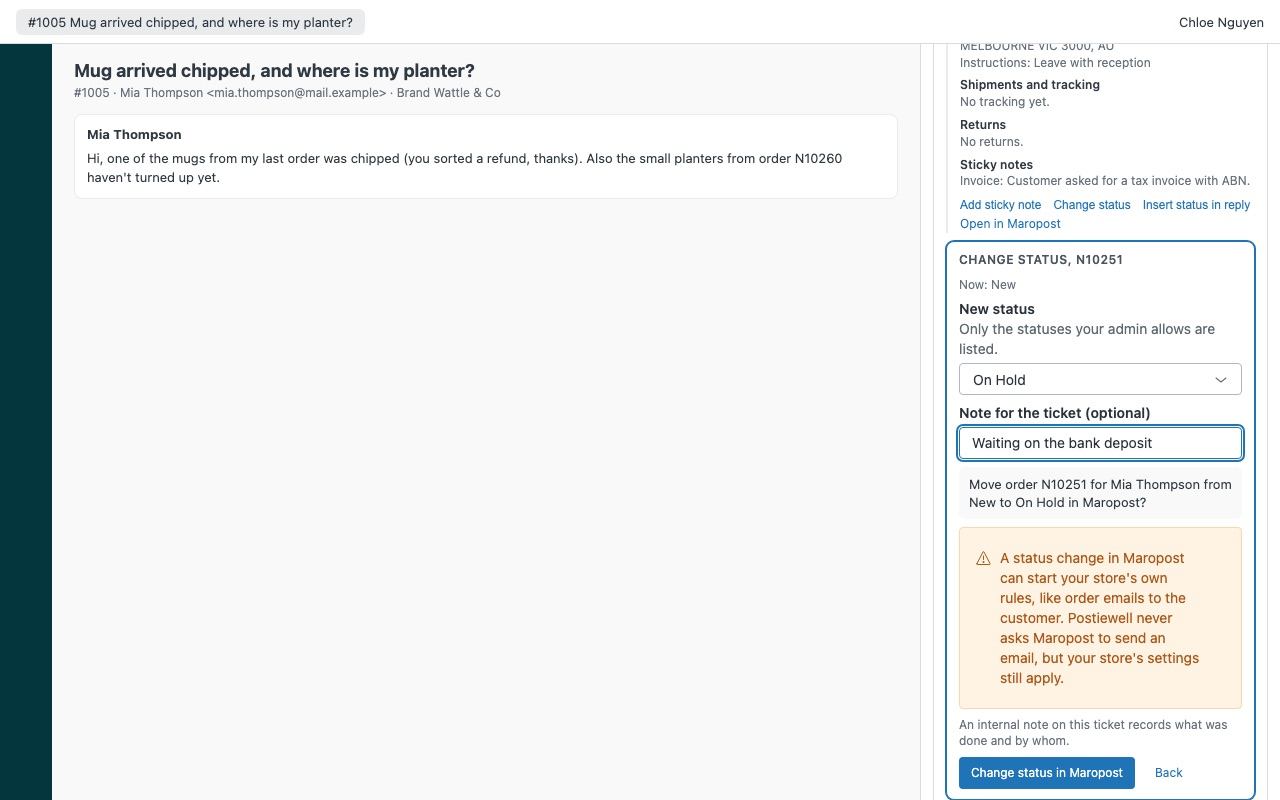
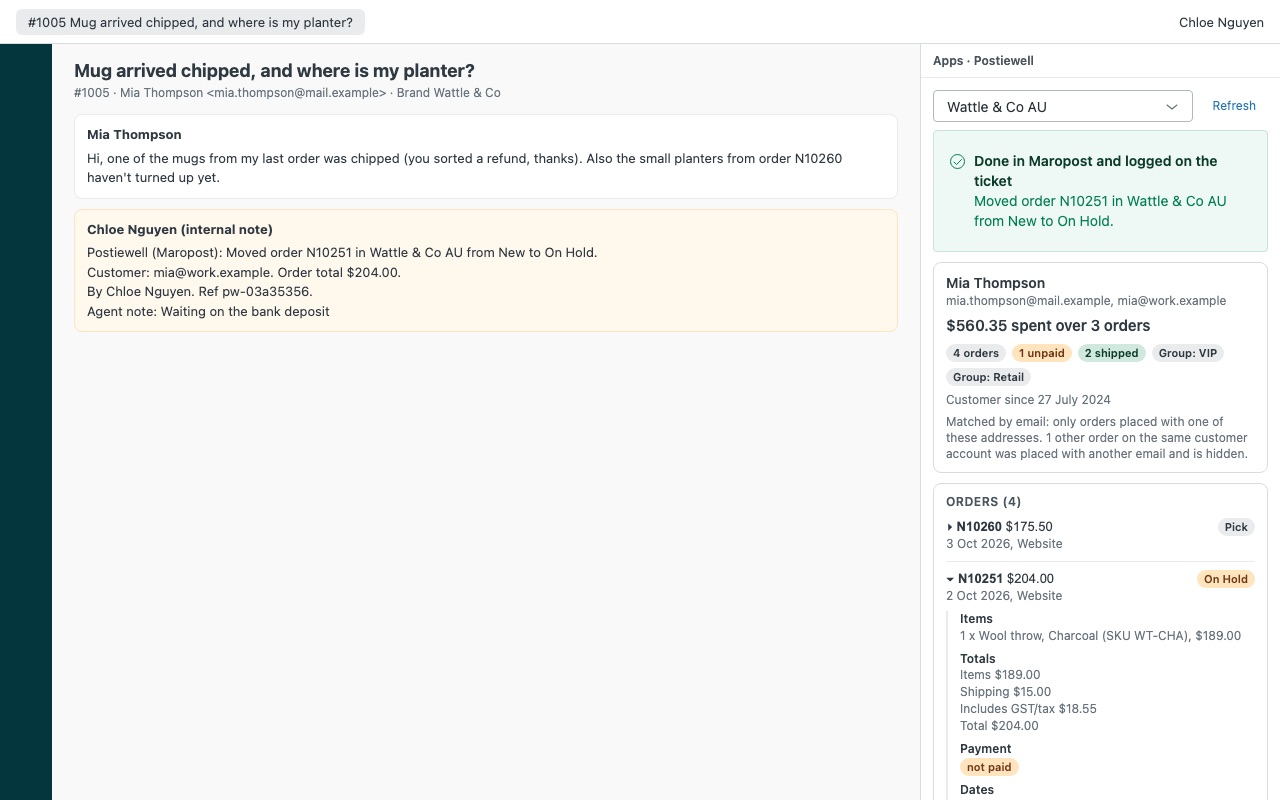
- Act when allowed. Agents you choose can add a sticky note to the order or change its status to one you list. Each action is confirmed, logged as an internal note and tagged
postiewell_noteorpostiewell_status.
Who it's for
Australian and New Zealand web stores on Maropost
"Where's my parcel?" is most of the queue. The order's tracking, carrier and items still to ship sit next to the ticket, so agents answer without opening the control panel.
Stores that sell in more than one country
Up to three Maropost stores, each with its own currency and Zendesk brands. A ticket opens the store mapped to its brand, and agents can switch stores in the sidebar.
Teams that hand orders to the warehouse
A sticky note titled "Zendesk ticket #123" on the order tells the warehouse what the customer asked, and moving the order to On Hold stops it while you sort things out.
What you need
- Zendesk Support on a plan that allows Marketplace apps, and an admin to install.
- A Maropost Commerce Cloud store and a control panel user who can add staff users.
- A staff user with a permission group that can view orders, customers and returns, plus update orders if agents will add sticky notes or change statuses.
- Your webstore's domain, the one your API answers on.
Postiewell guides
Questions about Postiewell
What does Postiewell do?
Maropost (Neto) orders sidebar: orders, tracking and returns, found by email. US$9/agent. Postiewell shows the requester's Maropost Commerce Cloud (Neto) orders next to every ticket: items, payments, tracking, returns and what they've spent with you. Your agents answer "where's my parcel?" without opening the control panel in another tab, or in four.
What does Postiewell work with?
Postiewell works in Zendesk Support.
How much does Postiewell cost?
Standard: $9 a month per agent.
Is there a free trial?
14-day free trial (Zendesk asks for a card at install). Billed monthly by Zendesk. No free plan.
Where do I install Postiewell?
From the Zendesk Marketplace. Use the Install button on this page, or search for "Postiewell" there.
Who makes Postiewell?
Great Work LLC, an independent software company. Email hello@greatwork.company with any question about Postiewell and someone will answer.
What does "lifetime spend" count?
The total over the orders Postiewell found for this requester, leaving out cancelled orders, quotes and uncommitted carts. It shows with the order count, unpaid and shipped orders, customer group, credit hold and customer since.
What if one Maropost account placed orders with different emails?
Postiewell keeps only orders placed with exactly one of the requester's addresses. Orders on the same account placed with another email are counted and hidden.
Does changing a status email the customer?
Postiewell never asks Maropost to send an email, but your store's own rules for that status still run. Cancelling doesn't refund a payment, and Dispatched from Zendesk carries no tracking number.
Can it start a return or refund an order?
No. It shows returns (RMAs) with their reasons, outcomes and refunds, but doesn't create them.
What happens when I uninstall it?
The app and its settings, including the API key, are removed. The postiewell_* tags stay on past tickets and the sticky notes stay on your orders. You can also delete the staff user or its key in Maropost.
More Zendesk apps
 Pursewell
 Pinwell
 Questwell
 Patronwell