



PursewellPayPal and Braintree payments on the ticket: refunds, disputes with deadlines, subscriptions.
Full name: “Pursewell: PayPal and Braintree Sidebar”
From $49 a month per Zendesk account. 14-day free trial (Zendesk asks for a card at install). Billed monthly by Zendesk. No free plan.
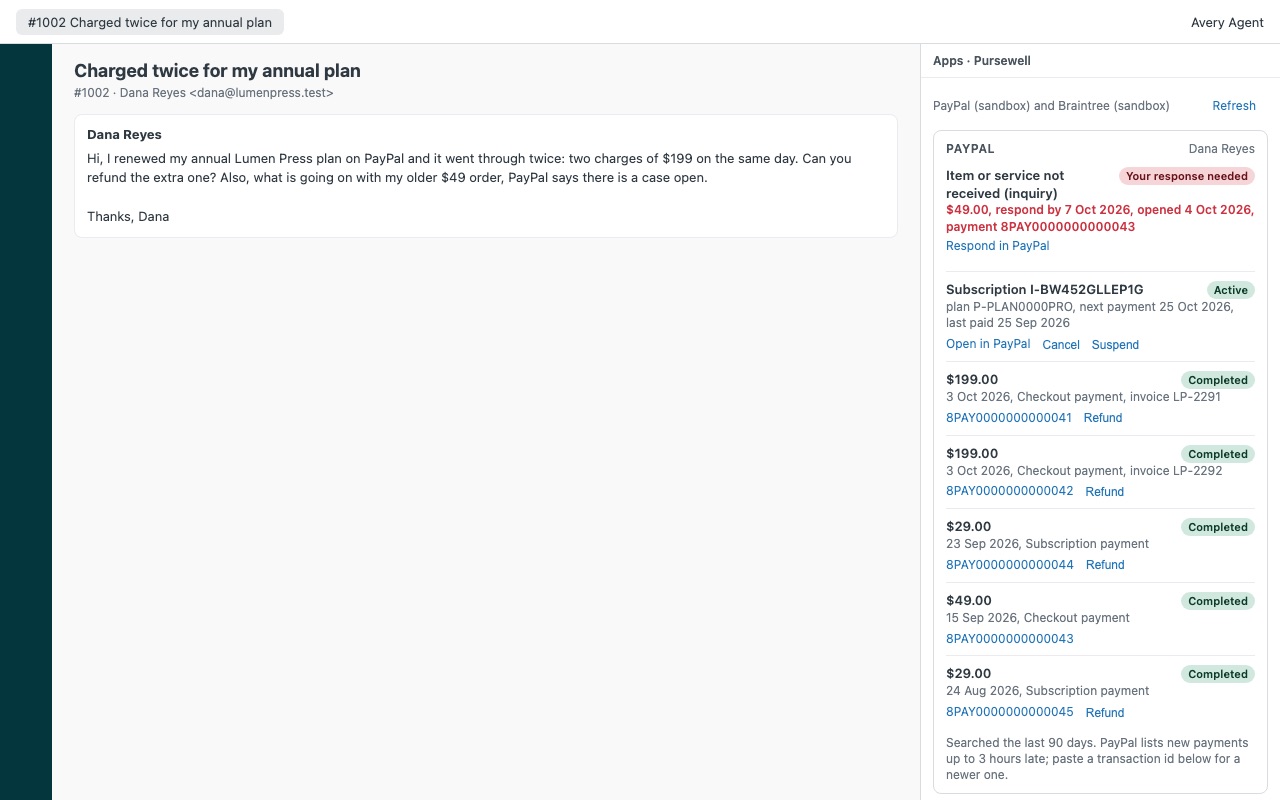
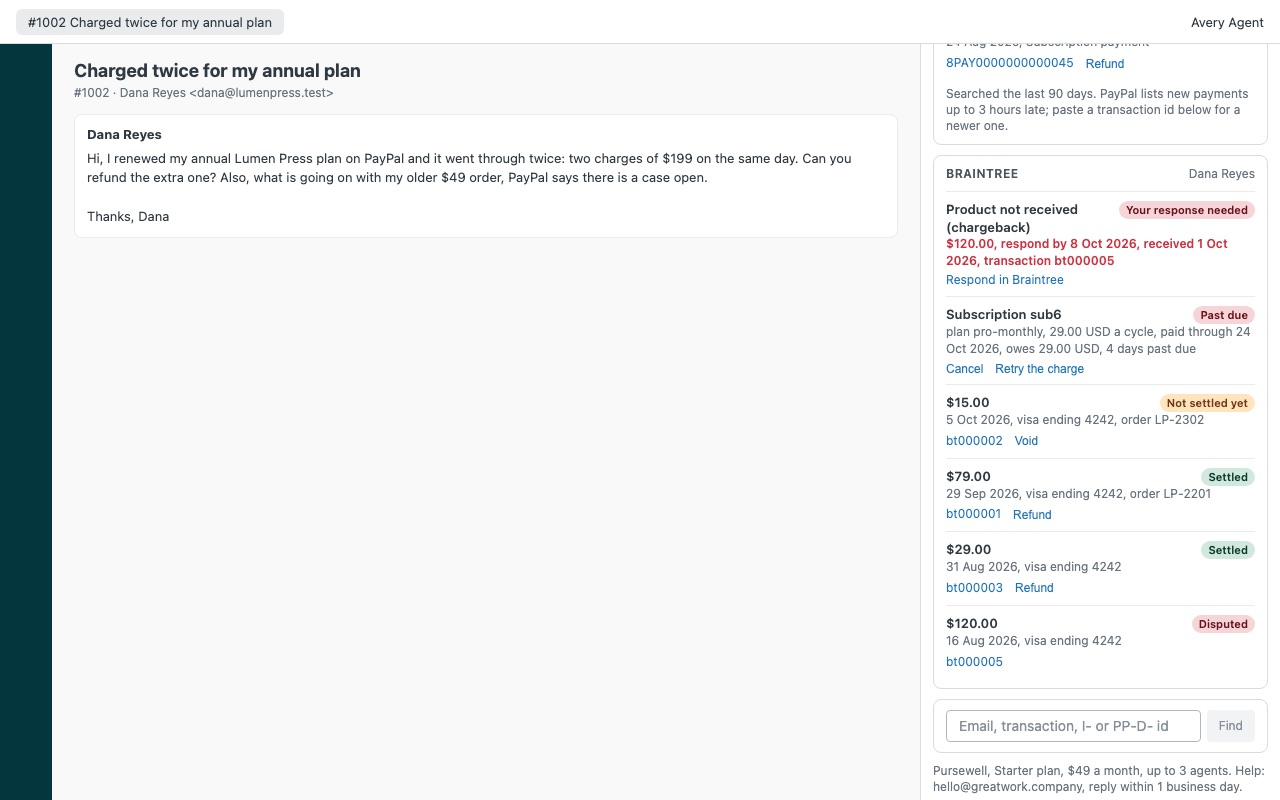
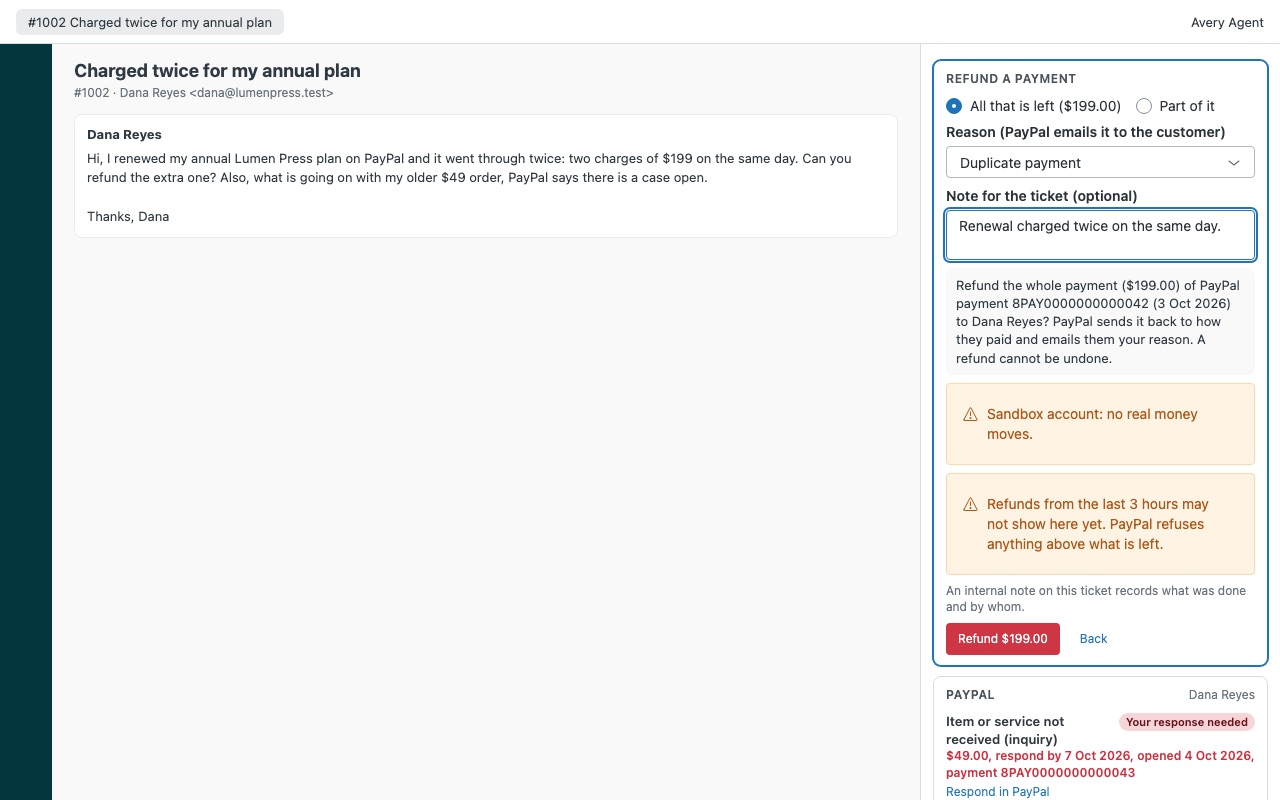
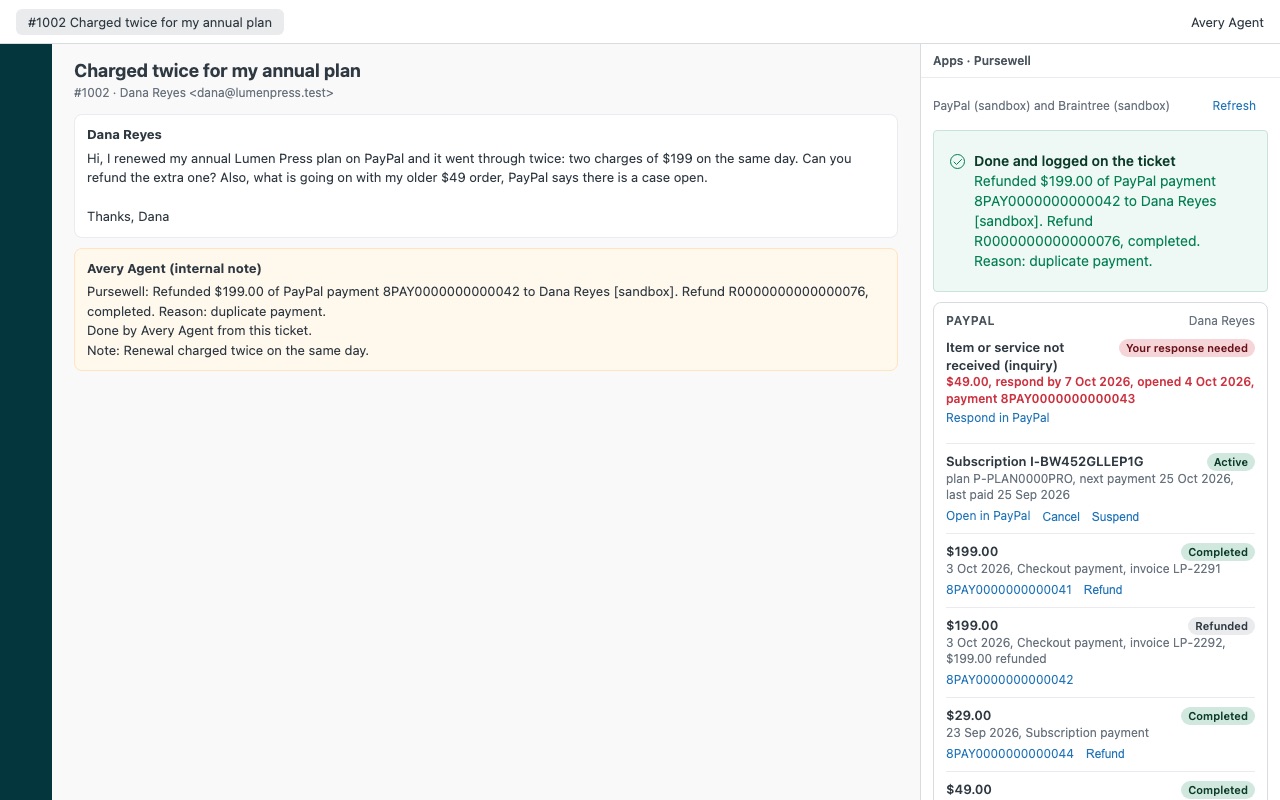
See the customer's PayPal and Braintree payments on the ticket, and refund one without opening another tab. Pursewell shows the customer's payments next to the ticket, matched by every email address they use: what they paid, what was refunded, open disputes with their respond-by date, and their subscriptions. Agents you allow can refund, void and manage subscriptions, and every action is written to the ticket as an internal note.
What you get
What you see on a ticket
Disputes first: PayPal cases and Braintree chargebacks with reason, amount, stage and respond-by date, in red when it is less than three days away. Subscriptions: PayPal and Braintree subscriptions with status, next payment, failed payments and any balance owed.
What agents can do
Refund all or part of a PayPal payment or a settled Braintree transaction, with a reason. PayPal emails the reason to the customer. Void a Braintree payment that has not settled yet, so it is never charged.
Your PayPal and Braintree keys
Braintree: your private key sits in a Zendesk secure setting. Zendesk adds it to each request on its own servers, so it never reaches an agent's browser. PayPal: your secret sits in a Zendesk secure setting and never reaches the browser. PayPal hands back a sign-in token, lasting up to 9 hours, that lives in the agent's browser while Pursewell is open (PayPal's API works no other way from inside Zendesk). If the PayPal app you connect can also send payouts or credits to new recipients, Pursewell refuses to use it. Only agents allowed to see payments ever get a token.
Questions about Pursewell
What does Pursewell do?
PayPal and Braintree payments on the ticket: refunds, disputes with deadlines, subscriptions.
What does Pursewell work with?
Pursewell works in Zendesk Support.
How much does Pursewell cost?
Starter: $49 a month per Zendesk account, up to 3 agents. Team: $169 a month per Zendesk account, up to 11 agents. Scale: $25 a month per agent.
Is there a free trial?
14-day free trial (Zendesk asks for a card at install). Billed monthly by Zendesk. No free plan.
How do I get Pursewell?
Email hello@greatwork.company and we'll help you get Pursewell set up.
Who makes Pursewell?
Great Work LLC, an independent software company. Email hello@greatwork.company with any question about Pursewell and a person will answer.
More Zendesk apps
 Questwell
 Postiewell
 Quillmend
 Pinwell