



Questwell PlayFab player panel: the ticket's player, bans, inventory, currency. Make-goods with role caps.
From $99 a month per Zendesk account. 14-day free trial (Zendesk asks for a card at install). Billed monthly by Zendesk. No free plan.
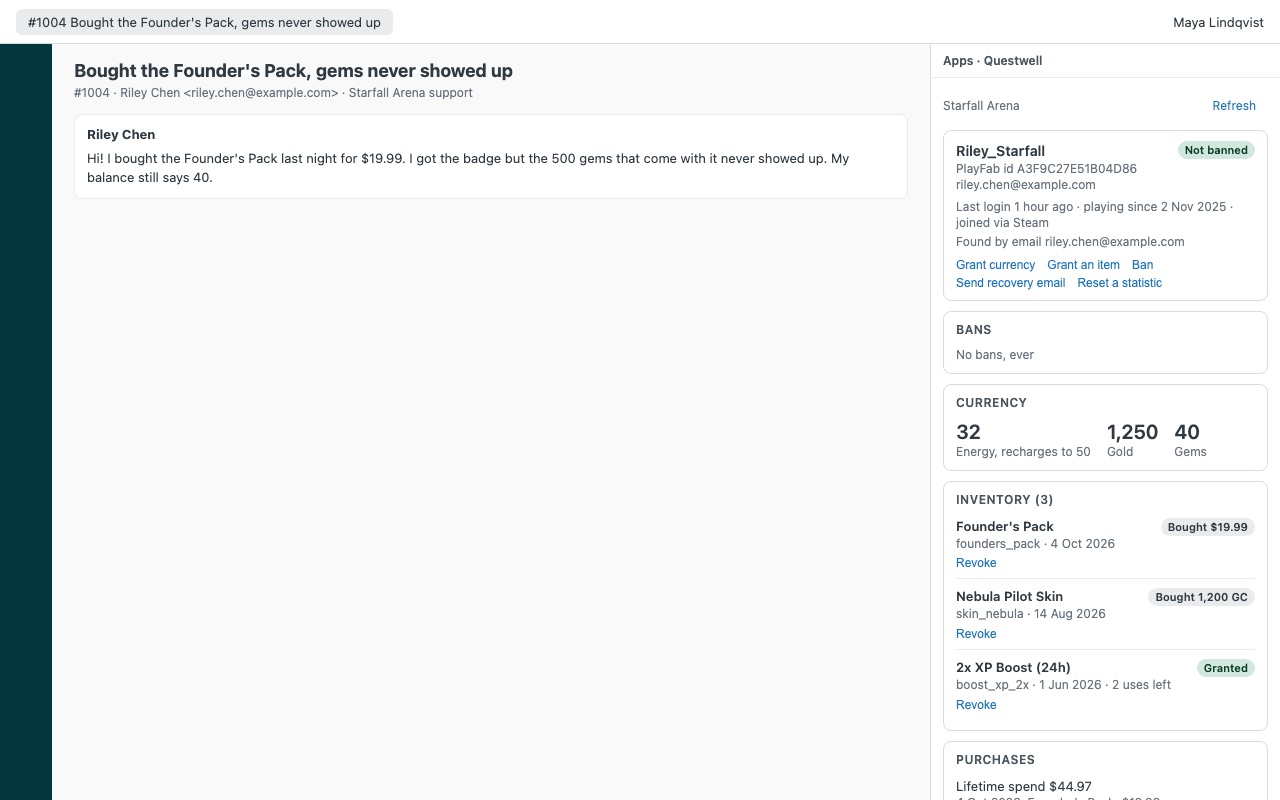
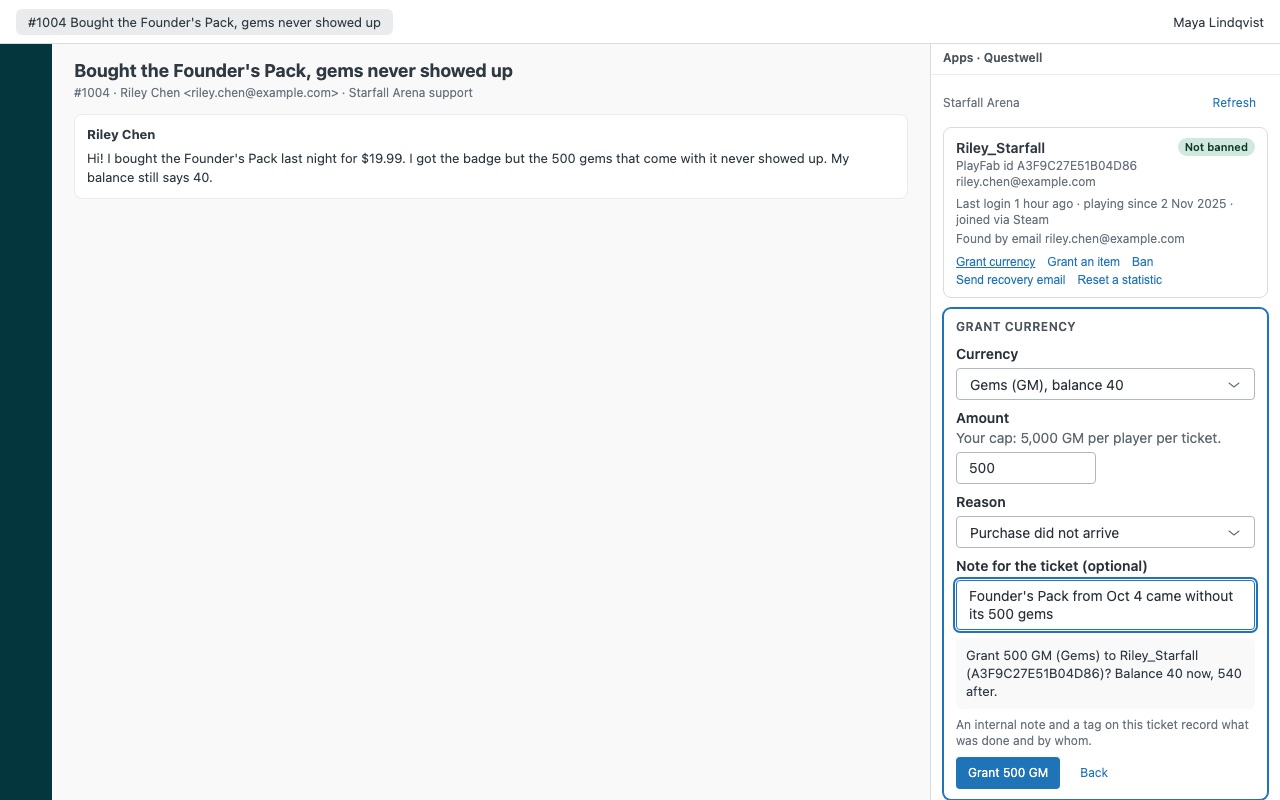
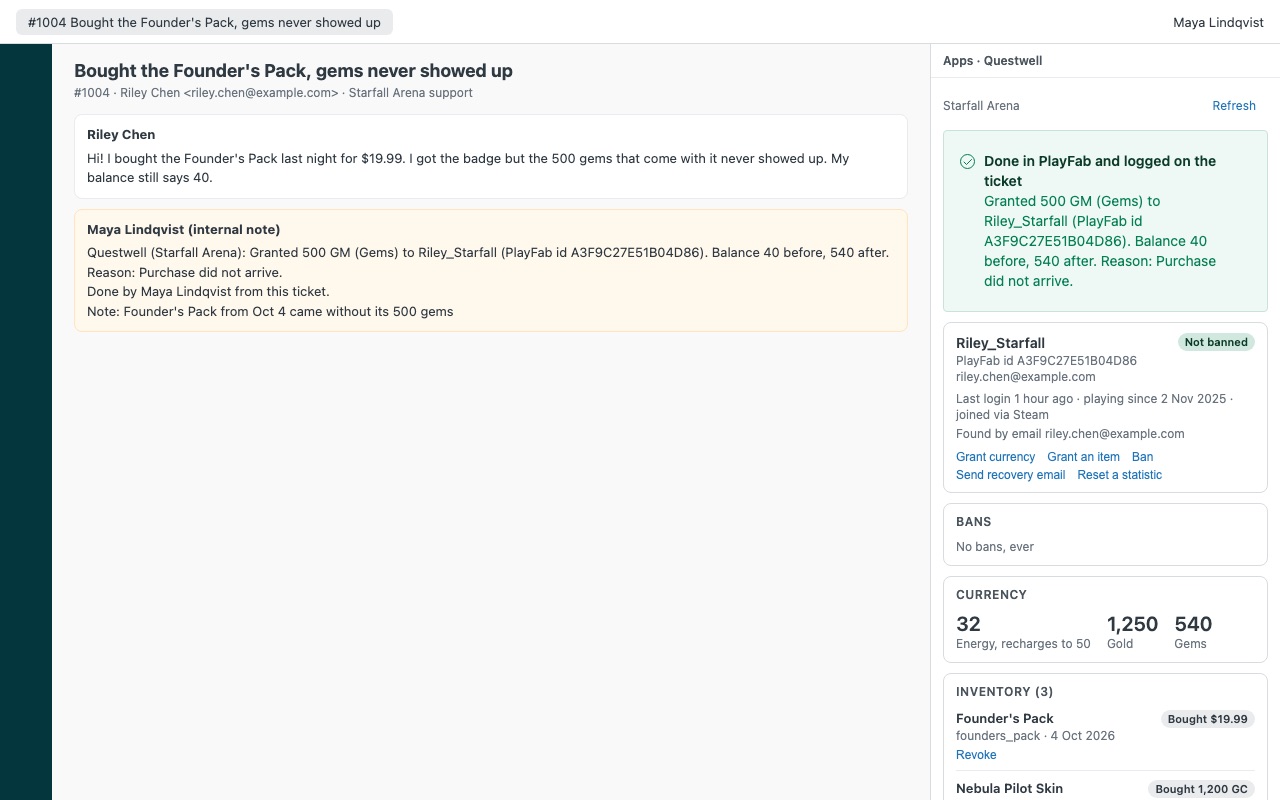
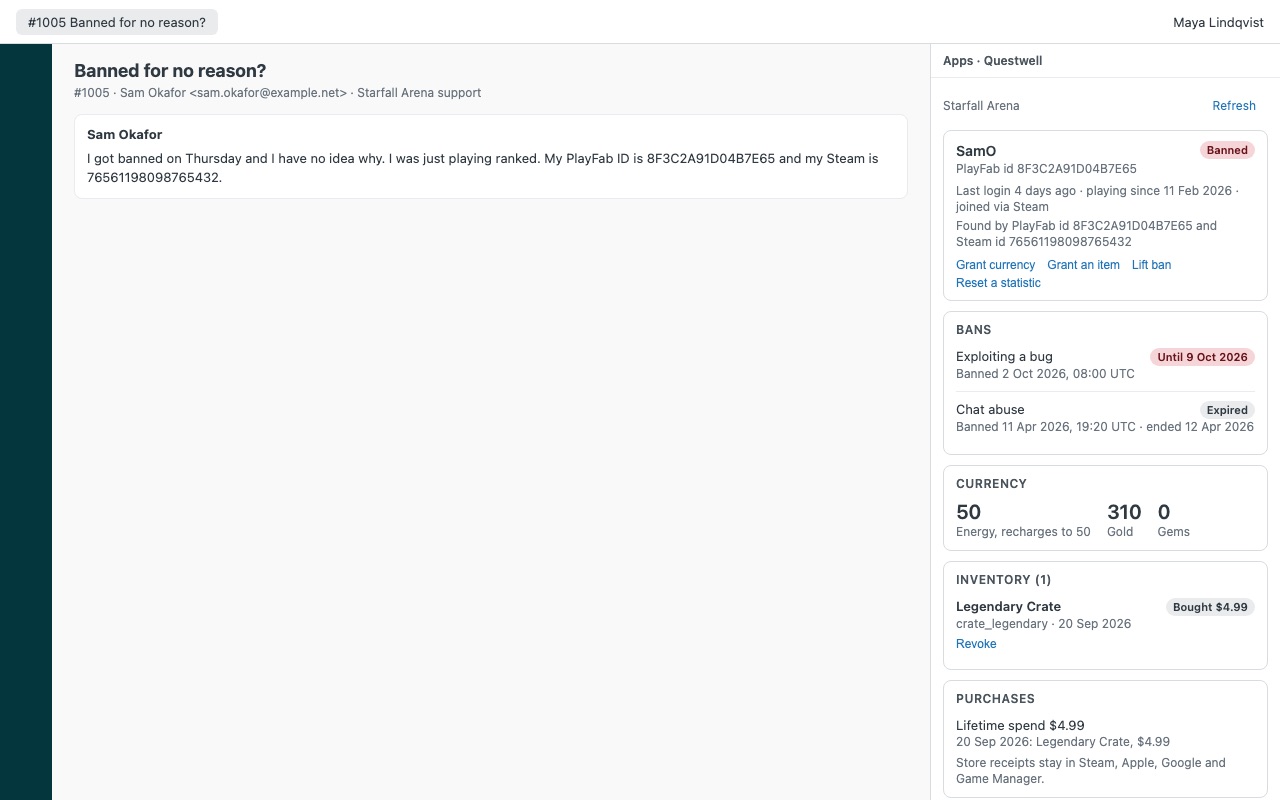
The player behind the ticket, without giving agents Game Manager. Questwell shows the PlayFab player next to every Zendesk ticket: account and linked platforms, last login, bans in force and ban history, currency balances, inventory with what was bought and what was granted, lifetime spend, statistics and segments. Agents you allow can grant a make-good (currency or an item from your list), ban or lift a ban, revoke an item or send the account recovery email, each one confirmed, capped by role and logged on the ticket.
Questwell is built by Great Work LLC. It is not made or endorsed by Zendesk or Microsoft. PlayFab is a trademark of Microsoft.
What you get
The player in the sidebar
Found automatically by the requester's email (every email on their Zendesk profile), a PlayFab id or Steam id in the ticket, or a PlayFab id ticket field. Agents can also look up by id, display name or username. Account: display name, PlayFab id, login email, first and last login, and linked platforms (Steam, Xbox, PlayStation Network, Nintendo Switch and more).
Actions with guard rails
Grant currency, capped per role and per currency, per player per ticket. A second agent cannot double a make-good. Grant an item from the allow-list you write, capped per ticket.
Requirements
A PlayFab title and a title secret key. Inventory and currency need PlayFab's Legacy Economy; Economy v2 titles get everything else.
How Questwell works
- Make a secret key for Zendesk. In PlayFab Game Manager, open your title, click the gear icon, then Title settings > Secret Keys > New Secret Key. Name it "Zendesk Questwell" and give it an expiration date.
- Install Questwell from the Zendesk Marketplace and enter the PlayFab title id (the short code, such as A1B2C) and the secret key. Zendesk stores the key as a secure setting and only sends it to your title's PlayFab address.
- Set the guard rails. Write currency caps per role, list the items agents may grant, and choose who can moderate. Out of the box, agents can't grant any currency, item grants are off and only admins moderate.
- Open a ticket. Questwell finds the player by the PlayFab id ticket field, every email on the requester's profile, or a PlayFab id or Steam id written in the ticket.
- Read the account. The sidebar shows linked platforms, last login, bans in force and ban history, currency balances, inventory marked Bought or Granted, lifetime spend, statistics and segments.
- Act from the ticket. Grant currency or an item, ban or lift a ban, revoke an item or send the recovery email. Each action is confirmed first, then logged as an internal note and a
questwell_*tag.
Who it's for
Player support teams without Game Manager access
Agents answer "my purchase didn't arrive" by checking the inventory and balance next to the ticket, then granting the make-good themselves within their role's cap. Nobody needs a Game Manager login that would give them full admin on the title.
Trust and safety teams
Moderators ban with a reason from a preset list or their own words, with lengths from 1 day up to the longest ban you allow. Only admins can ban permanently. Lifting a ban, with a reason, takes a moment from the appeal ticket.
Launches, seasons and outages
When a bug or outage floods the queue, the per-ticket caps count every grant on the ticket, whoever made it. A second agent on the same ticket can't double a make-good.
What you need
- Zendesk Support, and a Zendesk admin to install Marketplace apps.
- A PlayFab title and a title secret key made for Zendesk.
- Legacy Economy for inventory and currency. Economy v2 titles see everything else.
- Optional: a ticket field that holds the player's PlayFab id, for players who sign in with Steam, Xbox, PSN, Nintendo, Apple or a device and have no PlayFab email.
Questwell guides
Questions about Questwell
What does Questwell do?
PlayFab player panel: the ticket's player, bans, inventory, currency. Make-goods with role caps.
What does Questwell work with?
Questwell works in Zendesk Support.
How much does Questwell cost?
Team: $99 a month per Zendesk account, up to 12 agents. Scale: $8 a month per agent.
Is there a free trial?
14-day free trial (Zendesk asks for a card at install). Billed monthly by Zendesk. No free plan.
Where do I install Questwell?
From the Zendesk Marketplace. Use the Install button on this page, or search for "Questwell" there.
Who makes Questwell?
Great Work LLC, an independent software company. Email hello@greatwork.company with any question about Questwell and someone will answer.
Does Questwell copy player data out of PlayFab?
No. It reads the player while the sidebar is open and keeps nothing after it closes. There is no Great Work server; calls go from Zendesk straight to your title's PlayFab address.
What can't Questwell do with my secret key?
It never deletes players, resets all statistics, wipes or edits player data, takes currency away, refunds purchases, bans IP addresses, unlinks platforms or changes your API policy. Those calls aren't in the app.
Can agents search for players by display name?
Yes. The lookup box takes an email, PlayFab id, Steam id or in-game display name, and user: followed by a name looks up a PlayFab username. Every lookup is exact, so nothing lists players in bulk.
Does it work with more than one game?
One PlayFab title per installation.
How many API calls does it make?
About a dozen reads when a sidebar opens and one write per action. PlayFab's Admin API rate limits for your title apply.
What happens when I uninstall it?
The sidebar goes away and Questwell keeps no data. Internal notes and tags already on tickets stay. Delete the "Zendesk Questwell" key in Game Manager afterward.
More Zendesk apps
 Quillmend
 Pursewell
 Quirewell
 Postiewell