



PinwellPin color-coded notes to customers, organizations and tickets. Every agent sees them first.
Full name: “Pinwell: Pinned Customer Notes”
$1 a month per agent. 14-day free trial (Zendesk asks for a card at install). Billed monthly by Zendesk. No free plan.
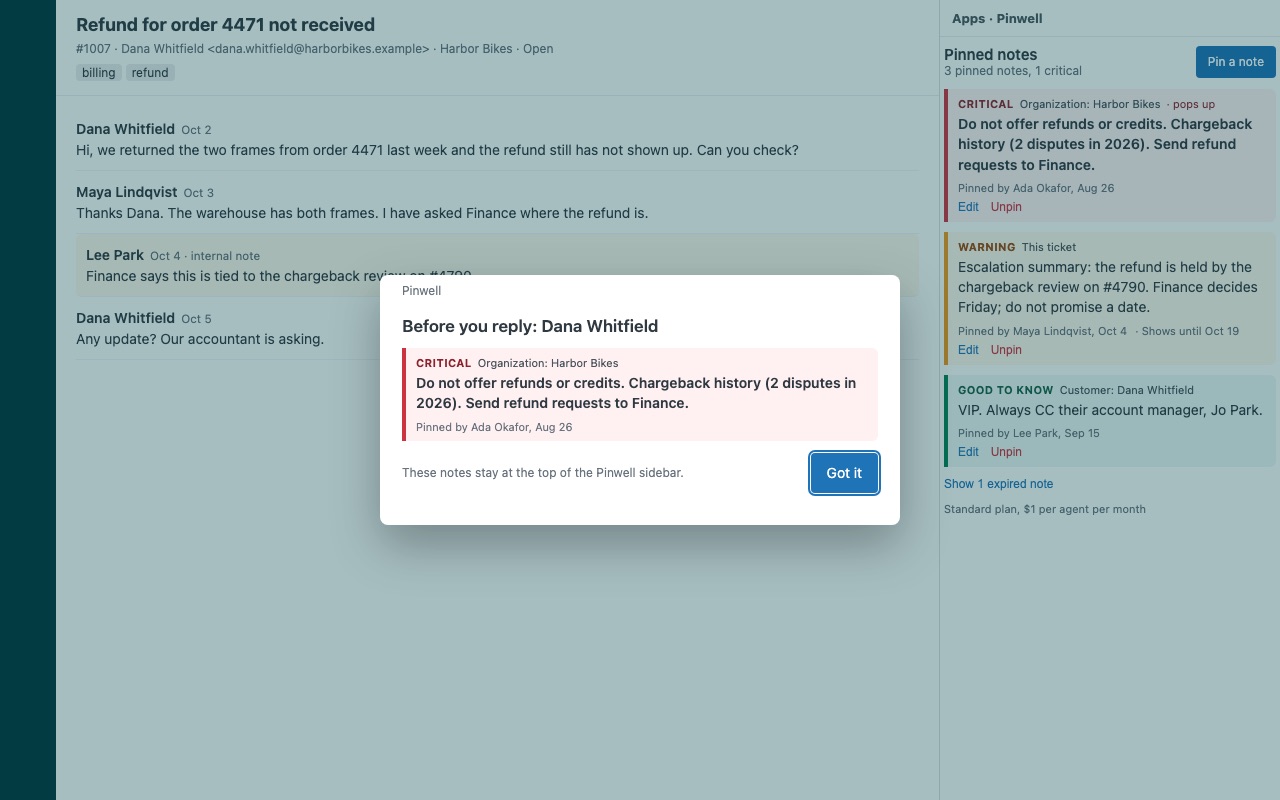
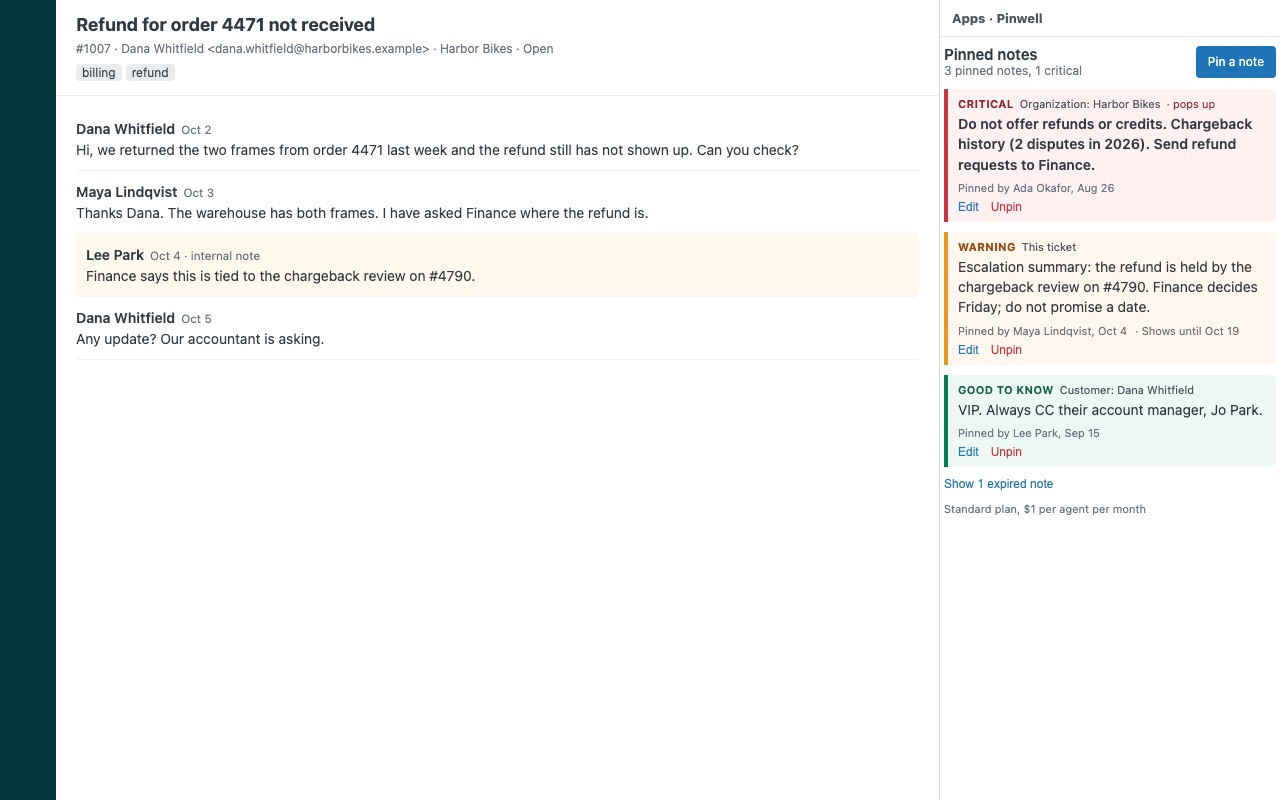
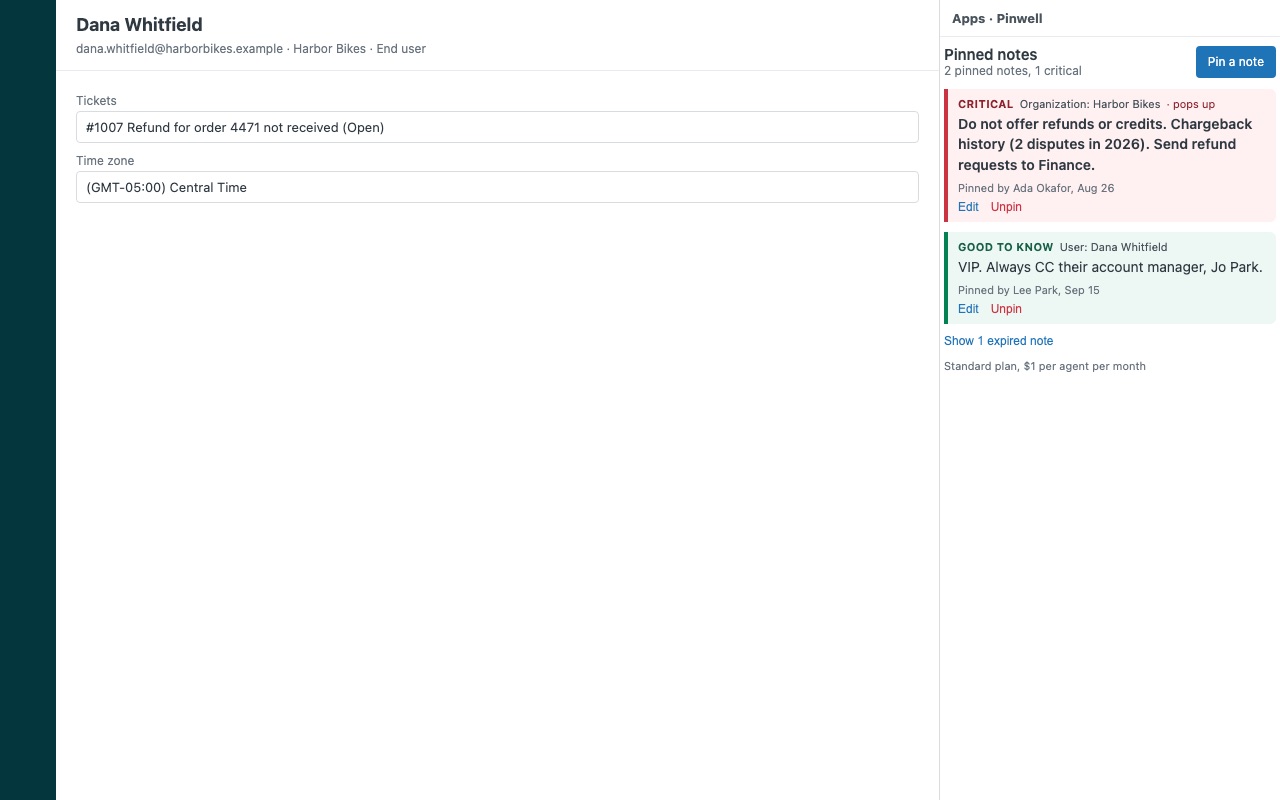
Put what every agent must know at the top of the ticket. "VIP, always CC their account manager." "Do not offer refunds: chargeback history." "Escalation summary: root cause is the SSO certificate." Pinwell lets agents pin short, color-coded notes to a customer, an organization or a single ticket. They show at the top of the Pinwell sidebar on every ticket from that customer or organization, most urgent first, with who pinned them and when. Critical notes can pop up the moment a ticket opens.
Pinwell is built by Great Work LLC. It is not made or endorsed by Zendesk.
What you get
Notes that are hard to miss
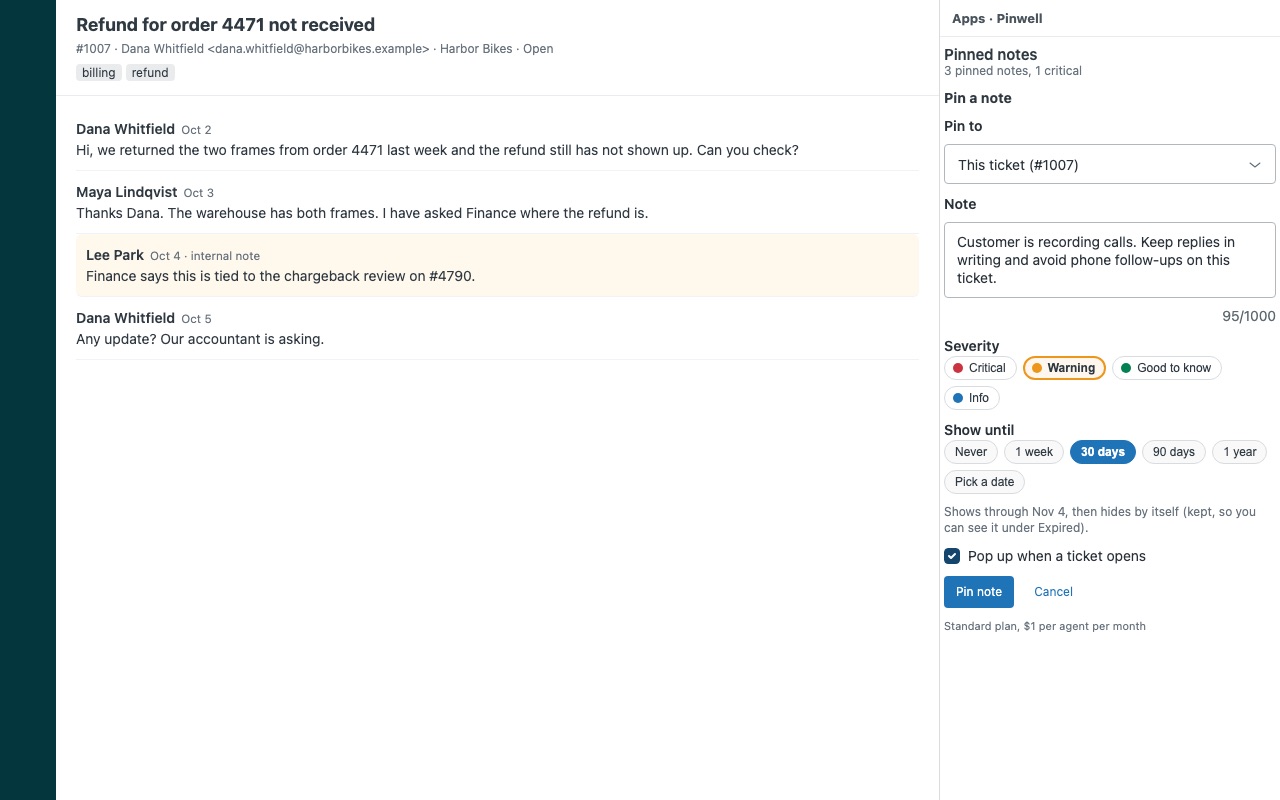
Pinned to the customer, the organization or the ticket. A note on an organization shows on every ticket from every person in it. A ticket note is the escalation summary tier 2 reads instead of 80 comments. Severity and color. Critical (red), Warning (amber), Good to know (green) and Info (blue). The sidebar sorts by severity, so the note that matters is never below the fold.
Notes that stay current
Optional expiry. "Shows until" 1 week, 30 days, 90 days, 1 year or a date. Expired notes hide by themselves and stay one click away. Who pinned it and when on every note, plus who edited it last.
Notes that do not disappear
Every note is a record in your own Zendesk, in a "Pinwell note" custom object that Pinwell creates at install. Zendesk keeps custom objects and their records when an app is uninstalled, so your notes survive an uninstall, a lapsed trial or a reinstall. One record per note, so two agents pinning at the same time never overwrite each other.
Control who can pin
Every agent sees the notes. Choose which roles or groups can pin, edit and unpin, or let agents change only their own notes. Admins can always manage every note. Turn pop-ups off for the whole account with one setting.
Questions about Pinwell
What does Pinwell do?
Pin color-coded notes to customers, organizations and tickets. Every agent sees them first.
What does Pinwell work with?
Pinwell works in Zendesk Support.
How much does Pinwell cost?
Standard: $1 a month per agent.
Is there a free trial?
14-day free trial (Zendesk asks for a card at install). Billed monthly by Zendesk. No free plan.
How do I get Pinwell?
Email hello@greatwork.company and we'll help you get Pinwell set up.
Who makes Pinwell?
Great Work LLC, an independent software company. Email hello@greatwork.company with any question about Pinwell and a person will answer.
More Zendesk apps
 Postiewell
 Patronwell
 Pursewell
 Panewell