


Okaygate Pause any workflow until the right people approve, by email or text, with a full history.
Listed on the HighLevel App Marketplace as “Okaygate: Workflow Approvals”
$29 a month or $290 a year per business account. 14-day free trial, up to 100 approval requests.
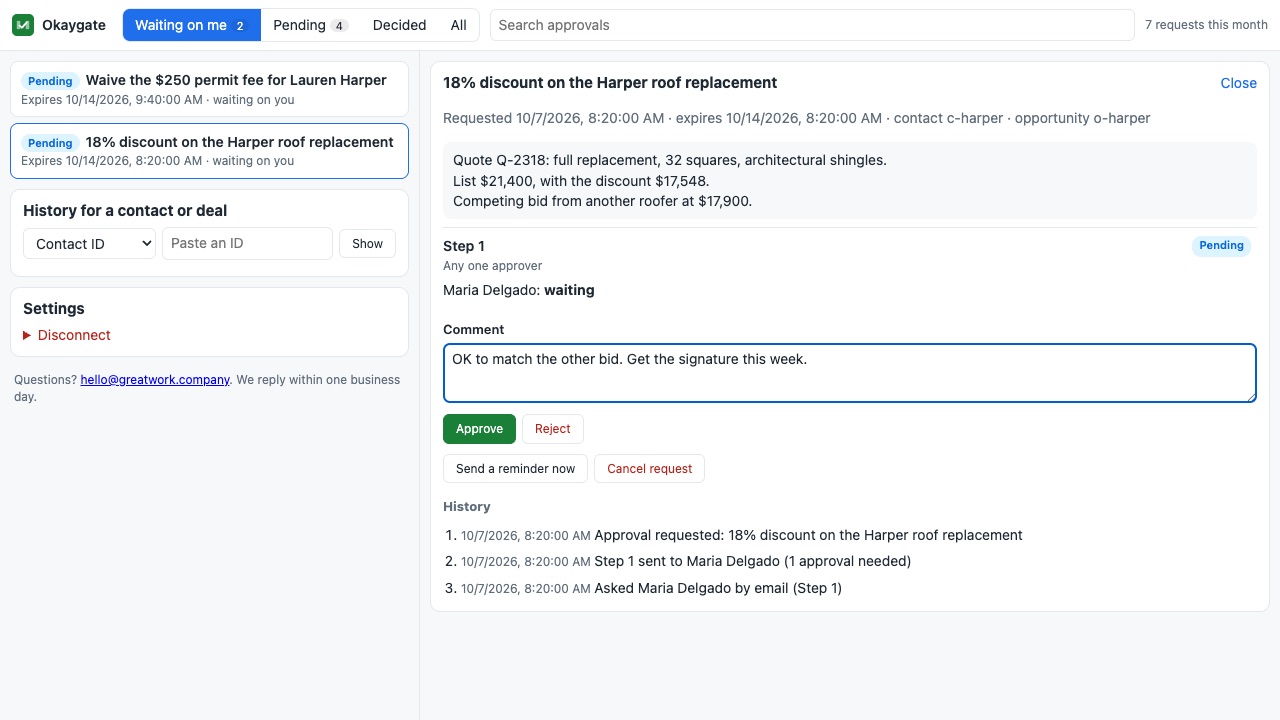
Okaygate adds the step your workflows are missing: a real approval. The workflow waits, the right people get a link, and the contact moves down the Approved, Rejected or Expired path the moment they decide.
What you get
Ask the right people
Pick approvers by team member, by role (every admin, for example), by email address or mobile number, from a contact field (like the account manager's email on the record), or let the contact approve their own quote. Approvers don't need a login.
Any one, everyone, or N of M
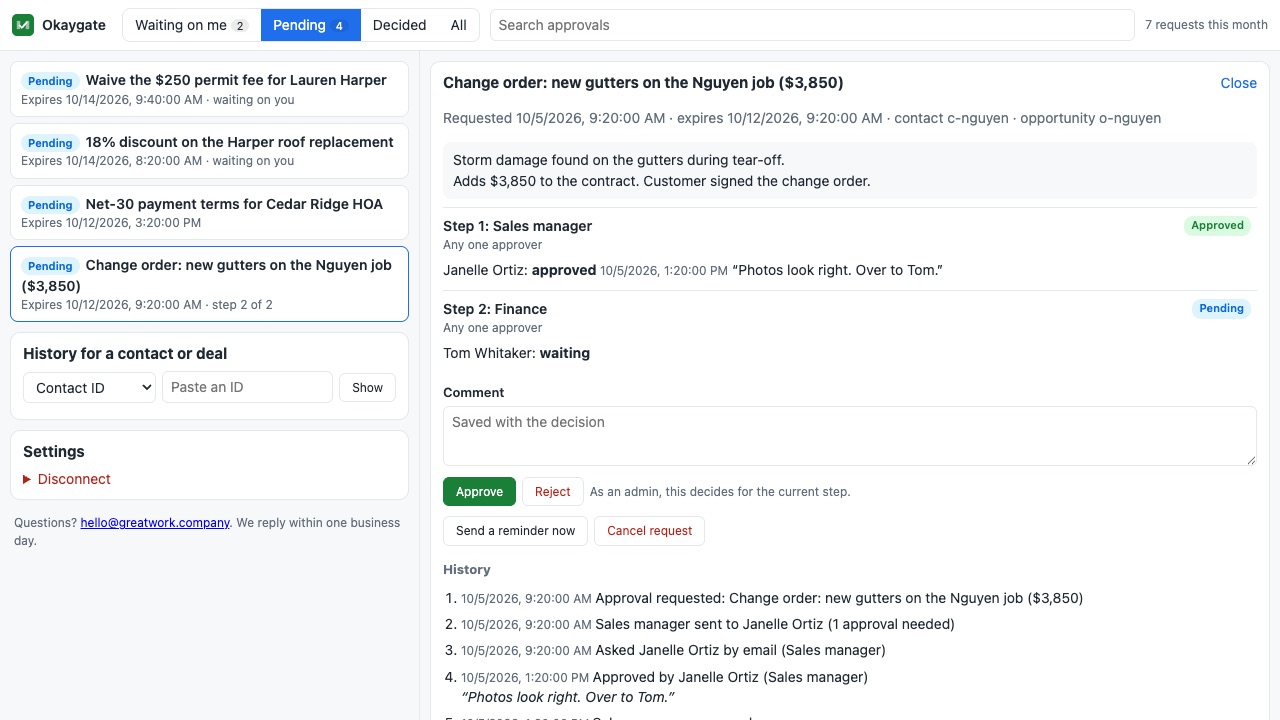
Decide how many approvals a step needs. Chain up to three steps, such as sales manager, then finance, then the owner. Each step starts only when the one before it is approved.
Email or text, from your own account
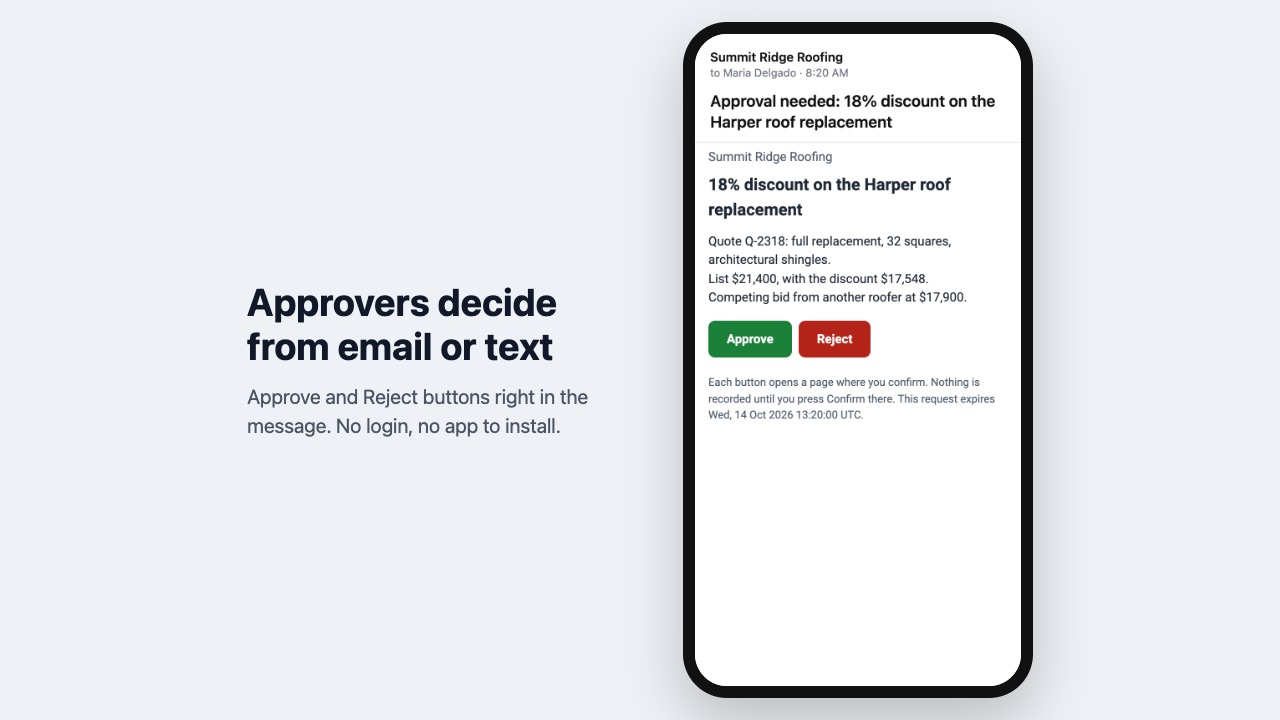
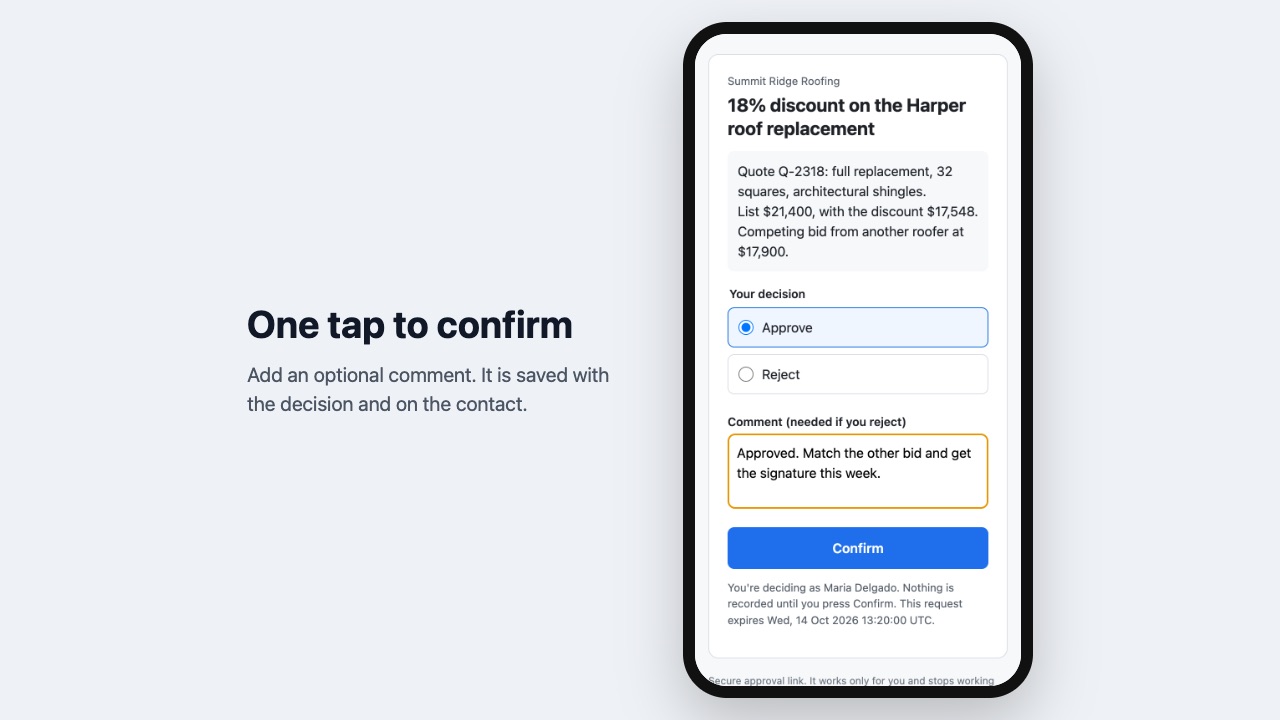
Approval requests go out through your CRM's own email and SMS, from your own sender, so approvers recognize them and replies land in the conversation history. Each message has Approve and Reject buttons that open a short confirm page; nothing is recorded until the approver presses Confirm, so link scanners can't approve by accident.
Reminders and deadlines
Send a reminder every few hours or days until someone decides, and set a deadline after which the request expires and the workflow takes the Expired path.
A decisions page in your CRM
See everything waiting, what's waiting on you, and every decision with who, when and why. Approve or reject right there, send a reminder, or (admins) decide on behalf of a step or cancel a request.
An audit trail for every contact and deal
Each decision is added as a note on the contact, and the full history (requested, sent, reminded, approved or rejected, comments) is kept for each contact and opportunity.
How Okaygate works
- Install Okaygate from the HighLevel App Marketplace into a sub-account. Open it from the left menu to see the decisions page, which stays empty until the first request.
- Add Request approval to a workflow (search "Okaygate" in the action list) at the point where a person has to say yes: before a discount quote goes out, before a refund, before a proof is sent.
- Write the Title and Details approvers will read, for example
25% discount for {{contact.name}}and the quote amount. Map{{opportunity.id}}to file the request under the deal too. - Pick the approvers for each of up to 3 steps: team members, everyone with a role, typed email addresses or mobile numbers, an email or phone stored on the contact, or the contact in the workflow.
- Choose the rule and channel: any one, all, or a number of approvers per step; email, SMS or both; reminders; when the request expires.
- Connect the paths. The contact waits on the step, then continues down Approved, Rejected, Expired or Not completed. Later steps can use
approved,decided_by,commentand other outputs. - Approvers open the link from your sender, choose Approve or Reject, add a comment and press Confirm. Team members can also decide on the decisions page under Waiting on me.
Who it's for
Sales teams with discount or pricing rules
A rep can build any quote, but anything over a set discount waits for the sales manager. The workflow sends the quote only after the manager approves from a text on their phone.
Agencies that need client sign-off
An agency drafting ads, landing pages or emails for a client sends the client an approval link. The client approves from their inbox without a login, and the record shows who approved and when.
Owners who want a say on money going out
Refunds, credits and write-offs over a limit go to finance, then the owner, in order. Each step starts only when the one before it approves.
Anyone replacing "reply YES to approve"
Requests that live in text threads and get lost. Okaygate keeps every request, reminder, decision and comment in one history per contact and deal.
Okaygate or a manual pause in HighLevel
Without an app, the usual workaround is an internal notification plus a tag someone adds by hand, with a wait step or second workflow listening for the tag. It works for one approver who remembers to tag. It doesn't handle approvers outside your team, rules like 2 of 3, a chain of steps, reminders, deadlines or a record of who decided and why. That's the gap Okaygate fills.
Okaygate records an approve or reject decision; it isn't an e-signature tool. For a Wix site, where form submissions need approving rather than CRM records, see Okaypath for Wix.
Limits and requirements
- Up to 3 steps per request, each with its own approvers and rule.
- Requests expire after the hours you set, 72 by default and at most 30 days.
- The trial includes 100 approval requests; a paid plan up to 2,000 a month. At the limit, new requests take the Not completed path with the reason.
- HighLevel only messages contacts, so approvers who aren't contacts yet are added as contacts tagged "approver". Exclude that tag from marketing.
- Email and SMS go out and are billed through the sub-account like any other message.
Okaygate guides
Questions about Okaygate
What does Okaygate do?
Pause any workflow until the right people approve, by email or text, with a full history. Okaygate adds the step your workflows are missing: a real approval. The workflow waits, the right people get a link, and the contact moves down the Approved, Rejected or Expired path the moment they decide.
What does Okaygate work with?
Okaygate works in HighLevel, including white-label HighLevel accounts.
How much does Okaygate cost?
$29 a month or $290 a year per business account, with up to 2,000 approval requests a month. Messages are sent through your CRM's own email and SMS, so its usual messaging rates apply. Workflow actions from marketplace apps may also carry a small per-run platform fee in your CRM, separate from Okaygate's price. Billed through the HighLevel App Marketplace.
Is there a free trial?
14-day free trial, up to 100 approval requests.
Where do I install Okaygate?
From the HighLevel App Marketplace. Use the Install button on this page, or search for "Okaygate: Workflow Approvals" there.
Who makes Okaygate?
Great Work LLC, an independent software company. Email hello@greatwork.company with any question about Okaygate and someone will answer.
Do approvers need a HighLevel login?
No. Anyone with an email address or mobile number can approve from the link. Team members can also use the decisions page.
Can an email scanner approve by opening the link?
No. The link opens a confirm page and nothing is recorded until the approver presses Confirm. Each link works for one person and one step.
What if nobody answers?
Reminders go out every 24 hours by default, up to 2. When the request expires, the contact moves down the Expired path, where you can escalate or close it.
Can a workflow continue while the approval is pending?
Yes. Use Start approval instead of Request approval. It returns a request_id right away, and a second workflow that starts with the Approval decided trigger reacts to the outcome.
Can an admin approve on someone's behalf?
Yes. On the decisions page an admin can decide for the current step or cancel a request; cancelling sends the contact down Not completed.
Can I require a reason for a rejection?
Turn on Require a comment to reject. The comment comes back in the comment output and in the note added to the contact.
How long is the history kept?
12 months after a request closes, then it's deleted. Uninstalling deletes everything at once.
More HighLevel apps
 Punchkeep
 Kioskwell
 Repstub
 Foliowell