



Lanemark Model BPMN 2.0 processes on Confluence pages, link each step to Jira, and see exactly what changed between versions.
Listed on the Atlassian Marketplace as “Lanemark: BPMN Process Modeler for Confluence”
From $11 a month for up to 10 users. Billed by Atlassian, with a 30-day free trial.
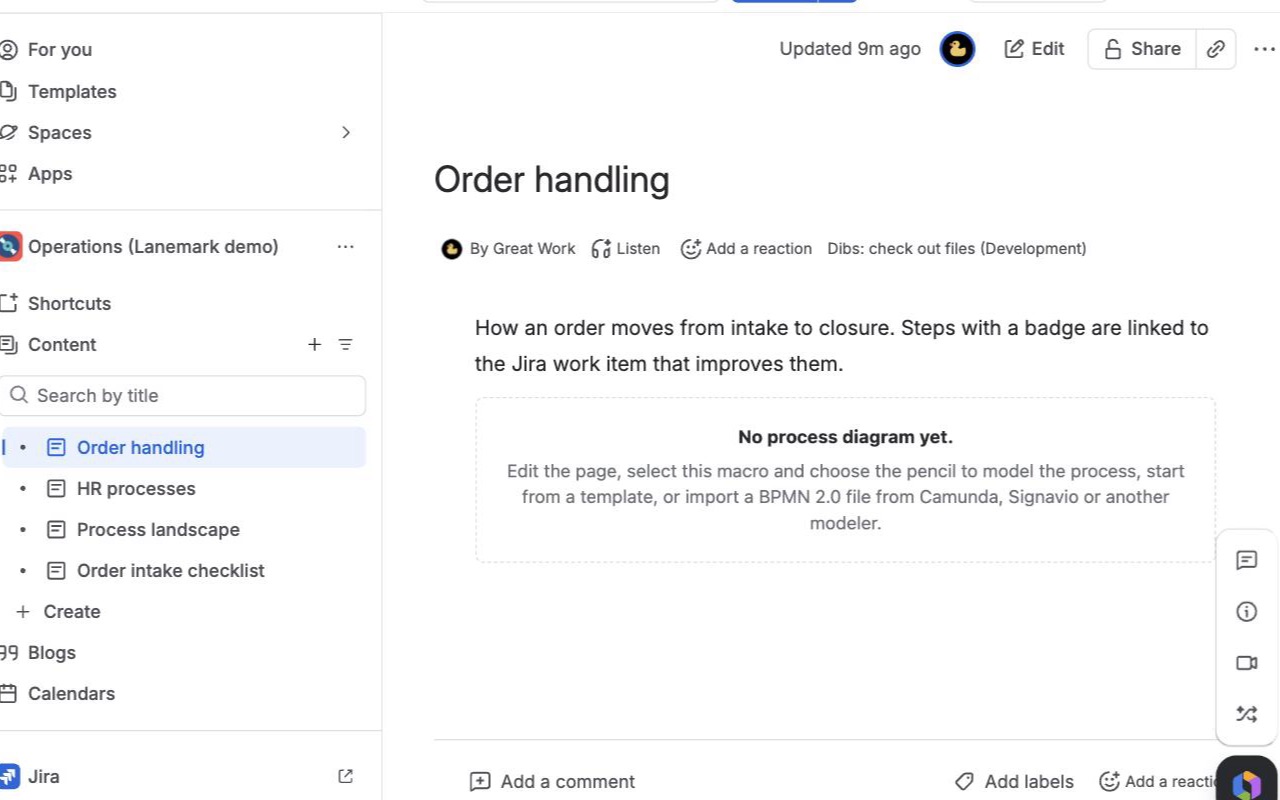
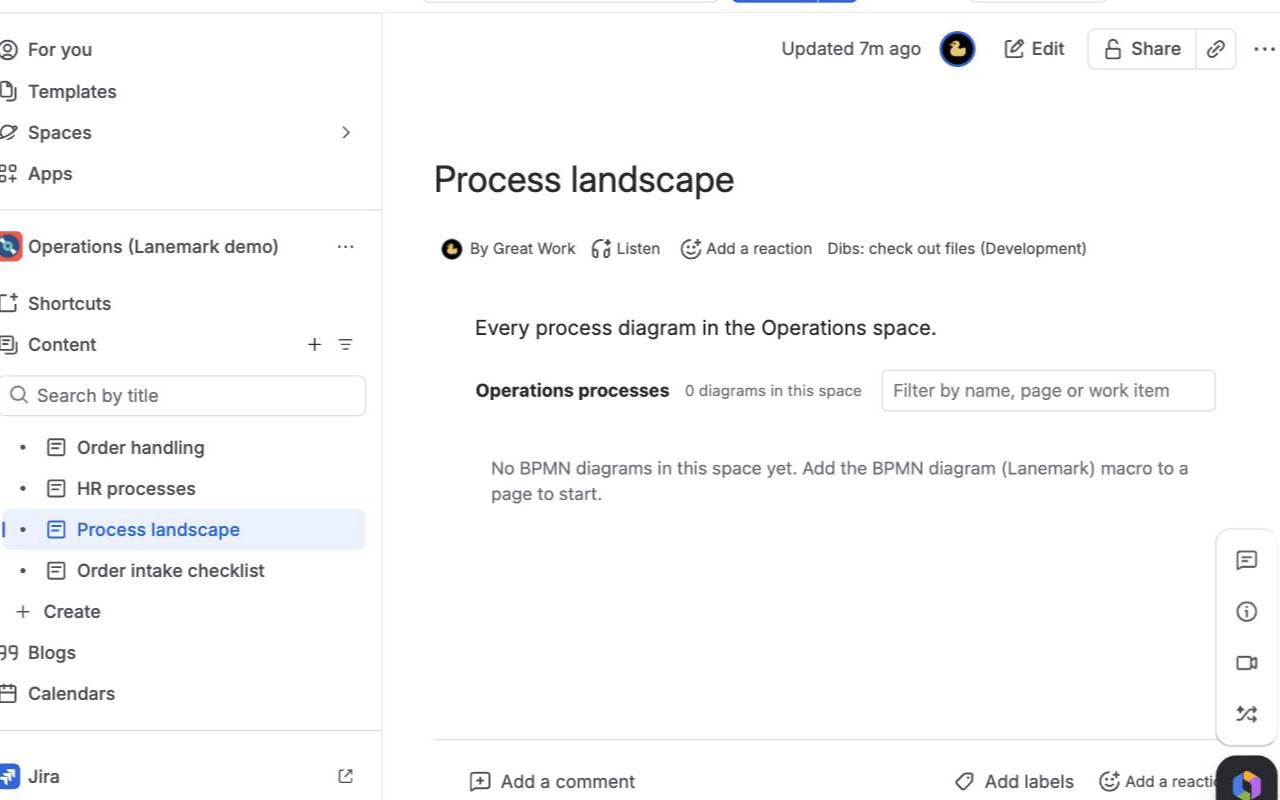
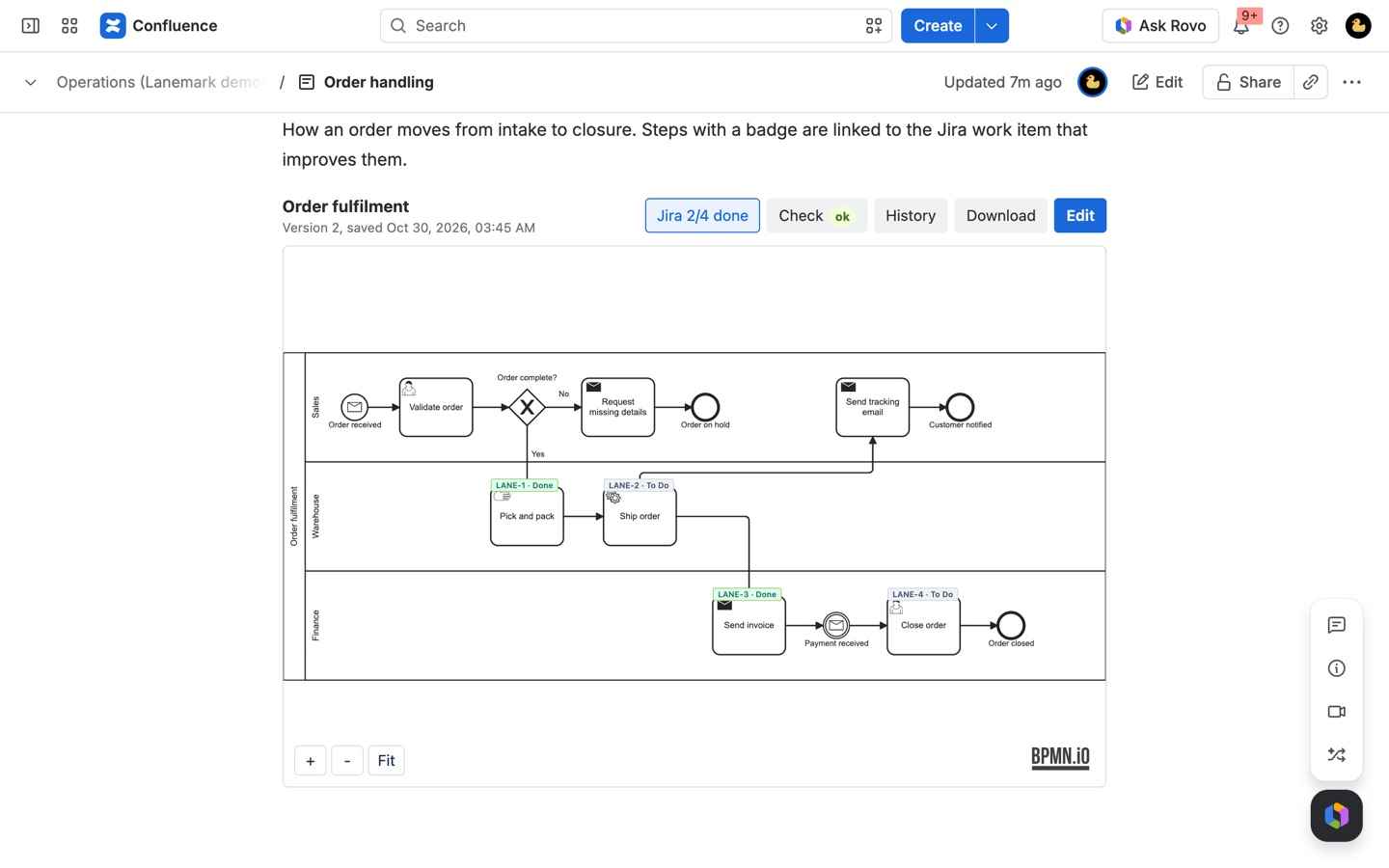
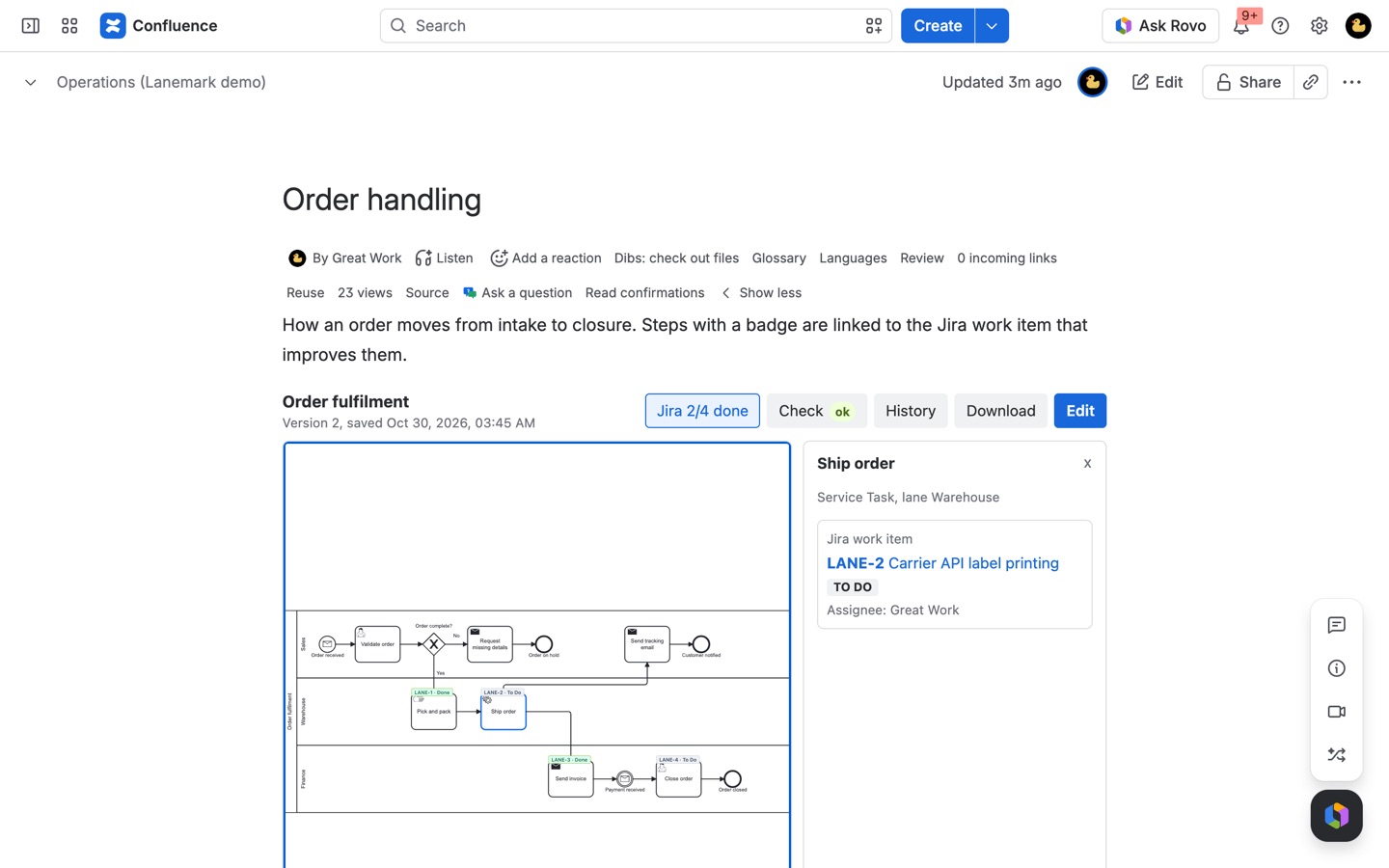
A full BPMN 2.0 modeler inside Confluence. Import Camunda and Signavio files, link steps to Jira work items with live status, compare any two versions, check models for mistakes, and see every process in a space on one page.
What you get
Real BPMN 2.0, on the page
Model with pools, lanes, events and gateways, or import .bpmn files from Camunda, Signavio and other BPMN tools. Files without a layout are laid out for you.
Linked to Jira, with live status
Link any step to a Jira work item and see To do, In progress or Done on the diagram. Click a step for its summary, assignee and the page that explains it.
See what changed between versions
Every save is a version with a note. Compare any two and the added, changed and moved steps are colored on the diagram. Restore an older version in one click.
How Lanemark works
- Edit a page, type /bpmn and choose BPMN diagram (Lanemark). The editor opens full screen.
- Pick a start: Blank, a template (Approval or Incident handling), or Import a file with a
.bpmnor.xmlfile from another BPMN tool. - Model with the palette on the left: events, tasks, gateways, subprocesses, data, pools and lanes. Select an element to name it, describe it, or link it in the right panel.
- Link steps. Type a Jira work item key such as
OPS-12, or paste a Confluence page link. Readers see the work item's status as a badge on the step. - Click Check to list problems in the model, such as a missing start event or a gateway branch with no label, with the affected elements outlined.
- Name the process, say what changed, and choose Save version 1. Publish the page. Later, choose Edit above the diagram to change it without editing the page; every save is a new version.
Who it's for
Process owners documenting how work runs
Onboarding, purchasing, incident handling and approvals usually live in a Confluence space as text. A BPMN diagram with pools and lanes shows who does what, in what order, and where the process branches, on the same page as the written procedure.
Teams already modeling in Camunda or Signavio
Import the BPMN 2.0 XML instead of redrawing it. Vendor extensions such as camunda: attributes are kept and written back when you download, so the file can go back to the engine or tool it came from.
Operations teams tying a process to the work
Link each step to the Jira work item that implements or tracks it. Readers see To do, In progress or Done on the diagram, and clicking a step shows its summary and assignee, read with the reader's own Jira permissions.
Anyone who has to review process changes
History above the diagram lists every version with its note. Compare any two and changes are colored: green added, amber changed, blue moved, with removed elements shown in red on the older version.
Lanemark or Confluence's own diagrams
Confluence Cloud has no BPMN 2.0 modeling, import or export of its own. Whiteboards and general diagram apps draw boxes and arrows, which is fine for a quick sketch. If the diagram never needs to leave Confluence or follow BPMN, they may be enough.
Lanemark is for processes that should be real BPMN 2.0: a file you can download and open in Camunda Modeler or another standards-based tool, a model check against BPMN mistakes, steps linked to Jira, versions you can compare, and a Process landscape (Lanemark) macro that lists every diagram in a space with its version, Jira progress and check findings.
Limits and requirements
- Confluence Cloud. Jira status on steps needs the app connected to Jira on your site, in Atlassian Administration > Apps > Lanemark.
- Imports up to 3 MB. draw.io files, DMN decision files and XML with entity declarations are refused with a reason.
- The newest 100 versions of each diagram are kept.
- Viewing a diagram needs view access to its page; changing it needs edit access.
- Diagrams are stored in your site's Forge app storage, hosted by Atlassian. Nothing leaves Atlassian.
- The bpmn.io watermark stays in the corner of every canvas, as the license of the open-source modeling library requires.
Lanemark guides
Questions about Lanemark
What does Lanemark do?
Model BPMN 2.0 processes on Confluence pages, link each step to Jira, and see exactly what changed between versions. A full BPMN 2.0 modeler inside Confluence. Import Camunda and Signavio files, link steps to Jira work items with live status, compare any two versions, check models for mistakes, and see every process in a space on one page.
What does Lanemark work with?
Lanemark works in Confluence Cloud.
How much does Lanemark cost?
$11 a month for up to 10 users, or $110 a year. From 11 users: $2.60 per user a month, with lower rates for larger sites.
Is there a free trial?
Billed by Atlassian, with a 30-day free trial.
Where do I install Lanemark?
From the Atlassian Marketplace. Use the Install button on this page, or search for "Lanemark: BPMN Process Modeler for Confluence" there.
Who makes Lanemark?
Great Work LLC, an independent software company. Email hello@greatwork.company with any question about Lanemark and someone will answer.
Can I import a Camunda or Signavio BPMN file into Confluence?
Yes. Choose Import a file and pick the .bpmn or .xml file. Lanemark reads BPMN 2.0 XML from Camunda Modeler, Camunda 8, SAP Signavio, Bizagi, ADONIS, Flowable, Activiti, Visual Paradigm and other standards-based tools. Files without a diagram layout are laid out left to right for you.
Can I export the diagram back out?
Yes. The Download panel gives BPMN 2.0 XML, SVG or PNG, plus Copy XML. Links to Jira and Confluence travel in the file as lanemark: attributes, which other BPMN tools ignore or keep.
What happens when two people edit the same diagram?
The second save shows who saved first. Save mine as version N anyway keeps both as versions, so you can compare them and keep the right one.
Does the diagram show up in PDF exports?
Yes. PDF and Word exports carry the diagram as an image with its name, version and date. Tick List linked Jira work items under the diagram in the macro's Display tab to add them.
Can I restore an older version?
Yes. In History, choose View to see it read-only, or Restore as new version to make it the newest again. Nothing in between is lost.
What happens to the diagram when a page is copied?
The copy shows the same diagram until someone who can see both pages opens it. Lanemark then gives the copy its own diagram, so changes on one page never affect the other.
Can I still download diagrams if our subscription ends?
Yes. Downloads stay available while a subscription is inactive.
More Confluence apps
 Milewell
 Dibs
 Sheetkeep
 Clean Copy