



Dibs Check out Confluence attachments before you edit them. See who has each file, get told on overwrites, restore the right version.
Listed on the Atlassian Marketplace as “Dibs: Attachment Check-out for Confluence”
From $21.50 a month for up to 10 users. Billed by Atlassian, with a 30-day free trial.
Check out one file or a whole page of files with a reason and an expiry. A banner shows who has what. If someone uploads over a checked-out file, Dibs tells both people and can restore the holder's version. Runs on Atlassian.
What you get
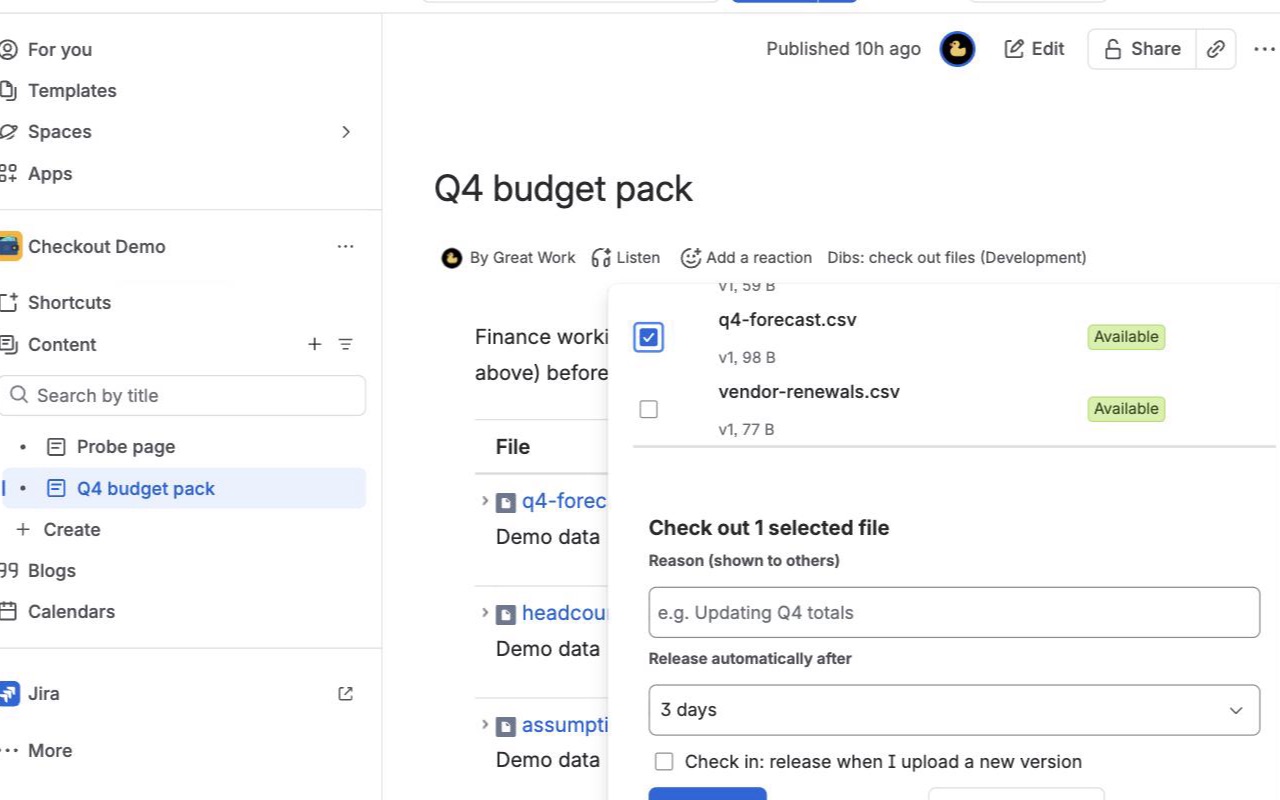
Check out every file on a page at once
Select the files you are about to edit, add a reason and an expiry, done. Release them together when you're finished, or have your next upload release them for you.
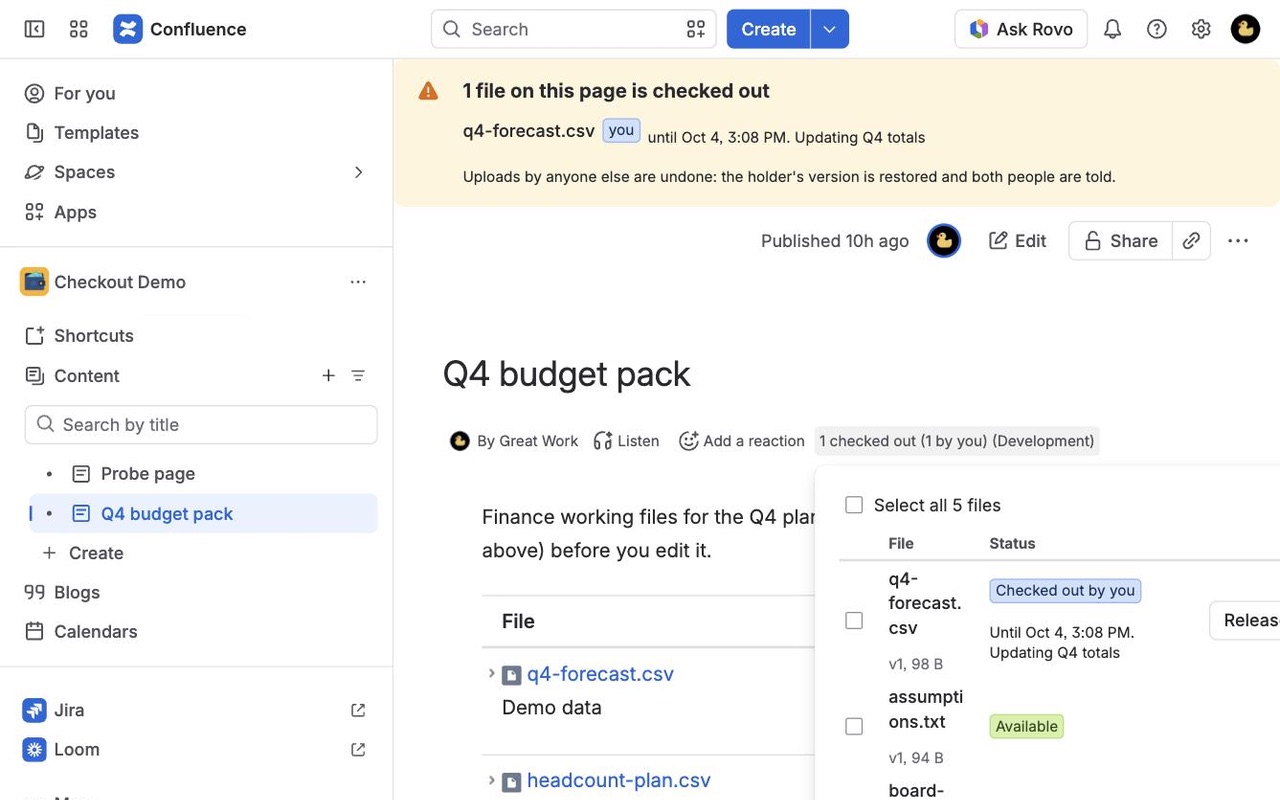
A banner everyone sees
The page tells readers which files are checked out, by whom and until when, before anyone opens the file. The byline shows how many are checked out and how many are yours.
Overwritten? Restored, and both people told
Confluence can't block an upload, so Dibs reacts right after: it mentions both people in a page comment and, in Restore mode, makes the holder's version current again. Nothing is deleted.
How Dibs works
- Install Dibs from the Atlassian Marketplace. It works in every space straight away with the default settings: Restore mode, a 3-day expiry, a 14-day maximum and page comments on.
- Open a page with attachments and click Dibs: check out files in the byline under the title.
- Tick the files you're about to edit, up to 100 at a time or Select all, add a reason such as "Updating Q4 totals", pick an expiry and click Check out.
- Everyone else sees it. A banner at the top of the page lists each checked-out file, who has it and until when. Opening the dialog on someone else's file offers Tell me when free, and Dibs mentions them in a page comment when it's released.
- Edit and upload your new version. If you ticked Check in: release when I upload a new version, that upload releases the file for you. Otherwise click Release, or let the expiry do it.
- If someone uploads over your file anyway, Dibs logs it, posts a page comment that mentions you both, and in Restore mode uploads your version again as the newest one. Their upload stays in the file's version history.
Who it's for
Teams sharing a spreadsheet or deck on a page
A budget workbook or a sales deck attached to a Confluence page gets downloaded, edited and uploaded back by several people. Without check-out, the second upload quietly replaces the first person's changes. With Dibs, the second person sees the banner before they start.
Documents that go through one editor at a time
Contracts, policies and specs that one person revises while others review. The reason field ("Legal review, back Friday") tells readers why the file is held and when to expect it.
Engineering and design files kept in Confluence
CAD exports, diagrams and data files that can't be merged by hand. Restore mode keeps the holder's version current, so the file on the page is always the one being worked on.
Space admins tidying up after people move on
Space and Confluence admins can release any check-out, and Confluence settings > Dibs lists every check-out on the site, so a file held by someone on leave doesn't stay stuck.
Dibs or Confluence's own attachment versions
Confluence Cloud keeps every uploaded version of an attachment, so an overwritten file can be put back by hand from its version history. What it doesn't have is a way to say "I'm editing this" before someone else starts: Atlassian's requests for attachment locking (CONFCLOUD-2841) and check-in/check-out (CONFCLOUD-4462) are both marked Gathering Interest. If your team rarely edits the same file, version history may be all you need.
Dibs adds the warning before, and the reaction after. It can't stop an upload: Confluence gives apps no way to block one, so every upload from drag and drop, the attachments page, Atlassian Companion or the REST API is saved first and Dibs reacts right after, usually within seconds and occasionally a few minutes later. Moving a checked-out file to the trash is logged and announced but not undone; a space admin can restore it from the space trash.
Limits and requirements
- Confluence Cloud, on pages and blog posts. Attachments on other apps' custom content aren't covered.
- Checking out needs edit permission on the page.
- Automatic restore works for files up to 100 MB. A restored version is uploaded by the app, so Confluence shows Dibs as its author with the comment "Restored version N: this file is checked out."
- Up to 50 people can wait on one file. Reasons are up to 200 characters.
- Dibs runs on Atlassian's Forge platform and sends nothing outside Atlassian.
Dibs guides
Questions about Dibs
What does Dibs do?
Check out Confluence attachments before you edit them. See who has each file, get told on overwrites, restore the right version. Check out one file or a whole page of files with a reason and an expiry. A banner shows who has what. If someone uploads over a checked-out file, Dibs tells both people and can restore the holder's version. Runs on Atlassian.
What does Dibs work with?
Dibs works in Confluence Cloud.
How much does Dibs cost?
$21.50 a month for up to 10 users, or $215 a year. From 11 users: $2.15 per user a month, with lower rates for larger sites.
Is there a free trial?
Billed by Atlassian, with a 30-day free trial.
Where do I install Dibs?
From the Atlassian Marketplace. Use the Install button on this page, or search for "Dibs: Attachment Check-out for Confluence" there.
Who makes Dibs?
Great Work LLC, an independent software company. Email hello@greatwork.company with any question about Dibs and someone will answer.
Can Dibs lock a Confluence attachment so nobody else can upload?
No app can. Confluence Cloud saves an upload before any app hears about it. Dibs shows who has the file before anyone starts, and in Restore mode puts the holder's version back as the newest one right after an overwrite.
What happens when a check-out expires?
The file is released on its own and anyone who clicked Tell me when free is mentioned in a page comment. Space admins pick the default and longest expiry, and can allow check-outs with no expiry.
Can I see every file I have checked out?
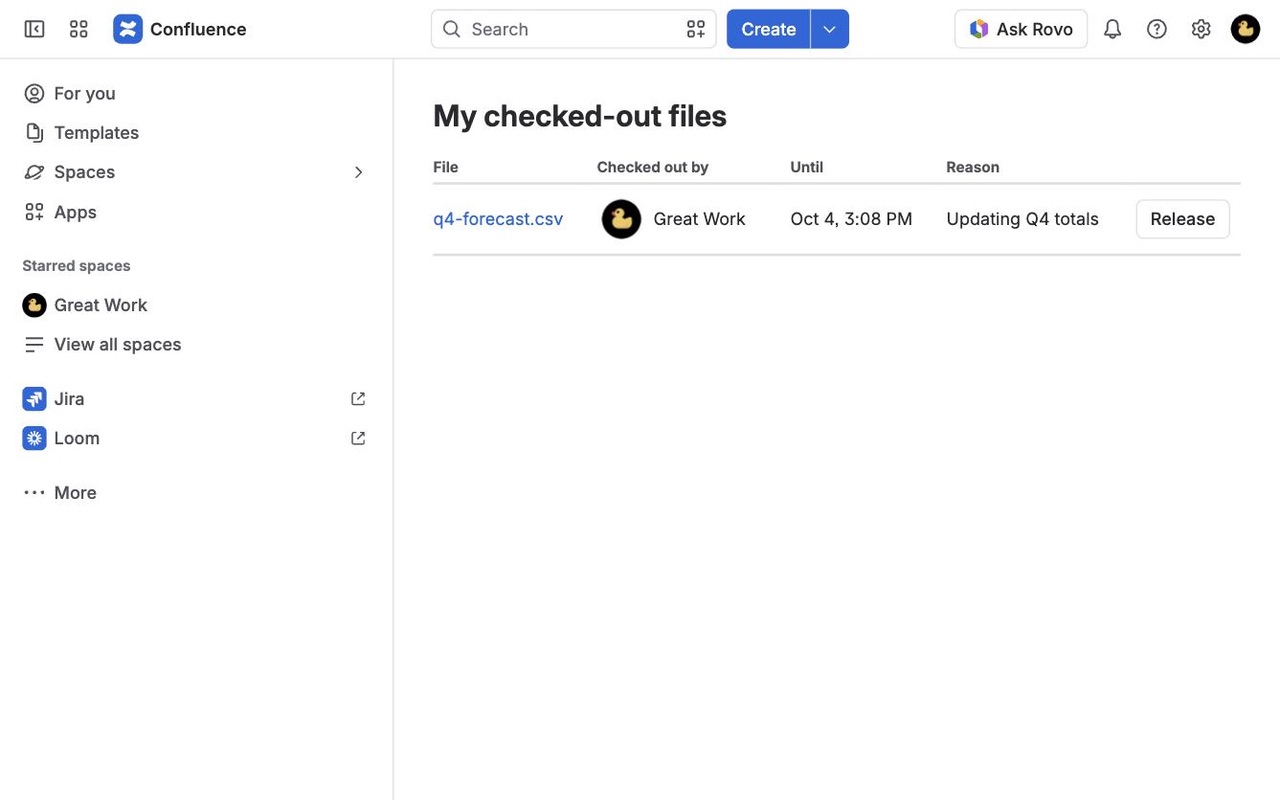
Yes. Apps > My checked-out files lists everything you hold across the site, with Release all.
What are Restore, Record and Off?
The three modes a space admin picks in Space settings > Integrations > Dibs. Restore puts the holder's version back after someone else uploads. Record logs it and tells both people but keeps the new upload. Off turns check-out off in that space.
Is the other person's upload lost after a restore?
No. Nothing is deleted. Their version stays in the file's version history, and the page comment tells them what happened.
Can admins see who overwrote what?
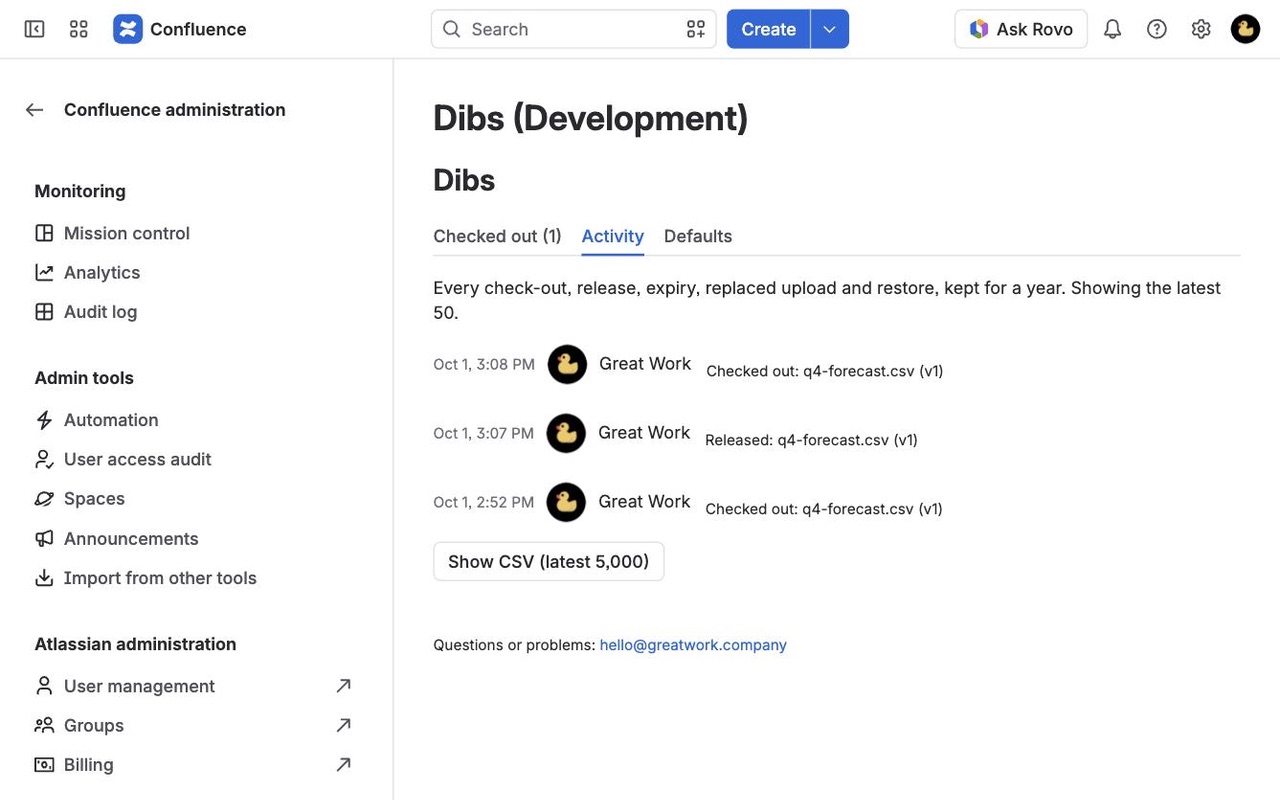
Yes. Confluence settings > Dibs > Activity shows the latest 50 events and exports a CSV of up to 5,000. Events are kept for 365 days.
What if our license lapses with files still checked out?
Releasing still works, so nobody is left holding a file they can't let go of.
More Confluence apps
 Lanemark
 Clean Copy
 Milewell
 Chartmere