



HitchwellTurn tickets into ClickUp tasks, link existing ones, and see live status and comments on the ticket.
Full name: “Hitchwell: ClickUp Tasks from Tickets”
From $110 a month per Zendesk account. 14-day free trial (Zendesk asks for a card at install). Billed monthly by Zendesk. No free plan.
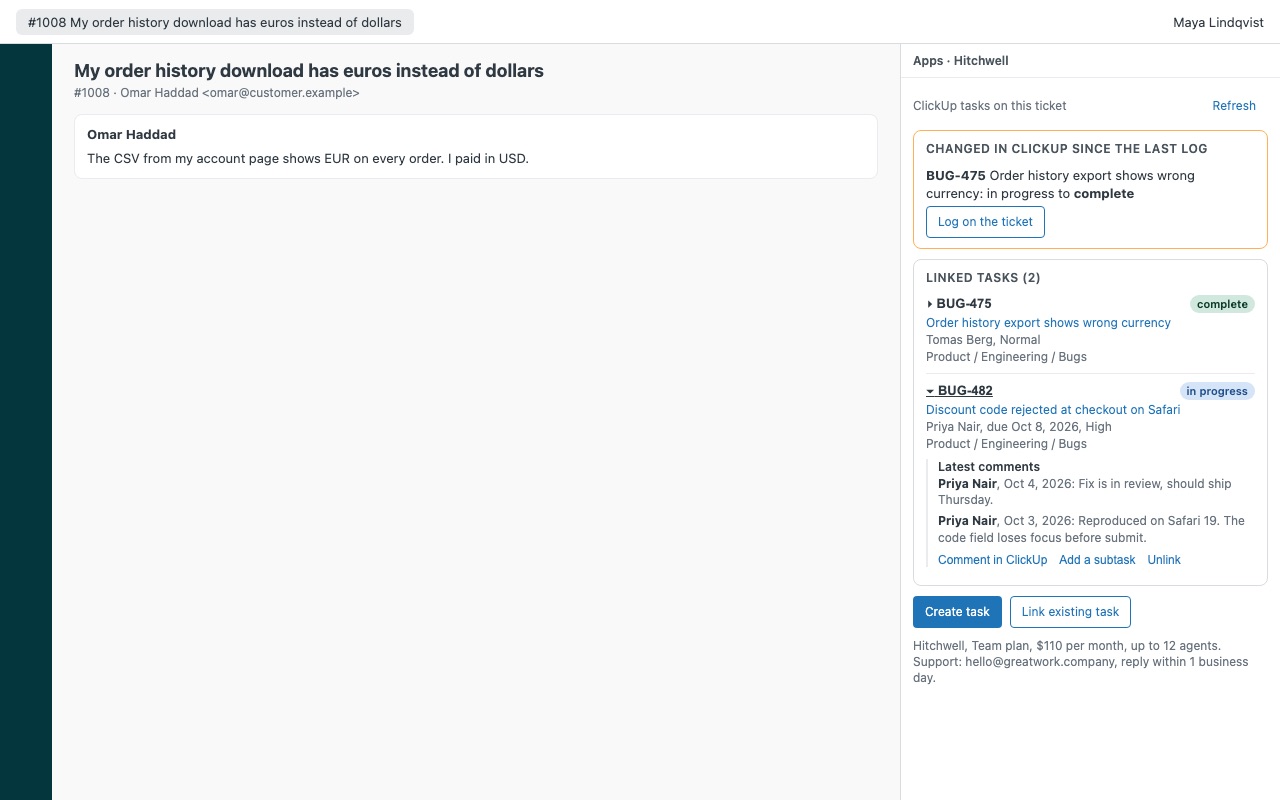
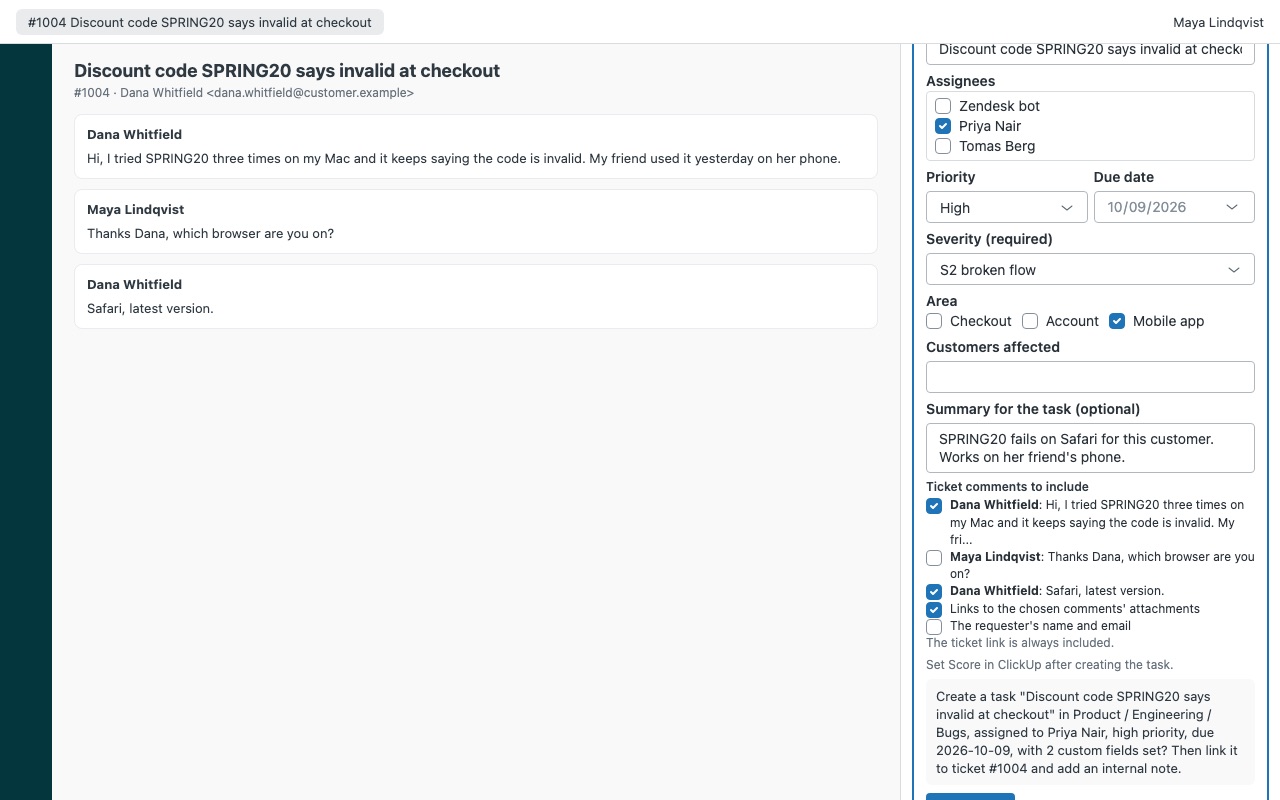
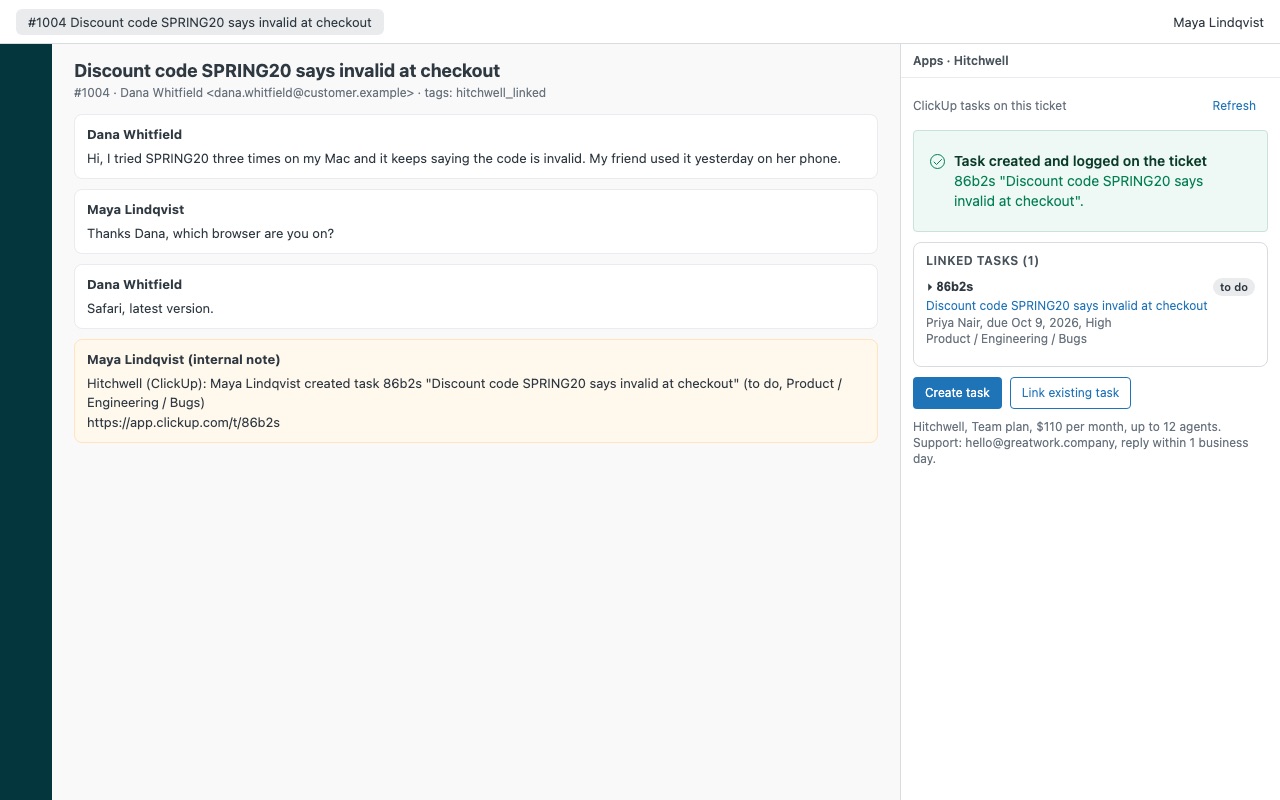
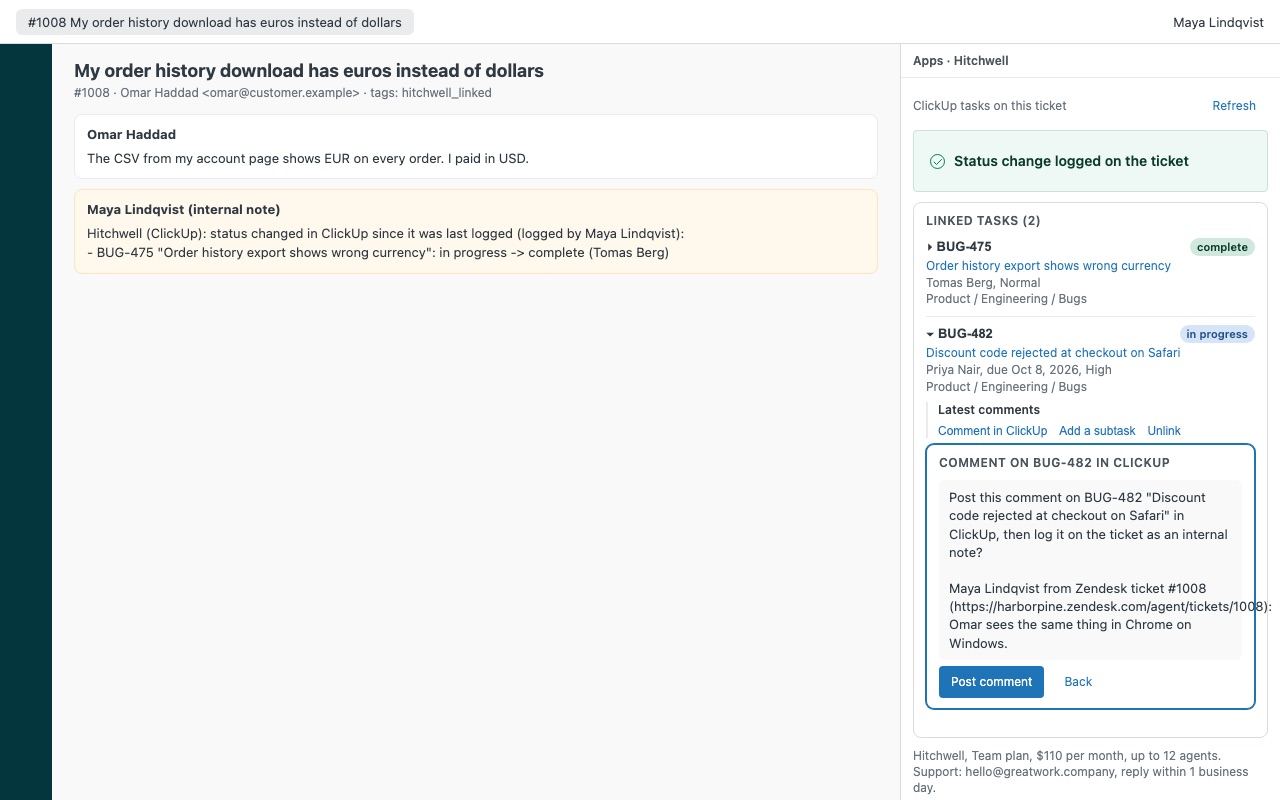
Turn a Zendesk ticket into a ClickUp task with the conversation attached, and see its status every time you open the ticket. Hitchwell keeps every linked task in the ticket sidebar with its live status, assignees, due date, priority and latest comments, so agents stop asking engineering "any update?" in three places.
Hitchwell is built by Great Work LLC. It is not made or endorsed by Zendesk or ClickUp. ClickUp is a trademark of its owner.
What you get
Create the task from the ticket
Pick the list by space and folder, or start in the default list your admin set. Fill it in once: name, assignees, priority, due date and the list's own custom fields. Required fields are checked before anything is sent.
Link what already exists
Paste a task link, a task id or a custom id like DEV-123. Hitchwell finds it and shows it before you link it. Optionally post a comment on the task with the ticket's link, so the team in ClickUp can find the ticket too.
Live status, every time the ticket opens
Each linked task shows its current status, assignees, due date, priority and where it lives, read from ClickUp when the sidebar opens or you click Refresh. Open a task to read its latest comments, or post a comment to ClickUp from the ticket. The comment says which agent wrote it and from which ticket.
What it doesn't do
No instant push from ClickUp. Status changes show up the next time someone opens the ticket or clicks Refresh, and are logged on the ticket when that agent confirms. It doesn't copy attachment files into ClickUp. It adds links to them, which open for people signed in to your Zendesk (or for anyone, if your Zendesk allows public attachment links).
Questions about Hitchwell
What does Hitchwell do?
Turn tickets into ClickUp tasks, link existing ones, and see live status and comments on the ticket. Turn a Zendesk ticket into a ClickUp task with the conversation attached, and see its status every time you open the ticket. Hitchwell keeps every linked task in the ticket sidebar with its live status, assignees, due date, priority and latest comments, so agents stop asking engineering "any update?" in three places.
What does Hitchwell work with?
Hitchwell works in Zendesk Support.
How much does Hitchwell cost?
Team: $110 a month per Zendesk account, up to 12 agents. Scale: $9 a month per agent.
Is there a free trial?
14-day free trial (Zendesk asks for a card at install). Billed monthly by Zendesk. No free plan.
How do I get Hitchwell?
Email hello@greatwork.company and we'll help you get Hitchwell set up.
Who makes Hitchwell?
Great Work LLC, an independent software company. Email hello@greatwork.company with any question about Hitchwell and a person will answer.
More Zendesk apps
 Holitide
 Heralder
 Hourwell
 Helmwell