



Heralder Bulk proactive tickets: one personal ticket per customer from a CSV or Zendesk search, with undo.
From $120 a month per Zendesk account. 14-day free trial (Zendesk asks for a card at install). Billed monthly by Zendesk. No free plan.
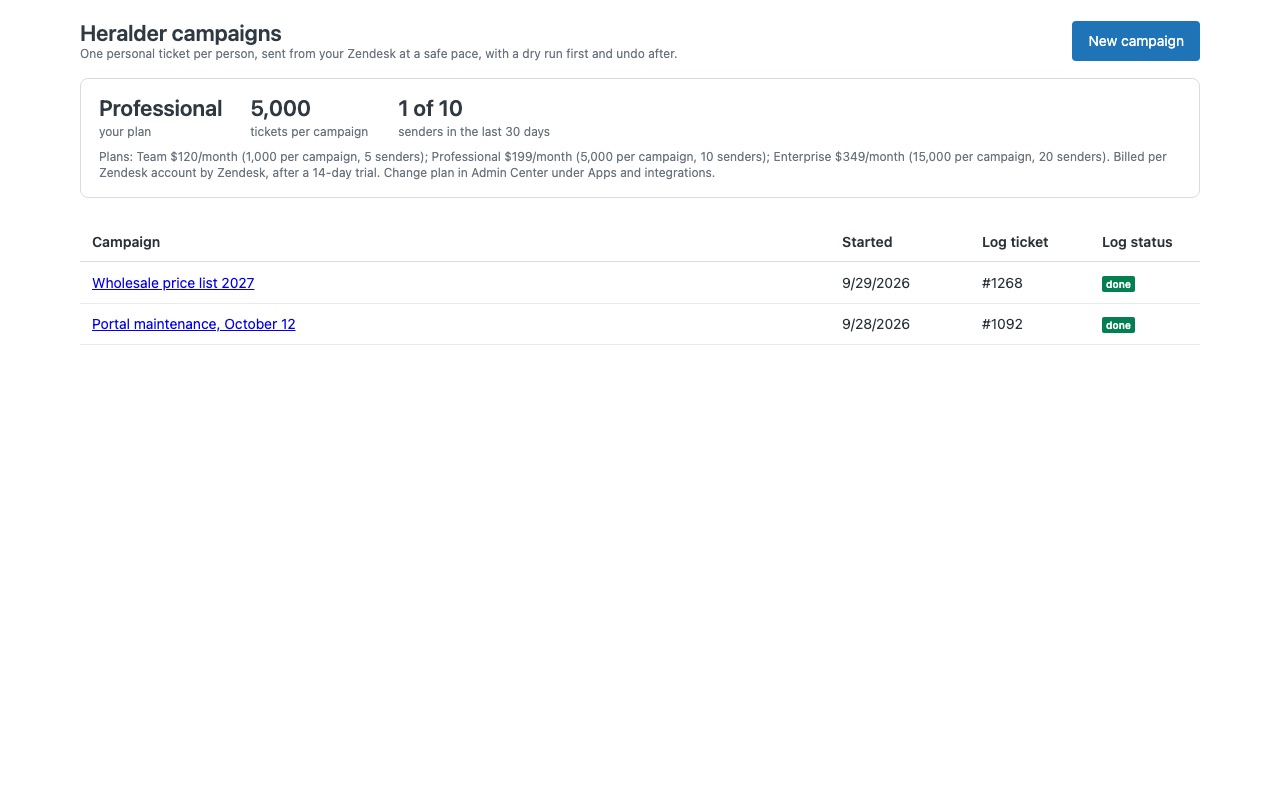
Tell many customers something at once, one personal ticket each, from inside Zendesk Support. A delayed shipment, a maintenance window, a recall, a renewal reminder: build the list, write the message once with merge fields, check the dry run, and Heralder creates one ticket per person. Replies come back to the same ticket, so your team handles them like any other conversation.
Zendesk's own Proactive Tickets app was retired on October 21, 2026, and Zendesk does not include bulk ticketing. Heralder is an independent replacement built by Great Work LLC; it is not made or endorsed by Zendesk.
What you get
Who gets a ticket
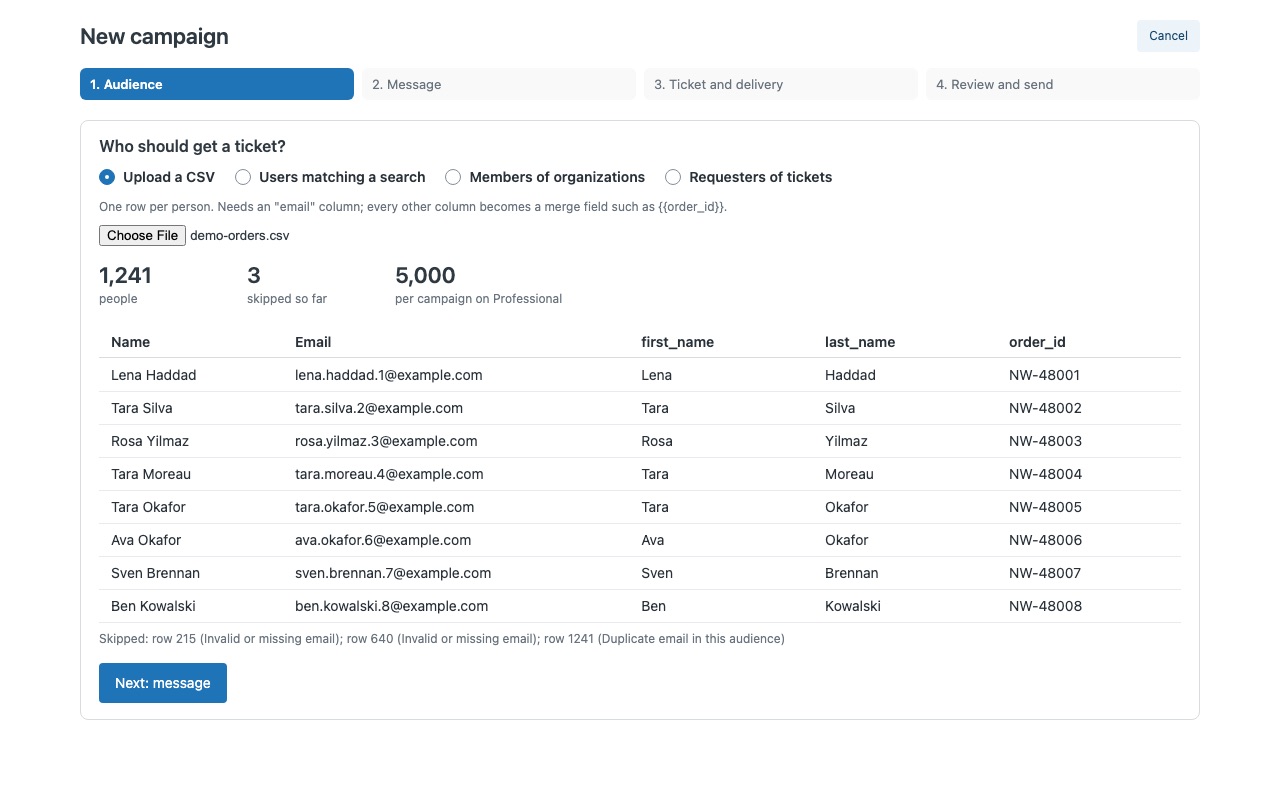
A CSV file from your store, warehouse or billing system. Every column becomes a merge field, so {{order_id}}, {{tracking_url}} or {{renewal_date}} go straight into the message. Zendesk users matching a search, members of organizations, or the requesters of tickets matching a search (everyone affected by an incident, once each).
Write once, personal for everyone
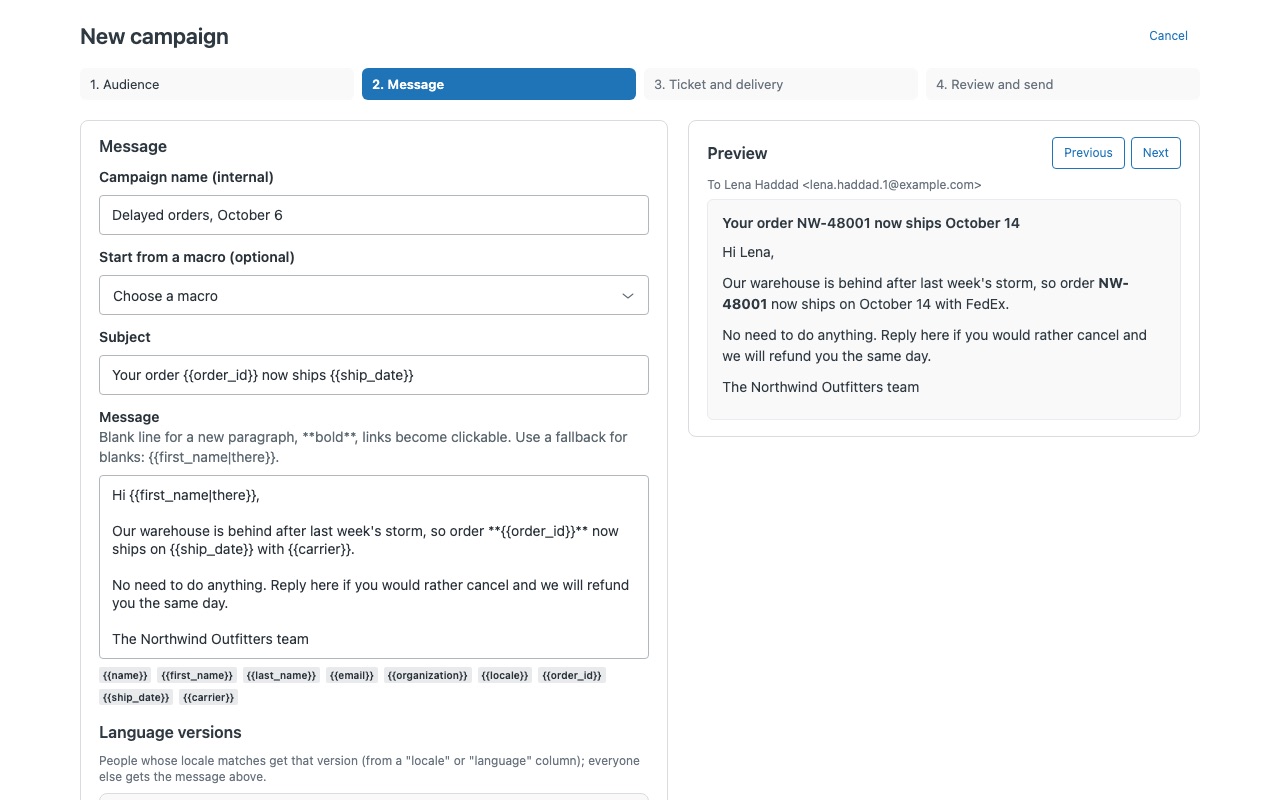
Merge fields with fallbacks ({{first_name|there}}), user fields, organization name, bold and clickable links. Language versions picked by each person's locale.
Check everything before it goes out
Dry run: how many tickets, who is skipped and why, how many batches, how long it takes, and the first tickets rendered exactly as Zendesk will receive them. Nothing is written. Delivery check: Heralder reads your active triggers and tells you which one will email these tickets, or warns you that none will (or that two will).
Sends safely, recovers cleanly
Batches of up to 100 at the pace you choose; Heralder slows down when your API budget runs low, so agents and other integrations keep working. Pause, stop, and resume after a closed tab or a failed batch: Heralder reads the campaign back from Zendesk and sends only to people without a ticket yet, so there are no duplicates.
How Heralder works
- Install Heralder from the Zendesk Marketplace and restrict it under Role restrictions to the people who will send campaigns, such as admins and team leads.
- Choose the audience. Upload a CSV with an
emailcolumn, where every other column becomes a merge field, or search Zendesk: Users matching a search, Members of organizations or Requesters of tickets (each requester once). - Write the message once. Name the campaign, write the subject and message, and click merge fields to insert them.
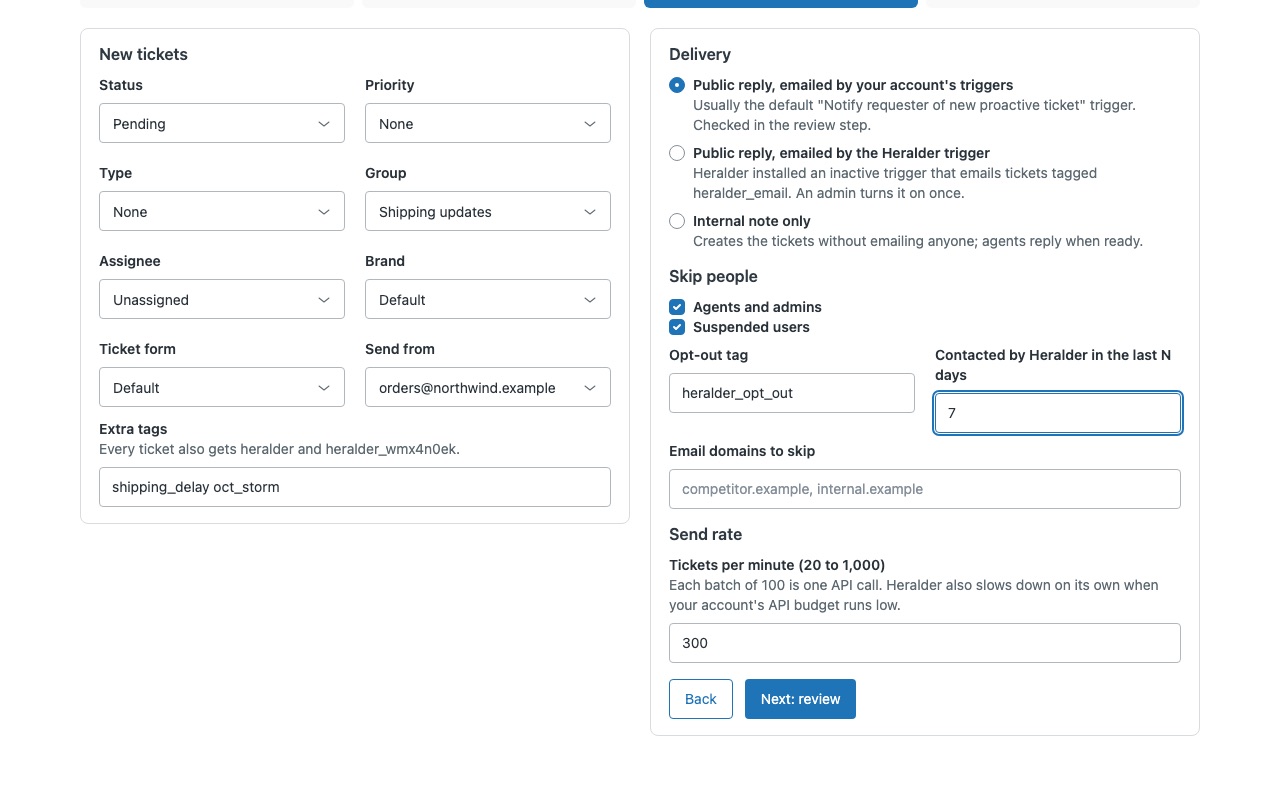
{{first_name|there}}uses "there" when a first name is blank. Add language versions, or start from a macro. - Set the ticket and delivery. Status (custom statuses included), priority, type, group, assignee, brand, form, the support address it's sent from and extra tags. Choose a public reply emailed by your triggers, a public reply emailed by the Heralder trigger, or an internal note only.
- Review the dry run. It shows how many tickets, who is skipped and why, the batches and time, which trigger will email them, and the first tickets exactly as Zendesk will receive them. Send a test ticket, then send.
- Follow up from the campaign page. Counts, the log, batches, replies that reopened tickets, resume, and undo per batch.
Who it's for
Teams telling customers about delays, outages or recalls
Search for requesters of tickets tagged with an incident, and each affected customer gets their own ticket. Their reply lands on it, so the follow-up stays one conversation per person.
Teams sending notices from a spreadsheet
Delayed orders, price changes or renewal reminders come as a list with order numbers and dates. Every column becomes a merge field, such as {{order_id}}.
Teams that used Zendesk's Proactive Tickets app
Zendesk retired that app on October 21, 2026, and its announcement says Zendesk doesn't include native bulk-ticketing tools. Heralder does the same job inside Zendesk Support with a dry run, a delivery check and undo.
What you need
- Zendesk Support with the email channel. Heralder creates email tickets, not WhatsApp, SMS or messaging conversations.
- An admin to install it, and once, to turn on the Heralder trigger if your account has no trigger that emails new agent-created tickets.
- Agents who send campaigns, counted as senders: agents who started a campaign in the last 30 days.
- A CSV with an
emailcolumn, or a Zendesk search that finds your audience.
Heralder guides
Questions about Heralder
What does Heralder do?
Bulk proactive tickets: one personal ticket per customer from a CSV or Zendesk search, with undo.
What does Heralder work with?
Heralder works in Zendesk Support.
How much does Heralder cost?
Team: $120 a month per Zendesk account, up to 1,000 tickets per campaign, 5 senders. Professional: $199 a month per Zendesk account, up to 5,000 tickets per campaign, 10 senders. Enterprise: $349 a month per Zendesk account, up to 15,000 tickets per campaign, 20 senders.
Is there a free trial?
14-day free trial (Zendesk asks for a card at install). Billed monthly by Zendesk. No free plan.
Where do I install Heralder?
From the Zendesk Marketplace. Use the Install button on this page, or search for "Heralder" there.
Who makes Heralder?
Great Work LLC, an independent software company. Email hello@greatwork.company with any question about Heralder and someone will answer.
How many tickets can one campaign create?
Team covers 1,000 tickets per campaign and 5 senders, Professional 5,000 and 10, Enterprise 15,000 and 20.
Will it hit our Zendesk API rate limit?
Heralder sends up to 100 tickets per API call at 20 to 1,000 tickets per minute, and waits on its own when your account's API budget runs low or Zendesk asks it to slow down.
How do customers opt out?
Users with the opt-out tag, heralder_opt_out by default, are never contacted. You can also skip agents, suspended users, chosen email domains and people Heralder contacted in the last N days.
Can we schedule a campaign for later?
No. A campaign sends while the sender keeps the tab open. Pause stops after the current batch, and Stop ends the campaign.
Where does our customer data go?
Heralder runs in your browser inside Zendesk, calls only your Zendesk account as you, and keeps nothing outside Zendesk.
What happens when we uninstall?
Zendesk removes the inactive trigger Heralder added at install. Campaign tickets keep their heralder tags, and each campaign's log ticket stays as your record.
More Zendesk apps
 Hitchwell
 Helmwell
 Holitide
 Heedwell