


HourwellBusiness-hours countdowns and OLA deadlines on any status, group or field, with breach actions.
Full name: “Hourwell: Custom Timers and OLAs”
$3 a month per agent. 14-day free trial (Zendesk asks for a card at install). Billed monthly by Zendesk. No free plan.
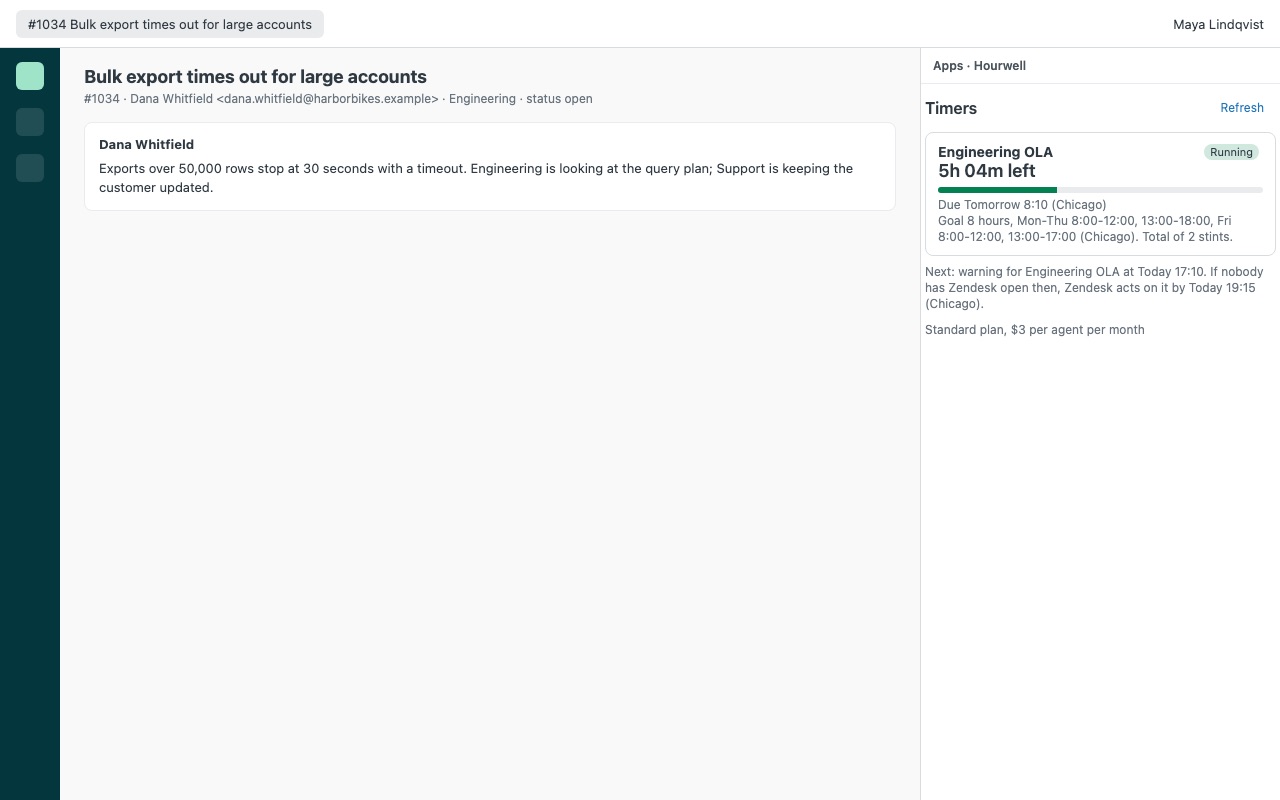
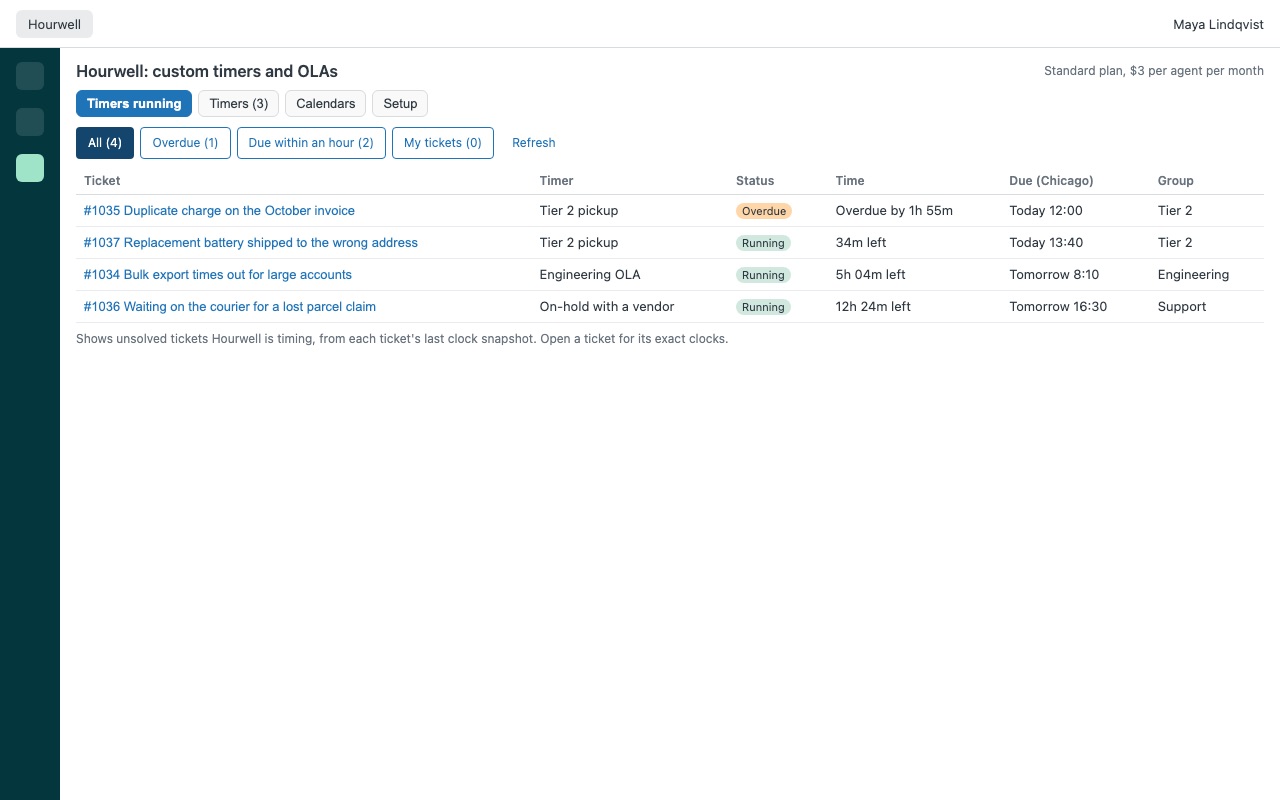
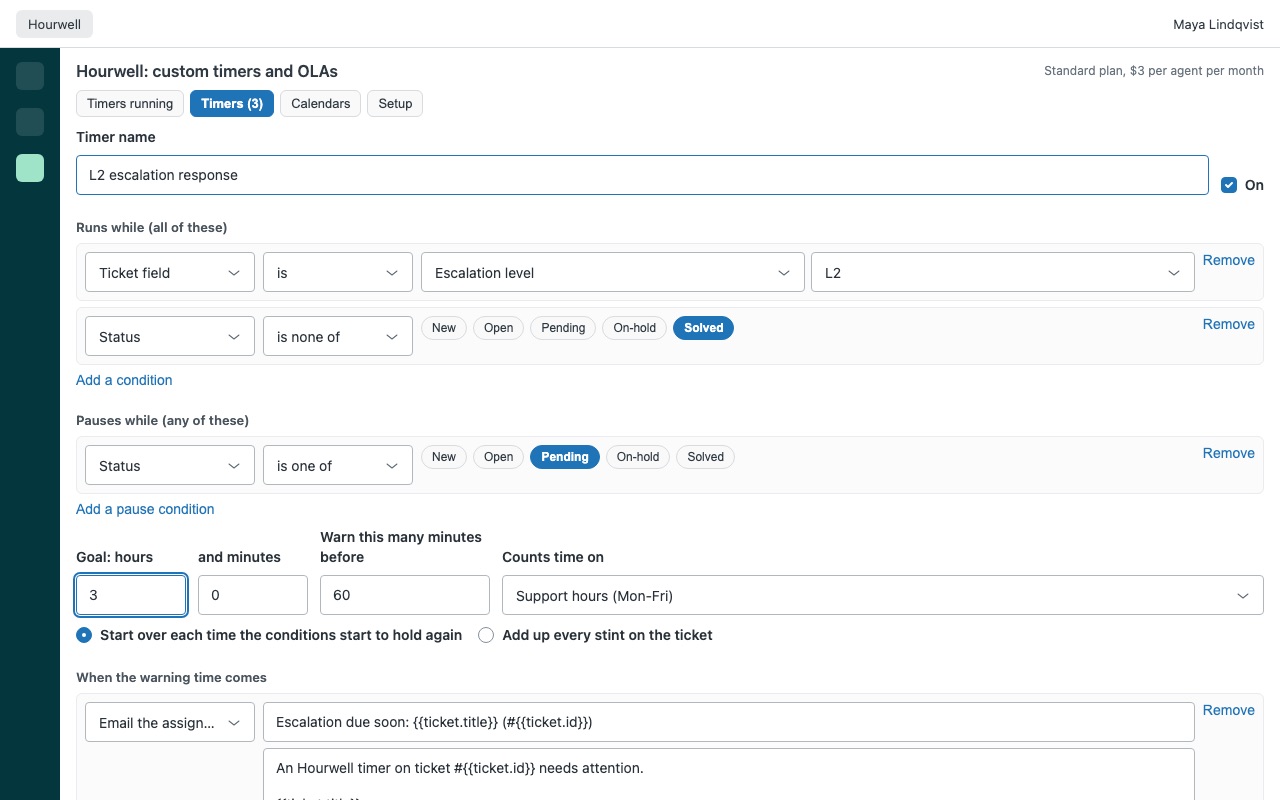
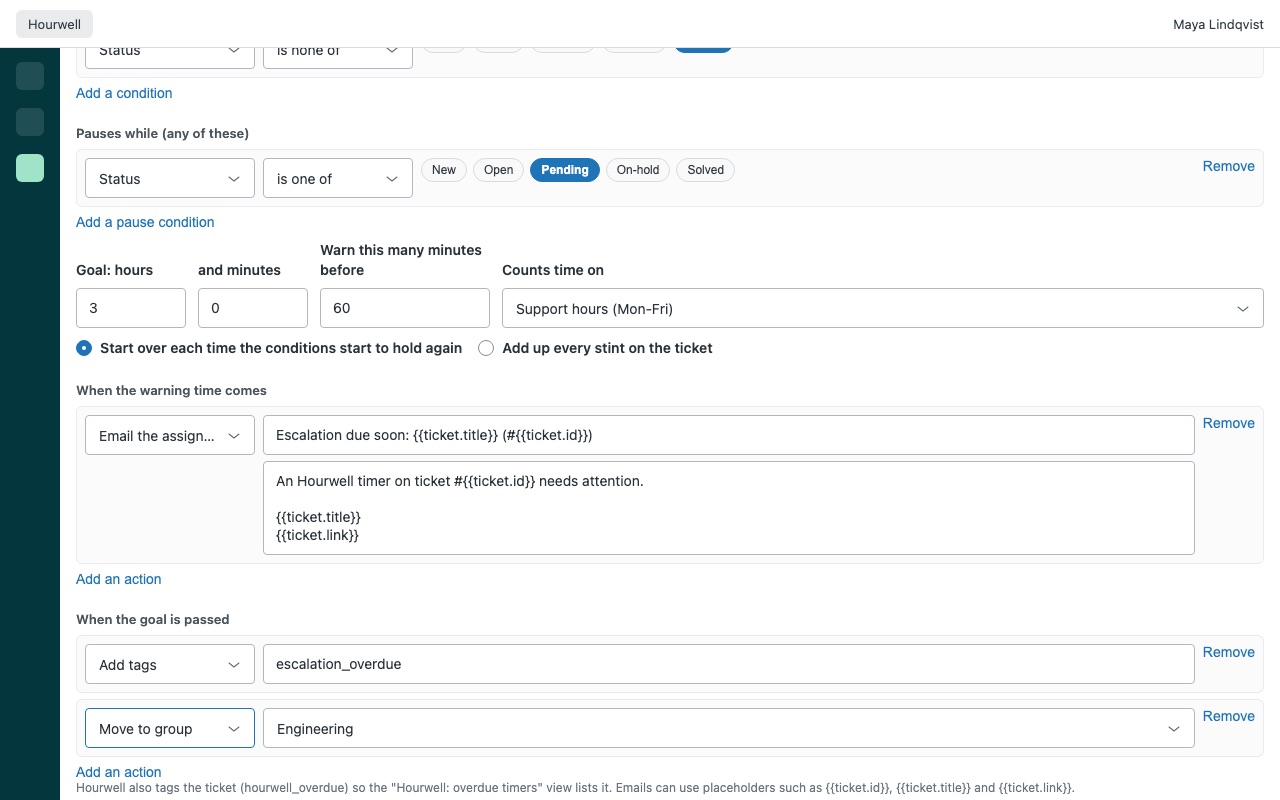
Deadlines for the work between your teams. Hourwell counts working time on any ticket condition you choose: a group, a status or custom status, an empty assignee, a ticket field value, a tag. When the clock nears or passes its goal, Hourwell has Zendesk warn people, move the ticket, change its priority or tag it. Agents see a live countdown in the ticket, and leads see every running timer in one list.
Hourwell is for internal deadlines (operational level agreements between teams, pickup times, time with engineering, time on hold) that your customer SLA policies do not measure. It works on every Zendesk plan, including Team, which has no SLA policies or business-hours schedules. Hourwell is built by Great Work LLC. It is not made or endorsed by Zendesk.
What you get
Timers on anything on the ticket
Runs while any mix of conditions holds: group, status, custom ticket status, assignee set or not, priority, type, form, brand, tags and ticket fields (drop-down, checkbox, text, number). Pauses while another condition holds, for example while the ticket waits on the customer.
Business hours that match how you work
Calendars with any time zone and daylight saving, split shifts (9:00-12:00 and 13:00-17:30), and one-off or yearly holidays. Each timer picks its calendar. On Team, Hourwell brings business-hours counting your plan does not have. On Growth and Professional, which allow one schedule, you can keep a calendar per team or region.
Warnings and breaches that act
Email the assignee, the ticket's group, another group or an agent; move the ticket to a group or agent; set priority, status or a field; add or remove tags. The actions run as Zendesk triggers that Hourwell creates in your account, so they behave like any other trigger and show in the ticket's history.
Answers to what timer users ask for
No cap on timers. Every plan counts every timer: there is no monthly allowance per agent. Exact clocks. Each clock is rebuilt from the ticket's own history, so time in a status is right even if it changed while nobody had Zendesk open.
When warnings and breaches fire
Within a minute of the deadline while the ticket's assignee (or, for an unassigned ticket, someone in its group) has Zendesk open, and within about 4 minutes when anyone else with Hourwell does. With nobody signed in, Zendesk's own hourly automations take over. They never act early: usually within an hour or two after the deadline, and within a few hours for deadlines more than half a day out. Timers on business hours rarely reach a deadline while your team is away, because their clock stops too.
Questions about Hourwell
What does Hourwell do?
Business-hours countdowns and OLA deadlines on any status, group or field, with breach actions.
What does Hourwell work with?
Hourwell works in Zendesk Support.
How much does Hourwell cost?
Standard: $3 a month per agent.
Is there a free trial?
14-day free trial (Zendesk asks for a card at install). Billed monthly by Zendesk. No free plan.
How do I get Hourwell?
Email hello@greatwork.company and we'll help you get Hourwell set up.
Who makes Hourwell?
Great Work LLC, an independent software company. Email hello@greatwork.company with any question about Hourwell and a person will answer.
More Zendesk apps
 Huddlewell
 Holitide
 Lanewell
 Hitchwell