



Basketwell for WooCommerceThe requester's WooCommerce orders on the ticket: refund, change status, resend emails, all logged.
$15 a month per Zendesk account. 14-day free trial (Zendesk asks for a card at install). Billed monthly by Zendesk. No free plan.
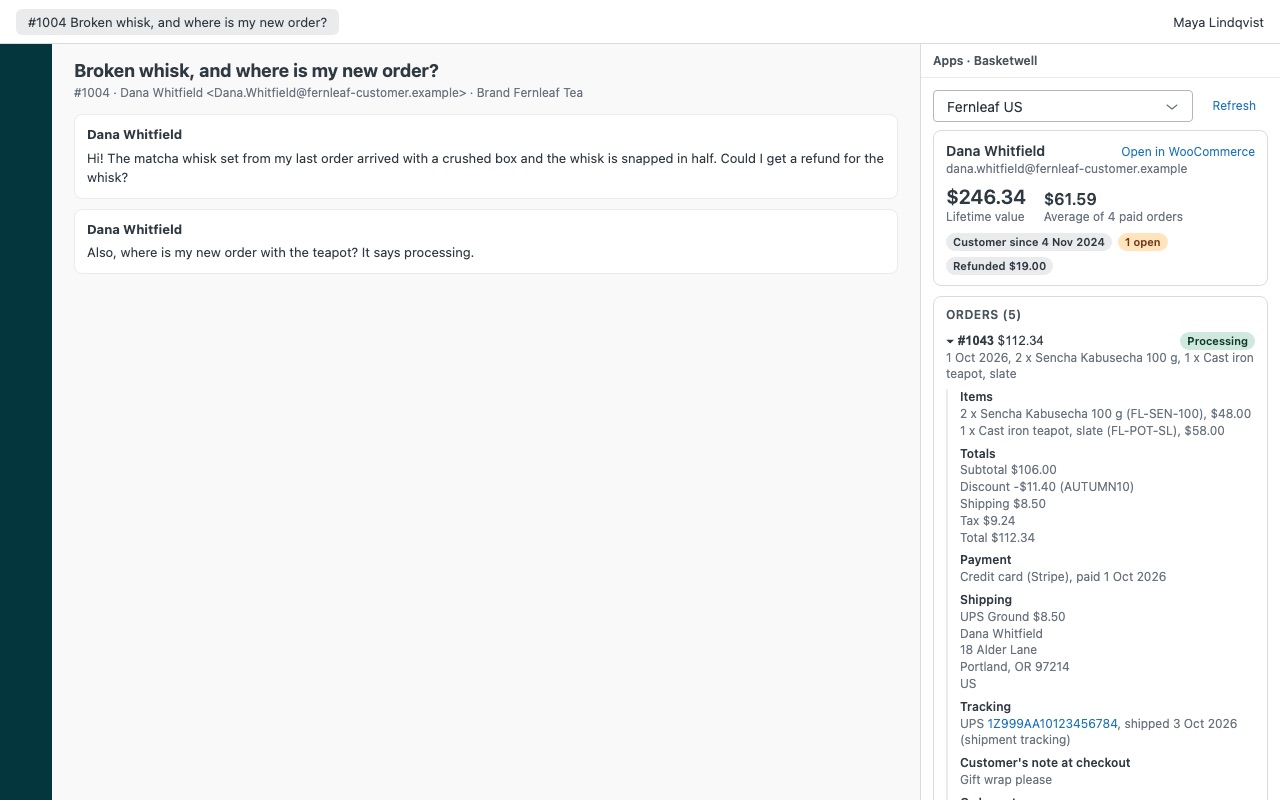
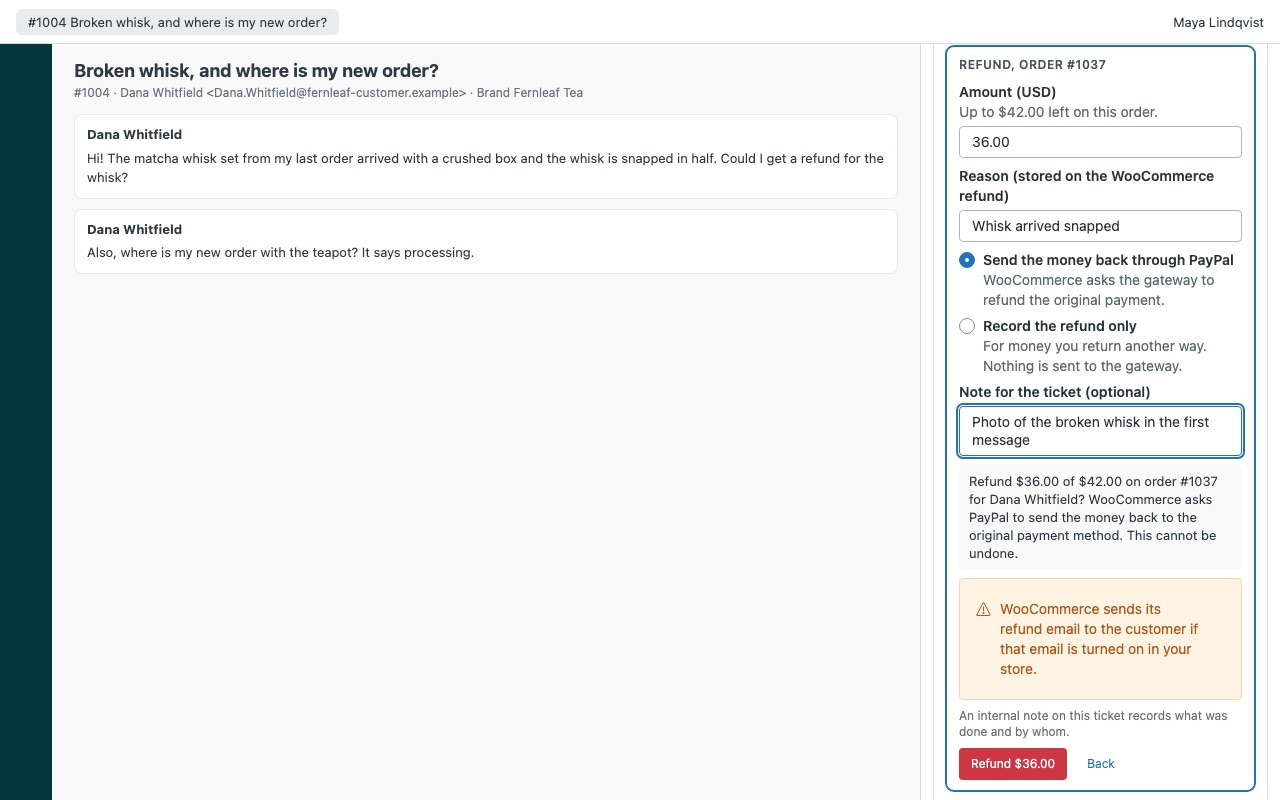
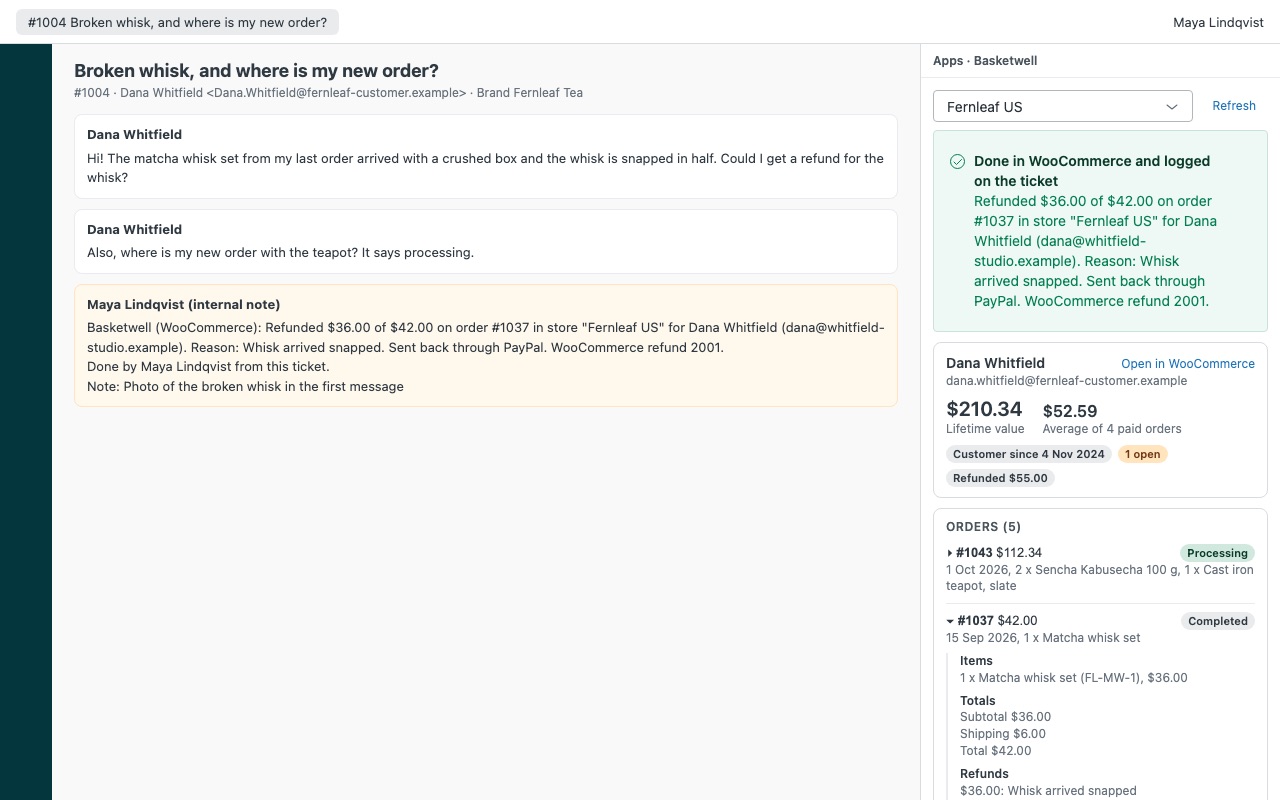
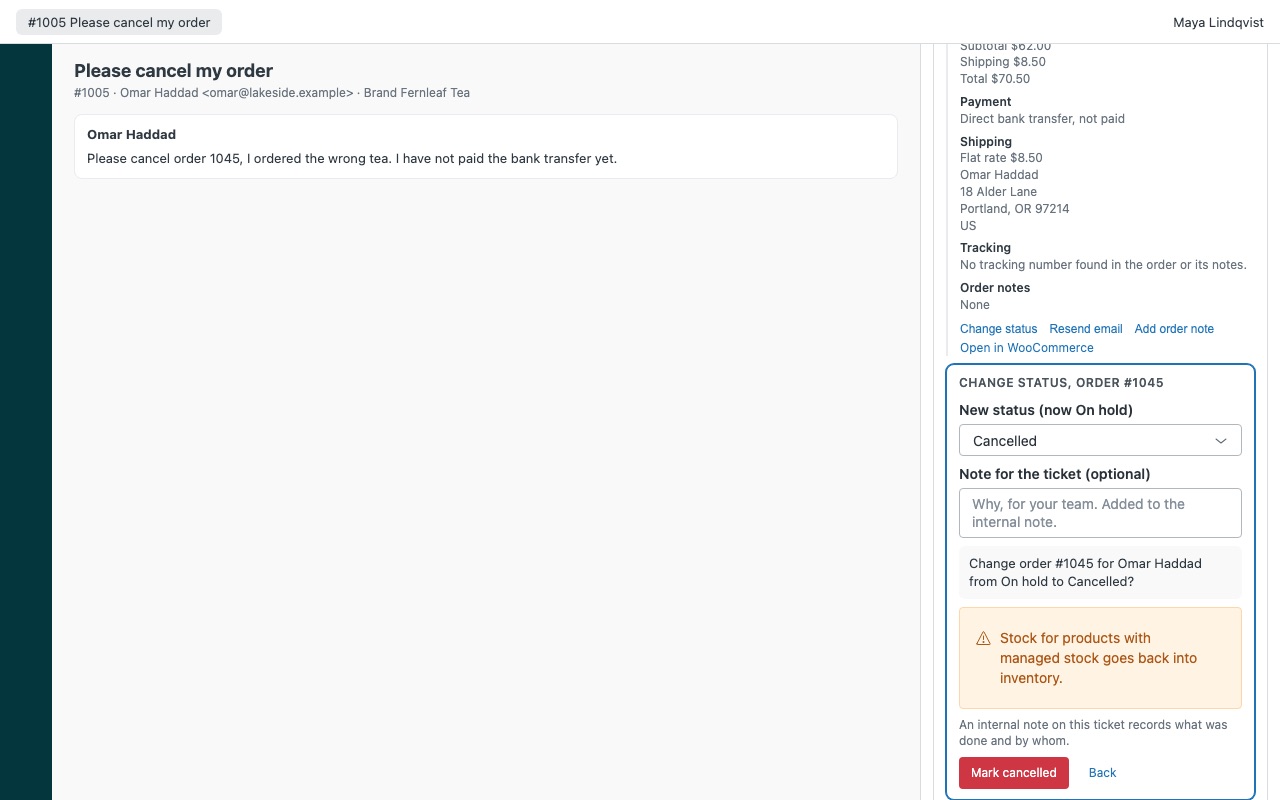
See the customer's WooCommerce orders on the ticket, and sort them out without leaving Zendesk. When someone writes in about an order, Basketwell shows every order they placed in your store next to the ticket: items, totals, shipping, payment, refunds, tracking and order notes, with their lifetime value. Agents you allow can refund, change an order's status, resend an order email or add an order note, and every action is written to the ticket as an internal note.
Basketwell is built by Great Work LLC. It is not made or endorsed by Zendesk or WooCommerce. WooCommerce is a trademark of Automattic Inc.
What you get
Every order, matched automatically
Found by every email address on the requester's Zendesk profile: orders from their store account and guest checkouts alike. Each order in full: items with SKUs and prices, discounts and coupons, shipping method and address, tax, payment method, refunds with their reasons, and the customer's note at checkout.
Actions with guard rails
Refund in full or in part, with a reason: through the payment gateway, or recorded only when you return the money another way. The amount can never exceed what is left on the order. Change status to processing, on hold, completed or cancelled. Basketwell never marks an unpaid order as paid, and warns before a cancellation that does not refund a payment.
Logged on the ticket, every time
After WooCommerce accepts an action, Basketwell adds an internal note to the ticket with the order, amounts, reason, agent and their note, plus a tag (basketwell_refund, basketwell_status and so on) you can use in views and reports. If the store's answer gets lost on the way, Basketwell checks the order again before saying anything, so an action is never sent twice.
Several stores
Connect up to three WooCommerce stores, for example one per brand or region. Basketwell opens the store mapped to the ticket's brand, and agents can switch.
Questions about Basketwell for WooCommerce
What does Basketwell for WooCommerce do?
The requester's WooCommerce orders on the ticket: refund, change status, resend emails, all logged.
What does Basketwell for WooCommerce work with?
Basketwell for WooCommerce works in Zendesk Support.
How much does Basketwell for WooCommerce cost?
Standard: $15 a month per Zendesk account.
Is there a free trial?
14-day free trial (Zendesk asks for a card at install). Billed monthly by Zendesk. No free plan.
How do I get Basketwell for WooCommerce?
Email hello@greatwork.company and we'll help you get Basketwell for WooCommerce set up.
Who makes Basketwell for WooCommerce?
Great Work LLC, an independent software company. Email hello@greatwork.company with any question about Basketwell for WooCommerce and a person will answer.
More Zendesk apps
 Caddywell for PrestaShop
 Assentwell
 Canoewell
 Winnowell