



Whowell ID verification links from Persona or Onfido: send from the ticket, see pass or fail. $129/account.
$129 a month per Zendesk account. 14-day free trial (Zendesk asks for a card at install). Billed monthly by Zendesk. No free plan.
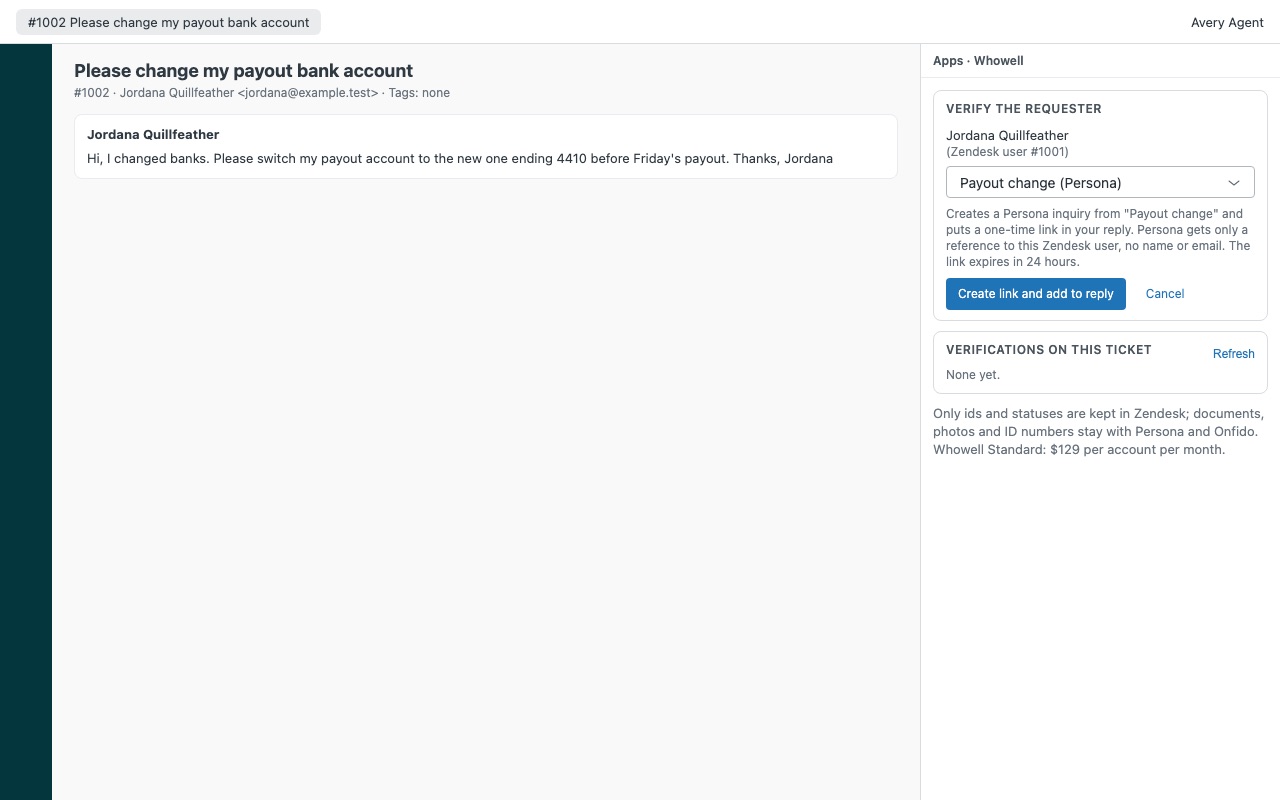
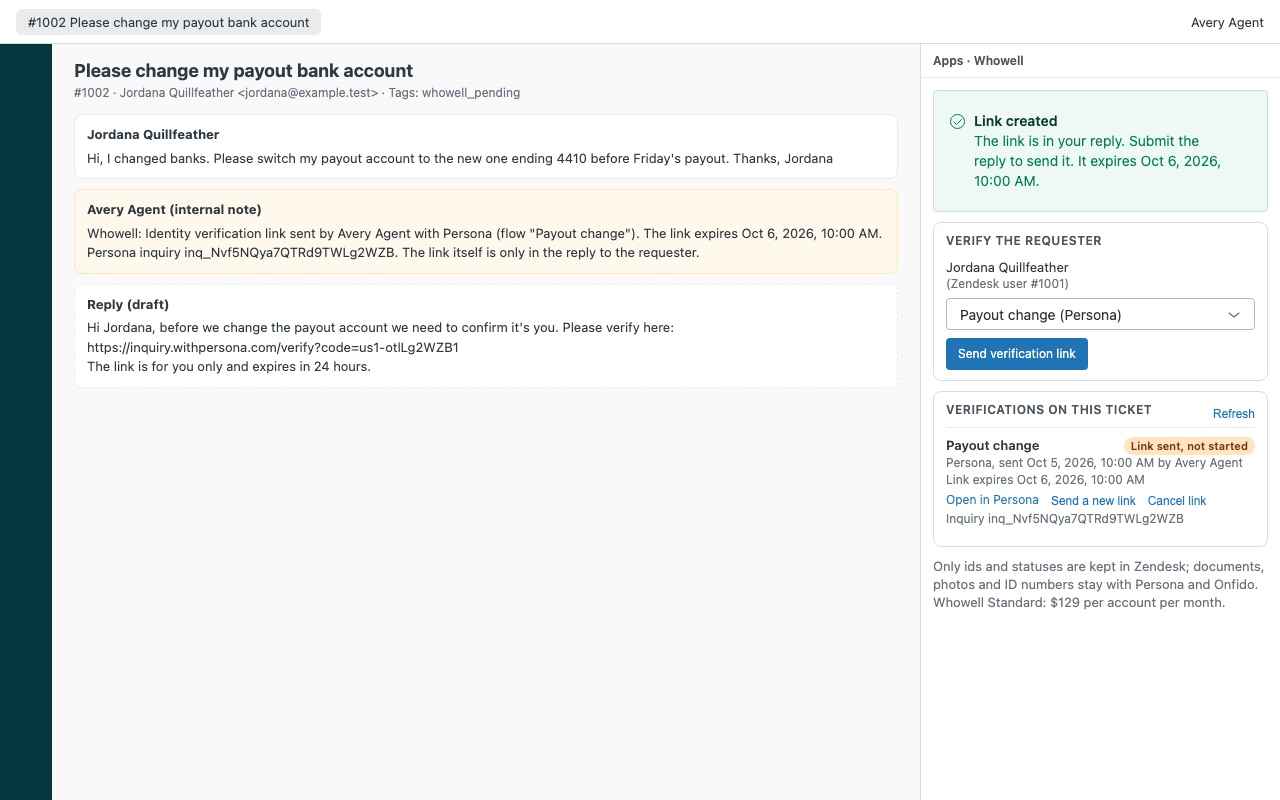
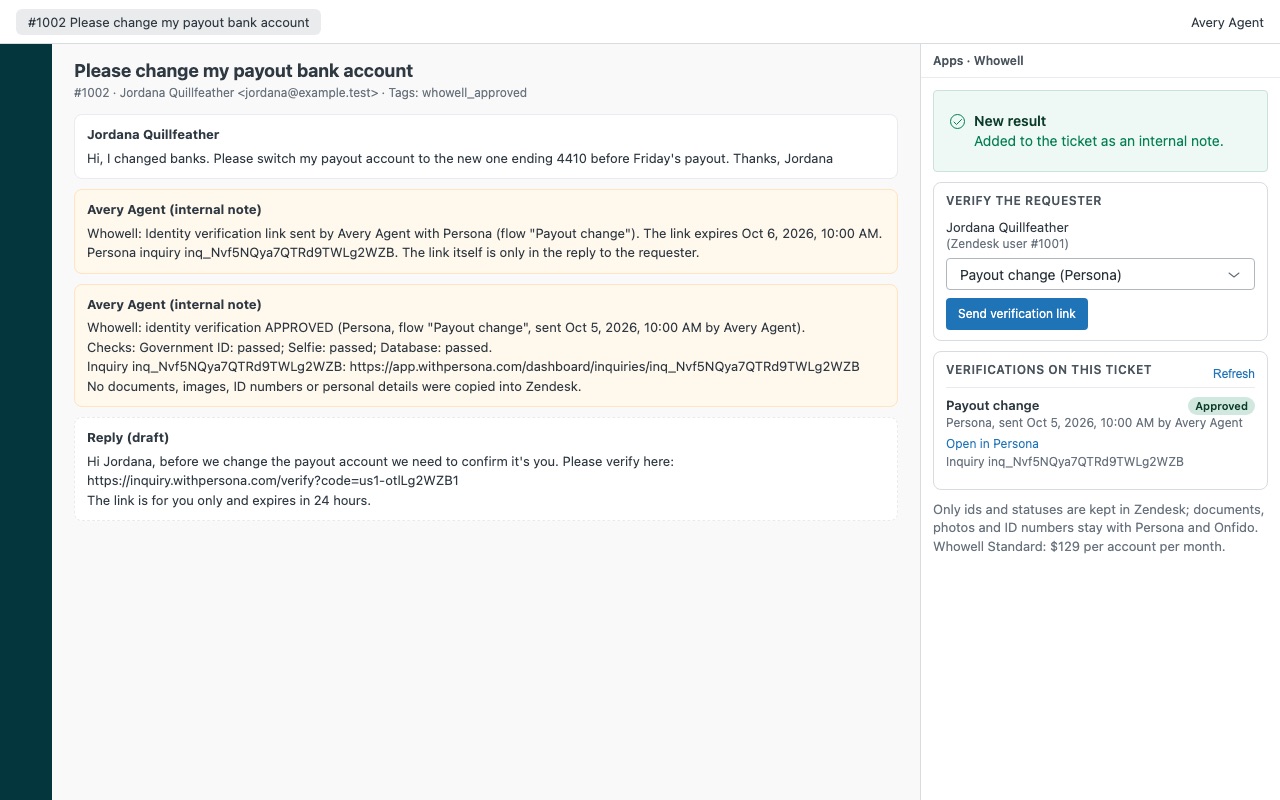
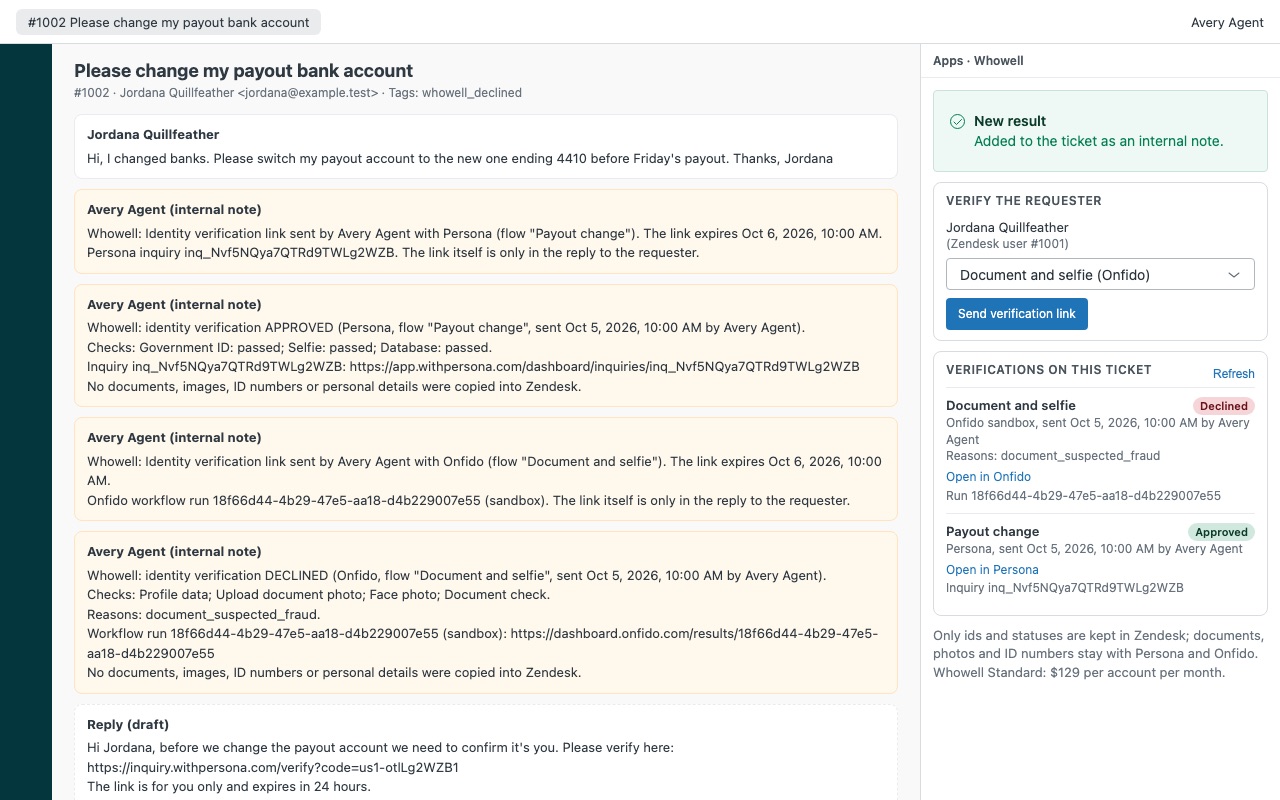
Whowell sends your customer a one-time Persona or Onfido identity verification link from the ticket, then shows pass or fail on the ticket, before you reset a login, change a payout account or hand over ownership. Because "it's me, I just lost my phone" is also what the other guy writes.
Send a verification link from the ticket - Pick one of your flows (a Persona inquiry template or an Onfido workflow) and Whowell puts a one-time link in your reply, with your own wording. - The link expires when you choose (24 hours by default). Persona links work once. - The customer verifies on Persona's or Onfido's own page: document, selfie, database check, whatever your flow asks for.
How Whowell works
- Prepare your verification vendor. Create a Persona API key with only inquiry.read, inquiry.write and verification.read, or generate an Onfido API token used only for Zendesk. Copy the inquiry template or Studio workflow ids you want agents to use.
- Install Whowell from the Zendesk Marketplace and paste the key or token. In Verification flows, write one line per flow, such as
persona itmpl_abc123 Account recovery. - Send a link from the ticket. The agent picks a flow in the Whowell sidebar and clicks Send verification link. The confirmation says exactly what the vendor gets.
- Put it in the reply. Create link and add to reply adds the one-time link to the reply draft, using your own reply text. The agent submits as usual.
- The customer verifies on Persona's or Onfido's own page, with whatever your flow asks for: a document, a selfie, a database check.
- See the result on the ticket. When there's a result, Whowell writes it once as an internal note with the checks that ran and a link to the vendor's dashboard, sets a
whowell_*tag and, on approval, the user's "Whowell: identity verified on" date.
Who it's for
Teams that reset logins and 2FA by email
"I lost my phone" is a request a takeover attempt can send too. The agent sends a verification link and acts only when the ticket says approved.
Fintech, marketplace and payout support
Before changing a bank account or releasing a payout, the agent gets a vendor-grade document and selfie check on the ticket, and a trigger can route the request until whowell_approved is there.
Companies that already pay Persona or Onfido
Whowell uses the templates and workflows you already built, under your contract with the vendor, and keeps nothing personal in Zendesk.
What you need
- Zendesk Support with an admin to install the app.
- A Persona account with at least one inquiry template, or an Onfido (Entrust Identity Verification) account with at least one active Studio workflow, or both. Verification fees are billed by them.
- For Onfido: your account's region (
eu,usorca) and a workflow that collects what it needs from the customer and needs no custom input data. - For Onfido: a first and last name on the requester's Zendesk profile, because Onfido needs both to create an applicant.
Whowell guides
Questions about Whowell
What does Whowell do?
ID verification links from Persona or Onfido: send from the ticket, see pass or fail. $129/account. Whowell sends your customer a one-time Persona or Onfido identity verification link from the ticket, then shows pass or fail on the ticket, before you reset a login, change a payout account or hand over ownership. Because "it's me, I just lost my phone" is also what the other guy writes.
What does Whowell work with?
Whowell works in Zendesk Support.
How much does Whowell cost?
Standard: $129 a month per Zendesk account.
Is there a free trial?
14-day free trial (Zendesk asks for a card at install). Billed monthly by Zendesk. No free plan.
Where do I install Whowell?
From the Zendesk Marketplace. Use the Install button on this page, or search for "Whowell" there.
Who makes Whowell?
Great Work LLC, an independent software company. Email hello@greatwork.company with any question about Whowell and someone will answer.
Does Whowell store ID documents or selfies in Zendesk?
No. No document images, selfies, ID numbers, dates of birth or addresses are copied into Zendesk. On the ticket, Whowell keeps only ids, statuses, the flow name, who sent the link and when it expires, in a hidden ticket field.
What does Persona receive about my customer?
The template, a reference zendesk-user-<id> and the note Zendesk ticket #<id>. No name or email. Onfido gets the requester's Zendesk name, and their email only if you turn on Send the requester's email to Onfido.
How long does a link work?
24 hours by default. Set Link lifetime (hours) anywhere from 1 to 720.
Can I control who sends links?
Yes. Who sees verifications and Who may send links each take agent (everyone), admin, role ids or group:<id>. Everyone else sees statuses only.
Which vendors are supported?
Persona and Onfido, using either one or both. Whowell connects to no other verification vendor.
What happens when I uninstall?
Whowell's hidden ticket field and its "identity verified on" user field are removed. The whowell_* tags and internal notes stay on past tickets. Revoke the Onfido token in Onfido as well.
More Zendesk apps
 Winnowell
 Wharfwell for Mirakl marketplaces
 Basketwell for WooCommerce
 Vouchwell