


Twigwell Split tickets: move off-topic comments into new tickets with the right requester, linked both ways.
$4 a month per agent. 14-day free trial (Zendesk asks for a card at install). Billed monthly by Zendesk. No free plan.
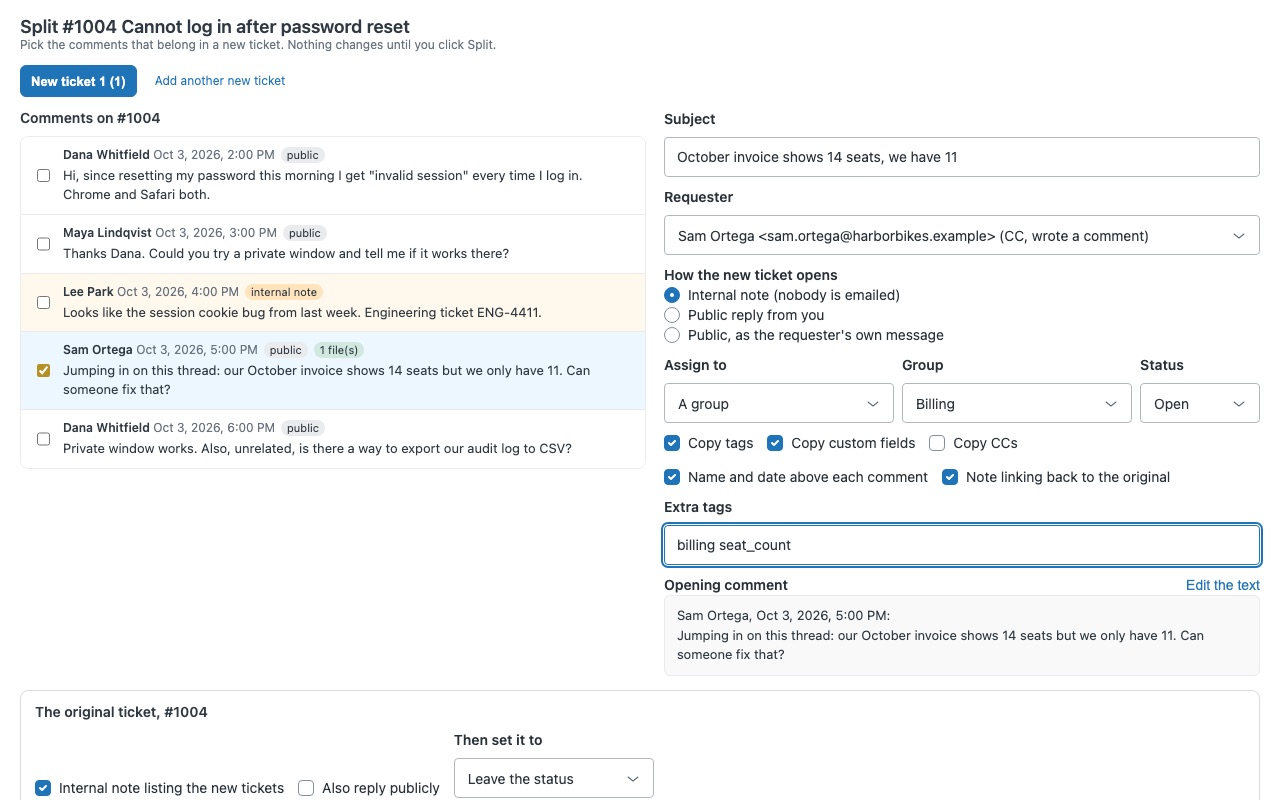
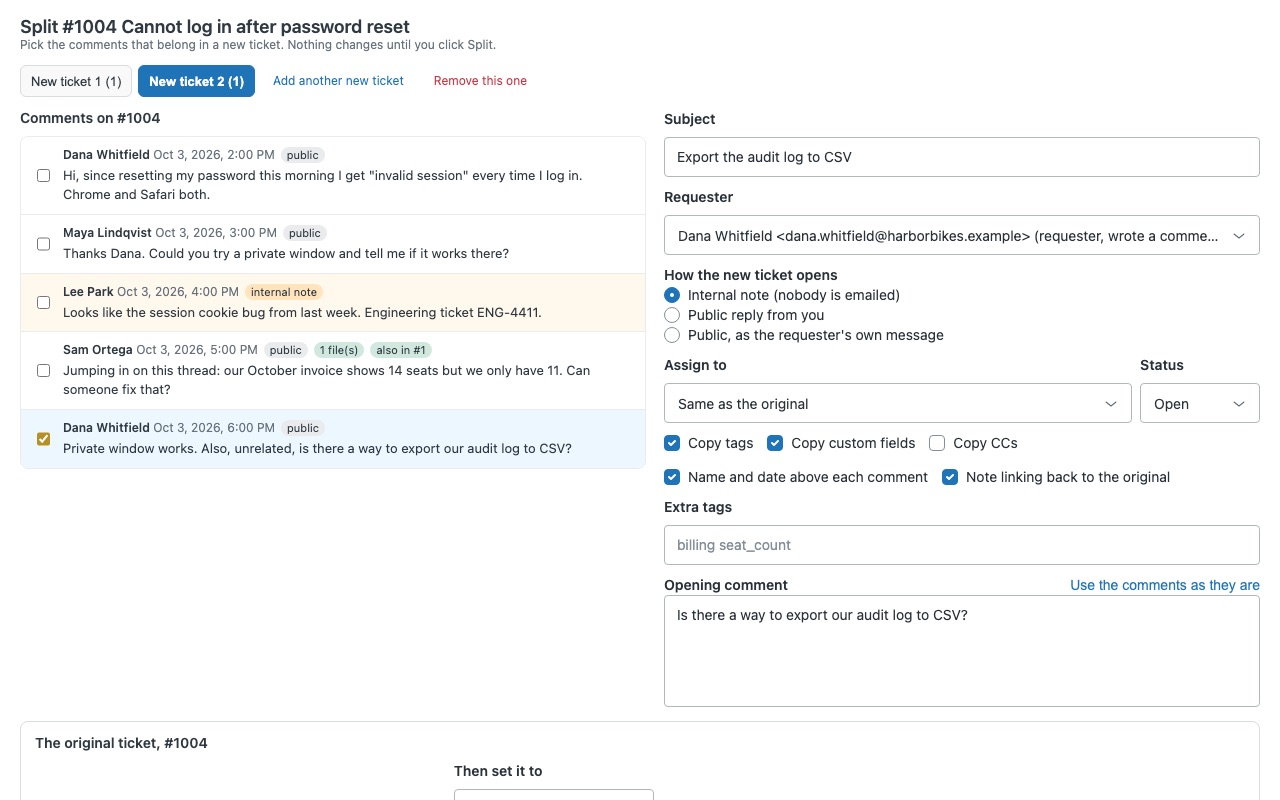
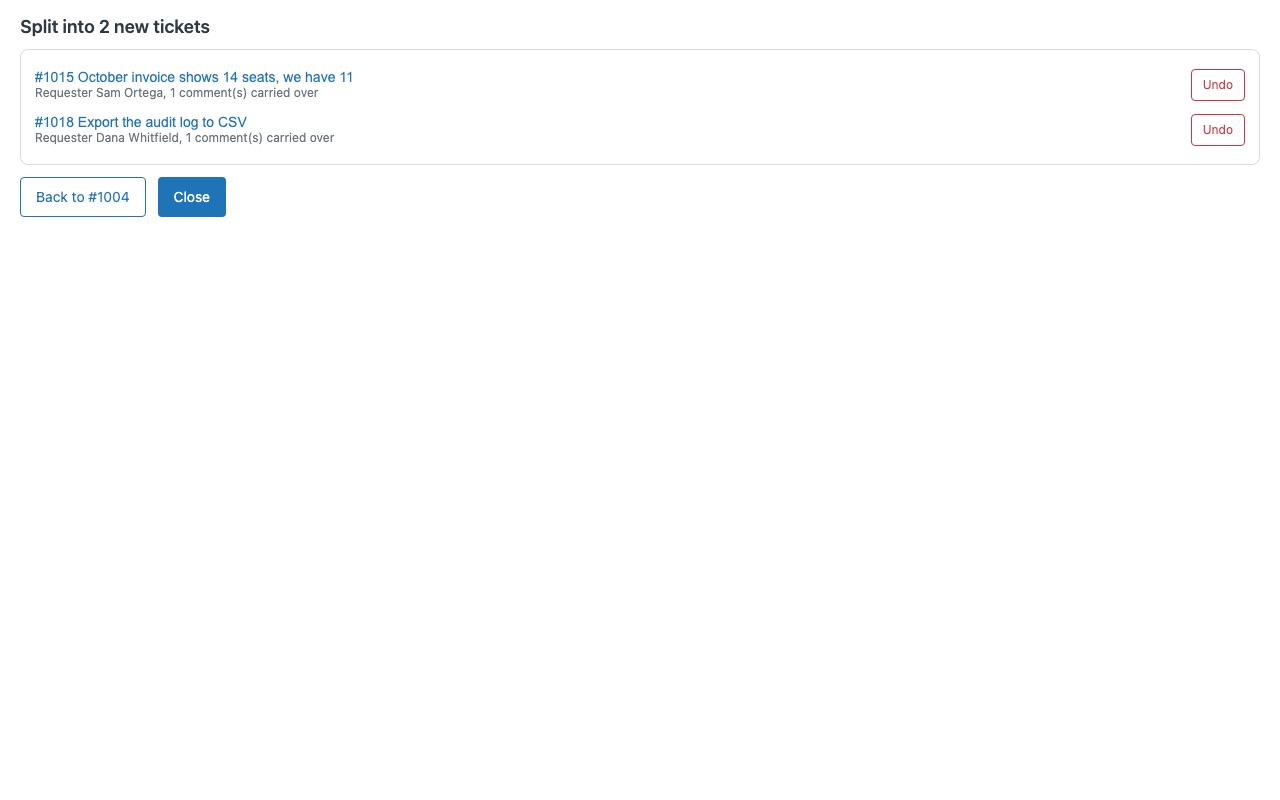
When one ticket turns into two conversations, split it. A CC replies with a billing question on a login ticket. A customer adds "also, unrelated..." to the end of a thread. Someone forwards three requests in one email. Twigwell moves the comments that belong elsewhere into a new ticket, with the right requester, fields and tags, and links the two tickets so nobody loses the history.
Twigwell is built by Great Work LLC. It is not made or endorsed by Zendesk.
What you get
Split exactly what belongs elsewhere
Pick any number of comments, from anywhere in the thread, and carry them into the new ticket in their original order, each under the author's name and date. Several new tickets in one go. Three questions in one email become three tickets, each with its own comments, subject and requester.
Nothing reaches the customer unless you choose it
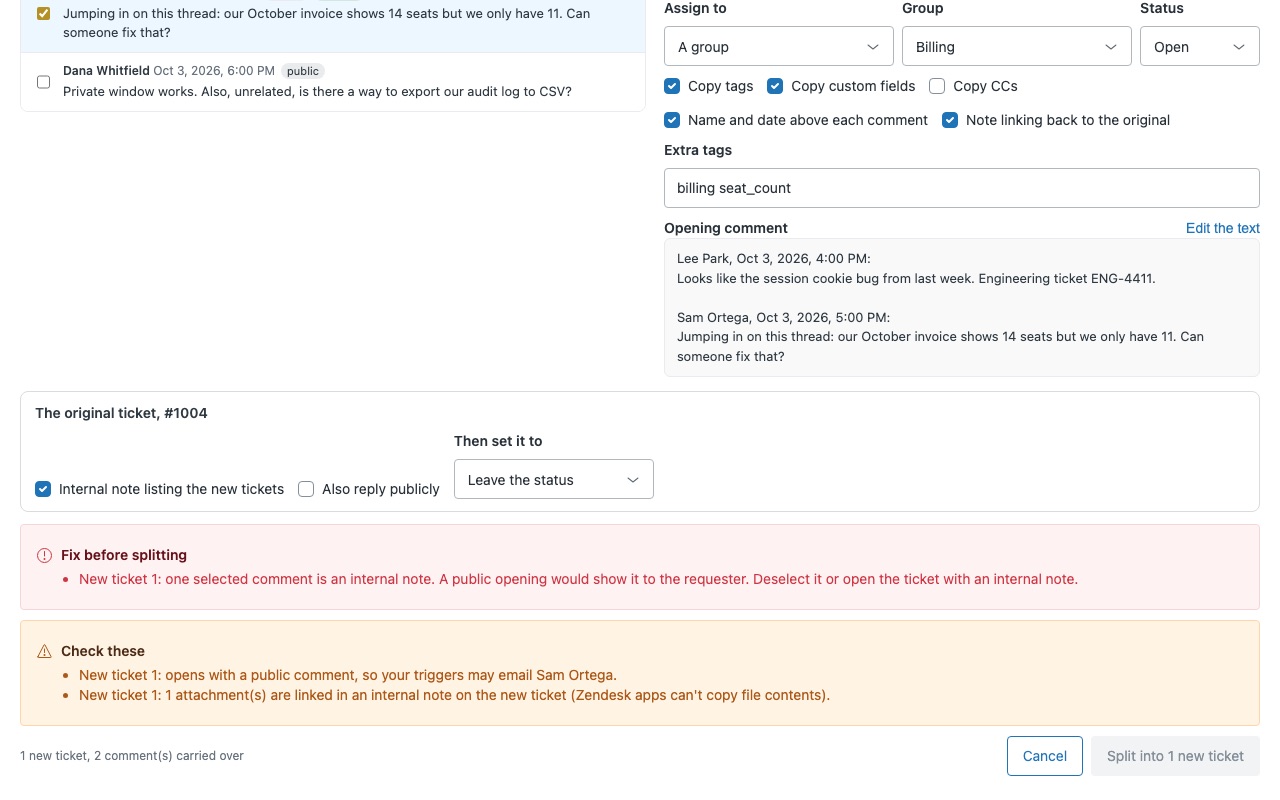
The new ticket opens with an internal note by default, so nobody is emailed. Or open it with a public reply from you, or as the requester's own message. Twigwell refuses to put an internal note into a public comment. Your team's notes stay internal.
Keeps everything connected
Tags, custom fields, form, brand, priority, type and CCs carry over (each one switchable), and the assignee and group follow the original, you, or a group you pick. A "Split from ticket" field on every new ticket, so you can build views, triggers and reports on splits. The sidebar shows where a ticket came from and what was split from it.
How Twigwell works
- Install Twigwell from the Zendesk Marketplace. It adds one ticket field, "Split from ticket", and nothing else.
- Open a ticket that holds two conversations and click Split this ticket in the apps sidebar. The split window opens.
- Tick the comments that belong in the new ticket. They're carried over oldest first, each under its author's name and date. Edit the text if only part of a comment belongs there.
- Check the subject and requester. Twigwell suggests the person who wrote the first comment you picked, so a CC's question becomes the CC's own ticket. Pick anyone on the thread or type another email.
- Choose how the new ticket opens: an internal note (nobody is emailed, the default), a public reply from you, or as the requester's own message. Set assignment, status and which tags, custom fields and CCs carry over.
- Click Split into 1 new ticket (the button counts the tickets you set up). The new ticket records the original's number in "Split from ticket", and both tickets get a tag and, if you keep them on, internal notes pointing at each other. Undo is right there in the result.
Who it's for
Email support teams with CCs on threads
A customer CCs a colleague, and the colleague replies with a different problem. Splitting the reply gives that person their own ticket, assigned and tracked on its own, while the original stays on topic.
Queues where one email holds several requests
Three questions in one message can become three tickets in one split, up to five, each with its own comments, subject, requester and group. Each team works only its part.
Teams that report by ticket
One ticket per issue keeps solve times, satisfaction and product fields honest. The "Split from ticket" field and the twigwell_parent and twigwell_child tags let you count and review splits in views and reports.
What you need
- Zendesk Support. A Zendesk admin installs the app and can restrict it to roles or groups under Role restrictions.
- Agents who split need permission to create and update tickets. To use Undo, they also need permission to delete tickets.
- To show "Split from ticket" on the ticket, add the field to your ticket forms. It works in views and triggers either way.
- No API token and no outside account. Twigwell calls only your Zendesk account, as the signed-in agent.
Twigwell guides
Questions about Twigwell
What does Twigwell do?
Split tickets: move off-topic comments into new tickets with the right requester, linked both ways.
What does Twigwell work with?
Twigwell works in Zendesk Support.
How much does Twigwell cost?
Standard: $4 a month per agent.
Is there a free trial?
14-day free trial (Zendesk asks for a card at install). Billed monthly by Zendesk. No free plan.
Where do I install Twigwell?
From the Zendesk Marketplace. Use the Install button on this page, or search for "Twigwell" there.
Who makes Twigwell?
Great Work LLC, an independent software company. Email hello@greatwork.company with any question about Twigwell and someone will answer.
Does splitting change the original ticket?
It keeps its subject, fields and conversation. It gets the twigwell_parent tag and, if the setting is on, an internal note listing the new tickets.
Will the customer be emailed when I split?
Not by default. New tickets open with an internal note, so nobody is emailed. A public reply on either ticket happens only when you choose it.
What happens to attachments on the comments I move?
They stay on the original ticket and are linked from the internal note on the new one. Zendesk apps can't move file contents between tickets.
Can I split a closed ticket?
You can split from it, but Zendesk doesn't allow changes to a closed ticket, so the original gets no note.
How long does Undo work?
Undo deletes the new ticket and adds a note to the original. An admin can restore a deleted ticket from Deleted tickets for 30 days. Undo can't recall an email that was already sent.
What happens to the field if we uninstall?
Zendesk removes the "Split from ticket" field and its values, which stay in each ticket's history. The new tickets, their tags and the notes stay.
More Zendesk apps
 Twinewell for ShipStation
 Trolleywell for BigCommerce
 Twinmend
 Trailwell