



Texwell LaTeX equation editor for Google Docs and Slides, with live preview and click-to-edit equations
Listed on the Google Workspace Marketplace as “Texwell: LaTeX Equations for Docs and Slides”
Also for Confluence and Microsoft Word and PowerPoint
$6.99 a month or $65 a year per Google account. Free trial: 50 equations or 14 days, whichever comes first. No card needed.
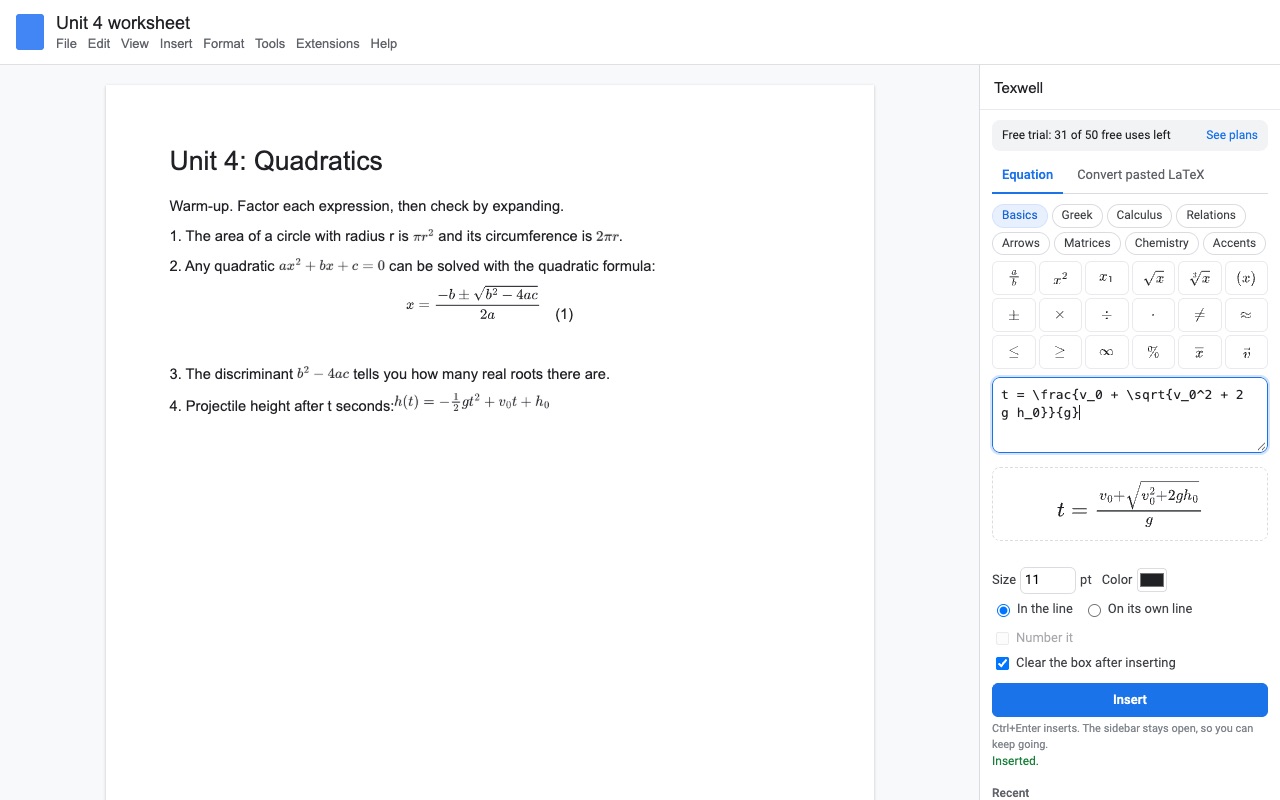
Texwell puts real LaTeX equations in Google Docs and Google Slides, and keeps them editable.
Type LaTeX in the sidebar (or click the symbol buttons) and watch the equation draw as you type. Press Insert, or Ctrl+Enter, and it goes in at your cursor, sized to match the text around it. The sidebar stays open, so you can write a whole problem set without reopening anything.
What you get
- Type LaTeX or click the symbol buttons, with a live preview as you type
- The sidebar stays open: insert one equation after another without reopening anything
- Click any equation to edit it; the LaTeX is saved in its alt text
- Works in Google Docs and Google Slides
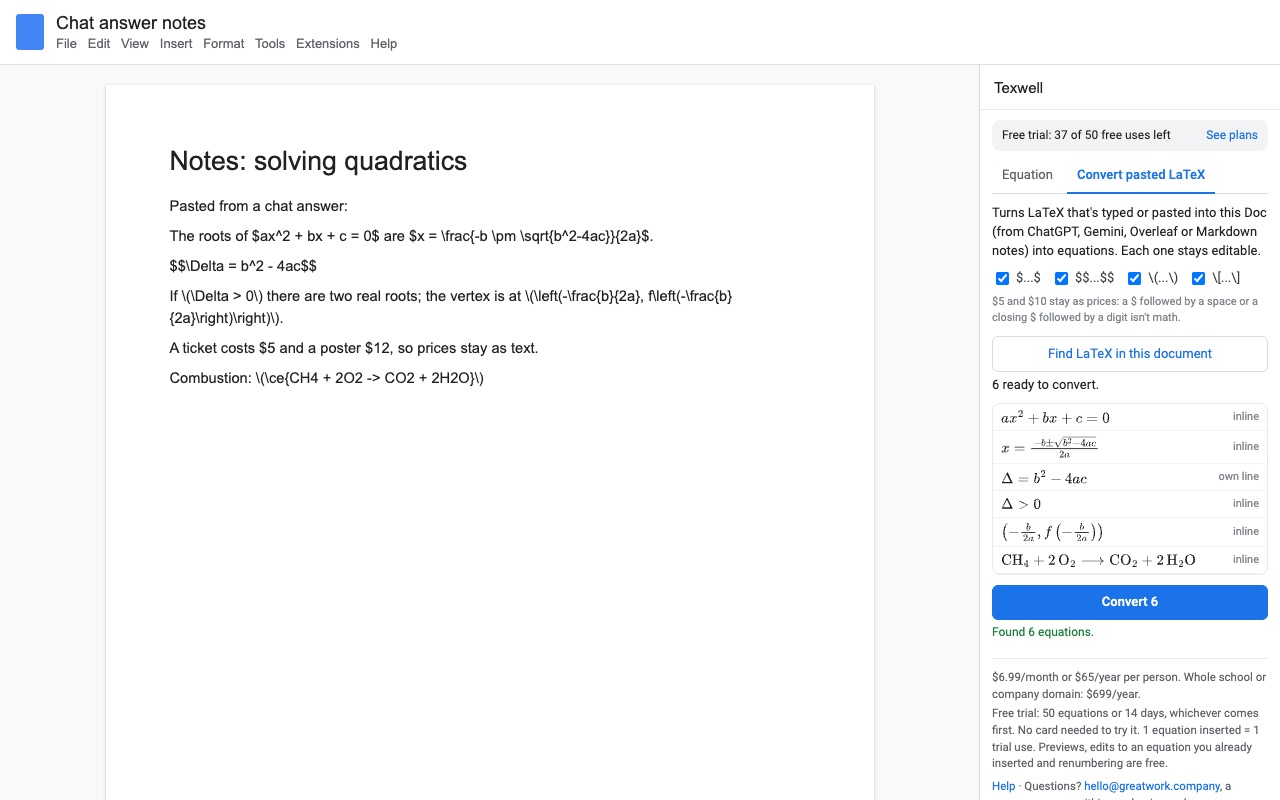
- Converts $...$, $$...$$, \(...\) and \[...\] pasted from a chat answer or another LaTeX editor into equations in one go
- Equations match the size and color of the surrounding text; numbered display equations in Docs
- Chemistry with \ce{...}, matrices, cases, aligned, AMS math
- Drawn in your browser: equations never leave Google; no account to create
How Texwell works
- Open Extensions, Texwell, Open equation editor in a Google Doc or a Google Slides deck.
- Click where the equation goes, then type LaTeX in the box, such as
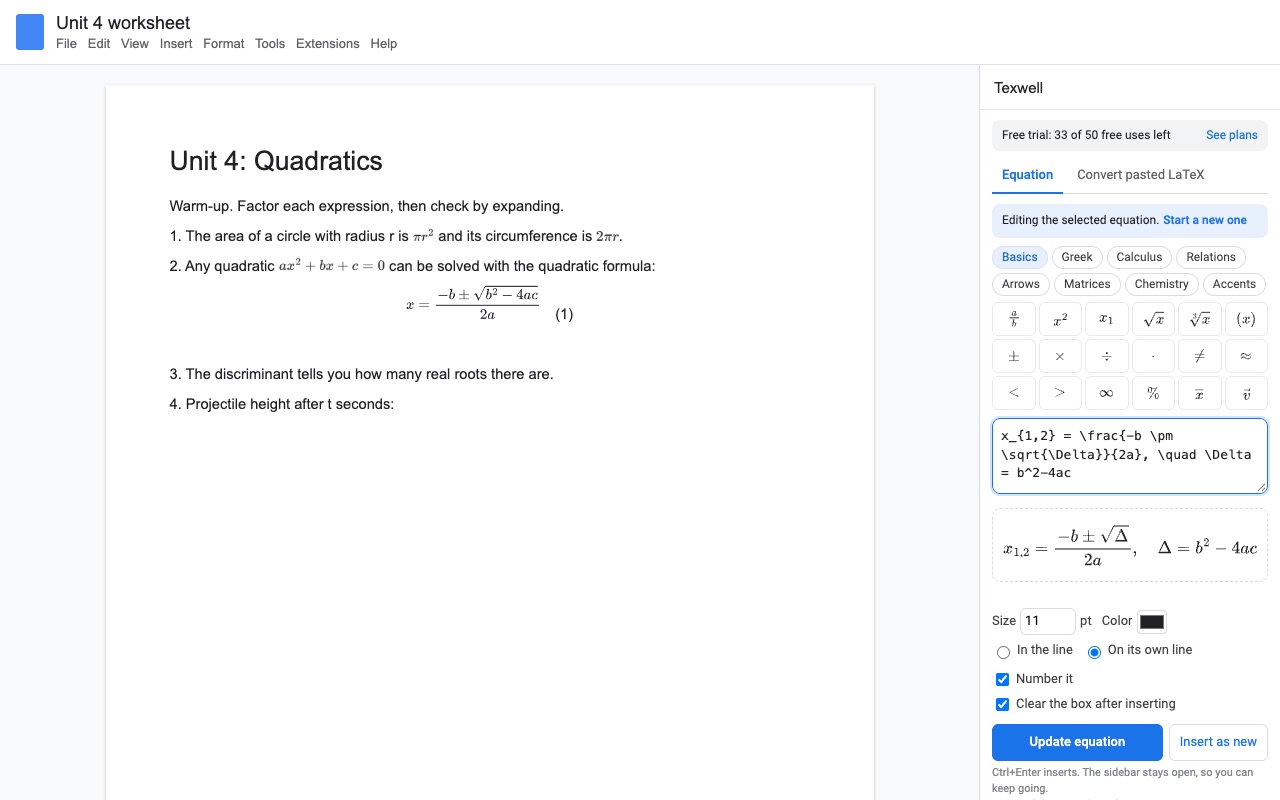
\frac{-b \pm \sqrt{b^2-4ac}}{2a}, or click the symbol buttons. The preview draws as you type and points out a typo before anything is inserted. - Pick inline or On its own line. Inline equations sit in the sentence. On its own line centers the equation in its own paragraph, and in Docs Number it adds (1), (2), (3) on the right.
- Set the Size and Color if the equation shouldn't match the text around it.
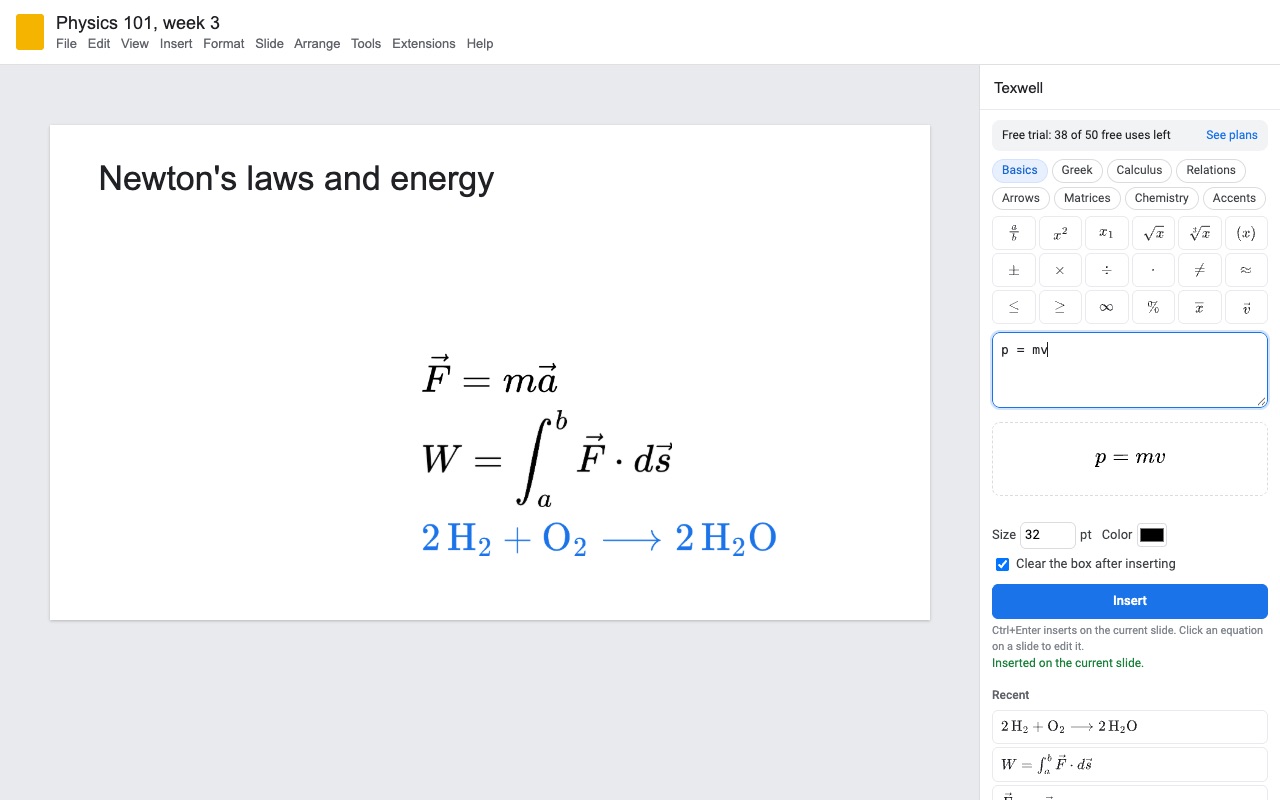
- Press Insert, or Ctrl+Enter. In Docs the equation goes in at the cursor and the cursor moves past it, so the next one follows. In Slides it lands on the current slide, and the next one goes below it.
- Click an equation later to load its LaTeX back into the sidebar, change it and press Update equation. Edits don't use up trial equations.
Who it's for
Math and science teachers writing worksheets and slides
Write a whole problem set in one sitting: the sidebar stays open between equations, Recent keeps the last ones you used, and every equation is sized to the text it sits in.
Students writing lab reports in Google Docs
Numbered display equations, \ce{2H2 + O2 -> 2H2O} for chemistry, matrices and aligned steps, in a Doc your teacher or group can open without installing anything.
People who draft math as plain text first
Notes written with $...$, or answers copied from a chat assistant or a Markdown file, arrive in Docs as raw LaTeX. Convert LaTeX ($...$) in this document turns every one into an equation in one go.
Tutors explaining on a shared screen
Type, see it drawn, insert, and move on. Click any earlier equation to fix it without retyping the slide.
Texwell or the Google Docs equation tool
Google Docs has Insert, Equation, which gives you an equation box with symbol menus and some backslash shortcuts such as \alpha. It can't read LaTeX you paste in, and it has no chemistry notation or numbered equations. For a few simple formulas typed by hand, it does the job. Texwell is for people who already write LaTeX, for math in Google Slides, and for documents with many equations that need to look the same and stay editable.
Limits and requirements
- Works in Google Docs and Google Slides in a browser on a computer.
- Each equation is placed as a sharp, transparent image. Its LaTeX is saved in the image's alt text, which screen readers read and Texwell uses to edit it again.
- People without Texwell see and print equations normally. To change one, they need Texwell, or they can read its LaTeX from the alt text.
- Converting pasted LaTeX and numbering equations are Docs features. In Slides, insert and edit one equation at a time.
- The
physicspackage isn't included, because it changes\divto mean divergence and students use\divfor division.
To make a single equation image without installing anything, the free LaTeX equation editor runs in your browser.
Texwell guides
Questions about Texwell
What does Texwell do?
LaTeX equation editor for Google Docs and Slides, with live preview and click-to-edit equations. Texwell puts real LaTeX equations in Google Docs and Google Slides, and keeps them editable.
What does Texwell work with?
Texwell works in Google Docs and Slides, in any browser.
How much does Texwell cost?
$6.99 a month or $65 a year per Google account. Team plan: $699 a year covers everyone at your company or school who signs in to Google with an email address on your domain (not Gmail or other personal addresses). Billed through Stripe. Cancel any time from Plans and billing in the add-on.
Is there a free trial?
Free trial: 50 equations or 14 days, whichever comes first. No card needed.
Where do I install Texwell?
From the Google Workspace Marketplace. Use the Install button on this page, or search for "Texwell: LaTeX Equations for Docs and Slides" there.
Who makes Texwell?
Great Work LLC, an independent software company. Email hello@greatwork.company with any question about Texwell and someone will answer.
What LaTeX does Texwell understand?
Standard math (fractions, roots, sums, integrals, limits), matrices, cases and aligned, the AMS packages, \ce{...} chemistry, \text{...}, \color, \cancel and bra-ket notation. You can paste with or without the dollar signs.
How do I renumber equations after moving them?
Choose Renumber equations from the Texwell menu in Docs. Numbers run in order from the top of the document again.
Will prices like $5 get turned into equations?
No. Converting follows the usual Markdown rules for dollar signs, so "$5 and $10" is left alone.
Can I change the color of one equation?
Yes. Set Color before you insert it, or click the equation, change the color and press Update equation.
Does Texwell send my equations anywhere?
No. Equations are drawn inside your browser and placed straight into your file. Great Work's licensing server sees only your Google account email and how many equations you've inserted.
Can I keep the box filled after inserting?
Yes. Untick Clear the box after inserting to keep the LaTeX there, which is handy for a series of similar equations.
More Google Docs apps
 Tidywell
 Syntaxwell
 Aloudwell
 Remarkwell