



Syntaxwell Syntax-highlighted code blocks for Google Slides and Docs, with line numbers, highlighted lines and click-to-edit
Listed on the Google Workspace Marketplace as “Syntaxwell: Code Highlighting for Slides and Docs”
$2.99 a month or $19.99 a year per Google account. Free trial: 25 code blocks or 14 days, whichever comes first. No card needed.
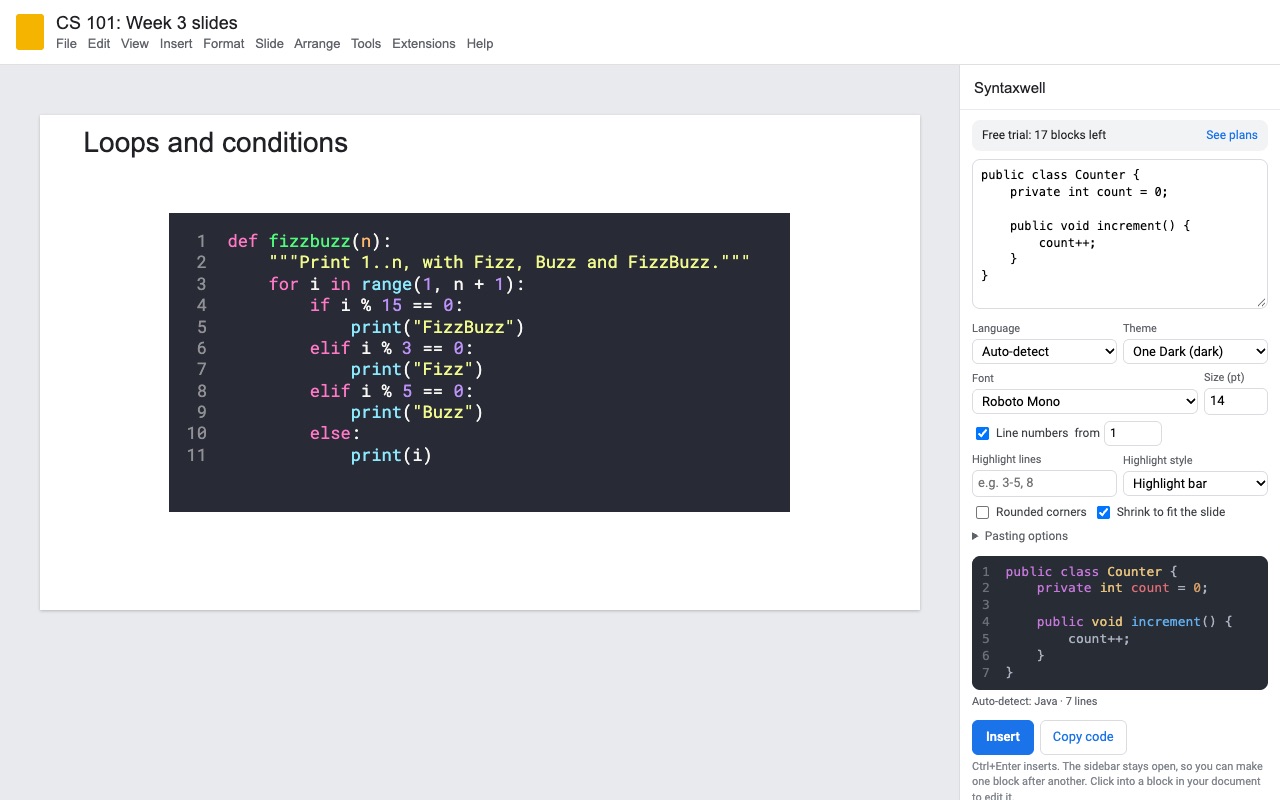
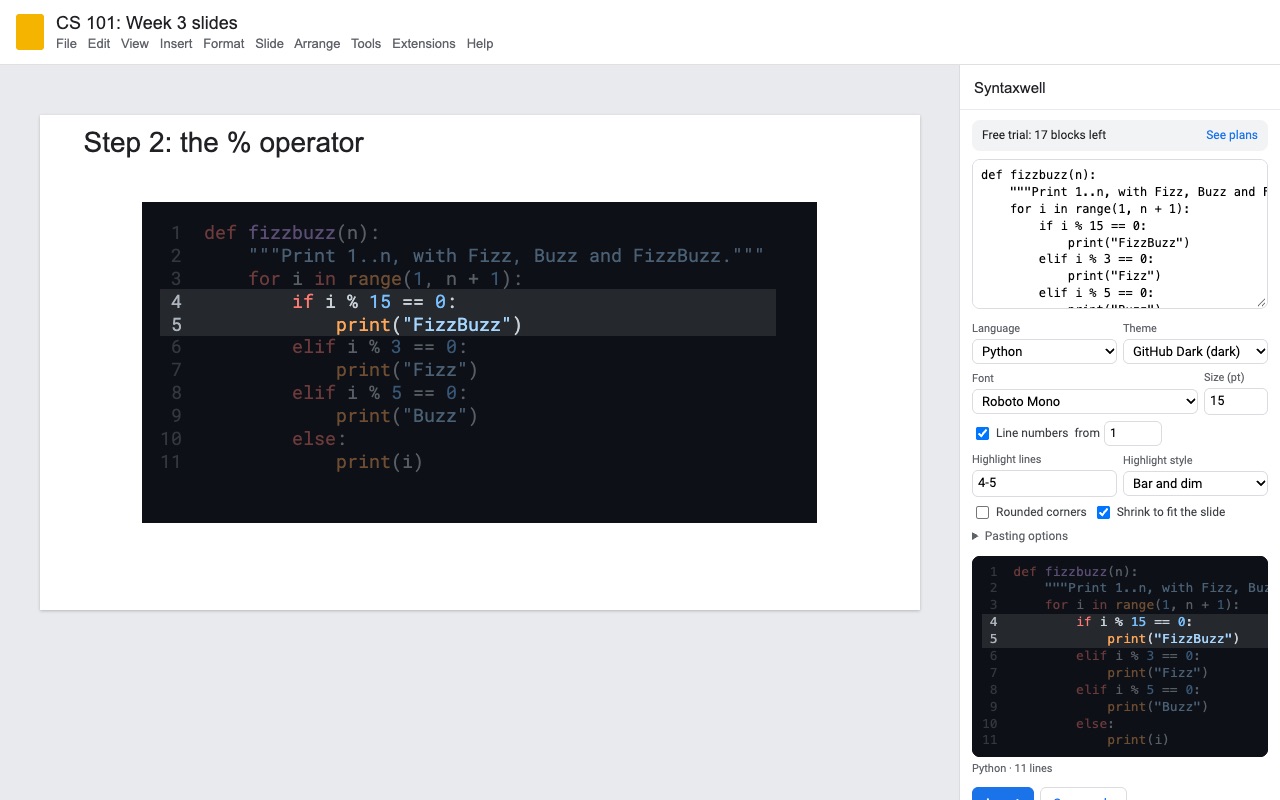
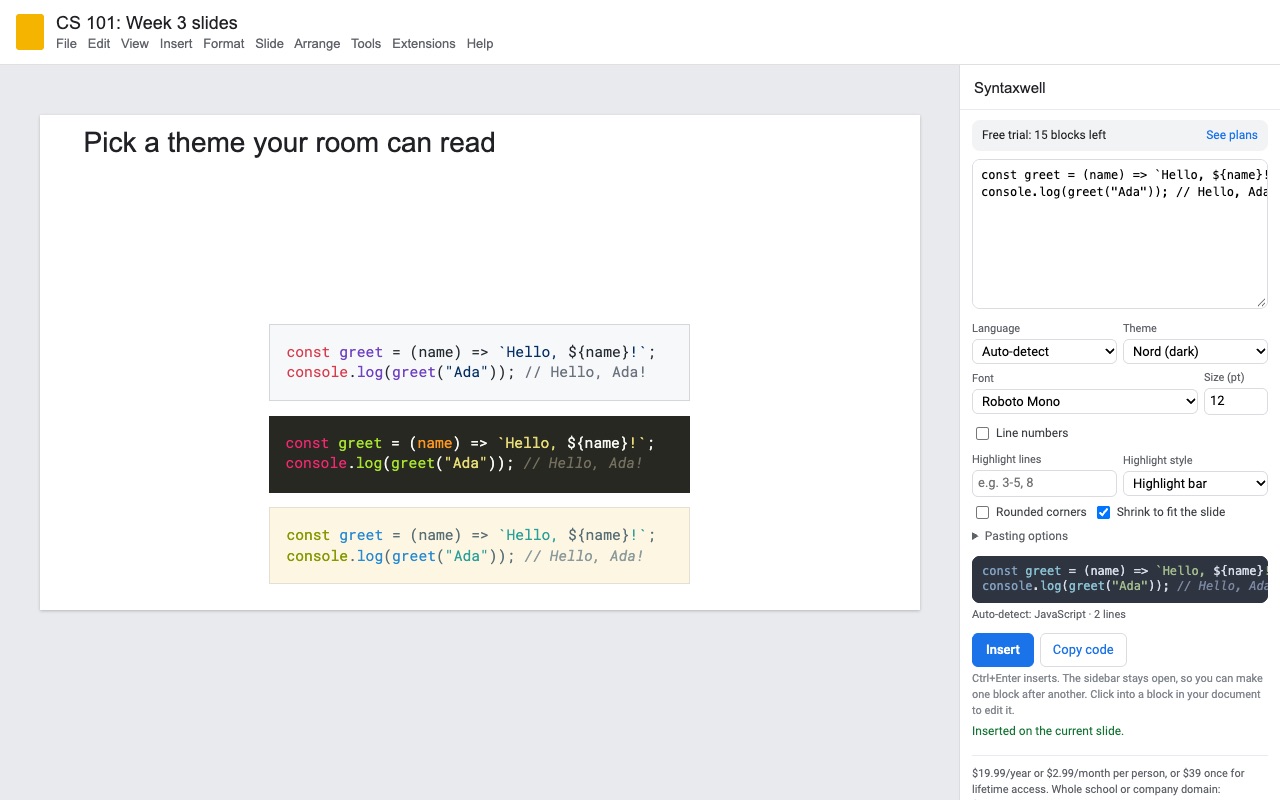
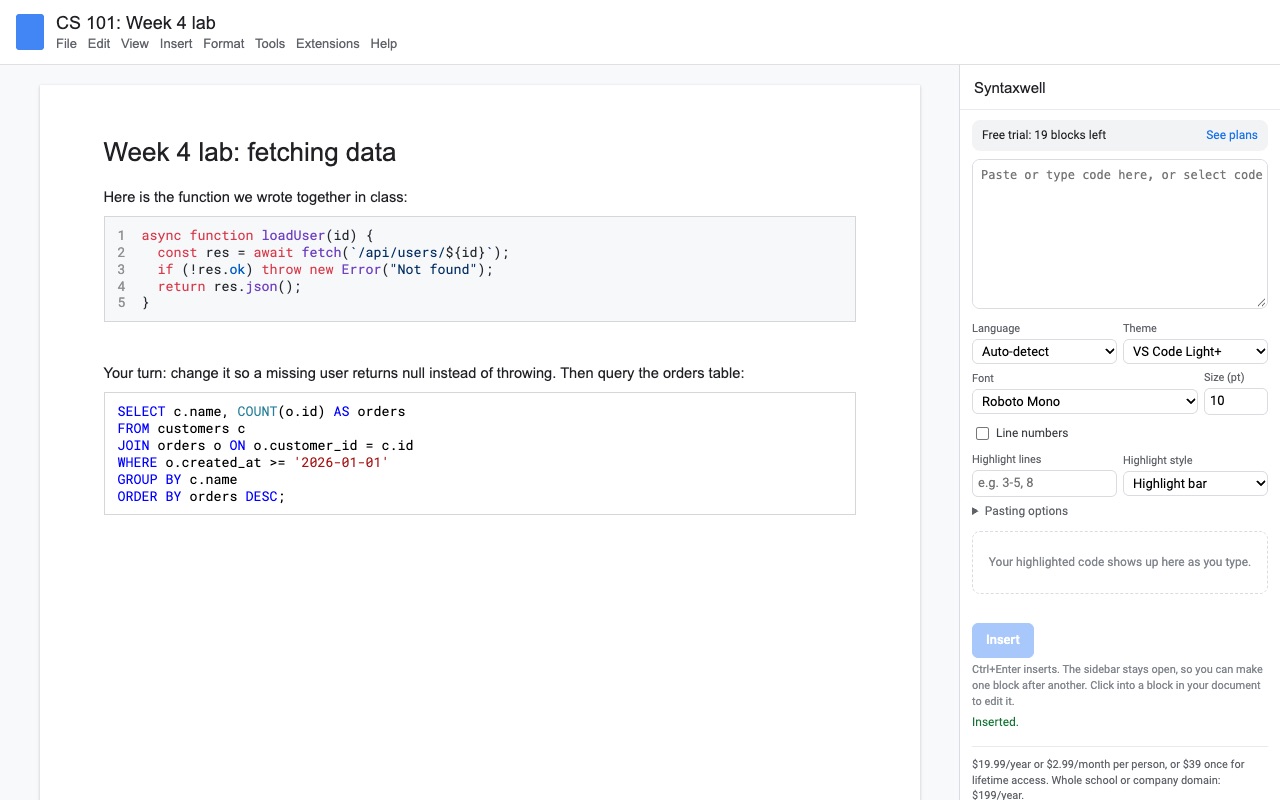
Syntaxwell turns code into clean, colored code blocks in Google Slides and Google Docs, and keeps every block editable.
Paste code into the sidebar, pick a language (or let it detect one) and a theme, and press Insert. In Slides the block lands on the current slide, sized to fit; in Docs it goes in at your cursor. It's real text, not a picture, so students can copy it and search finds it. The sidebar stays open, so you can build a whole lecture deck or lab handout in one go.
What you get
- Syntax highlighting for 90+ languages in Google Slides and Google Docs, as real text you can copy
- 22 themes, from GitHub and VS Code to Dracula, plus high-contrast and grayscale print themes
- Line numbers from any start number, highlighted lines and a dim-the-rest focus mode for walking through code
- Click any block to edit it later; the code and settings are saved with the block
- Turn code already in your document into a block, or color code inline in a sentence
- Shrink-to-fit for slides and rounded or square corners
- Highlighted in your browser: your code never leaves Google; no account to create
How Syntaxwell works
- Open Extensions, Syntaxwell, Open code editor in a Google Slides deck or a Google Doc.
- Paste your code into the sidebar. Tabs become spaces and the common indentation is removed, so code copied from deep inside a file sits flush left.
- Pick a Language, or leave it on auto-detect, and a Theme, such as GitHub Light, GitHub Dark, Dracula or Monokai.
- Set the look: Font, Size (pt), Line numbers starting from any number, Highlight lines such as
3-5, 8, and a Highlight style: a bar, dimming the other lines, or both. On slides, choose Rounded corners and Shrink to fit the slide. - Press Insert. In Slides the block lands on the current slide, and more blocks stack under it. In Docs it goes in at your cursor.
- Click a block later to load its code and settings back into the sidebar, change anything, and press Update block. Updates don't count toward the trial.
Who it's for
Teachers building lecture decks and lab handouts
Each slide's example goes in as a colored block in the same theme and size, and the sidebar stays open between slides. Students can select the code on a shared deck and paste it into their editor, because it's text, not a screenshot.
Developers presenting at meetups and in design reviews
A dark theme that matches your editor, line numbers starting at 120 for an excerpt, and the lines you're talking about lit up while the rest dims.
Technical writers and teams documenting in Google Docs
Docs code blocks with consistent styling across a runbook, onboarding guide or design doc, even on accounts that don't have Google's own code blocks. Docs' search finds text inside them.
Anyone fixing old screenshots of code
Code already pasted as plain text can be converted in place: select the lines in Docs or the text box in Slides and press Convert selection or Convert text box.
Syntaxwell or Google's own code blocks
Google Slides has no code block feature. Google Docs has one under Insert, Building blocks, Code blocks, but only on some paid Google Workspace plans; personal Google accounts don't get it. Where it's there, it has one style, no themes, no line numbers and no highlighted lines. If your Docs account has it and plain highlighting is enough, use it. Syntaxwell is for slides, for accounts without it, and for code that needs a theme, line numbers or highlighted lines.
Limits and requirements
- Works in Google Slides and Google Docs in a browser.
- Long lines wrap in Docs. The sidebar tells you how many characters fit, so you can drop the font size a point or two.
- The preview uses your computer's monospace font; the document uses the font you pick.
- In Docs, a block's settings live in a named range around it. A block copied into another document keeps its colors; select it there and press Convert selection to make it editable again.
To make a one-off picture of a code snippet without installing anything, the free code to slide formatter draws one in your browser.
Syntaxwell guides
Questions about Syntaxwell
What does Syntaxwell do?
Syntax-highlighted code blocks for Google Slides and Docs, with line numbers, highlighted lines and click-to-edit. Syntaxwell turns code into clean, colored code blocks in Google Slides and Google Docs, and keeps every block editable.
What does Syntaxwell work with?
Syntaxwell works in Google Slides and Docs, in any browser.
How much does Syntaxwell cost?
$2.99 a month or $19.99 a year per Google account. $39 once for lifetime access on one Google account. Team plan: $199 a year covers everyone at your company or school who signs in to Google with an email address on your domain (not Gmail or other personal addresses). Billed through Stripe. Cancel any time from Plans and billing in the add-on.
Is there a free trial?
Free trial: 25 code blocks or 14 days, whichever comes first. No card needed.
Where do I install Syntaxwell?
From the Google Workspace Marketplace. Use the Install button on this page, or search for "Syntaxwell: Code Highlighting for Slides and Docs" there.
Who makes Syntaxwell?
Great Work LLC, an independent software company. Email hello@greatwork.company with any question about Syntaxwell and someone will answer.
Which languages does Syntaxwell highlight?
More than 90, including Python, JavaScript, TypeScript, Java, C, C++, C#, Go, Rust, SQL, HTML, CSS, Swift, Kotlin, R, PHP, Ruby and shell. Auto-detect picks one when you don't.
Can I fix a typo right in the slide or Doc?
Yes. Type the fix in the block. The next time you click it, Syntaxwell reads the text back, so your fix is kept when you update the block.
Can I color a few words of code inside a sentence?
Yes, in Docs. Select the words and press Format inline.
Does Copy code include the line numbers?
No. Copy code copies only the code, so it pastes cleanly into an editor.
Will the colors print well?
Pick one of the print themes: there are high-contrast and grayscale themes made for paper and projectors.
Does my code get sent anywhere?
No. Code is highlighted inside your browser and written straight into your document. It never reaches Great Work.
More Google Docs apps
 Texwell
 Remarkwell
 Tidywell
 Refwell