



Aloudwell Read Google Docs and Slides aloud with word-by-word highlighting, from the cursor, a selection or where you stopped
Listed on the Google Workspace Marketplace as “Aloudwell: Read Aloud with Word Highlighting for Docs & Slides”
$9.99 a month or $99 a year per Google account. Free trial: 25 listening sessions or 14 days, whichever comes first. No card needed.
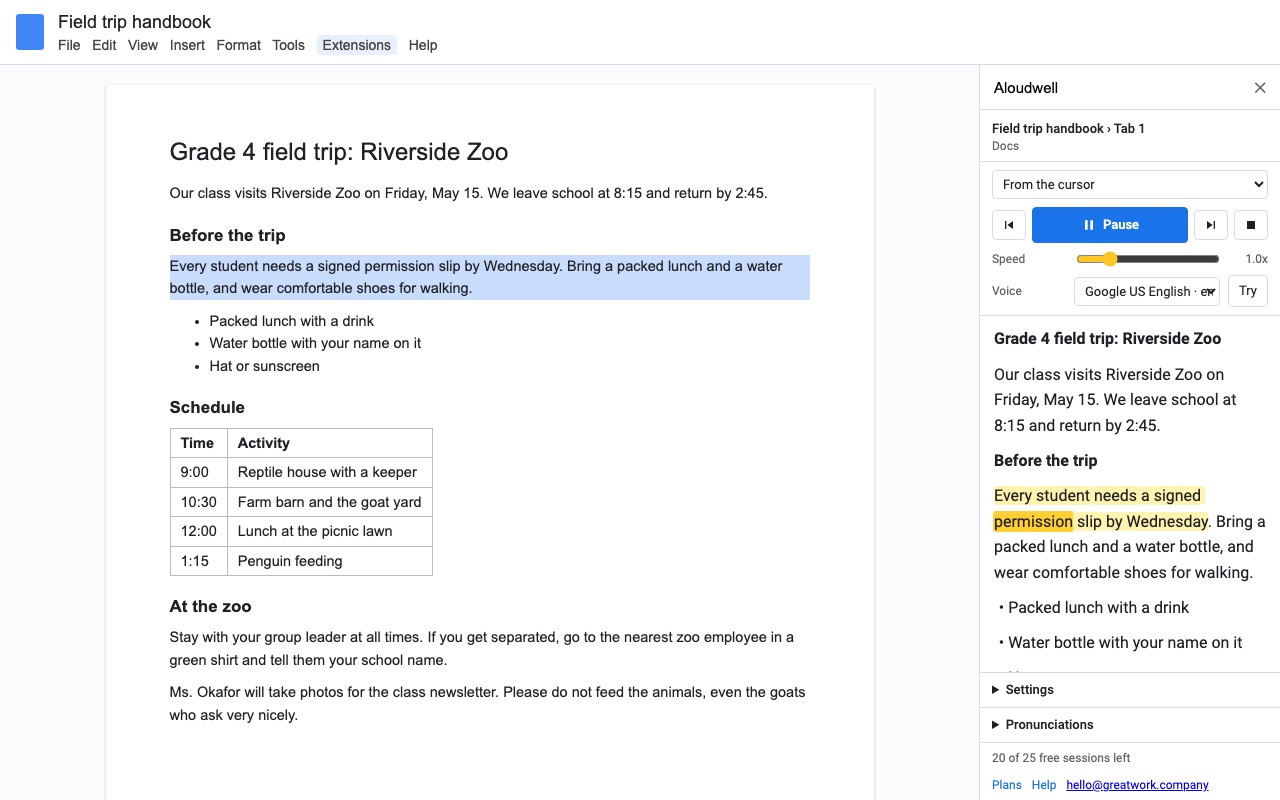
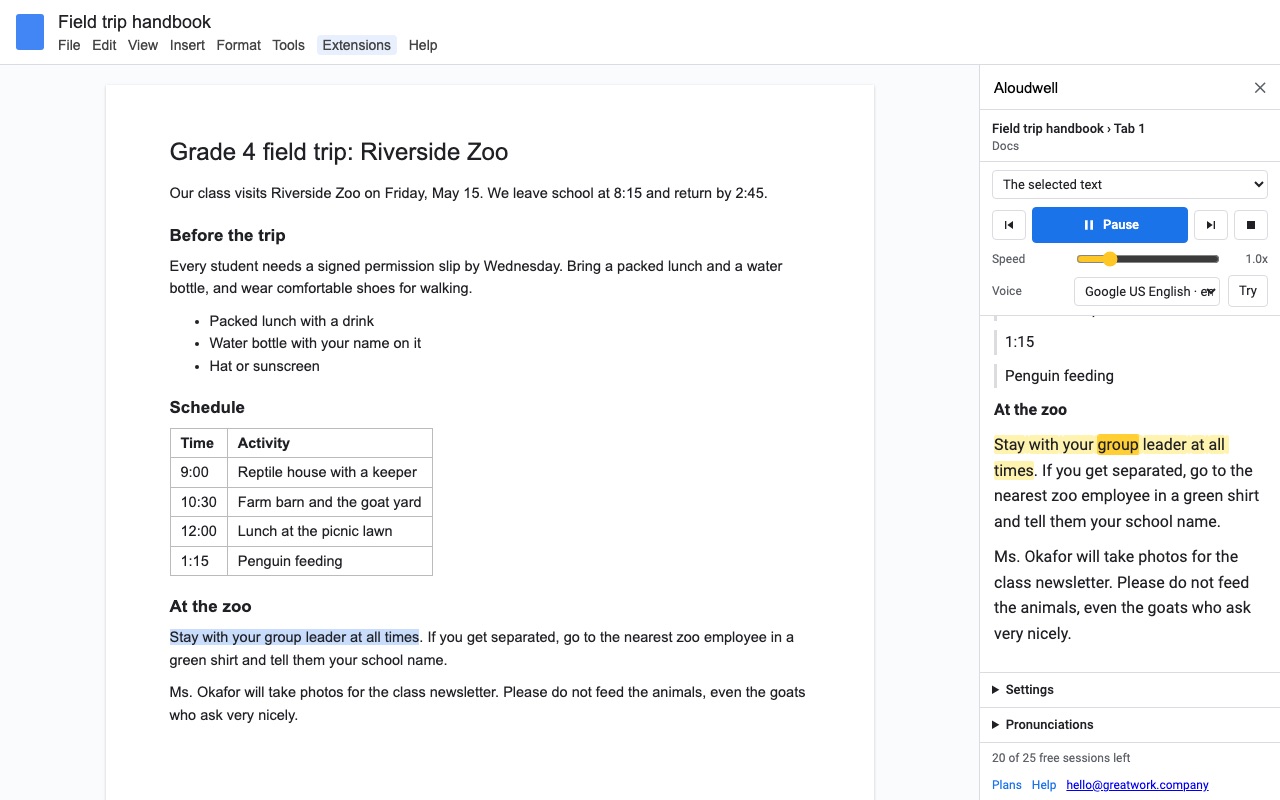
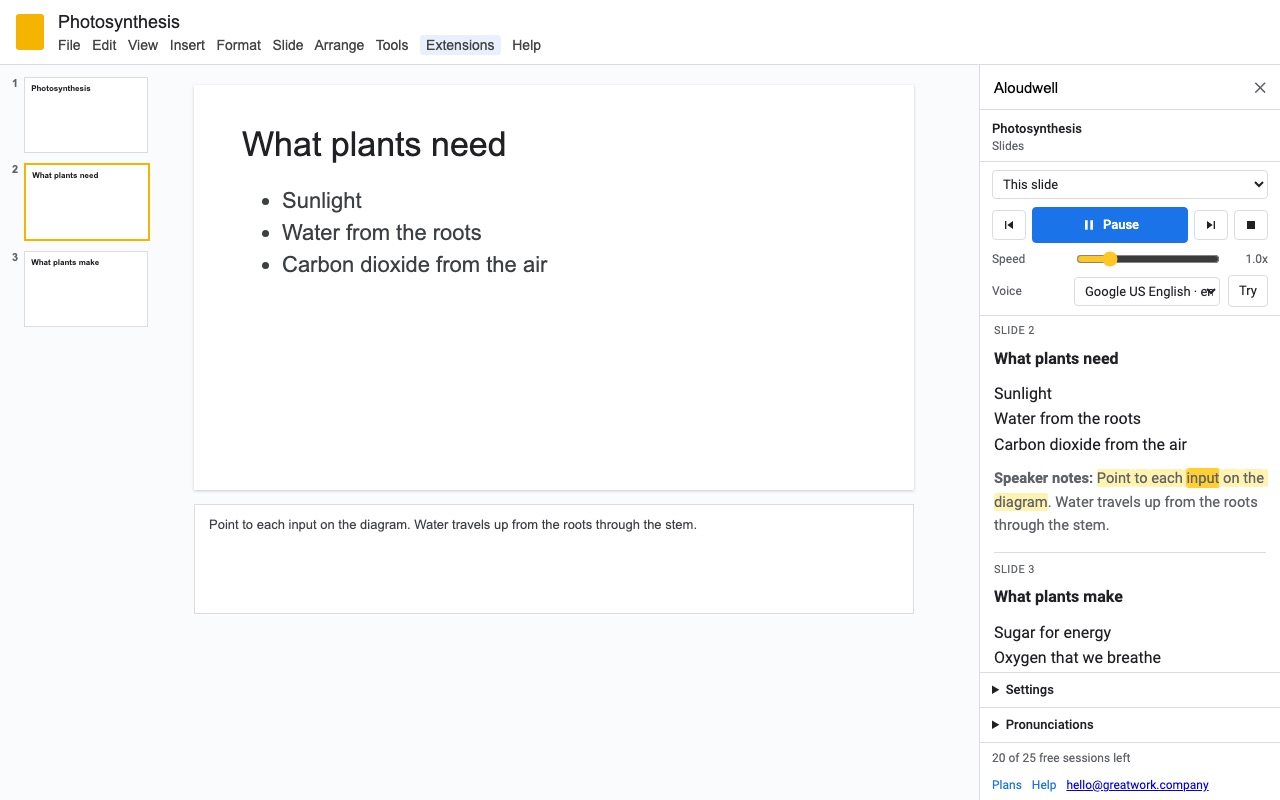
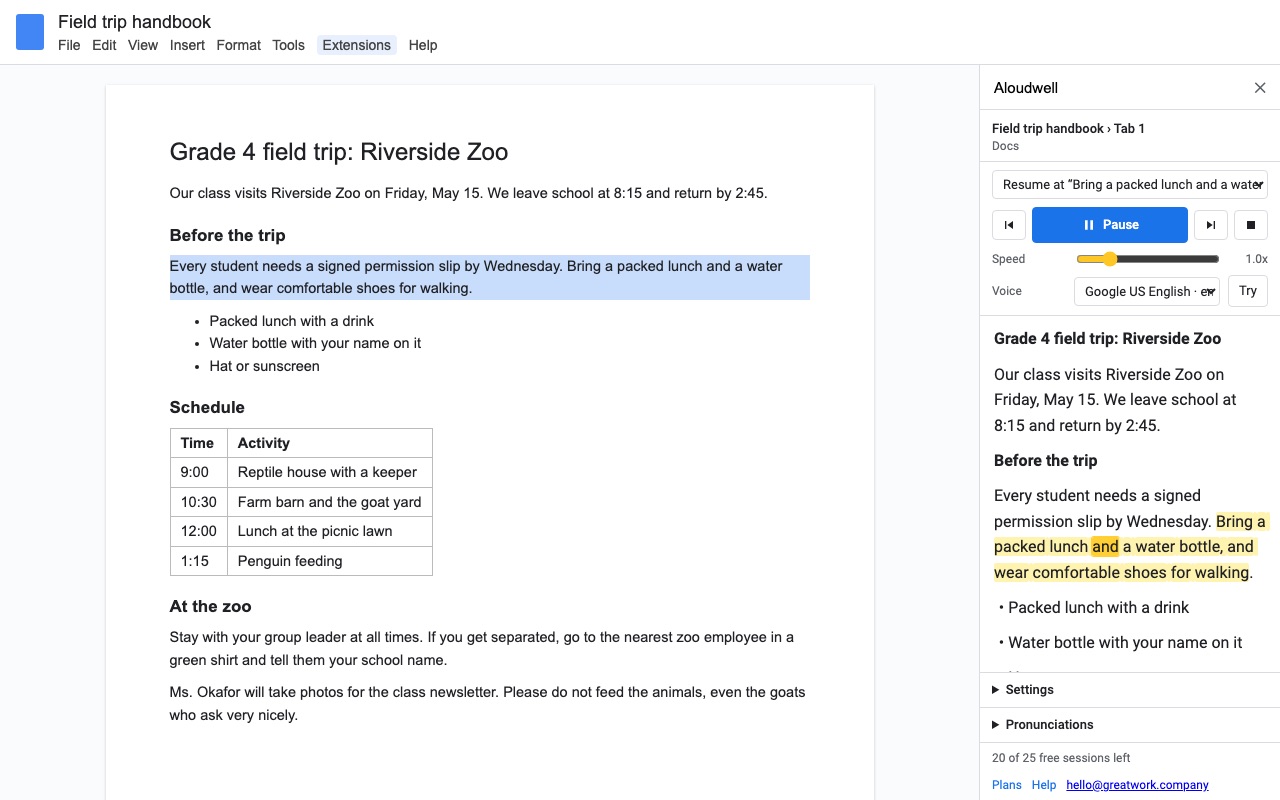
Aloudwell reads your Google Doc or Slides deck aloud and highlights every word as it is spoken, so you can follow along, proofread by ear, or rest your eyes.
What you get
- Reads Google Docs and Slides aloud and highlights each word as it is spoken, in a reading view in the sidebar
- Start from the cursor, read only the selected text, read from the top, or resume where you stopped in each file
- Slides: slide text in reading order, speaker notes, or both; follows along slide by slide; hidden slides skipped
- Docs: lists and tables, optional footnotes and image descriptions; follow along selects the paragraph being read
- Speed, voice, pitch and volume using the voices already on your computer, in any language they speak
- Reading view with Light, Cream or Dark colors, larger text, wider line spacing and easy-to-read fonts
- Custom pronunciations for names and terms; links read as the site name, as 'link', or skipped
How Aloudwell works
- Install Aloudwell from the Google Workspace Marketplace, then open any Google Doc or Slides deck.
- Open Extensions > Aloudwell. In Docs the menu has Read from the cursor, Read the selection, Read from the top and Resume where I stopped. In Slides it has Read this slide, Read from this slide on, Read the selected text and Read from the first slide. Open Aloudwell shows the sidebar without starting.
- Press Play. The text appears in the sidebar's reading view. The sentence being read is tinted and each word lights up as your browser's voice says it.
- Steer it from the keyboard. While the sidebar has focus, Space plays and pauses, Left and Right go back or forward a sentence, and Esc stops. Click any word in the reading view to jump there.
- Set the voice. Speed runs from 0.5x to 3x, with pitch, volume and every voice installed on your computer. Tick Only voices on this computer to skip the online voices your browser offers.
- Close it and come back later. Aloudwell saves your place in each file and finds it again with Resume where I stopped, even after the Doc has been edited above that point.
Who it's for
Students who read along to keep their place
A long chapter or a classmate's essay is easier to follow when the word being spoken is lit. The reading view can switch to Cream or Dark colors, text up to 32 px, line spacing up to 2.4 and fonts like Verdana or Comic Sans, without changing the Doc itself.
Writers proofreading by ear
Hearing a draft catches missing words and clumsy sentences that the eye skips. Select one paragraph and choose Read the selection to hear only that part after you rewrite it.
Presenters rehearsing a talk
In Slides, pick Speaker notes only and Read from this slide on. Aloudwell shows each slide as its notes are read, says "Slide 3" first if you turn that on, and skips hidden slides.
Teachers sharing a lesson deck or handout
Students can listen to slide text in reading order (the title first, then top to bottom, left to right) or to a handout with its tables, footnotes and image descriptions read or skipped as you choose.
Aloudwell or Google's own Listen to this tab
Google Docs has Tools > Audio > Listen to this tab, which reads the current tab with a choice of voices and speeds. When we checked Google's announcement (October 2026), it was offered only on certain paid Workspace editions, the Gemini add-ons and Google's Pro and Ultra subscriptions, in English and on desktop. It reads the whole tab and doesn't highlight words.
Aloudwell is the better fit when you need any of these: a free Gmail account or a school edition without Gemini, a language other than English, word-by-word highlighting, starting at the cursor or a selection, remembering your place, or reading Slides and speaker notes. If Listen to this tab is already on your account and you only want to hear a whole document in English, it may be all you need.
For text that isn't in a Doc at all, such as an email or a web page you copied, our free read text aloud tool reads pasted text in your browser.
What you need
- Google Docs or Google Slides in a desktop web browser. Workspace add-ons don't run in the Docs and Slides phone apps.
- Voices come from your browser and operating system, so the voices and languages you see depend on the computer.
- Aloudwell reads the open Doc tab's body text. Headers and footers aren't read. A very long file (more than about 600,000 characters, around a 300-page book) is loaded in a window around your starting point.
- One listening session is up to an hour of listening in one file. Pausing, skipping and trying voices don't start a new one.
Aloudwell guides
Questions about Aloudwell
What does Aloudwell do?
Read Google Docs and Slides aloud with word-by-word highlighting, from the cursor, a selection or where you stopped. Aloudwell reads your Google Doc or Slides deck aloud and highlights every word as it is spoken, so you can follow along, proofread by ear, or rest your eyes.
What does Aloudwell work with?
Aloudwell works in Google Docs and Slides, in any browser.
How much does Aloudwell cost?
$9.99 a month or $99 a year per Google account. Team plan: $299 a year covers everyone at your company or school who signs in to Google with an email address on your domain (not Gmail or other personal addresses). Billed through Stripe. Cancel any time from Plans and billing in the add-on.
Is there a free trial?
Free trial: 25 listening sessions or 14 days, whichever comes first. No card needed.
Where do I install Aloudwell?
From the Google Workspace Marketplace. Use the Install button on this page, or search for "Aloudwell: Read Aloud with Word Highlighting for Docs & Slides" there.
Who makes Aloudwell?
Great Work LLC, an independent software company. Email hello@greatwork.company with any question about Aloudwell and someone will answer.
How do I make Google Docs read to me?
Install Aloudwell, open the Doc, put your cursor where you want to start and choose Extensions > Aloudwell > Read from the cursor, then press Play.
Does Aloudwell work in Google Slides?
Yes. It reads slide text, speaker notes or both, one slide at a time, and shows each slide as it is read. Hidden slides are skipped unless you turn that setting off.
Can it read in Spanish, French or other languages?
Yes, if your computer has a voice for that language. Pick it from the Voice list in the sidebar. The voice list shows every voice your browser offers.
Does my text get sent anywhere?
The voices on your computer speak the text without sending it out. Voices marked online come from your browser's maker (Google or Microsoft), which processes the text to speak it; tick Only voices on this computer to avoid them. Aloudwell doesn't send the text to Great Work and records nothing.
Can I fix how it says a name?
Yes. Under Pronunciations, add the word and how to say it, for example "Siobhan" said as "shi-vawn". Hear "Say it as" plays it back so you can check it.
Does it read tables, footnotes and image alt text?
Each one has its own setting. Footnotes are read after the paragraph they belong to, and image descriptions use the alt text set in the Doc.
What happens to web links?
You choose: Aloudwell says the site name, says "link", or skips them.
Does Aloudwell work on a phone or iPad?
No. Google Workspace add-ons only run in Docs and Slides in a desktop web browser.
More Google Docs apps
 Crispwell
 Tidywell
 Fadewell
 Texwell