



TexwellLaTeX equations in Confluence that render every time, read well in dark mode, number themselves and export to PDF and Word.
Full name: “Texwell: LaTeX Math and Equations for Confluence”
Also for Google Docs and Slides and Microsoft Word and PowerPoint
From $5 a month for up to 10 users. Billed by Atlassian, with a 30-day free trial.
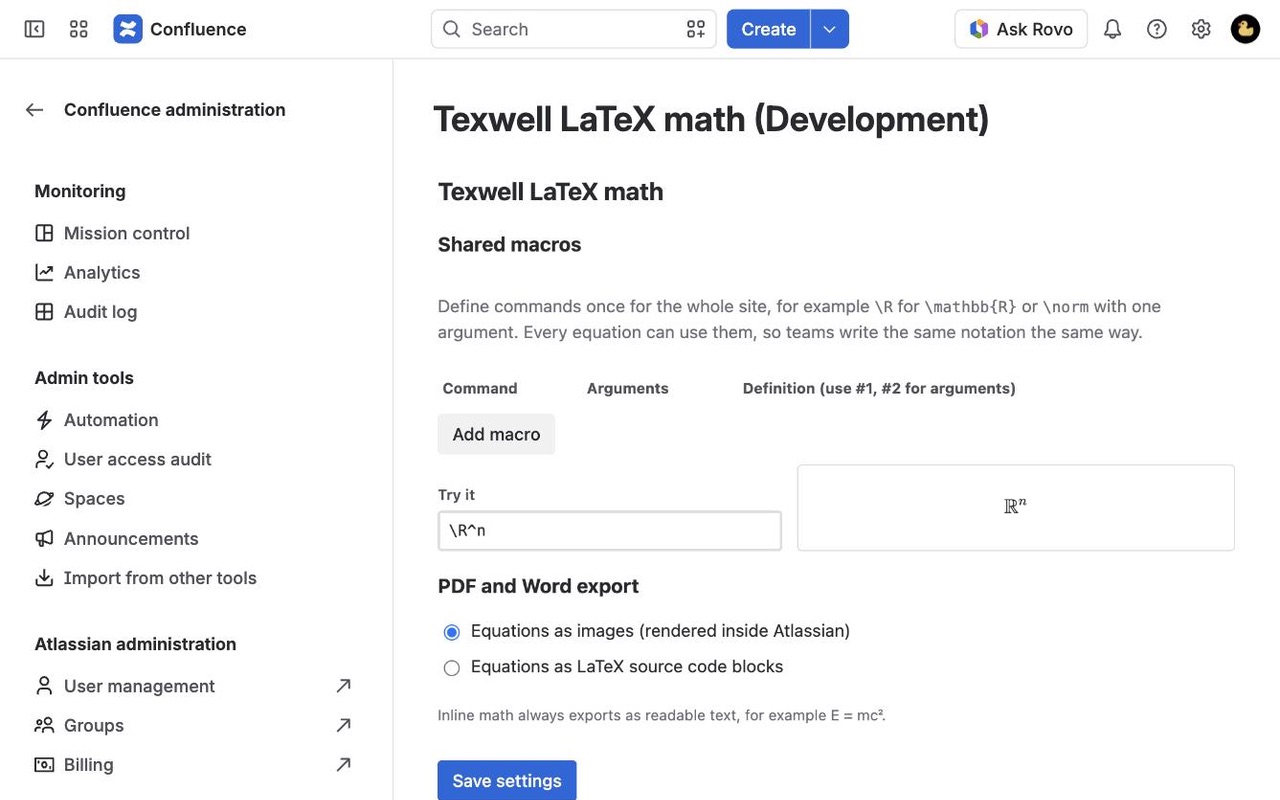
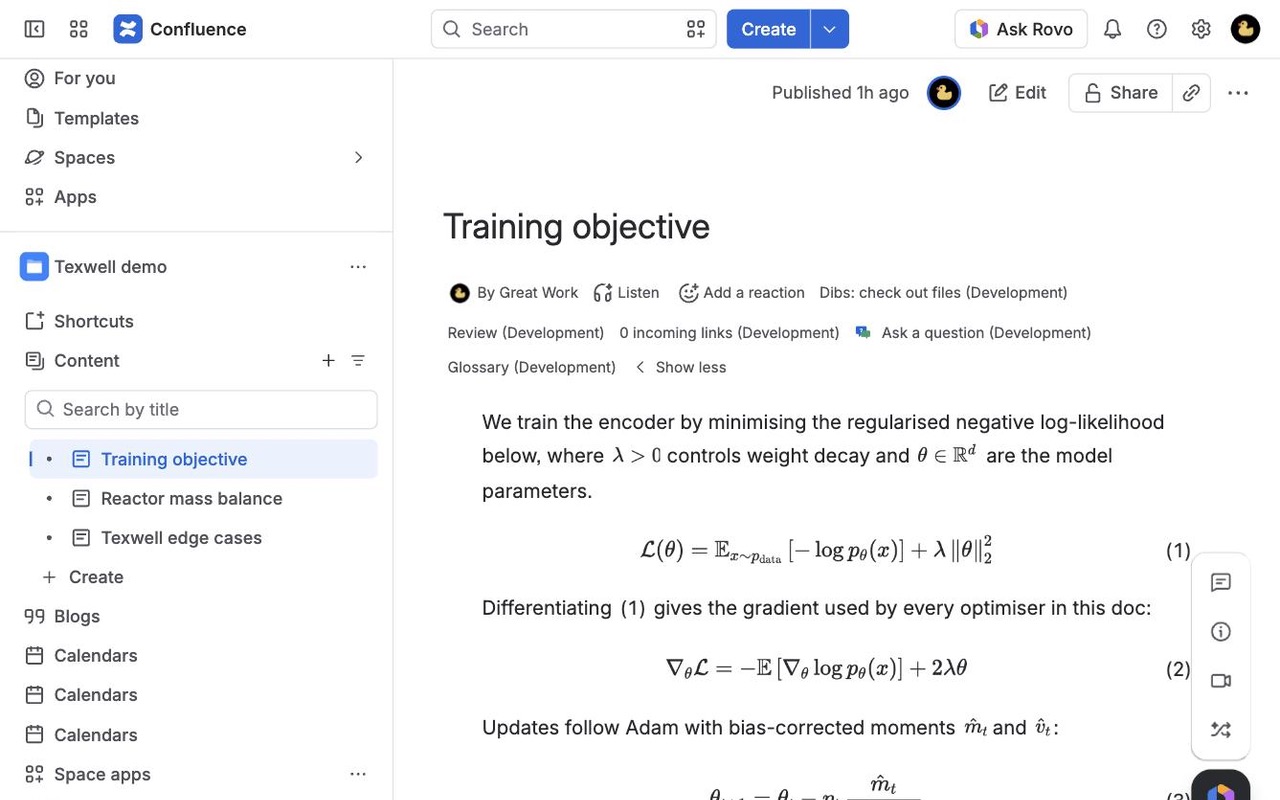
Write LaTeX in Confluence with a live preview. Two bundled engines (KaTeX and MathJax) cover the long tail of commands, equations follow light and dark themes, numbers and cross-references update themselves, and PDF exports include every formula.
What you get
Every command renders, even rare ones
KaTeX for speed with MathJax as an automatic fallback, so the long tail of LaTeX works. Unknown commands are marked in place and the rest of the formula still shows.
Sharp in light and dark themes
Equations follow each reader's Confluence theme instead of staying black on a dark page. The editor previews both themes while you type.
Numbers, references and PDF export
Number and label equations, reference them inline, and list them with the Equation index. PDF and Word exports include every formula.
Questions about Texwell
What does Texwell do?
LaTeX equations in Confluence that render every time, read well in dark mode, number themselves and export to PDF and Word. Write LaTeX in Confluence with a live preview. Two bundled engines (KaTeX and MathJax) cover the long tail of commands, equations follow light and dark themes, numbers and cross-references update themselves, and PDF exports include every formula.
What does Texwell work with?
Texwell works in Confluence Cloud.
How much does Texwell cost?
$5 a month for up to 10 users, or $50 a year. From 11 users: $1.85 per user a month, with lower rates for larger sites.
Is there a free trial?
Billed by Atlassian, with a 30-day free trial.
How do I get Texwell?
Email hello@greatwork.company and we'll help you get Texwell set up.
My last math app failed on \left, \hat or \Re and the whole block broke. What happens here?
Texwell tries KaTeX, then MathJax with its TeX extensions, then draws any unknown command in red while the rest of the formula still renders. One unsupported command doesn't blank the equation.
Are equations readable in dark mode?
Yes. Equations follow each reader's theme, and the editor shows a light and a dark sample while you type.
Inline formulas in my old app sat in a big box. Is that fixed?
Inline math is sized to the line of text it sits in.
Can I paste LaTeX with $$ from another tool?
Yes. Outer $$, $, \[ and \( delimiters are removed when you paste. The source box is a plain text box, so pasting keeps what you had.
Can I number equations and refer to them?
Yes. Number or label an equation, then use \eqref{label} or an inline reference. The Equation index lists them all.
Do equations show up in PDF exports?
Yes. Block equations export as images (or LaTeX source, if your admin prefers), inline math as readable text.
Who makes Texwell?
Great Work LLC, an independent software company. Email hello@greatwork.company with any question about Texwell and a person will answer.
More Confluence apps
 Treekeep
 Termbook
 Undermark
 Tabrail