



RousewellReminders, snoozes and scheduled follow-up tickets in one app, with an inbox of what is due.
Full name: “Rousewell: Follow-up Reminders”
$4 a month per agent. 14-day free trial (Zendesk asks for a card at install). Billed monthly by Zendesk. No free plan.
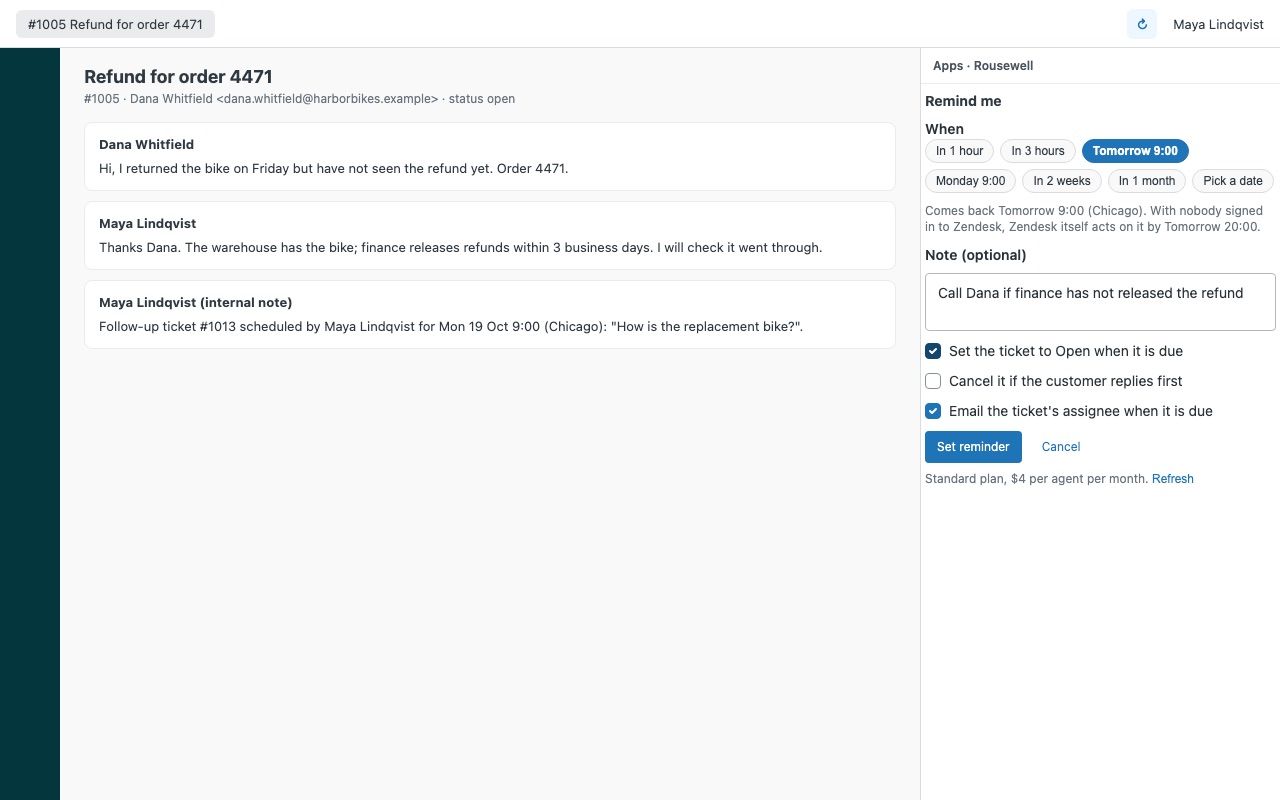
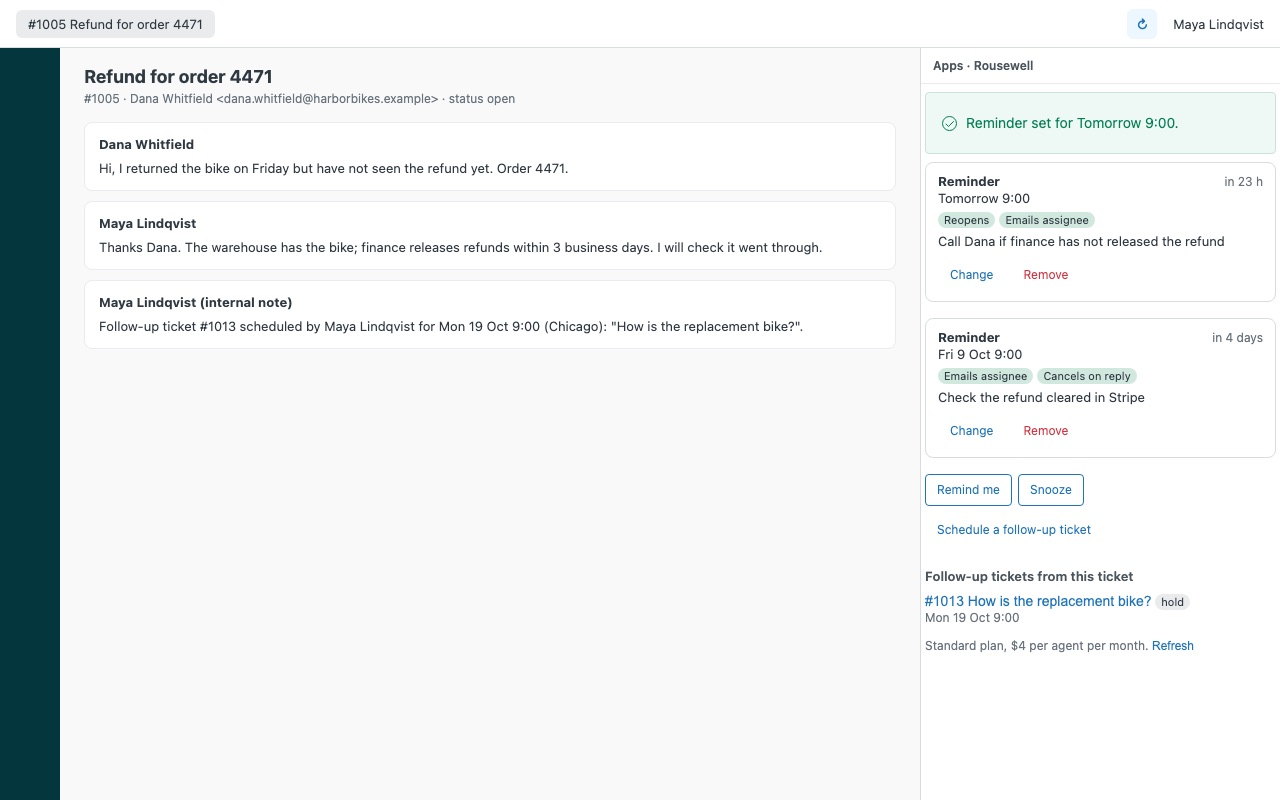
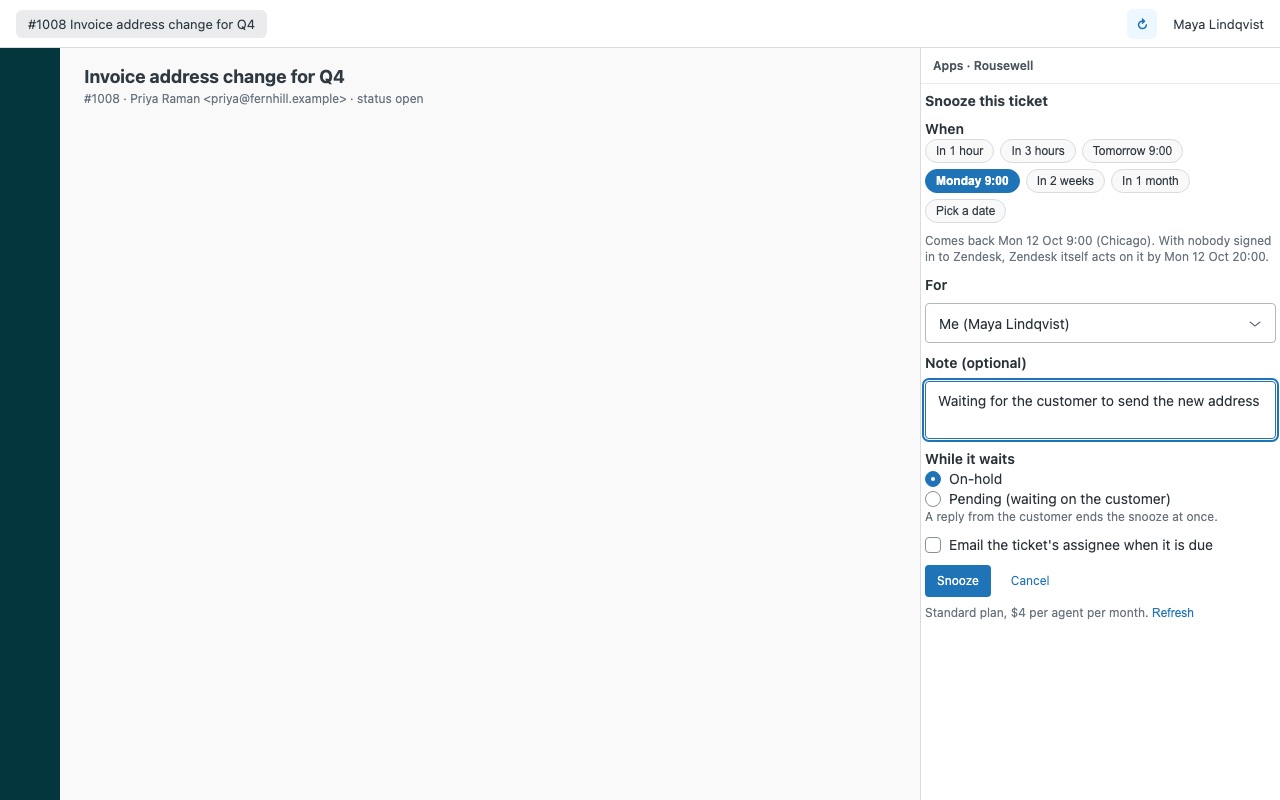
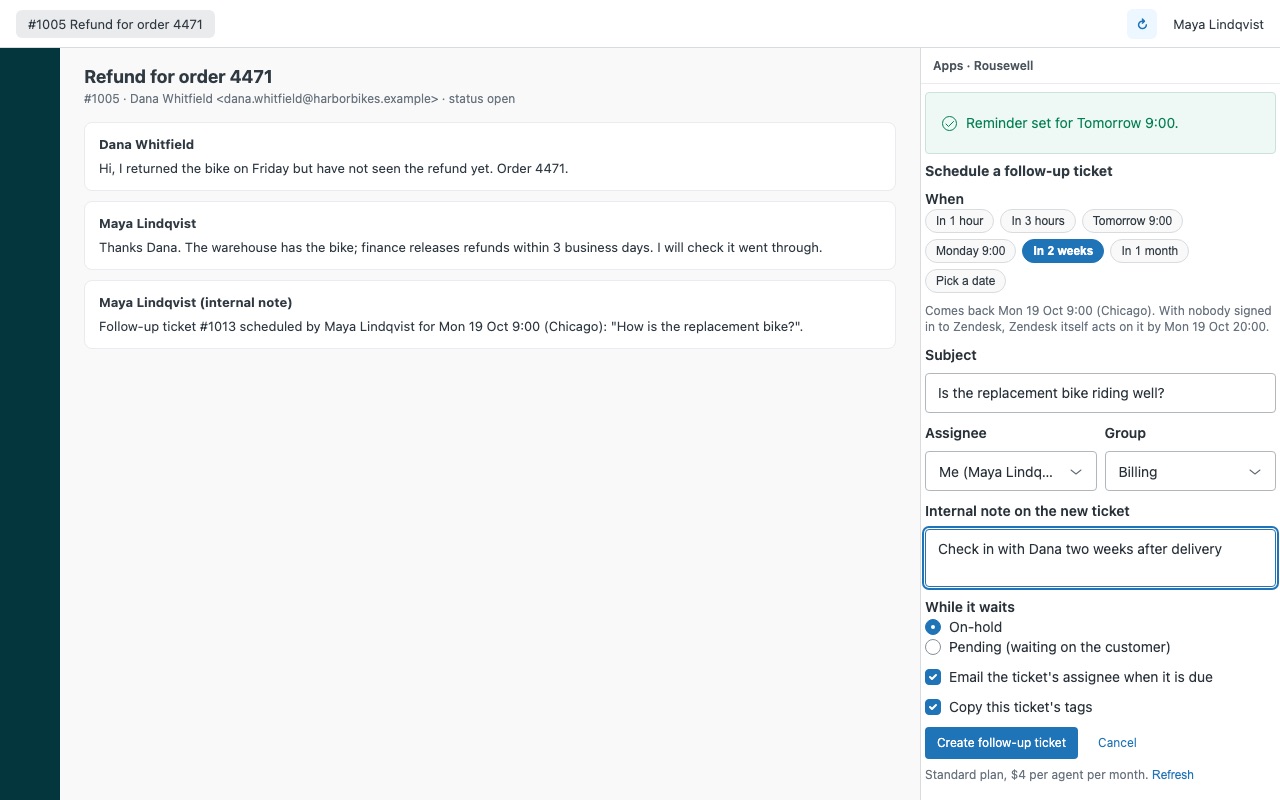
Never lose a follow-up again. Set a reminder on any ticket, snooze a ticket until a date, or schedule a follow-up ticket for later, all from one sidebar. Everything that comes due lands in your own inbox in the Zendesk top bar, with a pop-up and an optional email, so nothing depends on remembering to open the right ticket.
Rousewell is built by Great Work LLC. It is not made or endorsed by Zendesk.
What you get
Reminders on any ticket
Up to 20 on a ticket, each with a note, a time in your own time zone, and who it is for (you or the ticket's assignee). One-click times: in 1 hour, in 3 hours, tomorrow at the start of your day, Monday, in 1 or 2 weeks, in a month, or any date and time.
Snooze a ticket
Puts the ticket On-hold (or Pending) and brings it back Open at the time you pick, with an email to the assignee if you want one. A reply from the customer ends the snooze at once, and an agent opening or solving the ticket ends it too, so a snoozed ticket never reopens out of the blue later.
Scheduled follow-up tickets
Create the follow-up ticket now and let it wait on hold until its date: subject, requester, assignee, group and tags come from the original, with an internal note that says why. Works from solved and closed tickets, because the follow-up carries its own date. The original gets an internal note with the new ticket's number.
One inbox for everything that is due
The Rousewell top-bar inbox shows your due and upcoming follow-ups across all tickets. Mark them done, or push them an hour or a day. A pop-up in Zendesk when one of yours comes due, and an optional email to the assignee sent by your own Zendesk.
When follow-ups fire
At the minute they are due while the agent they are for has Zendesk open, and within about 10 minutes when anyone else on the team with Rousewell does. With nobody signed in, Zendesk itself takes over: Rousewell installs hourly automations in your account that reopen and email on schedule. These run on calendar days in UTC, so an unattended follow-up fires during the first hour after the next UTC midnight (early evening in the Americas, the small hours in Europe). It is never early, and the sidebar shows the exact time before you save.
Questions about Rousewell
What does Rousewell do?
Reminders, snoozes and scheduled follow-up tickets in one app, with an inbox of what is due. Never lose a follow-up again. Set a reminder on any ticket, snooze a ticket until a date, or schedule a follow-up ticket for later, all from one sidebar. Everything that comes due lands in your own inbox in the Zendesk top bar, with a pop-up and an optional email, so nothing depends on remembering to open the right ticket.
What does Rousewell work with?
Rousewell works in Zendesk Support.
How much does Rousewell cost?
Standard: $4 a month per agent.
Is there a free trial?
14-day free trial (Zendesk asks for a card at install). Billed monthly by Zendesk. No free plan.
How do I get Rousewell?
Email hello@greatwork.company and we'll help you get Rousewell set up.
Who makes Rousewell?
Great Work LLC, an independent software company. Email hello@greatwork.company with any question about Rousewell and a person will answer.
More Zendesk apps
 Sacolawell
 Replywell
 Satchelwell for Magento and Adobe Commerce
 Quirewell