



Replywell Rich messages with buttons and carousels for messaging tickets, checked for each channel.
From $99 a month per Zendesk account. 14-day free trial (Zendesk asks for a card at install). Billed monthly by Zendesk. No free plan.
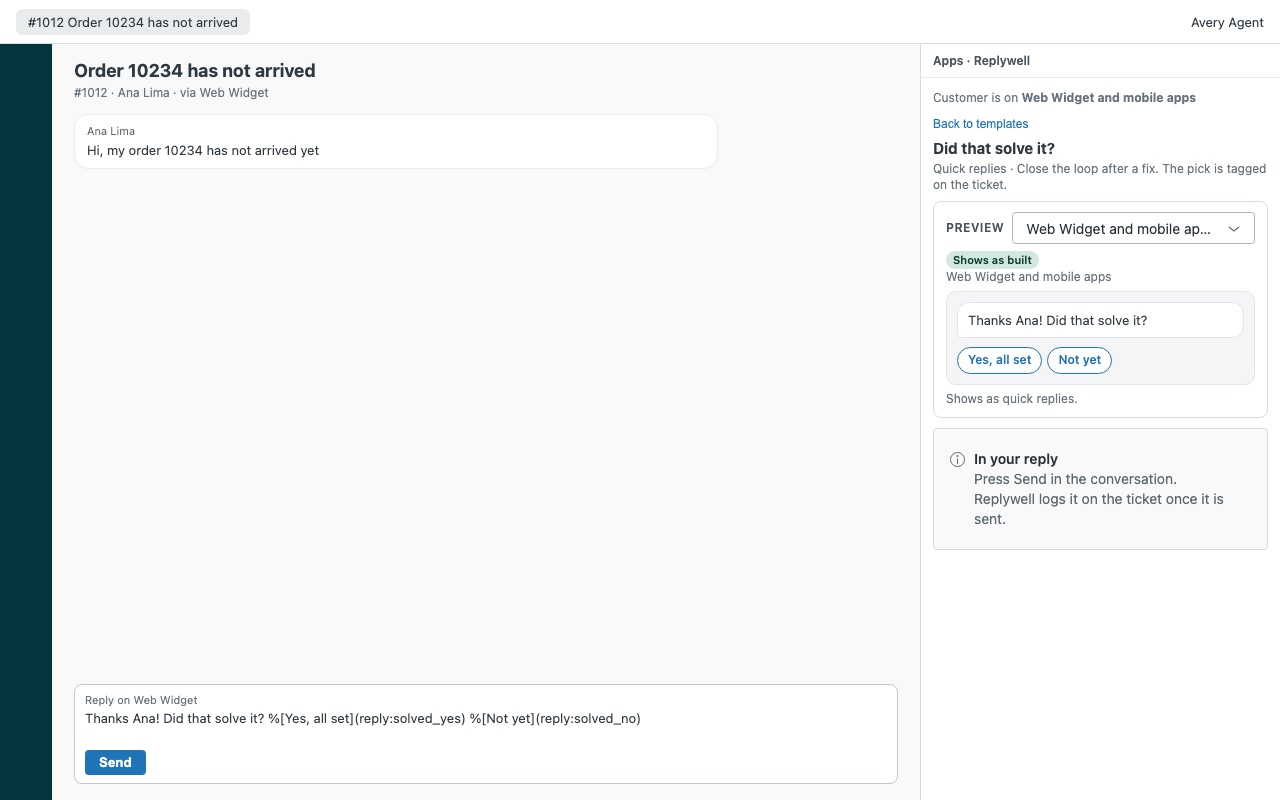
Buttons, quick replies and carousels from the agent, not just the bot. Replywell gives agents a library of rich messages for Zendesk messaging: quick replies, buttons and links, image cards, carousels, lists, forms, files and location requests. Pick one in the sidebar, see exactly what the customer will get on their channel, and Replywell puts it into your reply with the ticket's details filled in. You still press Send, so nothing goes out behind your back. Your customer taps "Yes, all set" instead of typing "ya thx i think so".
Replywell is built by Great Work LLC. It is not made or endorsed by Zendesk. WhatsApp, Messenger, Instagram and the other channel names are trademarks of their owners.
What you get
A library your admins build once
Eight message types: quick replies, buttons and links, image cards, carousels of up to 10 cards, lists, forms, files and location requests. Placeholders from the ticket and the customer (first name, order number, any ticket field) with a fallback for empty values.
A preview for every channel, and a plan B
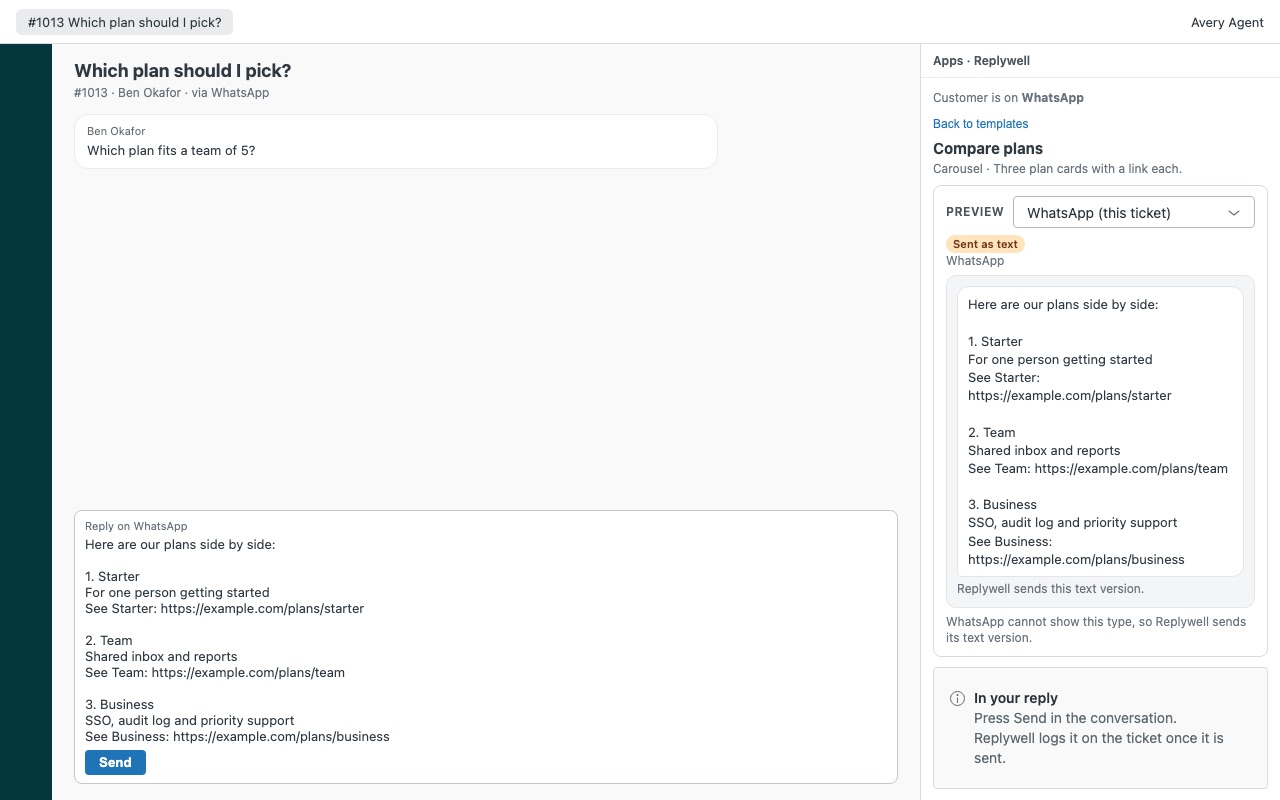
The sidebar knows where the customer is writing from (Web Widget, mobile apps, WhatsApp, Messenger, Instagram, SMS and more) and shows how each template looks there. Where a channel can't show the type, Replywell sends a tidy text version instead: numbered options, plain links, one line per card. Or write your own.
Logged on the ticket, every time
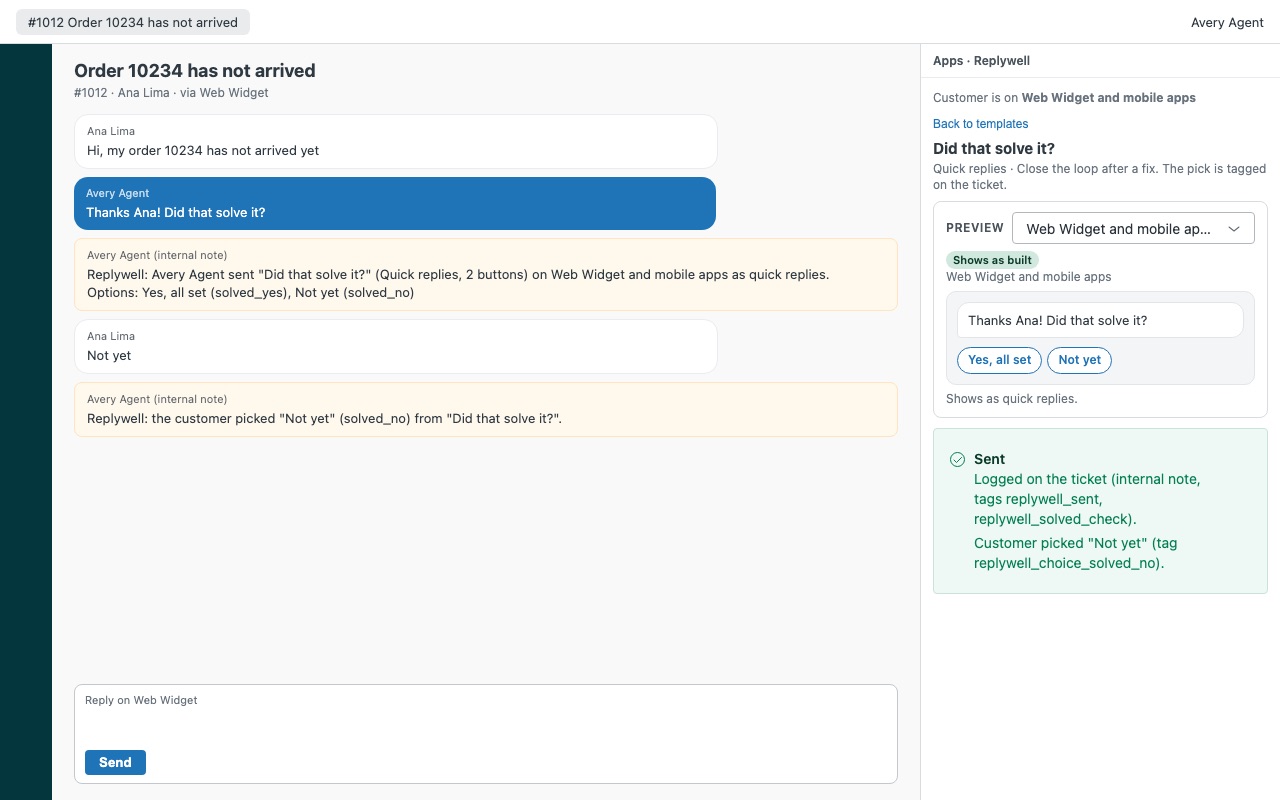
When your message goes out, Replywell adds an internal note and tags for reporting. The customer's pick is tagged too (replywell_choice_solved_no), so you can build views like "said it's not solved".
What it doesn't do
It works on messaging tickets only. Email and legacy chat tickets show the library read-only. It doesn't send WhatsApp approved templates after the 24-hour window, and it doesn't send messages on its own or in bulk.
How Replywell works
- Install Replywell from the Zendesk Marketplace. The install creates a custom object, "Replywell template", that holds your template library.
- Add the Conversations API key (optional). Quick replies, buttons and image cards work without it. Carousels, lists, forms, files, location requests, webview buttons and a closed text box need a Conversations API key, available on Suite Professional and above.
- Build the library. Open Replywell in the left navigation bar, click Add starter templates or New template, and fill in the text, buttons, links and placeholders such as
{{requester.first_name|there}}. Limit a template to groups if only some teams should use it. - Open a messaging ticket. The sidebar reads the customer's channel from their latest message and badges each template: Shows as built, Shows with changes, Form link, Text or Not supported.
- Insert and send. Pick a template, check the preview, click Insert into reply and press Send in the conversation as usual.
- See what happened. Replywell adds an internal note and the tags
replywell_sentandreplywell_<template id>, and tags the customer's quick reply pick asreplywell_choice_<value>.
Who it's for
Teams answering the same choice many times a day
"Refund or replacement?", "Which order is this about?" A quick reply turns the question into buttons, and the customer's tap comes back as their reply and a tag you can report on.
Stores and services that share products or plans in chat
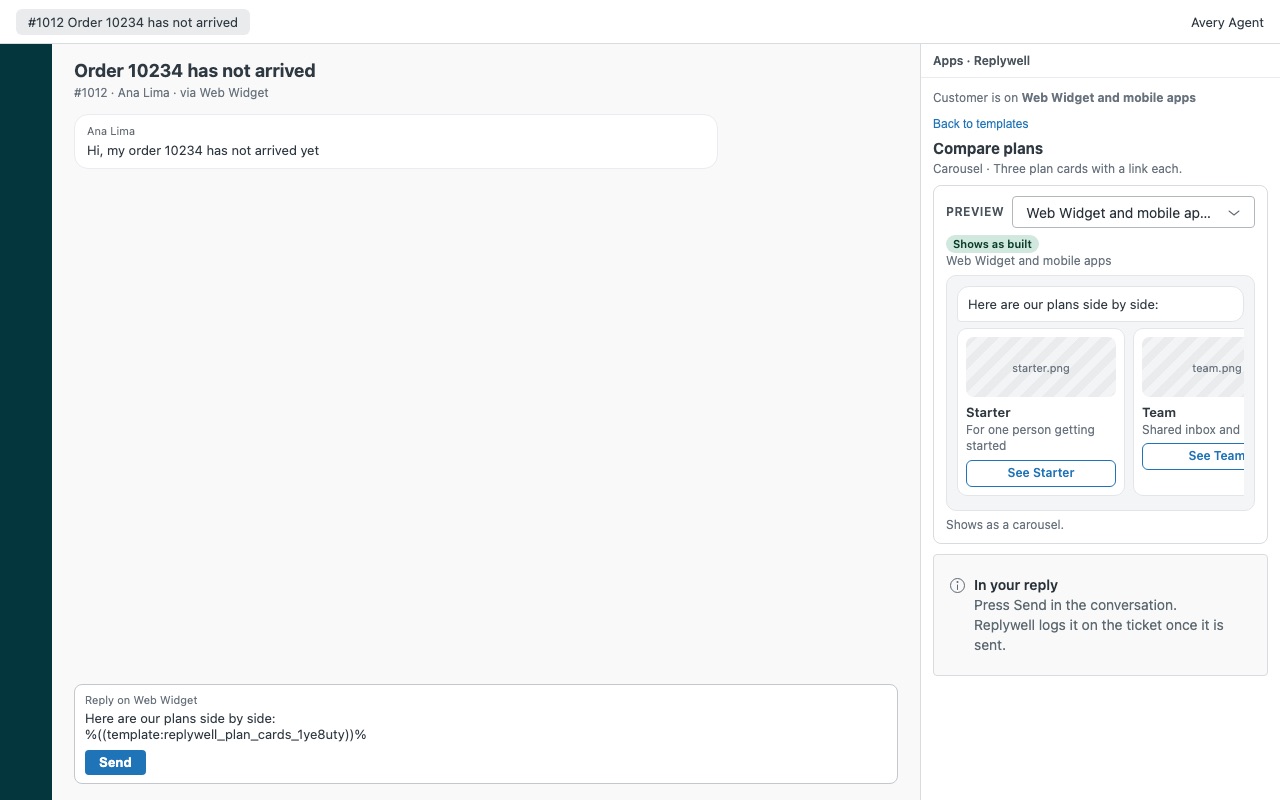
A carousel of up to 10 cards, each with an image, title, description and up to 3 buttons, shows options side by side instead of a wall of links.
Teams on several messaging channels
The same template behaves differently on WhatsApp, Messenger, Instagram or SMS. The preview shows each channel before sending, and when a channel can't show a type, Replywell sends a tidy text version with numbered options and plain links.
What you need
- Zendesk messaging. Replywell works on messaging tickets; on email and legacy chat tickets the library is read-only.
- A Zendesk admin to install it and build templates. Agents can edit templates only if an admin turns on Let agents edit templates and their role can edit custom object records.
- For carousels, lists, forms, files and location requests: Zendesk Suite Professional, Enterprise or Enterprise Plus, and a Conversations API key.
Replywell guides
Questions about Replywell
What does Replywell do?
Rich messages with buttons and carousels for messaging tickets, checked for each channel.
What does Replywell work with?
Replywell works in Zendesk Support.
How much does Replywell cost?
Team: $99 a month per Zendesk account, up to 14 agents. Scale: $7 a month per agent.
Is there a free trial?
14-day free trial (Zendesk asks for a card at install). Billed monthly by Zendesk. No free plan.
Where do I install Replywell?
From the Zendesk Marketplace. Use the Install button on this page, or search for "Replywell" there.
Who makes Replywell?
Great Work LLC, an independent software company. Email hello@greatwork.company with any question about Replywell and someone will answer.
Does Replywell send messages on its own?
No. Agents always press Send. Replywell has no bulk sending and doesn't send WhatsApp approved templates outside the 24-hour window.
Can a customer's name break a message?
No. Placeholder values are cleaned, so a name or a ticket field can never add buttons or images. Values inside links are encoded for the link.
Is a form a safe place for card numbers?
No. Hosted forms are public links with a token, and Replywell refuses form fields that look like card numbers, passwords or ID numbers.
Where are the templates stored?
In your Zendesk account, as records of the "Replywell template" custom object. Message templates it creates in your Conversations API app are named replywell_... and removed after a day.
What if we grow past the plan?
Templates and previews keep working, and inserting is off until an admin changes the plan.
Can it tag which button the customer picked?
Yes, for quick replies an agent sent with Replywell, while the ticket is open in someone's browser. Tag the customer's pick is on by default.
More Zendesk apps
 Rousewell
 Quirewell
 Satchelwell for Magento and Adobe Commerce
 Quillmend