


QuirewellImport Word, Google Docs, Markdown and HTML into Guide, images included. Preview, then undo.
Full name: “Quirewell: Help Center Article Importer”
$99 a month per Zendesk account. 14-day free trial (Zendesk asks for a card at install). Billed monthly by Zendesk. No free plan.
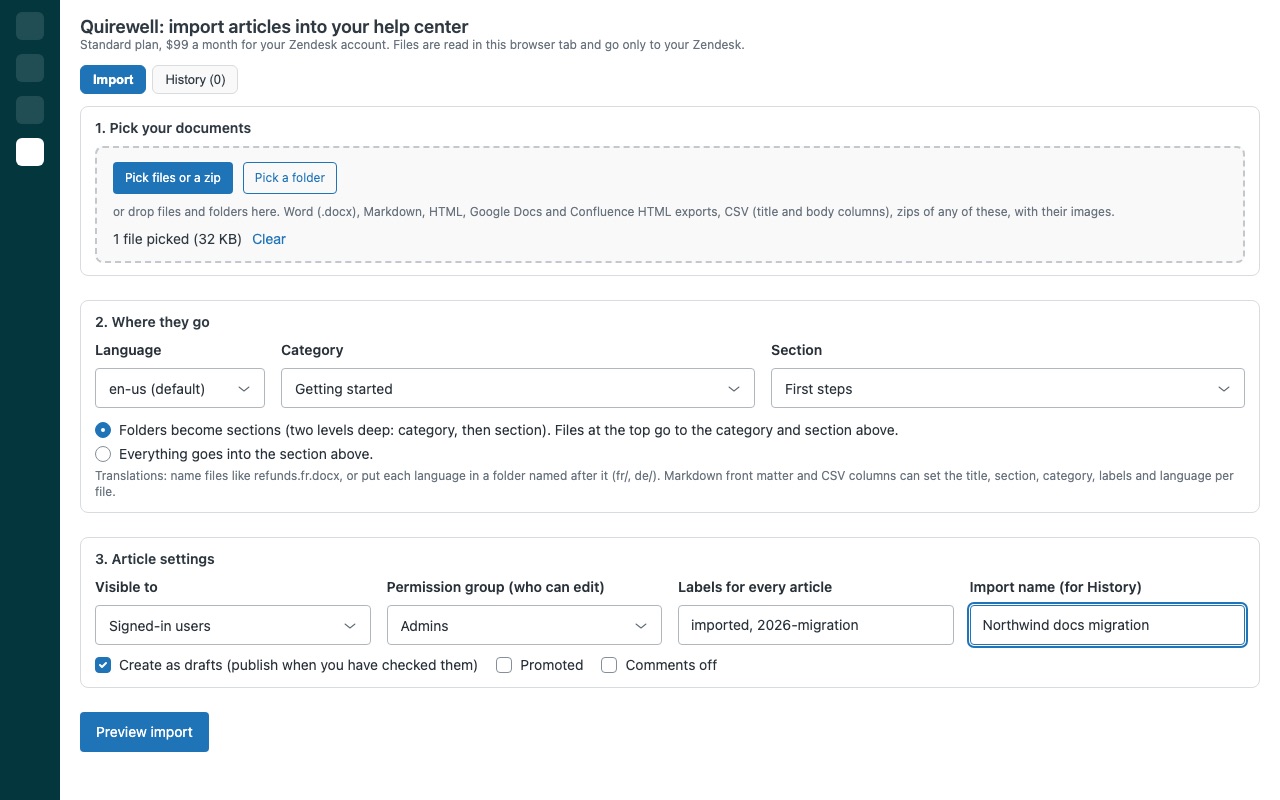
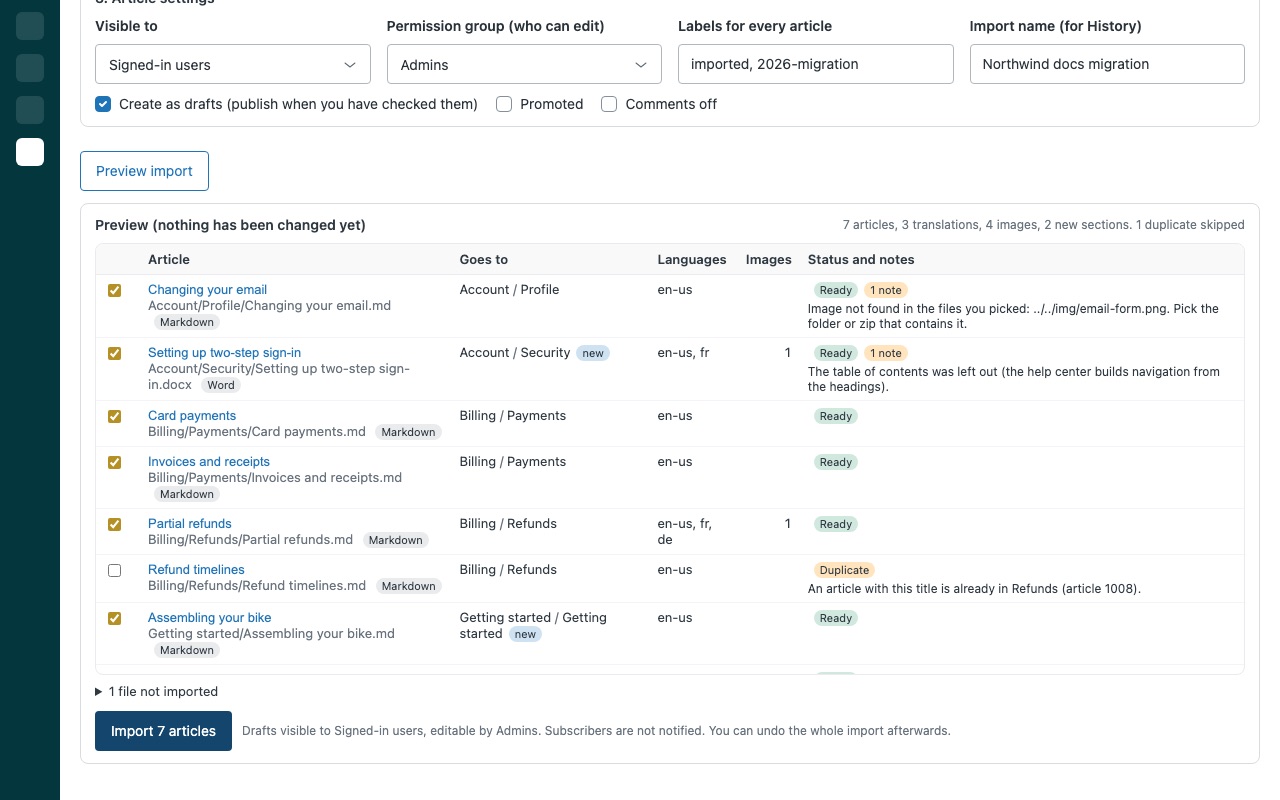
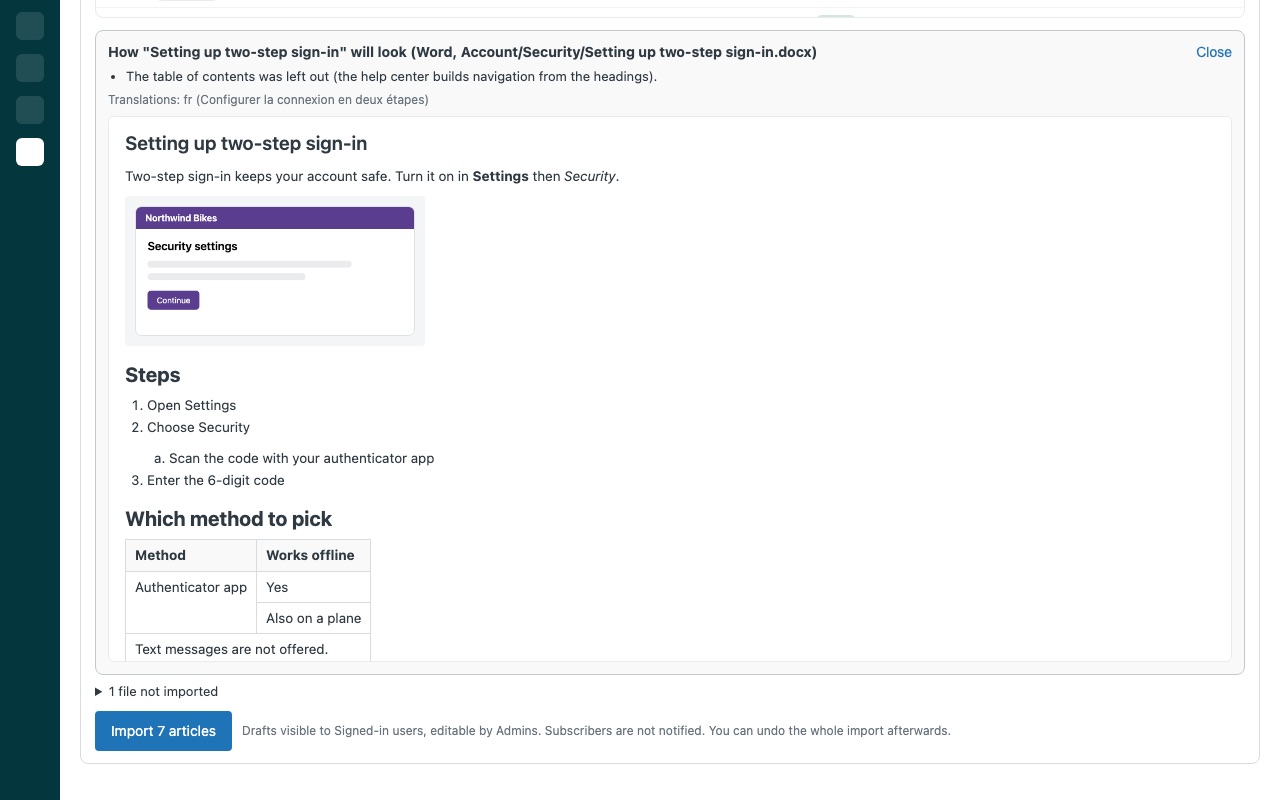
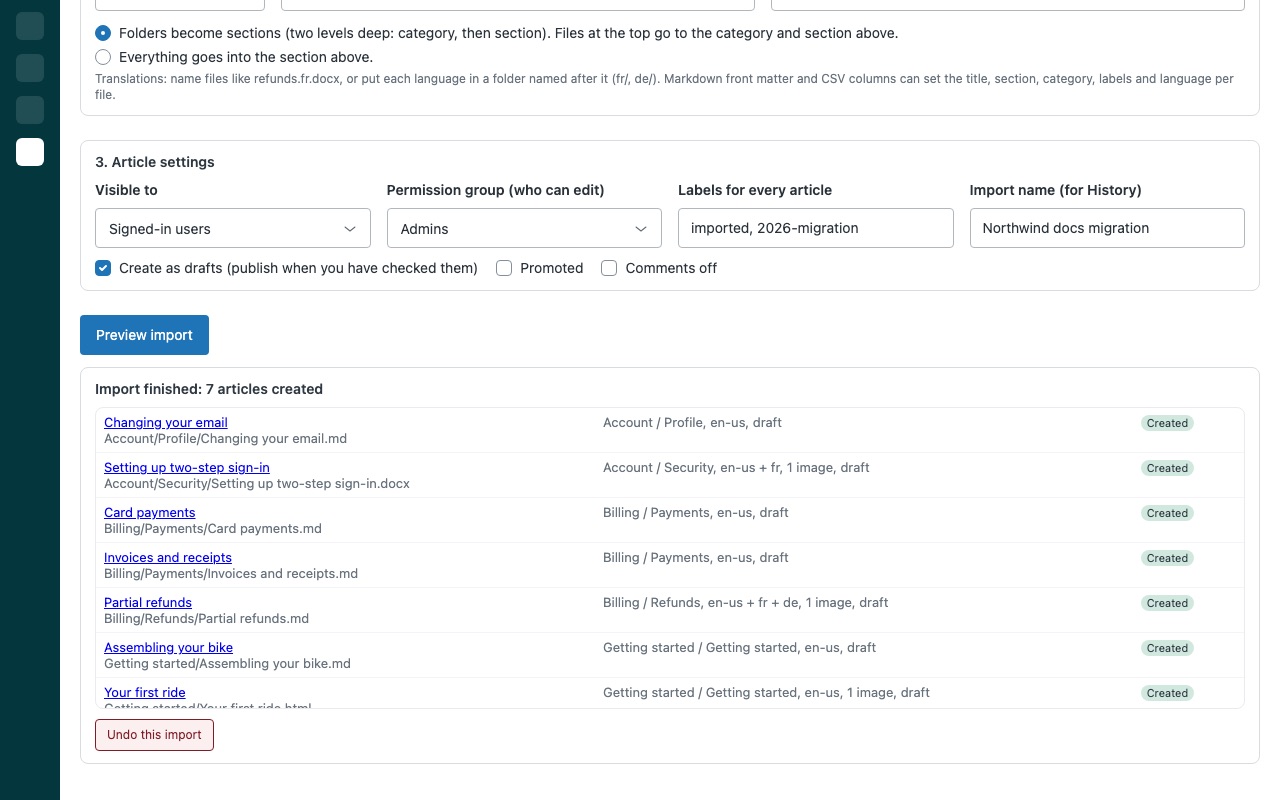
Move your documentation into Zendesk Guide without rebuilding it by hand. Pick Word files, Markdown, HTML pages, Google Docs or Confluence exports, a CSV, a whole folder or a zip. Quirewell turns each document into a help center article with its headings, lists, tables, code, links and images intact, puts it in the right category and section, and shows you a full preview before it creates anything. Every import can be undone in one click.
Quirewell is built by Great Work LLC. It is not made or endorsed by Zendesk.
What you get
Bring the files you already have
Word (.docx): headings, formatting, nested lists, tables with merged cells, code, footnotes, links and pictures. Markdown, HTML and plain text, with optional front matter that sets the title, section, labels and language per file.
Images and links come with the article
Pictures are uploaded to your help center's media library and placed in the article. Links between the documents you import point at the new articles. A missing picture or linked file is named in the preview.
See every article before it is created
Folders become categories and sections, or everything goes into one section you pick. Existing ones are reused by name. Translations: files named like refunds.fr.docx, or language folders, become translations of the same article.
Safe by default, undo when you need it
Articles are created as drafts unless you choose to publish, with the user segment, permission group and labels you pick. Subscribers are not notified. Undo a whole import from History: its articles are archived (you can restore them from the Guide archive), and the sections, categories and pictures it created are removed once nothing else uses them.
Requirements
A Zendesk account with a help center (Zendesk Suite, or Support with Guide). Quirewell imports into the help center of your default brand. Admins, or agents who can manage your knowledge base, run the imports. Only admins can save the import history that keeps undo available after the page is closed.
Questions about Quirewell
What does Quirewell do?
Import Word, Google Docs, Markdown and HTML into Guide, images included. Preview, then undo.
What does Quirewell work with?
Quirewell works in Zendesk Support.
How much does Quirewell cost?
Standard: $99 a month per Zendesk account.
Is there a free trial?
14-day free trial (Zendesk asks for a card at install). Billed monthly by Zendesk. No free plan.
How do I get Quirewell?
Email hello@greatwork.company and we'll help you get Quirewell set up.
Who makes Quirewell?
Great Work LLC, an independent software company. Email hello@greatwork.company with any question about Quirewell and a person will answer.
More Zendesk apps
 Replywell
 Quillmend
 Rousewell
 Questwell