



LanewellKanban boards and a due-date calendar for your tickets. Drag a card and Zendesk updates the ticket.
Full name: “Lanewell: Kanban Boards and Calendar”
$5 a month per agent. 14-day free trial (Zendesk asks for a card at install). Billed monthly by Zendesk. No free plan.
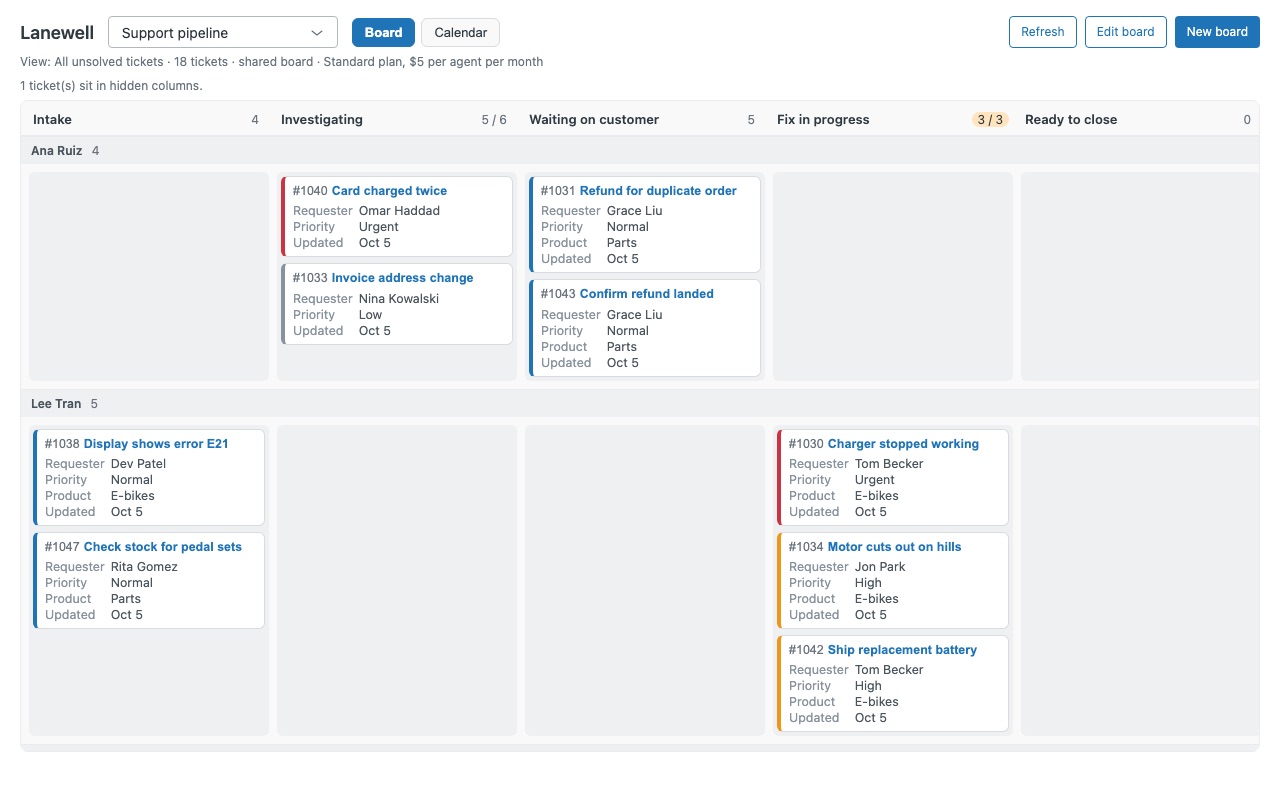
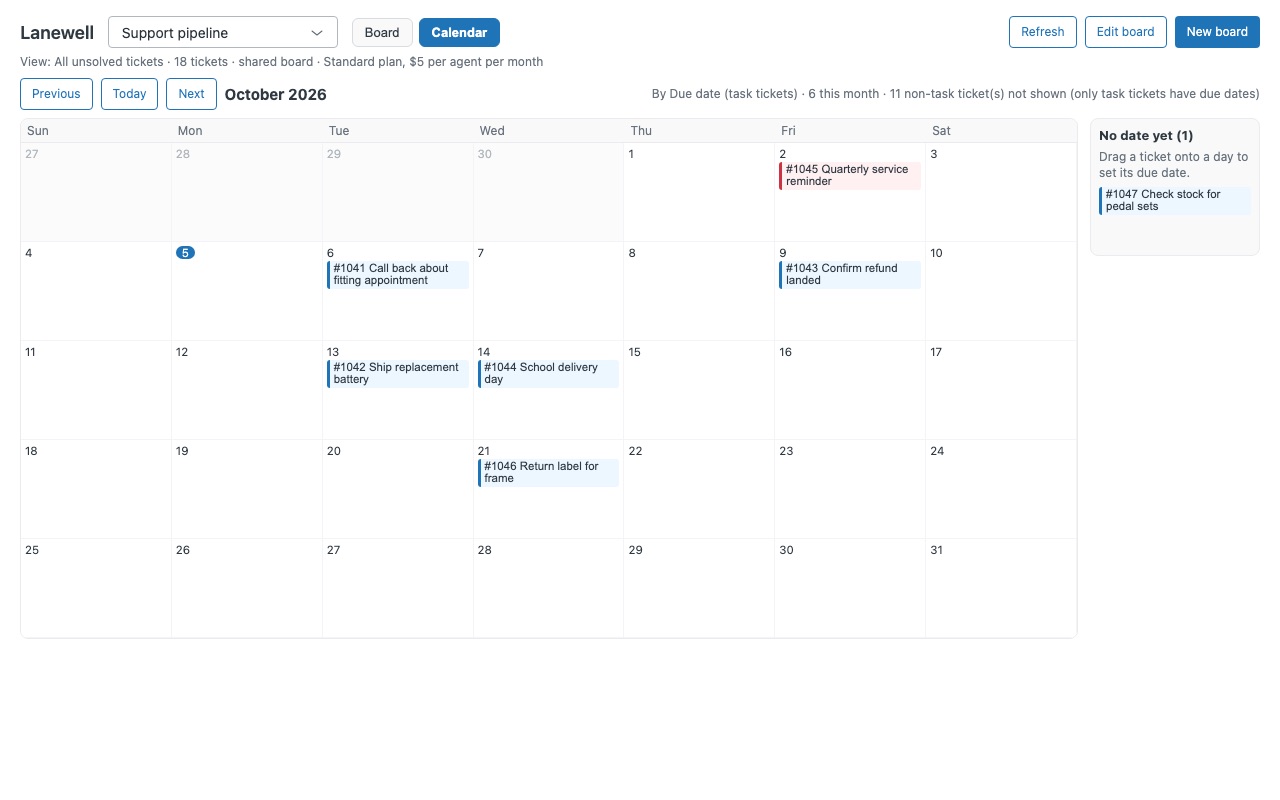
See your queue as a board, and your deadlines on a calendar. Lanewell turns any view or saved search into a Kanban board inside Zendesk. Drag a ticket to another column and Lanewell updates the ticket for you: its status, custom status, group, assignee, priority, type or any drop-down field. A second tab puts the same tickets on a calendar by due date or any date field, and dragging a ticket to another day reschedules it.
Lanewell is built by Great Work LLC. It is not made or endorsed by Zendesk.
What you get
Boards built from what you already have
Any view or saved search is a board: shared views, your personal views, or a search such as group:"Tier 2" status<solved. The cards are your real tickets, so there is nothing to copy or keep in sync. Columns by status, custom ticket status, group, assignee, priority, type, or any drop-down or checkbox field.
Drag, and Zendesk updates the ticket
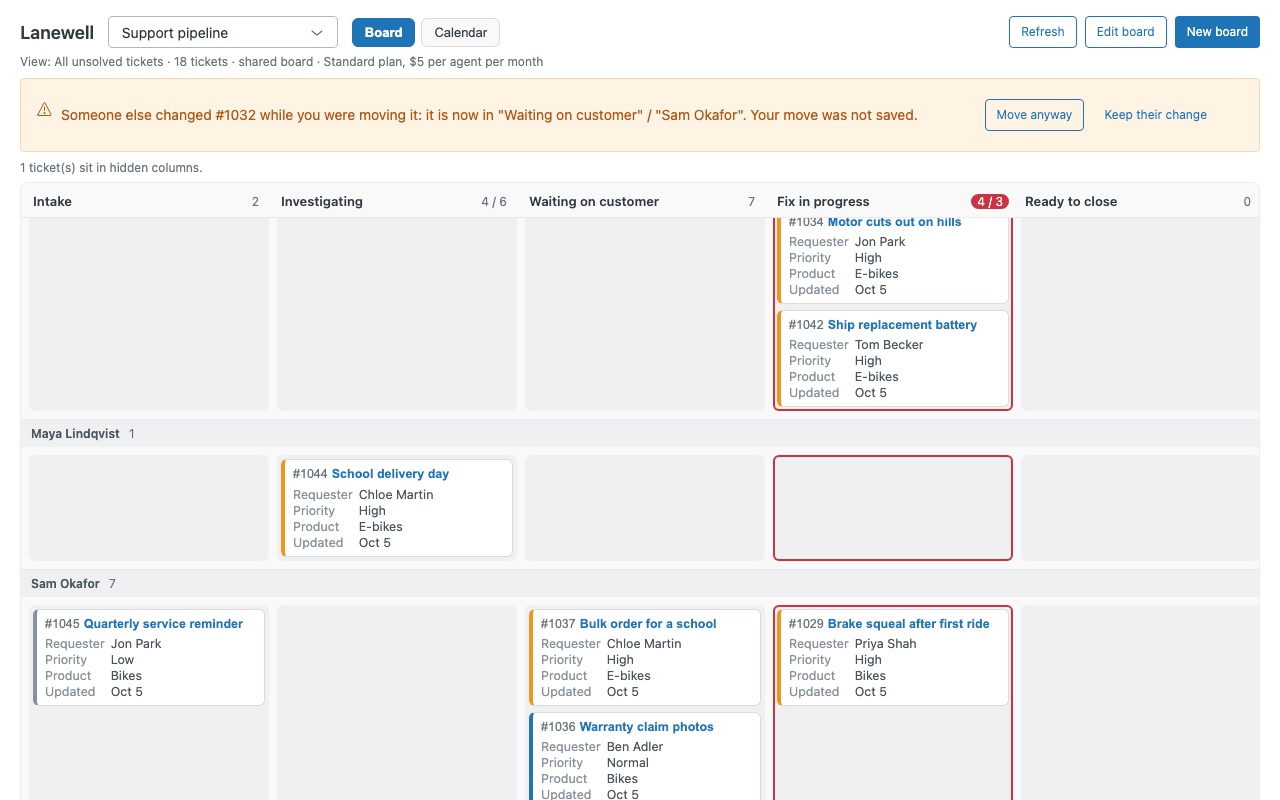
One drag sends one update with only the fields that change. Moving a card across a column and a lane changes both in the same update. Safe updates: if someone else changed the ticket since your board loaded, Zendesk refuses the change instead of overwriting it. If they moved it too, Lanewell lets you choose: move it anyway, or keep their change.
Work-in-progress limits
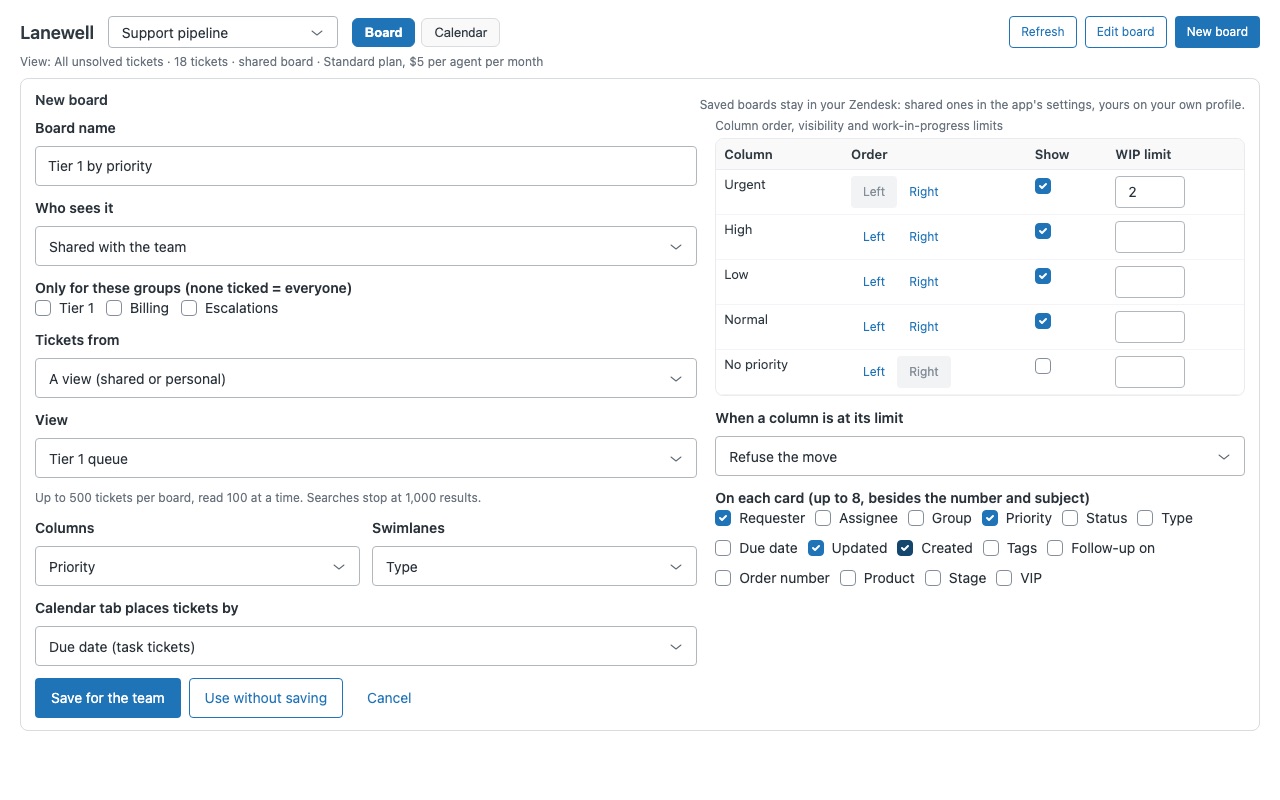
Set a limit on any column. Columns at their limit turn amber and over their limit turn red. Choose per board whether a move over the limit is allowed and flagged, or refused.
Cards that show what your team needs
Admins choose up to 8 lines per card: requester, assignee, group, priority, status, type, due date, created, updated, tags, or any custom field. Click a card to open the ticket in Zendesk.
Calendar tab
The board's tickets on a month calendar, placed by task due date or by any date field on the ticket. Drag to reschedule. A due date keeps its time of day; a date field gets the new date. Tickets with no date wait in a side list, ready to drop onto a day.
Shared boards and your own boards
Admins save boards for the whole team, or for chosen groups only. Every agent can build and save boards of their own.
Questions about Lanewell
What does Lanewell do?
Kanban boards and a due-date calendar for your tickets. Drag a card and Zendesk updates the ticket.
What does Lanewell work with?
Lanewell works in Zendesk Support.
How much does Lanewell cost?
Standard: $5 a month per agent.
Is there a free trial?
14-day free trial (Zendesk asks for a card at install). Billed monthly by Zendesk. No free plan.
How do I get Lanewell?
Email hello@greatwork.company and we'll help you get Lanewell set up.
Who makes Lanewell?
Great Work LLC, an independent software company. Email hello@greatwork.company with any question about Lanewell and a person will answer.
More Zendesk apps
 Larkwell
 Huddlewell
 Lessonwell
 Hourwell