



Huddlewell Calendly meetings in tickets: see them, send a one-time booking link, cancel or reschedule.
From $90 a month per Zendesk account. 14-day free trial (Zendesk asks for a card at install). Billed monthly by Zendesk. No free plan.
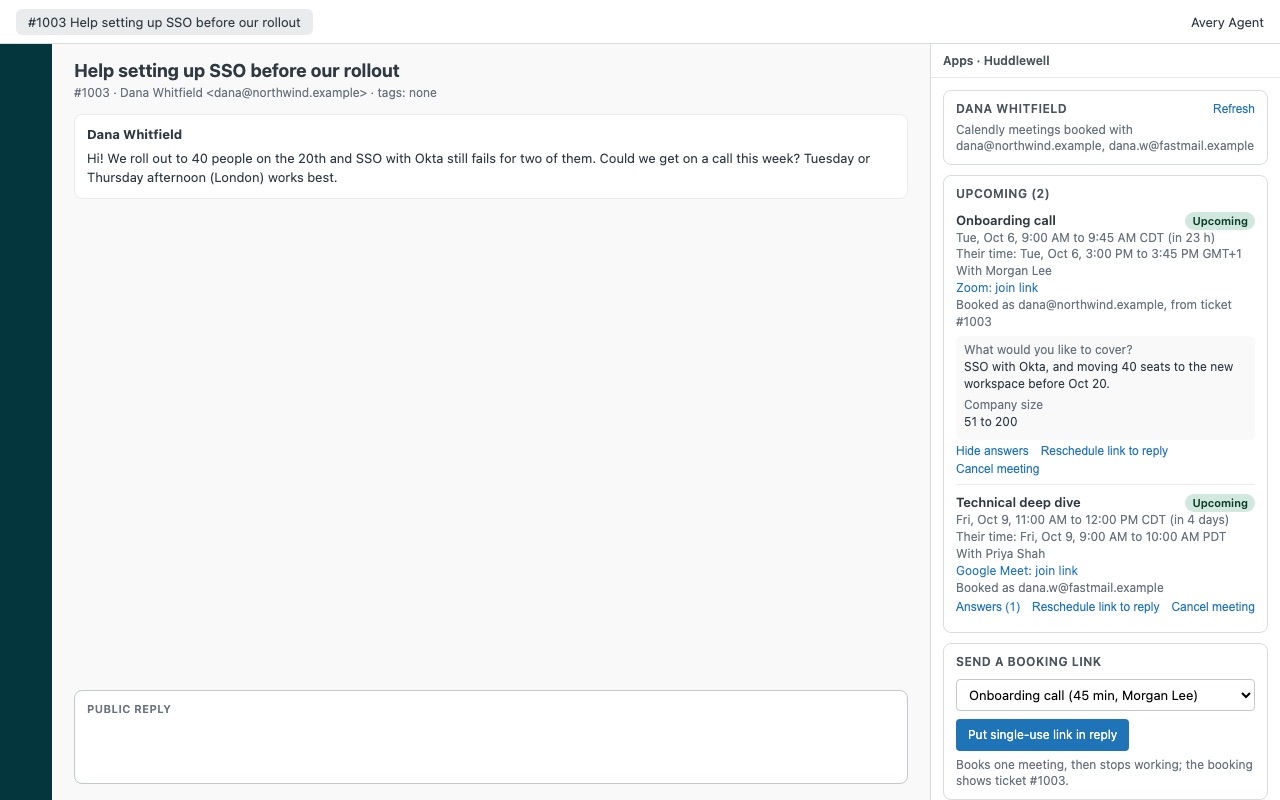
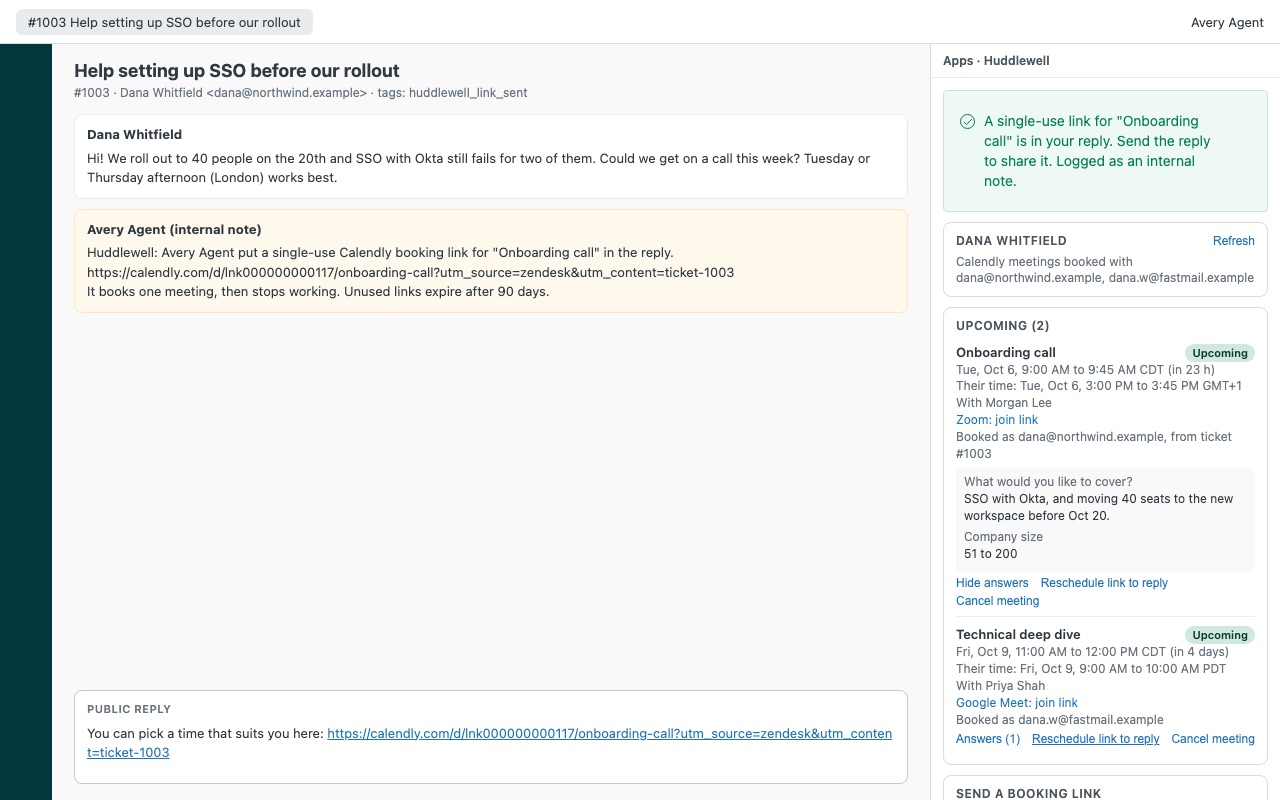
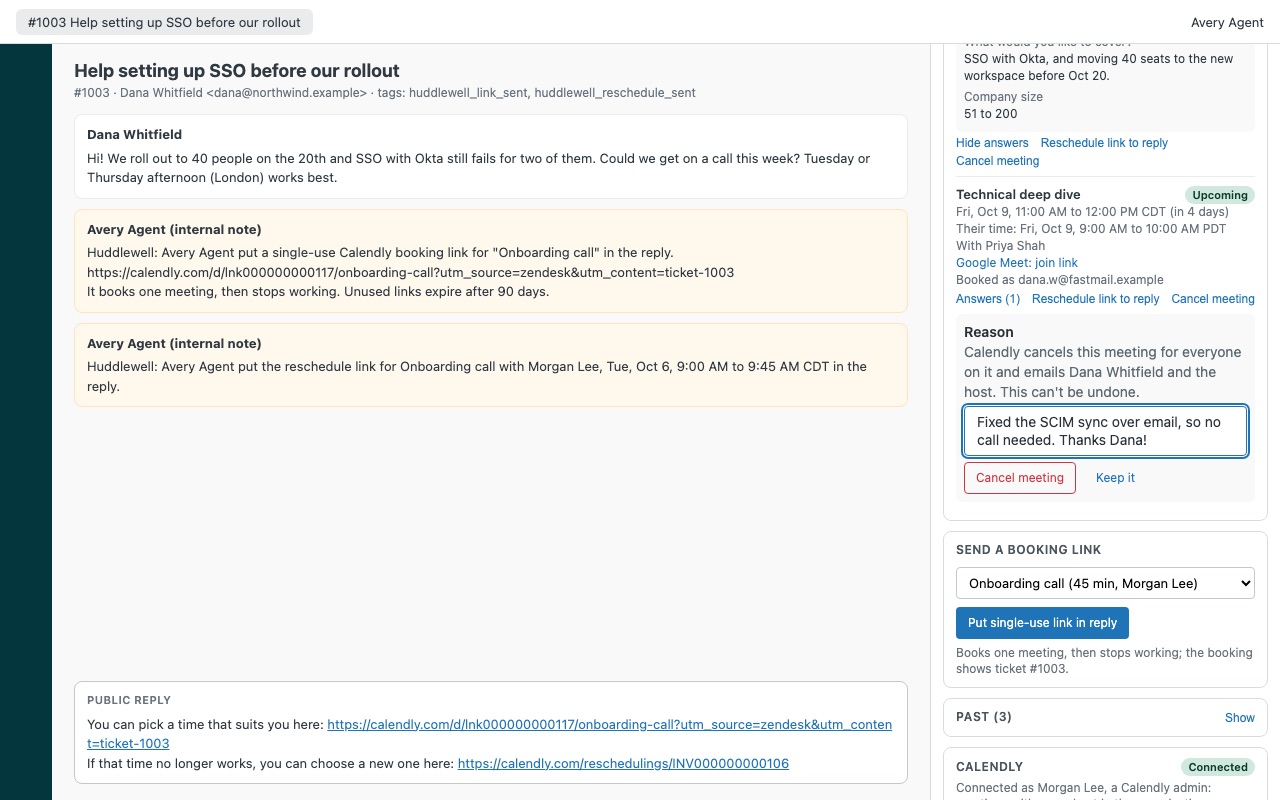
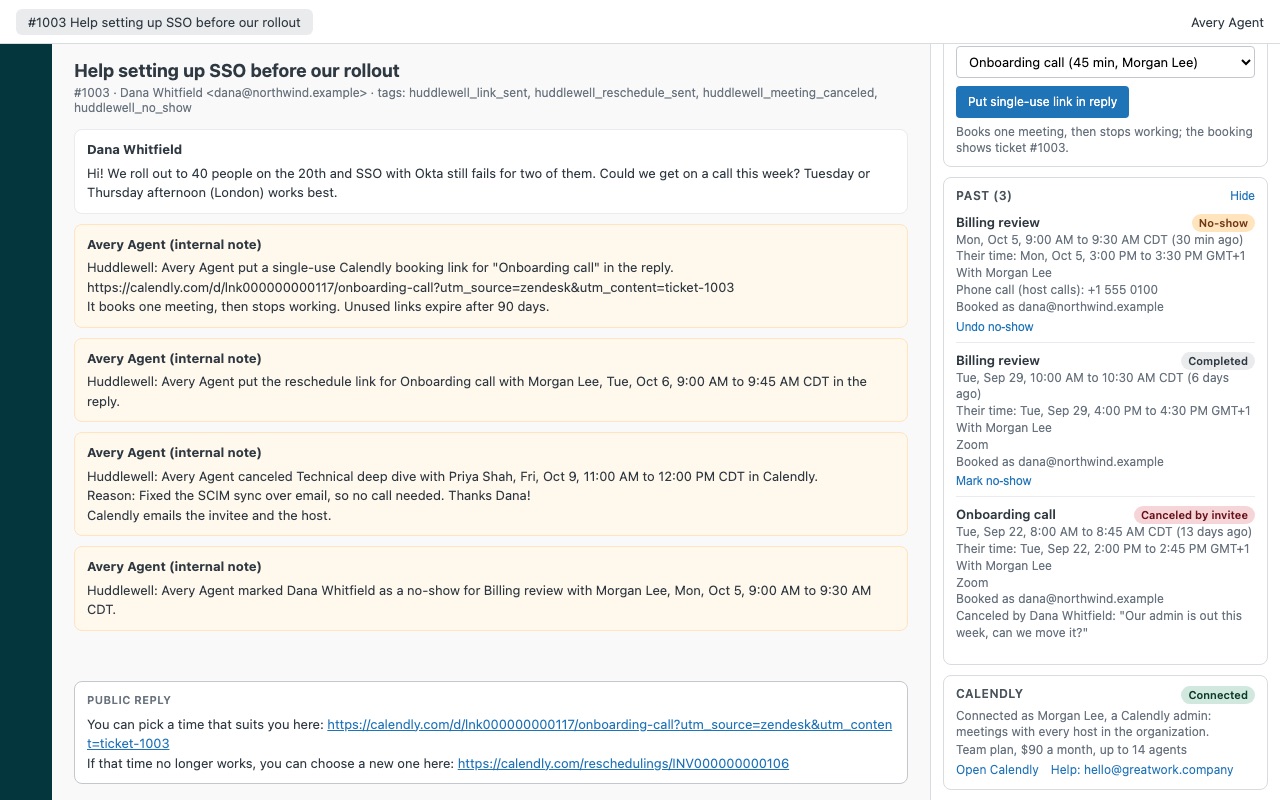
See your customer's Calendly meetings on the ticket, and send them a one-time booking link without leaving the reply. Huddlewell shows every meeting the requester booked with your team, upcoming and past, and lets agents cancel, reschedule or mark a no-show with each step logged on the ticket. Fewer "does Tuesday work?" emails, more Tuesdays that work.
Huddlewell is built by Great Work LLC. It is not made or endorsed by Zendesk or Calendly. Calendly is a trademark of Calendly LLC.
What you get
Every meeting with this customer, in the sidebar
Upcoming and past meetings found by the requester's email addresses, across every host on your Calendly organization. Event type, host, status and location, with the Zoom, Google Meet, Teams or Webex join link once Calendly has it.
Booking links that book once
Pick an event type, click once, and a single-use Calendly link lands in your reply with your team's wording around it. It books one meeting, then stops working, so a forwarded email can't fill your calendar. The right event type first. Suggest one per Zendesk group or brand, and limit the list to the types support should offer.
Change a meeting from the ticket
Cancel with a reason. Calendly emails the customer and the host; the reason goes on the ticket. Reschedule link to the reply. The customer's own reschedule link, so they pick the new time and Calendly moves the meeting.
What it doesn't do
No booking on the customer's behalf. Agents send a link; the customer picks the time. One Calendly connection per Zendesk account. Sign in with Calendly, no tokens to copy. Agents don't need Calendly seats, and actions happen as the connected Calendly user.
How Huddlewell works
- Install Huddlewell from the Zendesk Marketplace and pick the plan for your team size.
- Connect Calendly once. In the app settings, click the sign-in link under Calendly connection, sign in and click Allow. Connect as a Calendly owner or admin to cover every host in your organization.
- Open a ticket. The sidebar lists the requester's upcoming and past Calendly meetings, found by their email address: event type, host, time in your zone and the customer's, join link, status and booking answers.
- Offer a time. Pick an event type under Send a booking link and click Put single-use link in reply. The link books one meeting, then stops working.
- Change a meeting. Reschedule link to reply puts the customer's own reschedule link in your reply. Cancel meeting cancels it in Calendly with your reason.
- Record what happened. After a meeting starts, Mark no-show records it in Calendly. Every action adds an internal note and a
huddlewell_*tag to the ticket.
Who it's for
Teams that book onboarding or support calls
Agents stop trading "does Tuesday work?" emails. The single-use link goes into the reply with your own wording, and a booking made from it shows "from ticket #
Several teams sharing one Calendly organization
Suggested event type by group or brand puts the right event type first, such as group:<id> = Onboarding call for one group and default = Support call for everyone else. Event types to offer keeps the list to what support should send.
Account teams who need the full history
Before a renewal call or an escalation, the agent sees every past meeting with that customer, who hosted it, whether it was canceled and why, and the answers from the booking form.
What you need
- A Calendly account on any plan, Free included. Calendly's API works on every plan.
- One Calendly user to connect. An owner or admin covers every host and every active event type; any other user covers only their own.
- No Calendly seats for agents. They all work through the one connection.
- A Zendesk admin to install the app and connect Calendly.
Huddlewell guides
Questions about Huddlewell
What does Huddlewell do?
Calendly meetings in tickets: see them, send a one-time booking link, cancel or reschedule. See your customer's Calendly meetings on the ticket, and send them a one-time booking link without leaving the reply. Huddlewell shows every meeting the requester booked with your team, upcoming and past, and lets agents cancel, reschedule or mark a no-show with each step logged on the ticket. Fewer "does Tuesday work?" emails, more Tuesdays that work.
What does Huddlewell work with?
Huddlewell works in Zendesk Support.
How much does Huddlewell cost?
Team: $90 a month per Zendesk account, up to 14 agents. Scale: $7 a month per agent.
Is there a free trial?
14-day free trial (Zendesk asks for a card at install). Billed monthly by Zendesk. No free plan.
Where do I install Huddlewell?
From the Zendesk Marketplace. Use the Install button on this page, or search for "Huddlewell" there.
Who makes Huddlewell?
Great Work LLC, an independent software company. Email hello@greatwork.company with any question about Huddlewell and someone will answer.
Can agents book a meeting for the customer?
No. Agents send a link and the customer picks the time. Calendly has no way for an app to move a meeting either, so rescheduling also goes through the customer's own link.
What if the customer booked with a different email address?
Turn on Look up other email addresses and Huddlewell also checks the requester's other verified addresses in Zendesk, up to 3 in total.
Does Huddlewell store our meetings?
No. It has no Great Work server and keeps no copy. It reads meetings from Calendly while a ticket or user is open and writes only the action an agent chooses.
Can I see meetings without a ticket?
Yes. Open a user's profile and the user sidebar shows their meetings, read-only.
What if our Calendly organization blocks app sign-ins?
Switch Connection type to token and paste a personal access token made by a Calendly owner or admin. Zendesk stores it as a secure setting.
What happens when I uninstall it?
The stored Calendly connection is removed. Notes and tags on tickets stay. To revoke access on Calendly's side too, remove Huddlewell under Calendly > Integrations.
More Zendesk apps
 Lanewell
 Hourwell
 Larkwell
 Holitide