



FerrywellImport past tickets with their comments, original dates and attachments. Preview, then undo.
Full name: “Ferrywell: Historical Ticket Importer”
From $299 once per Zendesk account.
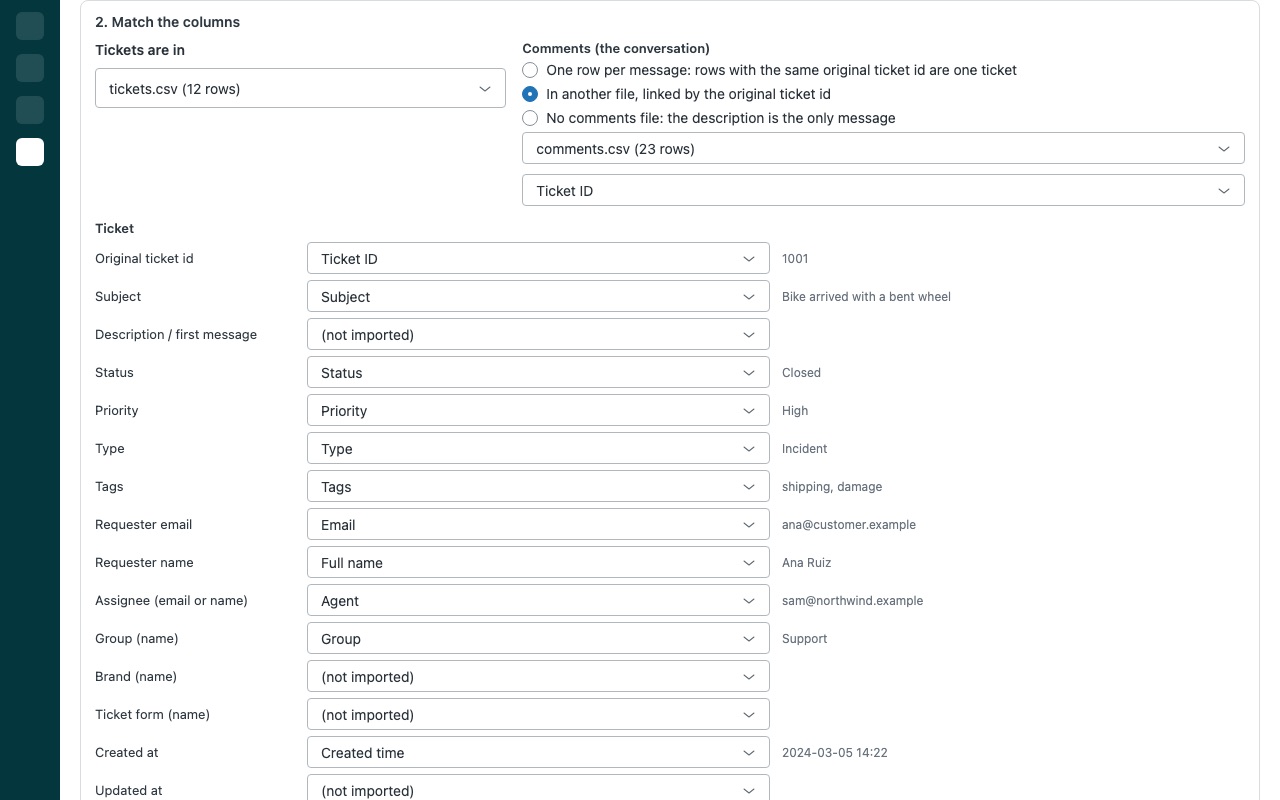
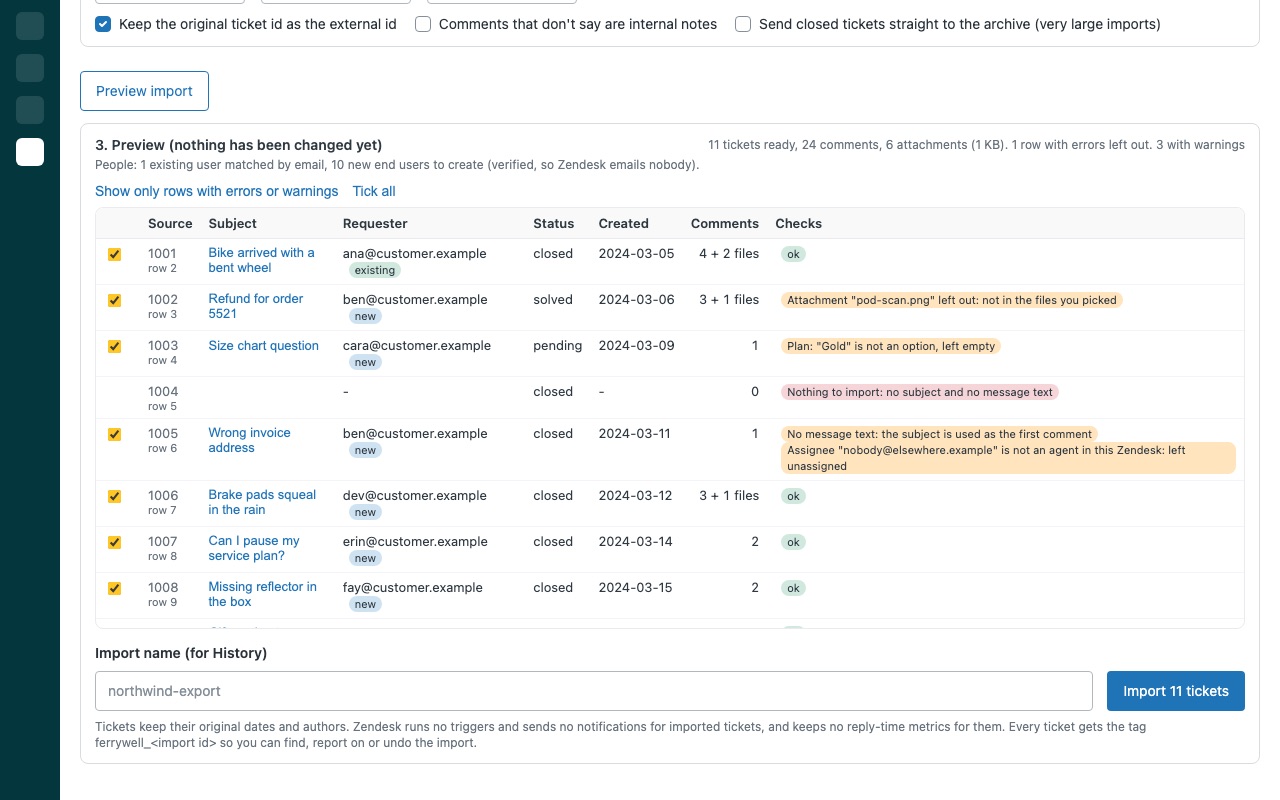
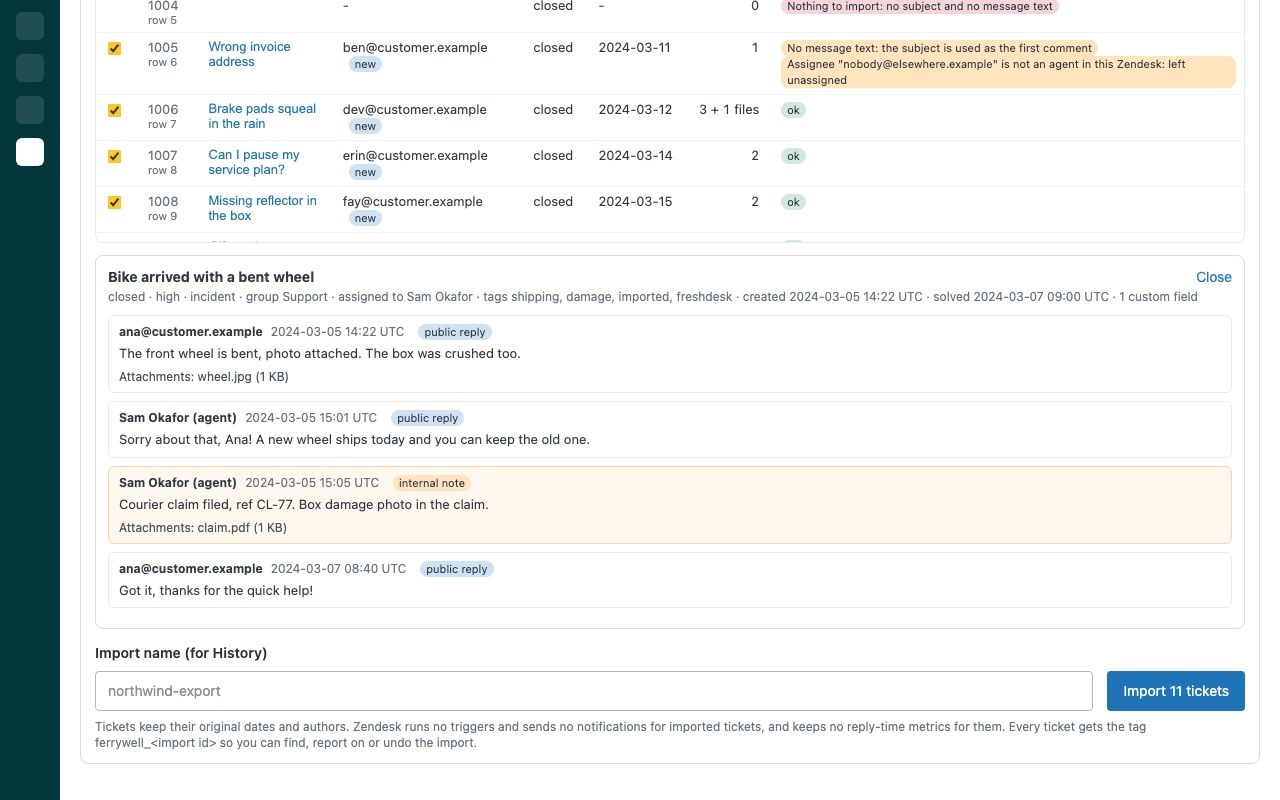
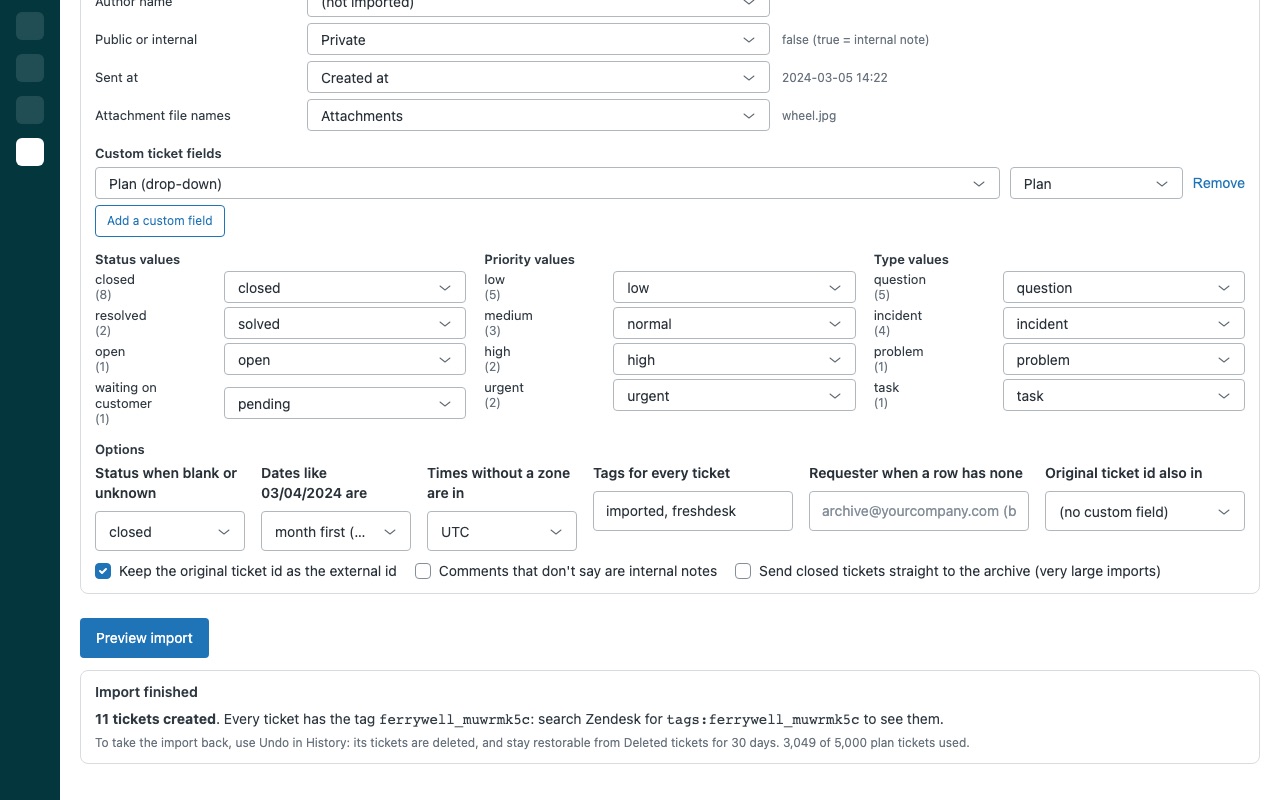
Bring your old tickets into Zendesk with their whole conversation and original dates, checked row by row before anything is created. Pick the export from your previous help desk or shared inbox. Ferrywell matches the columns to Zendesk, shows you every ticket as it will look, then imports them through Zendesk's ticket import, so each ticket keeps its dates, requester, every reply and internal note with its author and time, and its attachments.
Ferrywell is built by Great Work LLC. It is not made or endorsed by Zendesk.
What you get
Use the export you already have
CSV or JSON: tickets with their comments in one file or two, with attachments as files or in a zip. Email archives: .mbox and .eml files. Each thread becomes a ticket, with quoted history cut from replies.
The whole conversation, with its history
Original timestamps on the ticket and every comment, read in the time zone you pick. Authors and visibility: agents are matched by email or name, customers become requesters or new end users, and private notes stay internal.
A dry run before anything is created
Every row is checked first. Errors are listed per row and that row is left out; one bad row never blocks the rest. Open any ticket to read its conversation as it will be imported, and untick rows you do not want.
Safe on a live account
Resumable: stop at any time; no ticket is created twice. Undo a whole import from History. Deleted tickets stay restorable for 30 days unless you delete them permanently.
Requirements
Any Zendesk Support or Suite plan. Imports need a Zendesk admin. Agents, groups, brands, ticket forms and custom fields must already exist in Zendesk; Ferrywell creates only end users.
Questions about Ferrywell
What does Ferrywell do?
Import past tickets with their comments, original dates and attachments. Preview, then undo.
What does Ferrywell work with?
Ferrywell works in Zendesk Support.
How much does Ferrywell cost?
Standard: $299 once per Zendesk account. Plus: $599 once per Zendesk account. Unlimited: $999 once per Zendesk account. One-time payment, billed by Zendesk. No free plan.
How do I get Ferrywell?
Email hello@greatwork.company and we'll help you get Ferrywell set up.
Who makes Ferrywell?
Great Work LLC, an independent software company. Email hello@greatwork.company with any question about Ferrywell and a person will answer.
More Zendesk apps
 Funilwell
 Feirawell for VTEX
 Heartwell
 Everytide