


Everytide Recurring tickets on a calendar: 2nd Tuesday, last business day, quarterly. No outside service.
$120 a month per Zendesk account. 14-day free trial (Zendesk asks for a card at install). Billed monthly by Zendesk. No free plan.
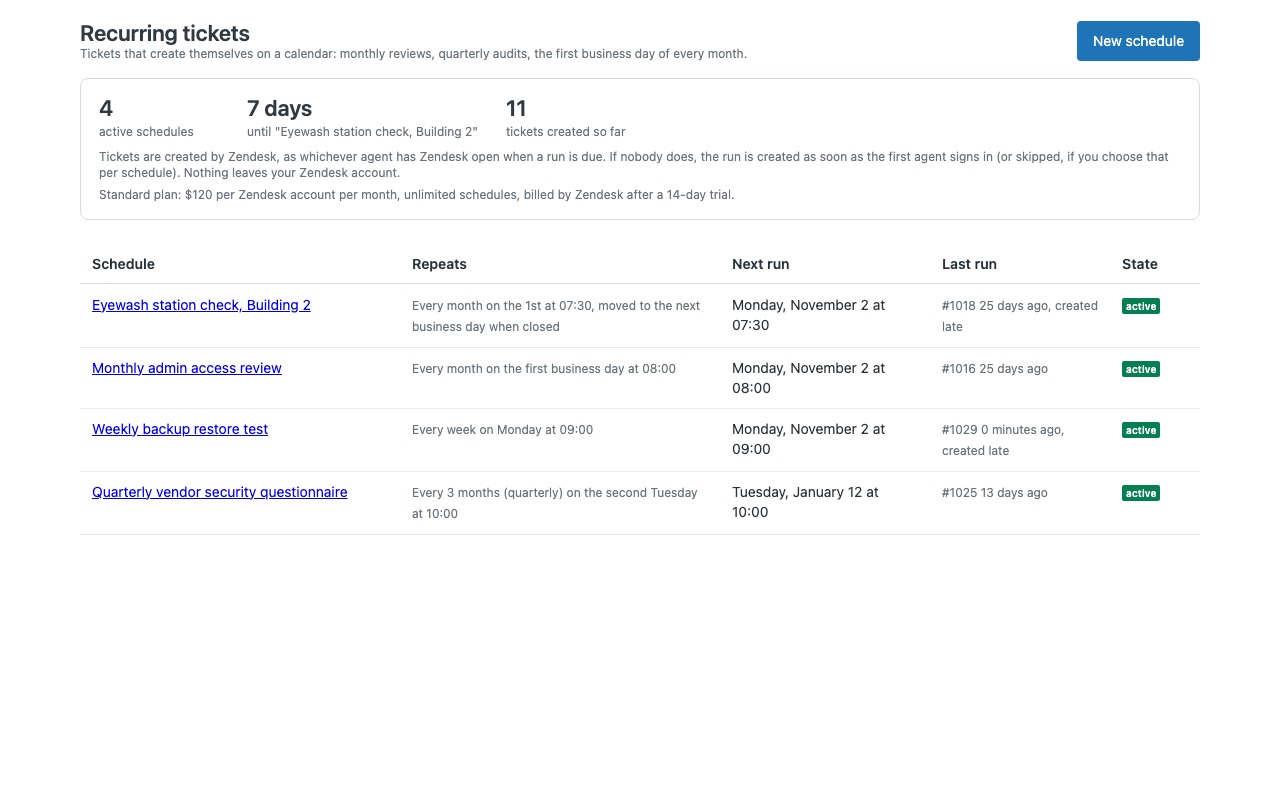
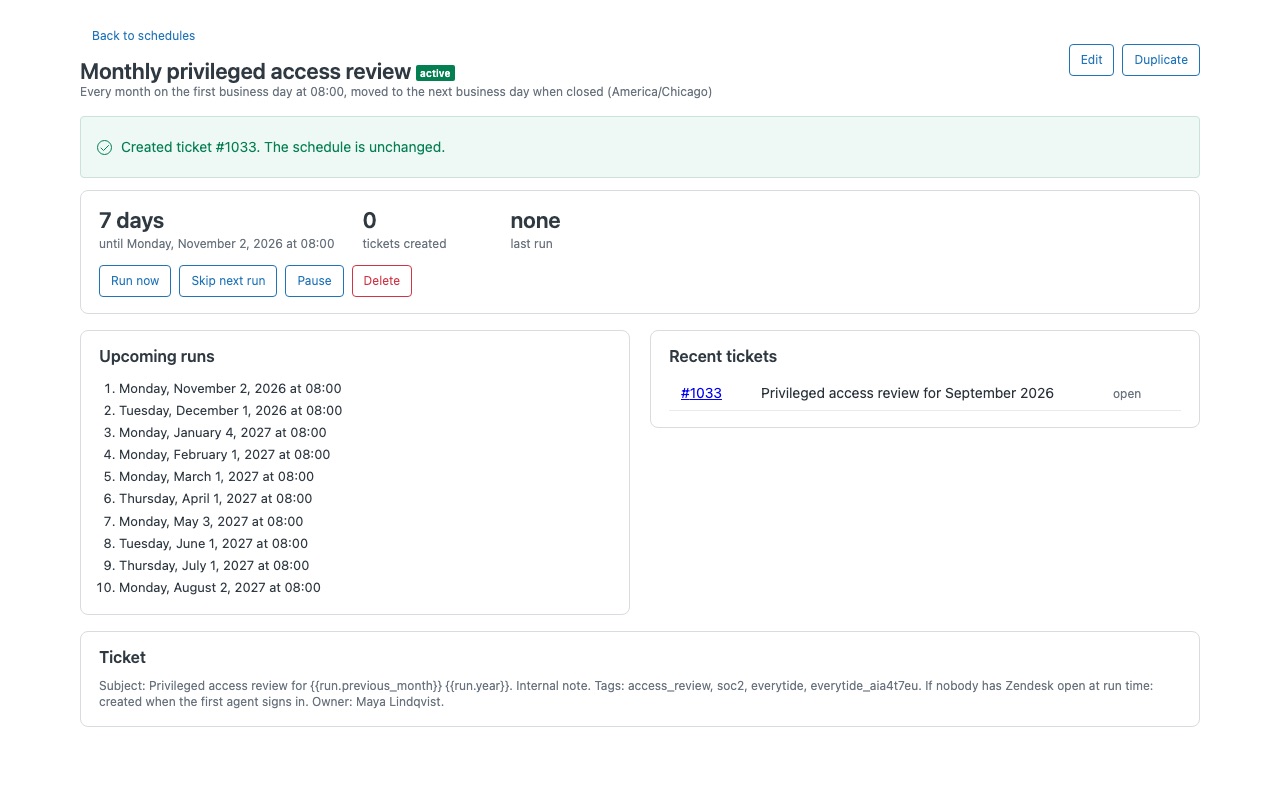
Tickets that create themselves on a calendar, inside Zendesk Support. The monthly access review, the quarterly vendor audit, the eyewash station check on the first business day of every month, the June kickoff of a yearly process: set it up once and Everytide creates the ticket every time it comes around, with the subject, description, group, assignee, form, fields and tags you chose.
What you get
Schedules a timer cannot express
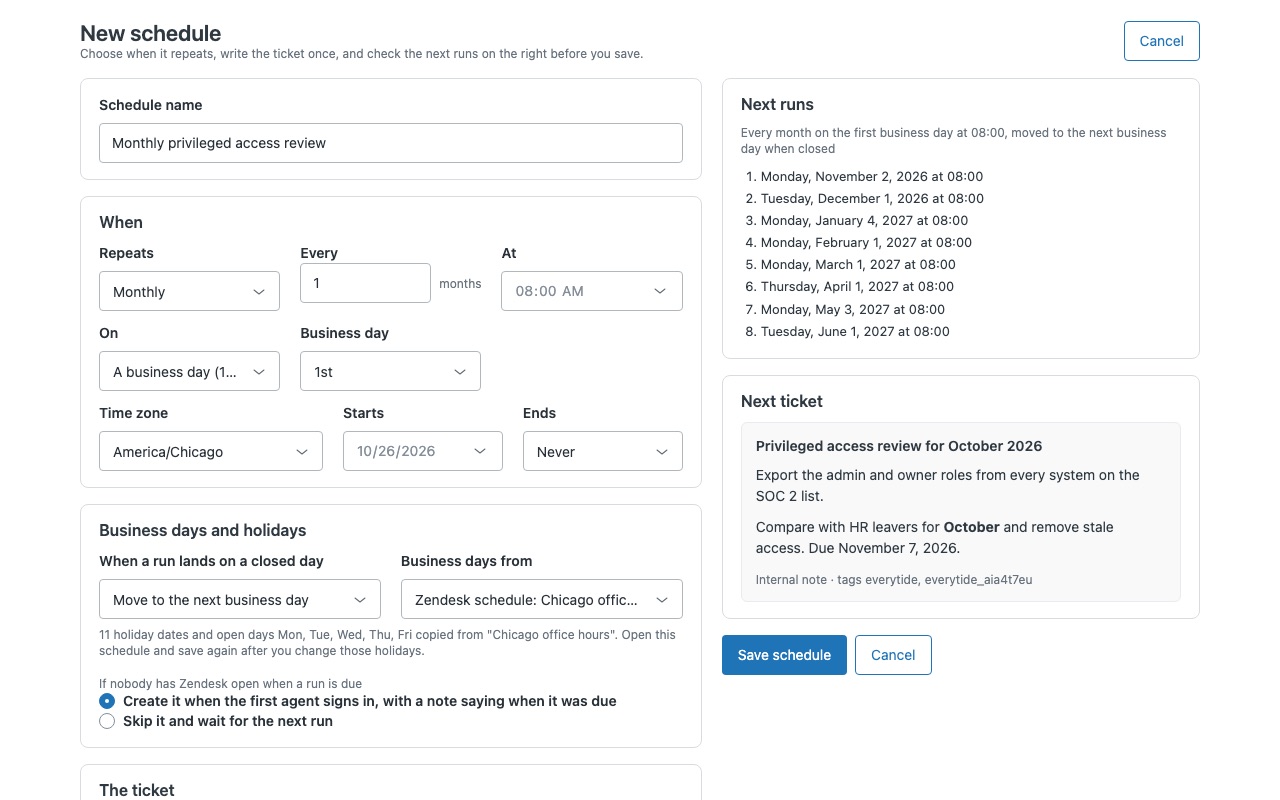
Daily, weekly on chosen weekdays, monthly, quarterly, yearly, or every few hours inside working hours. Every N days, weeks, months or years. Monthly on a date (the 31st falls on the last day of shorter months), on the last day, on the 2nd Tuesday or last Friday, or on the 1st or last business day.
Write the ticket once
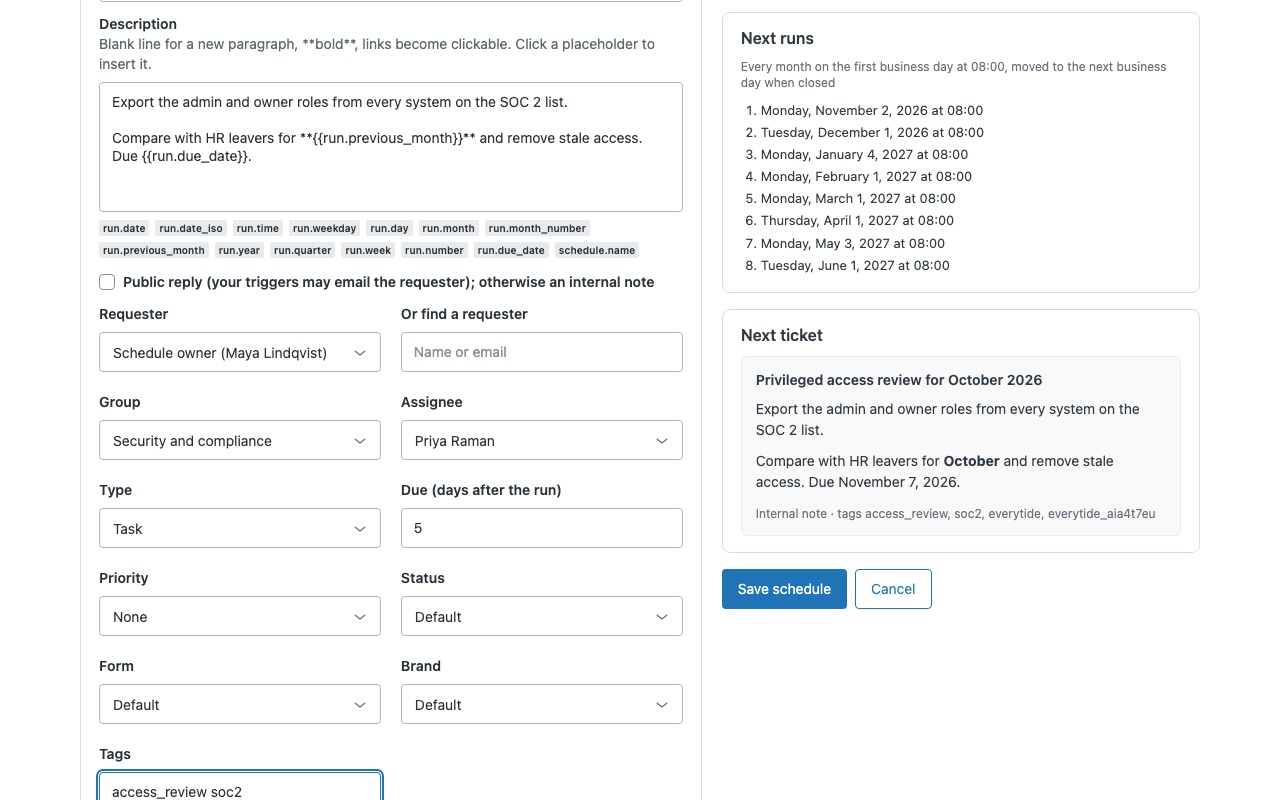
Subject and description with run placeholders: {{run.month}}, {{run.previous_month}}, {{run.quarter}}, {{run.date}}, {{run.week}}, {{run.number}} and more, so every ticket says which period it is for. Requester, group, assignee, brand, form, type, priority, status (custom statuses too), tags and custom fields. Task tickets can be due a set number of days after the run.
See it before it happens
The next eight runs listed as you edit, and the next ticket rendered exactly as Zendesk will receive it. Run now, skip the next run, pause and resume, duplicate.
How Everytide works
- Install Everytide from the Zendesk Marketplace. It adds one custom object, "Everytide schedule", where your schedules are stored in your own Zendesk account. Leave the app available to all agents.
- Open Everytide from the left navigation bar (the calendar icon) and choose New schedule.
- Set when it repeats. Daily, weekly on chosen weekdays, monthly (3 months for quarterly), yearly, or hourly between two times. Monthly and yearly runs can fall on a day of the month, the last day, a weekday such as the 2nd Tuesday, or a business day such as the 1st or the last.
- Write the ticket once. Subject, description as an internal note or public reply, requester, group, assignee, type, priority, status, form, brand, tags and custom fields. Placeholders such as
{{run.month}}and{{run.quarter}}say which period each ticket is for. - Check before you save. Next runs lists the coming dates and Next ticket shows the ticket as Zendesk will receive it. Then Save schedule, and use Run now once to see a real ticket.
- Let it run. The app creates each run inside Zendesk, in the background of an agent's session, within a few minutes of its time. Every ticket is tagged
everytideandeverytide_<schedule id>.
Who it's for
IT and facilities teams with routine checks
Monthly printer maintenance, the eyewash station check on the first business day, the weekly backup test. Each routine is one schedule assigned to the right group, and each run is its own ticket with the period in the subject.
Compliance, security and audit work
Quarterly access reviews and yearly vendor audits arrive in the right queue on time, and the tags make every past run easy to find in views and Explore.
Account and renewal teams
A renewal kickoff each June or a report due on the last business day. Task tickets can be due a set number of days after each run.
Teams that work around holidays
Business days and holidays come from one of your Zendesk schedules, so a run can skip a closed day or move to the next or previous business day.
What you need
- Zendesk Suite Team or higher, or Support Enterprise, because Everytide uses one custom object. Suite Team allows 3 custom objects, so Everytide takes one of them.
- A Zendesk admin to install the app. Only admins edit schedules unless you turn on Agents can manage schedules.
- On Enterprise plans with custom agent roles, view and edit access to the "Everytide schedule" object for those roles.
- Agents who sign in to Zendesk. Runs are created while someone on your team has Zendesk open.
Everytide guides
Questions about Everytide
What does Everytide do?
Recurring tickets on a calendar: 2nd Tuesday, last business day, quarterly. No outside service.
What does Everytide work with?
Everytide works in Zendesk Support.
How much does Everytide cost?
Standard: $120 a month per Zendesk account.
Is there a free trial?
14-day free trial (Zendesk asks for a card at install). Billed monthly by Zendesk. No free plan.
Where do I install Everytide?
From the Zendesk Marketplace. Use the Install button on this page, or search for "Everytide" there.
Who makes Everytide?
Great Work LLC, an independent software company. Email hello@greatwork.company with any question about Everytide and someone will answer.
What happens if nobody is signed in when a run is due?
By default the run is created as soon as the first agent signs in, with an internal note saying when it was due. If several runs were missed, only the most recent is created and the note says how many. Choose Skip it and wait for the next run to drop missed runs instead.
Can two agents create the same run twice?
No. The app checks for the run's ticket first, and Zendesk refuses to create the same run twice within two hours.
Does Everytide send our tickets anywhere?
No. It has no server, no account, no API token and no outside connection. Schedules live in your Zendesk account and nothing is sent to Great Work.
Who shows as the creator of each ticket?
The agent in whose session the run was created, through Zendesk's API. An agent whose role can't create tickets, such as a light agent, never creates runs.
What happens when I uninstall it?
All runs stop and the tickets stay. The "Everytide schedule" object and its records stay too, so a reinstall resumes your schedules. Delete the object in Admin Center > Objects and rules > Custom objects to remove them.
More Zendesk apps
 Feirawell for VTEX
 Creelwell for Shopware
 Ferrywell
 Cofferwell