


Heartwell Customer health from Vitally or Planhat on every ticket: score, renewal, ARR and CSM. From $100/mo.
From $100 a month per Zendesk account. 14-day free trial (Zendesk asks for a card at install). Billed monthly by Zendesk. No free plan.
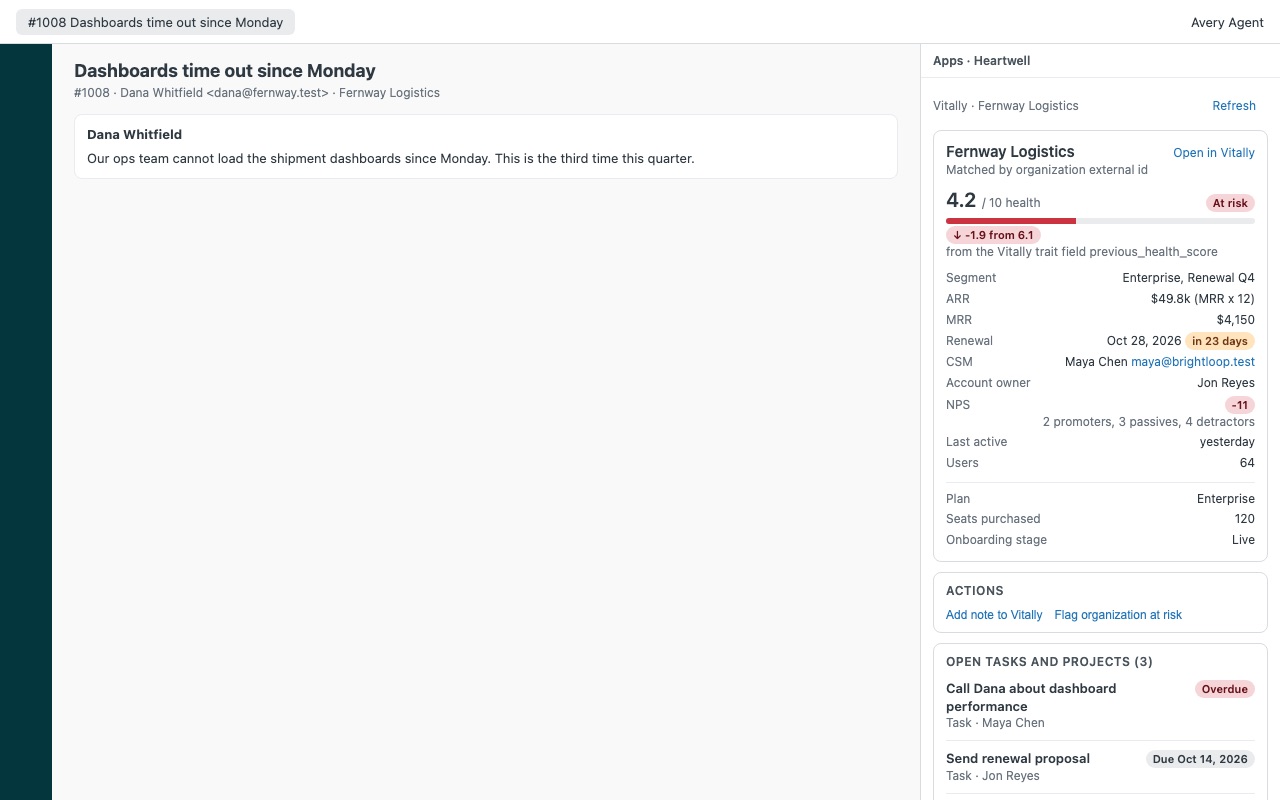
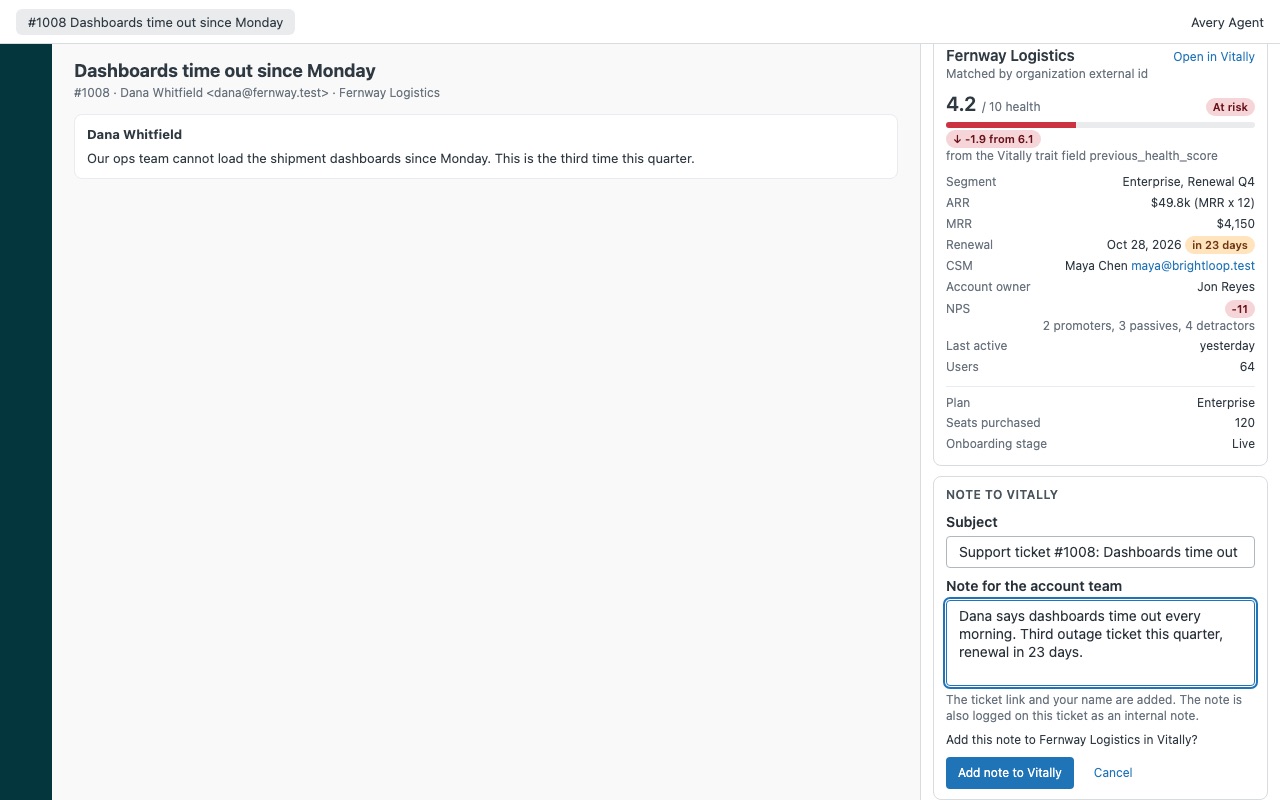
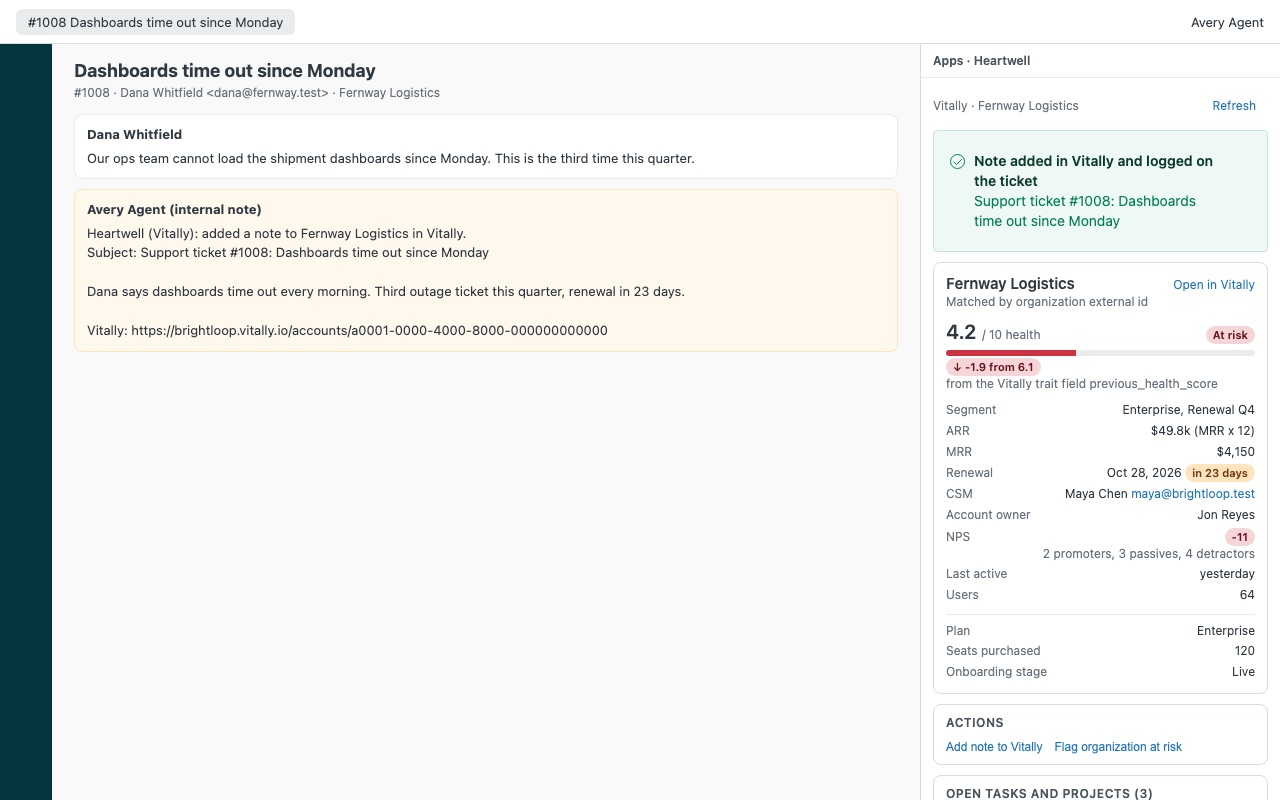
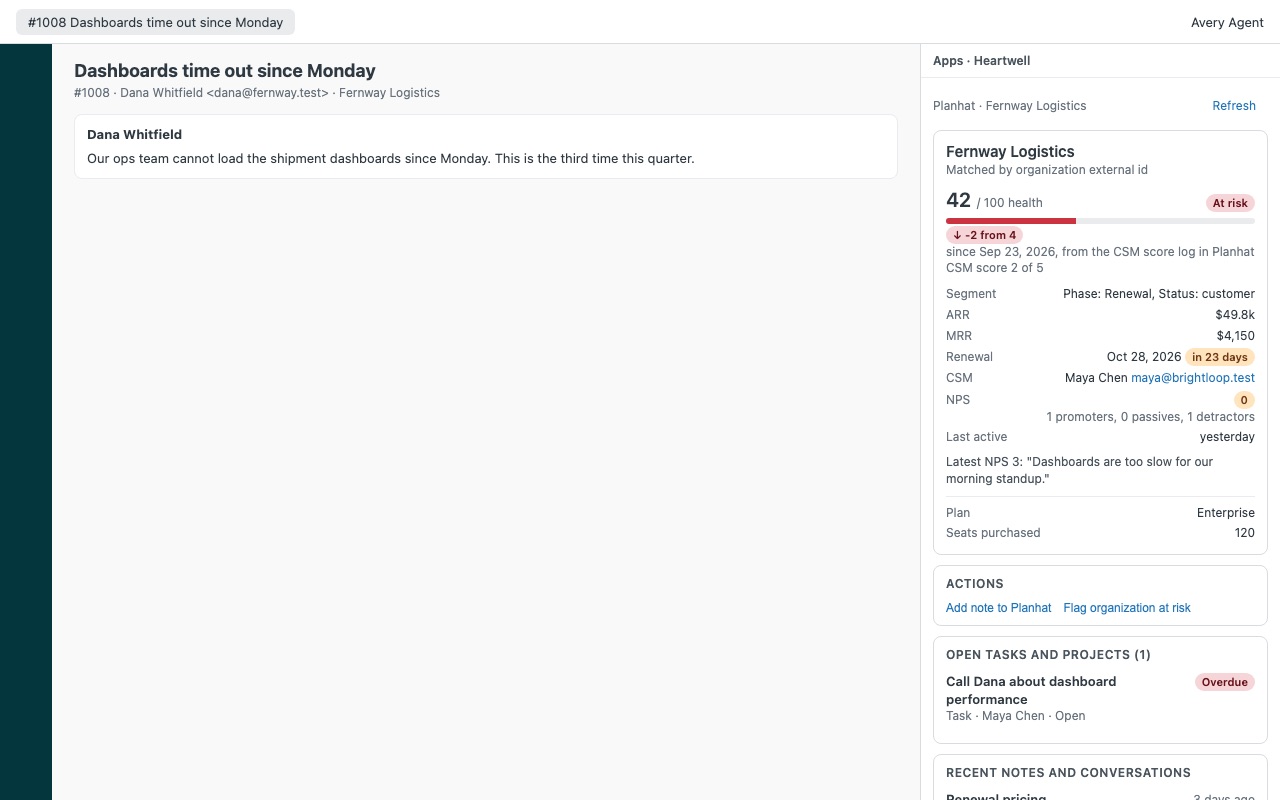
Know which customers are at risk before you reply. Heartwell puts the account behind every ticket next to the conversation: its health score and trend from Vitally or Planhat, segment, ARR and MRR, renewal date with a countdown, the CSM who owns it, NPS, open tasks and playbooks, and the latest notes and conversations. When a ticket says something the account team should know, the agent adds a note to the account in one step, with a link back to the ticket.
Heartwell is built by Great Work LLC. It is not made, endorsed or sponsored by Zendesk, Vitally or Planhat. Vitally and Planhat are trademarks of their owners.
What you get
Account health in the ticket
Matched automatically: by the Zendesk organization's external id first (the link your admins already keep), then every email address on the requester's profile, then (Vitally) the users at the organization's company domain. Several matches? Pick one from a list. Nothing matched? Look up any account by email or id. Health score with a meter and a plain band (Healthy, Needs attention, At risk), and a trend arrow from your previous-score field or Planhat's CSM score log.
Two actions, each confirmed
Add a note to the account in Vitally or Planhat: the agent writes it, sees "Add this note to Fernway Logistics in Vitally?", confirms. The note carries the ticket link and is logged on the ticket as an internal note with the tag heartwell_note. If the CS tool answers slowly, Heartwell checks whether the note arrived instead of sending it twice. Flag the organization at risk: adds the tag heartwell_at_risk to the Zendesk organization. With user and organization tagging on, its new tickets carry the tag, so your triggers and views can route them to senior agents.
How Heartwell works
- Get a credential from your customer success tool. In Vitally, Settings > Integrations > REST API: switch the integration on and copy a key's secret token. In Planhat, Settings > Private Apps: create an app and copy its API access token.
- Install Heartwell from the Zendesk Marketplace, choose the plan for your team size and set Customer success tool to
vitallyorplanhat. Zendesk keeps the key or token as a secure setting that agents never see. - Match accounts. Put your customer id in each Zendesk organization's External ID for the most reliable match. Heartwell also tries up to six emails on the requester's profile and, for Vitally, the company domain.
- Open a ticket. The sidebar shows the account's health score with its band and trend, segment, ARR and MRR, a renewal countdown, the CSM and owner, NPS, open tasks and projects, recent notes and conversations, and up to 12 traits you choose.
- Act from the ticket. Agents can add a note to the account in Vitally or Planhat with the ticket link, or flag the Zendesk organization at risk. Each action is confirmed first and logged on the ticket as an internal note.
Who it's for
Support teams in B2B software companies
A ticket from an account renewing in three weeks with a falling score deserves a different reply than a routine question. Agents see that before they answer, without asking the CSM or opening another tool.
Customer success teams that want support to tell them things
Add note to Vitally / Planhat puts what the agent saw onto the account, with the ticket link and the agent's name, where the CSM already works.
Teams that route risky accounts
Flag organization at risk adds heartwell_at_risk to the Zendesk organization. With user and organization tagging on, a trigger or view on that tag sends those customers' tickets wherever you want.
What you need
- Zendesk Support and an admin to install the app.
- Vitally: the REST API integration switched on, a key's secret token, your subdomain (acme in acme.vitally.io) and your data center (US or EU).
- Planhat: a Private App with access to companies, end users, users, conversations, tasks and NPS, with write access to conversations for notes.
- Optional: user and organization tagging turned on in Zendesk, for routing on the at-risk flag.
Heartwell guides
Questions about Heartwell
What does Heartwell do?
Customer health from Vitally or Planhat on every ticket: score, renewal, ARR and CSM. From $100/mo.
What does Heartwell work with?
Heartwell works in Zendesk Support.
How much does Heartwell cost?
Team: $100 a month per Zendesk account, up to 12 agents. Scale: $9 a month per agent.
Is there a free trial?
14-day free trial (Zendesk asks for a card at install). Billed monthly by Zendesk. No free plan.
Where do I install Heartwell?
From the Zendesk Marketplace. Use the Install button on this page, or search for "Heartwell" there.
Who makes Heartwell?
Great Work LLC, an independent software company. Email hello@greatwork.company with any question about Heartwell and someone will answer.
Does Heartwell change anything in Vitally or Planhat?
Only when an agent adds a note. It never changes health scores, traits, segments, owners or tasks.
Which plan do we need?
Team covers Zendesk accounts with up to 12 agents and admins. Scale is per agent, from 13. Heartwell counts agents and admins when it opens; if the account has outgrown the plan, the panel stays visible and actions turn off until the plan is changed.
How are Planhat health numbers shown?
Health bands are At risk below 45% of the scale, Needs attention from 45% to just under 70%, and Healthy at 70% and above. Vitally scores are out of 10; Planhat health numbers above 10 are shown out of 100.
What if a ticket matches several accounts?
With Vitally's company domain match, agents pick one. Anyone can also type an email or account id into Find another account.
Does it work on user and organization pages?
Yes, the panel shows there too. Notes need a saved ticket, so they're offered on tickets only.
What happens when we uninstall?
The stored key or token is deleted. Internal notes, heartwell_* ticket tags and the heartwell_at_risk organization tag stay. Revoke the credential in Vitally or Planhat too.
More Zendesk apps
 Heedwell
 Ferrywell
 Helmwell
 Feirawell for VTEX