



Fadewell Screenplay formatting for Google Docs: industry-standard script format, live as you type, with PDF, Fountain and Final Draft export
Listed on the Google Workspace Marketplace as “Fadewell: Screenplay Formatter for Google Docs”
$5.99 a month or $49.99 a year per Google account. Free trial: 14 days or 40 runs, whichever comes first. No card needed.
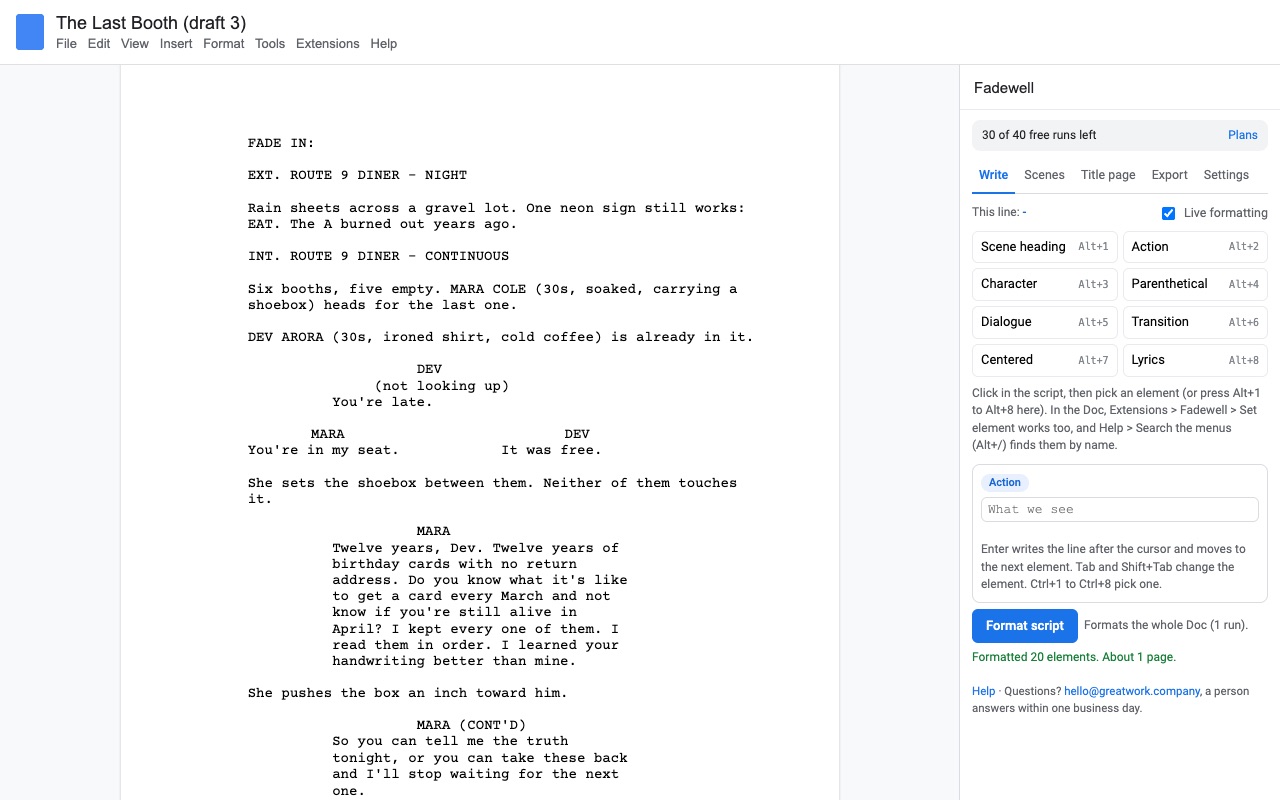
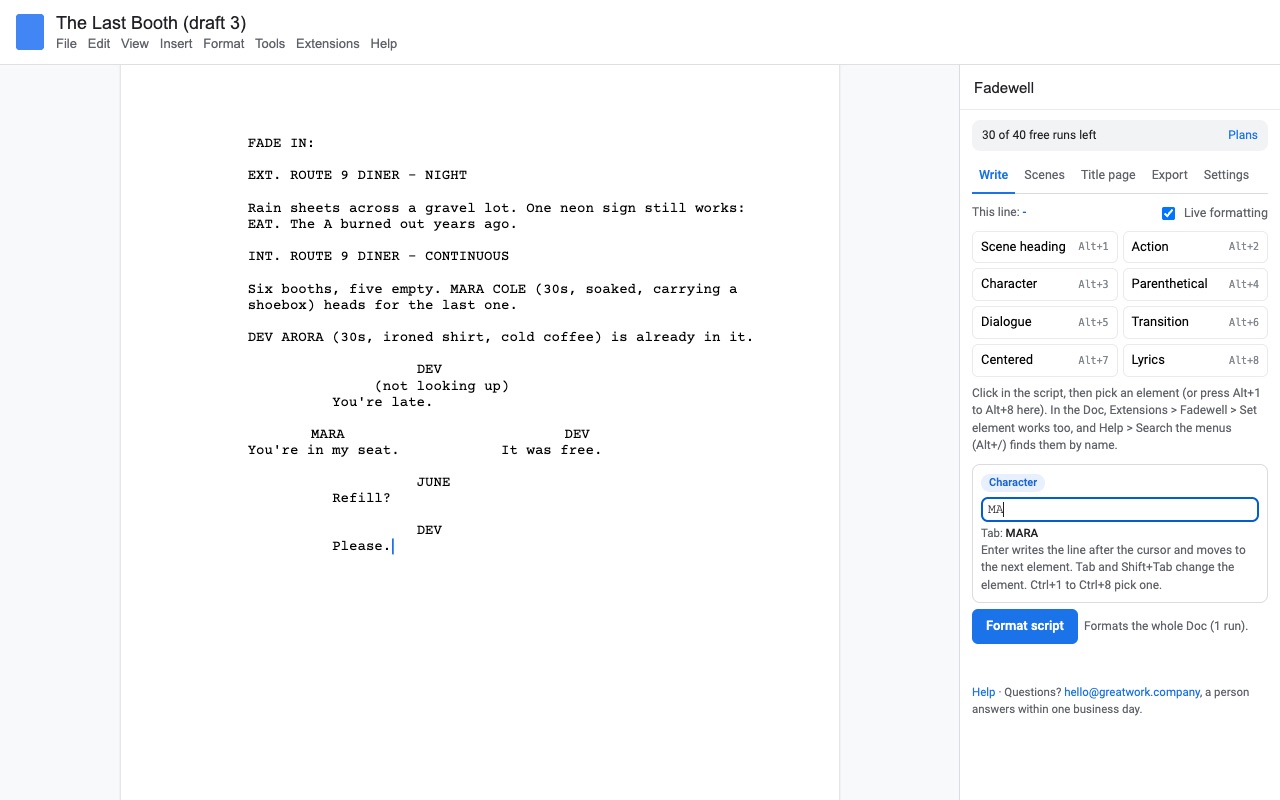
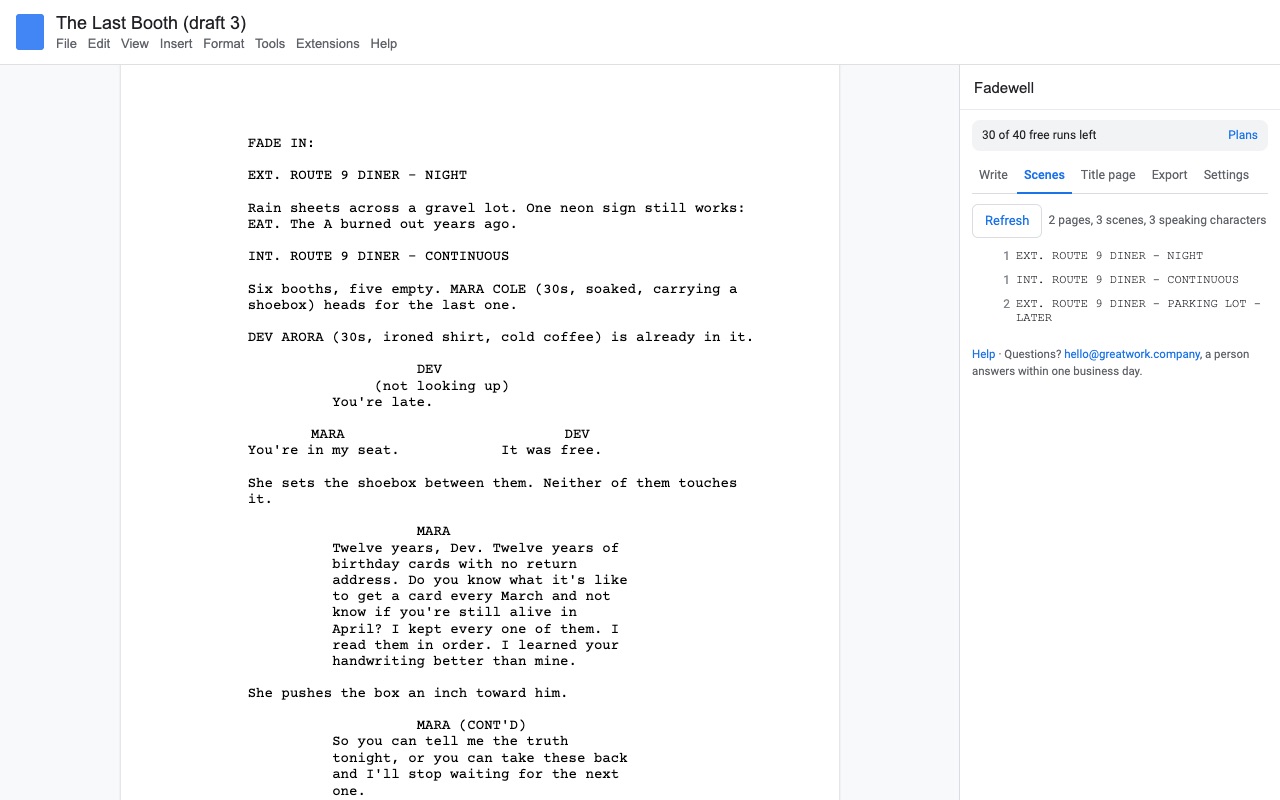
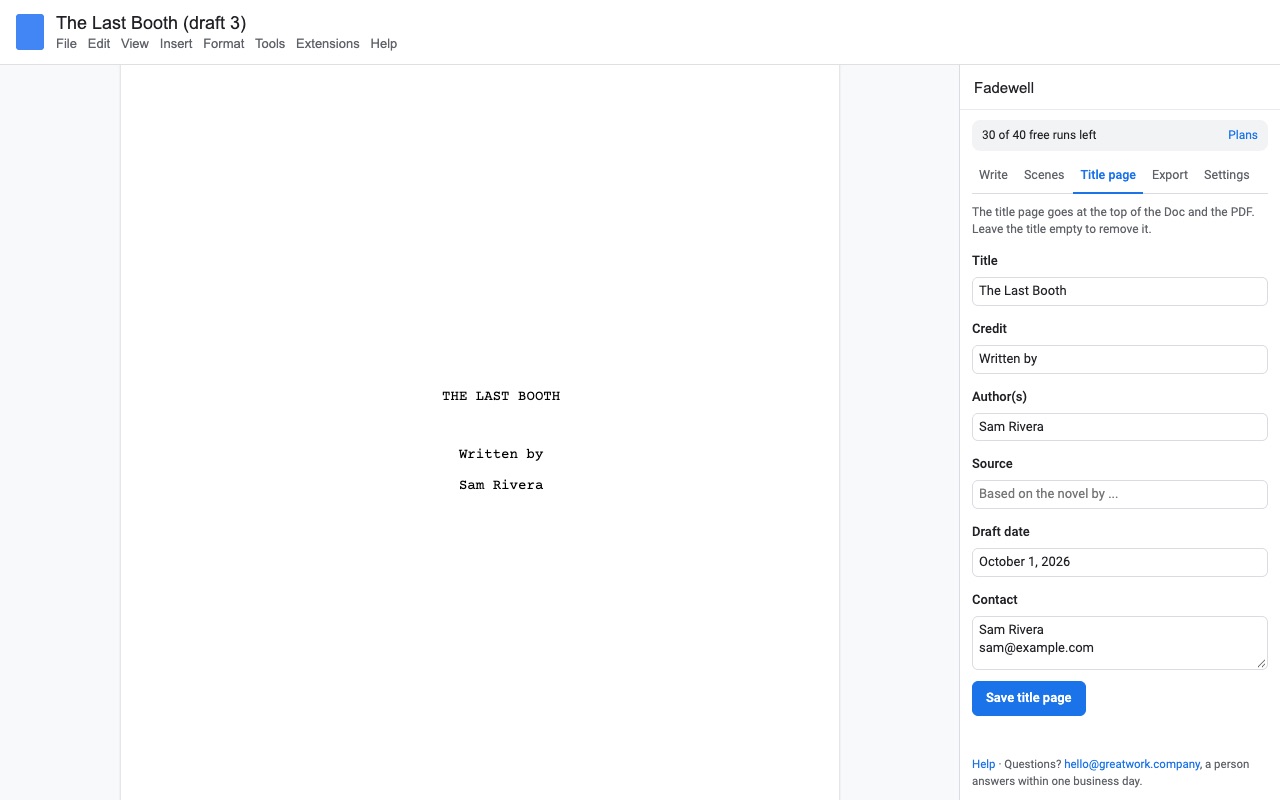
Fadewell turns a Google Doc into a screenplay, in the format producers, contests and film schools expect, and keeps it that way as you write.
Type the plain way: a scene heading that starts with INT. or EXT., a name in capitals, the dialogue under it. Press Format script once and every line gets the right element: scene heading, action, character, parenthetical, dialogue, transition. Courier 12, the 1.5" left margin, the standard indents. Press it again after a week of rewrites and it picks up every change and gives the same result each time, so it never "forgets" lines you added later.
What you get
- Industry-standard screenplay format in Google Docs: scene headings, action, character, parenthetical, dialogue, transitions, centered text, lyrics
- Live formatting while you type, plus keyboard element switching (Alt+1 to Alt+8, an Enter/Tab composer, Docs menu search)
- Format again any time: edits are always picked up and the result is the same every run
- Dual dialogue side by side, title page, scene list with page numbers
- PDF laid out like screenwriting software: Courier 12, correct margins, page numbers, (MORE) and (CONT'D), optional scene numbers
- Fountain and Final Draft (.fdx) import and export
- Touches only the Doc you open it in; exports are built in your browser
How Fadewell works
- Install Fadewell from the Google Workspace Marketplace and open a new or existing Google Doc.
- Choose Extensions > Fadewell > Open screenplay sidebar. The Write tab shows the element of the line your cursor is on.
- Type the way scripts are written. A line starting with INT. or EXT. becomes a scene heading, a name in capitals with a line under it becomes a character cue, the lines under it become dialogue, a line in brackets under a name becomes a parenthetical, and capitals ending in TO: become a transition.
- Leave Live on while you write. Every 2 seconds Fadewell formats the lines around your cursor. Capitals are applied once you leave a line, so the text you're typing is never changed under you.
- Switch elements from the keyboard with Alt+1 to Alt+8 while the sidebar has focus, or type in the sidebar's composer, where Enter moves to the next element and Tab cycles, with character and location names filled in for you. The same elements are under Extensions > Fadewell > Set element.
- Click Format script to format the whole Doc. Run it after a rewrite and it picks up every change, giving the same result each time.
- Fill in the Title page tab (title, credit, author, source, draft date, contact) and click Save title page.
- Export from the Export tab as PDF, Fountain or Final Draft (.fdx). The file is built in your browser and downloaded to your computer.
Who it's for
Writers who already draft in Docs
You keep Docs' version history, comments and sharing, and the script stays readable to anyone you share it with, without them installing anything.
Writing partners and writers' rooms
Two writers can work in the same Doc at once, with Docs' comments and suggestions for notes. Whoever formats sees the same result as everyone else, since the format lives in the Doc's own paragraphs.
Film students and contest entries
Film schools and contests ask for a PDF in standard format. Fadewell's PDF uses Courier 12, a 1.5 inch left margin, page numbers from page 2, (MORE) and (CONT'D) when a speech crosses a page, and optional scene numbers in both margins, on US Letter or A4.
Moving a script in or out of other software
Import a .fountain, .txt or Final Draft .fdx file into a Doc, or export one for a producer, a coverage reader or a production that works in Final Draft.
Fadewell or a screenplay template in Google Docs
Google Docs has no screenplay template of its own, and the free templates passed around set up margins and indents once, then leave you to restyle every line by hand. They can't move a cue and its speech together across a page, add (MORE) and (CONT'D), or number scenes. Fadewell reads each line and applies the element, so a rewrite doesn't break the layout. If you only need to see what one page of plain text looks like in script format, our free screenplay format converter does that in the browser.
Limits and requirements
- Google Docs in a desktop web browser, including Chromebooks. Add-ons don't run in the Docs phone apps.
- Docs gives add-ons no keystroke events, so live formatting catches up every 2 seconds while the sidebar is open rather than on each key.
- The Doc's own page breaks won't match script pages. The exported PDF is paginated as a script, at 55 lines per page, and the Scenes tab uses the same page numbers.
- A run is one Format script, one import or one export. Live formatting, element buttons and the composer don't use runs.
Fadewell guides
Questions about Fadewell
What does Fadewell do?
Screenplay formatting for Google Docs: industry-standard script format, live as you type, with PDF, Fountain and Final Draft export. Fadewell turns a Google Doc into a screenplay, in the format producers, contests and film schools expect, and keeps it that way as you write.
What does Fadewell work with?
Fadewell works in Google Docs, in any browser.
How much does Fadewell cost?
$5.99 a month or $49.99 a year per Google account. $129 once for lifetime access on one Google account. Team plan: $399 a year covers everyone at your company or school who signs in to Google with an email address on your domain (not Gmail or other personal addresses). Billed through Stripe. Cancel any time from Plans and billing in the add-on.
Is there a free trial?
Free trial: 14 days or 40 runs, whichever comes first. No card needed.
Where do I install Fadewell?
From the Google Workspace Marketplace. Use the Install button on this page, or search for "Fadewell: Screenplay Formatter for Google Docs" there.
Who makes Fadewell?
Great Work LLC, an independent software company. Email hello@greatwork.company with any question about Fadewell and someone will answer.
Does Google Docs have a screenplay format?
No. Docs has no screenplay template or script elements. Fadewell adds them: scene heading, action, character, parenthetical, dialogue, transition, centered text and lyrics, plus notes, sections and synopses that never print.
What font and margins does it use?
Courier Prime or Courier New at 12 points (you choose under Settings), a 1.5 inch left margin and the standard indents for each element. Paper can be US Letter or A4.
Can I import my Final Draft script?
Yes. On the Export tab, under Import, pick a .fdx, .fountain or .txt file, or paste Fountain text, and choose Insert after the cursor, Add at the end or Replace this whole Doc.
Will my bold and italics survive?
Yes. Bold, italic and underline in the Doc are kept in exports, and Fountain markers like *italic* and bold become real formatting when you import.
Can my co-writer use it without paying?
Your co-writer can read and edit the formatted script without installing anything. To use Fadewell's formatting and exports themselves, they need it installed with their own trial or plan.
How do I see a list of my scenes?
Open the Scenes tab and press Refresh. Every scene heading is listed with its page number; click one to jump to it.
Is my script uploaded anywhere?
No. Fadewell can only open the Doc you use it in, and exports are made in your browser and downloaded directly.
More Google Docs apps
 Highlightwell
 Crispwell
 Iconwell
 Aloudwell