



Iconwell 12,500+ icons for Google Slides and Docs: recolor, line weight, backgrounds, and one style across the deck
Listed on the Google Workspace Marketplace as “Iconwell: Icons for Slides and Docs”
$12.99 a month or $99 a year per Google account. Free trial: 40 icons or 14 days, whichever comes first. No card needed.
Iconwell puts a 12,588-icon library inside Google Slides and Google Docs, and lets you make every icon match your deck.
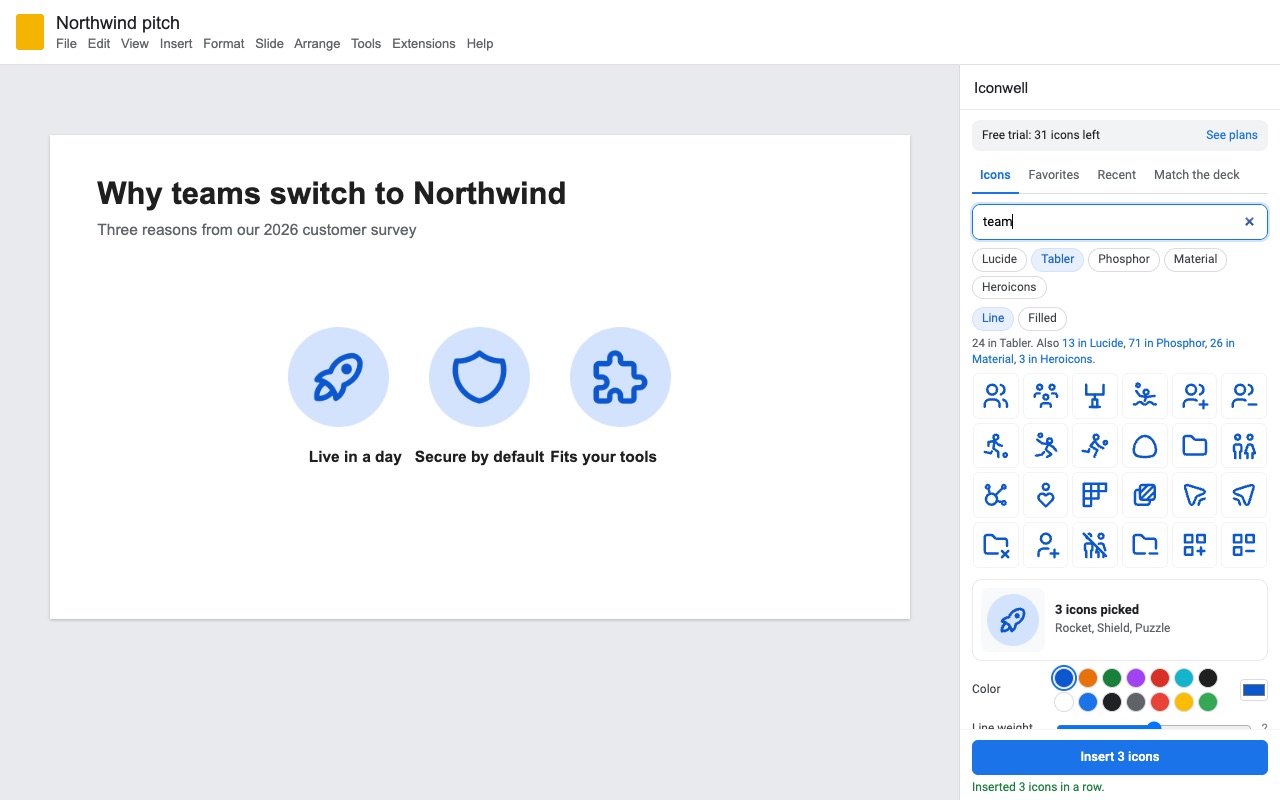
Search in plain words ("team", "money", "rocket") across five well-known open-license sets: Lucide, Tabler, Phosphor, Material Symbols and Heroicons, in line or filled styles. The grid shows every result in your color as you choose it, so you see the slide before you insert anything.
What you get
- 12,588 icons from Lucide, Tabler, Phosphor, Material Symbols and Heroicons, bundled in the add-on
- Any color, with your deck's theme colors one click away; the grid previews every icon in your color
- Line weight that matches across sets, plus circle, rounded or square backgrounds
- Sharp transparent PNGs drawn at up to 6x their size on the slide
- Click an icon later to recolor, restyle or swap it in place
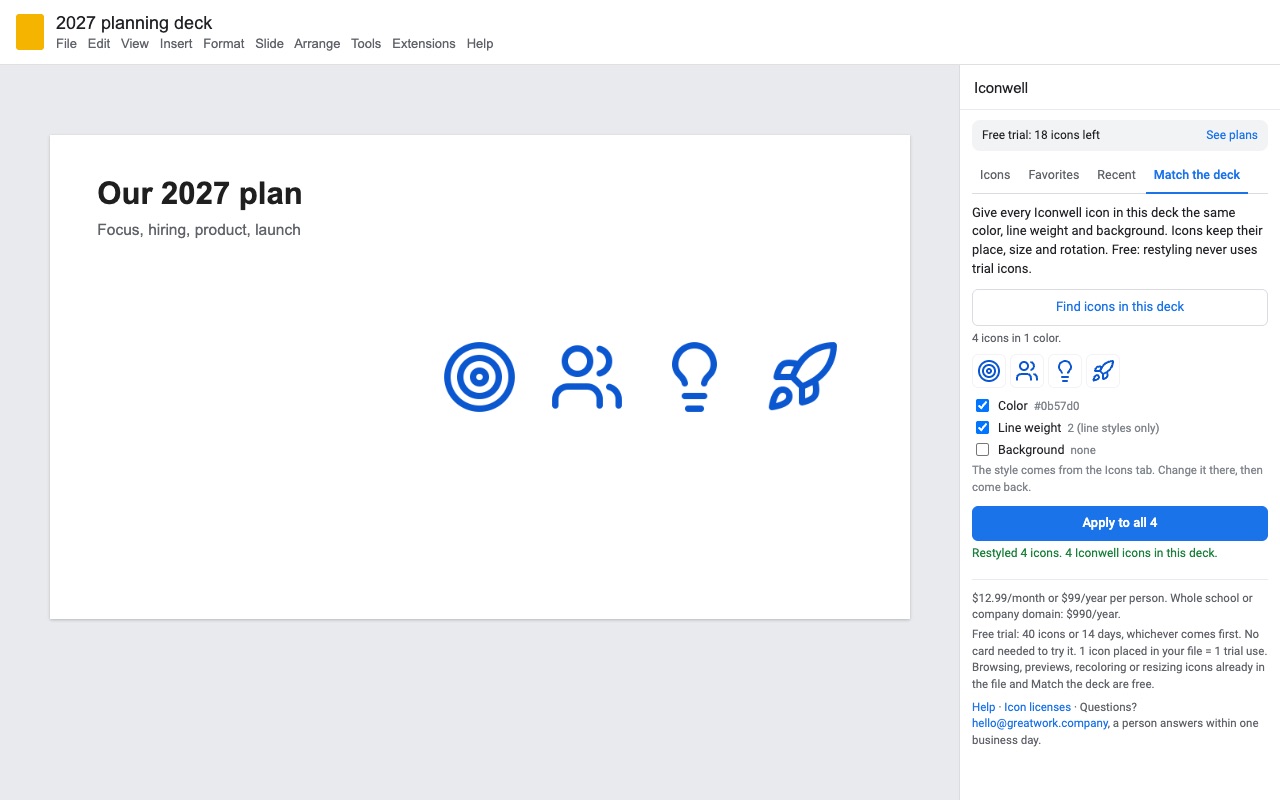
- Match the deck: give every icon in a deck or Doc the same color and weight in one click
- Favorites and recent icons follow your Google account
- Works in Google Slides and Google Docs; no account, no login
- Commercial use without attribution; brand logos left out
How Iconwell works
- Install Iconwell from the Google Workspace Marketplace, then open a deck in Google Slides or a document in Google Docs.
- Open Extensions > Iconwell > Open icons. The sidebar opens on the Icons tab with a search box that counts the whole library.
- Search in plain words like "team", "money" or "rocket". The chips at the top switch between Lucide, Tabler, Phosphor, Material and Heroicons, and between Line and Filled where a set has both. If another set has matches for your word, the line under the chips says how many; click it to switch.
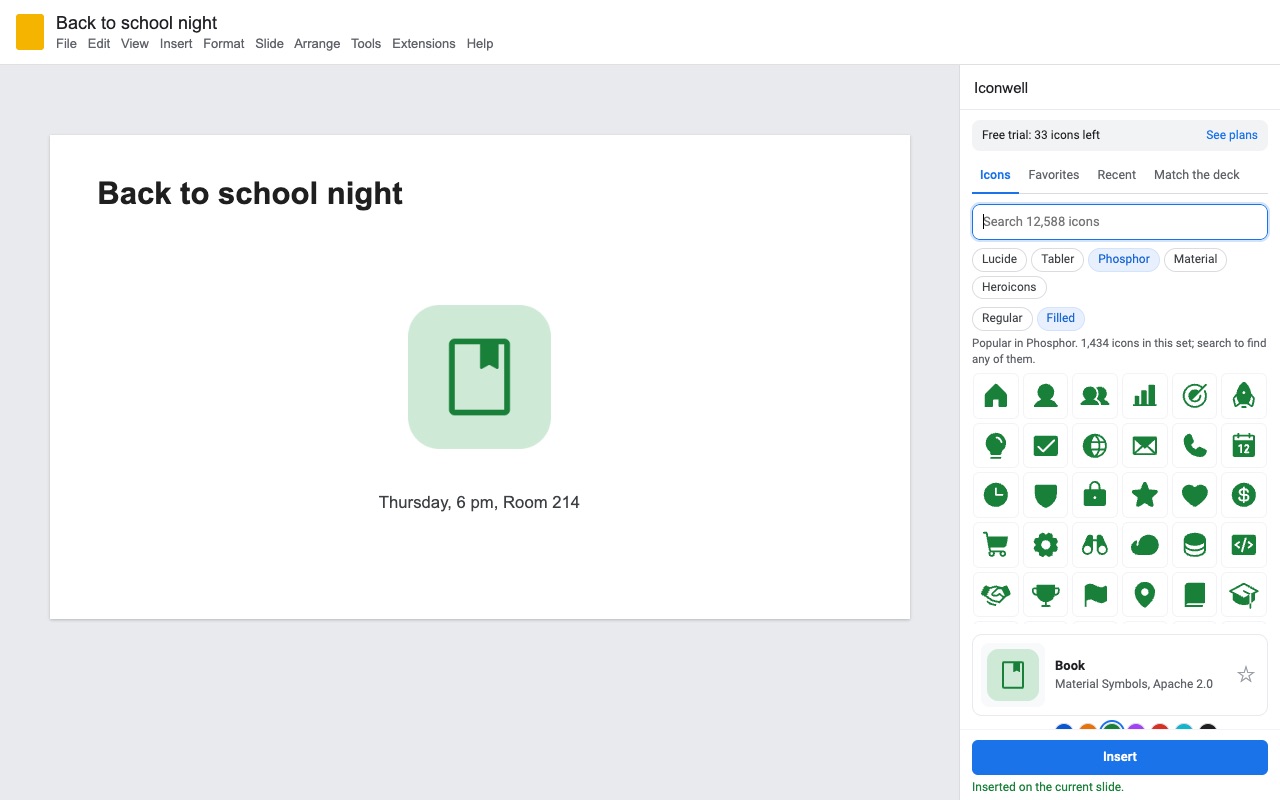
- Set the style before you insert. Color starts with your deck's theme colors (in Slides), then colors you used recently, and the color picker takes any other. Line weight goes from 0.5 to 3.5. Background puts the icon in a circle, rounded square or square, with its own color and padding. The grid redraws every result in that style.
- Click an icon, then Insert. Double-click inserts straight away. Ctrl or Cmd click picks several; in Slides they go in as an evenly spaced row. In Docs the icon lands at the cursor, in the line of text.
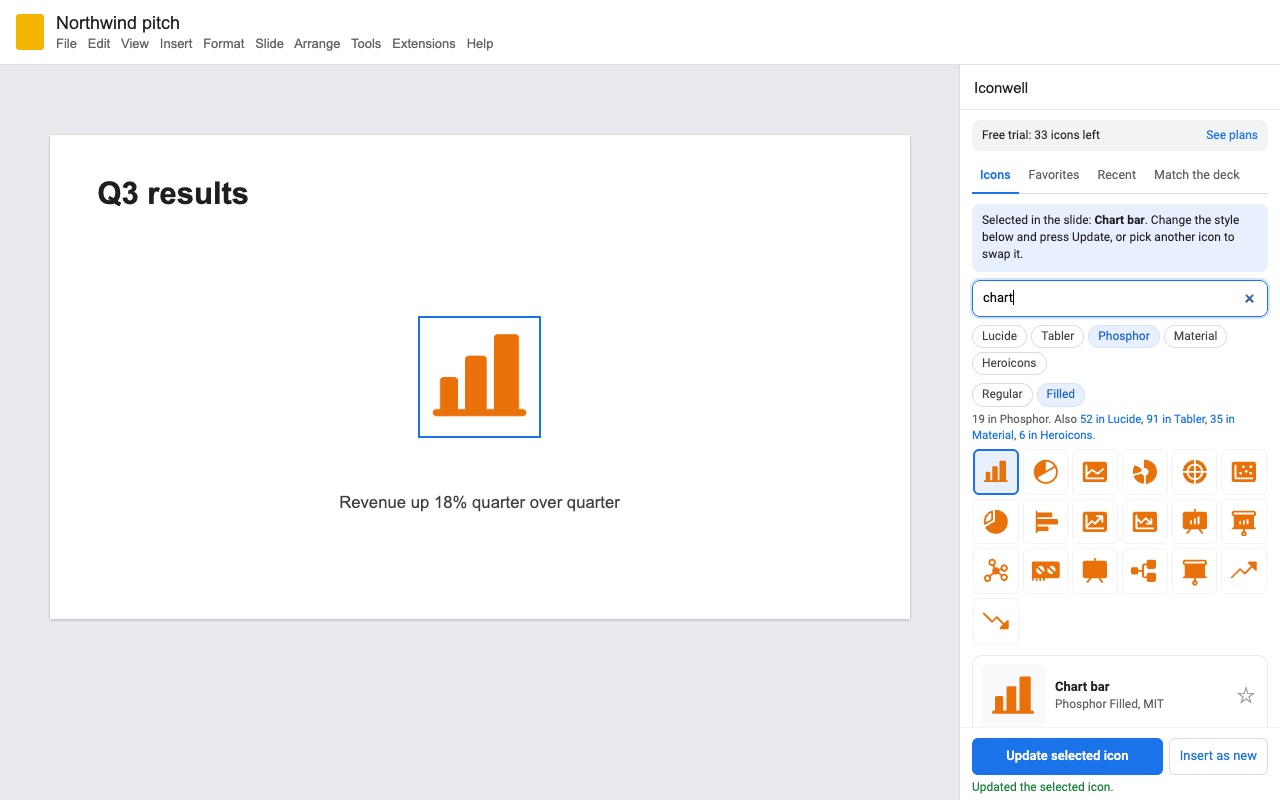
- Change it later. Click the icon in your slide or Doc and the sidebar loads its set, color, weight and background. Change anything and press Update selected icon; it keeps its place, size and rotation. Pick a different icon in the grid to swap it in the same spot.
Who it's for
Teachers making lesson slides
A unit on the water cycle needs a cloud, a sun, a drop and a mountain, drawn the same way and in the colors of the template the class already knows. Pick Phosphor, set the theme blue, insert four icons as a row, and they come out the same size and evenly spaced. A school can cover every teacher on its domain with the team plan.
Pitch decks and company decks
A deck from three people usually ends up with icons in three styles. Match the deck finds every icon Iconwell placed and gives them all one color and line weight, so the slide someone added on Friday night looks like the rest.
Reports and one-pagers in Google Docs
Icons sit inline with the text, so they work as markers in front of headings, in table cells or next to contact details. Text next to Size matches the icon to the font size at the cursor.
Anyone who keeps reusing the same few icons
Click the star next to an icon to keep it in Favorites. Recent holds the last 40 icons you inserted. Both follow your Google account to every deck and document.
Iconwell or the images built into Slides and Docs
Google Slides and Docs have no icon library of their own. Insert > Image brings in pictures from your computer, your Drive or a web search, and you get whatever color and style the picture came in. Format options > Recolor in Slides lays a tint over a picture from a short list of preset colors; it can't set an exact color, change the line weight or add a background. In Docs, Insert > Special characters gives you symbols and emoji, which follow the font but don't match each other.
Iconwell draws each icon in your exact color and weight before it goes in, and remembers how it drew it. That memory is what lets you click an icon later and restyle it, or restyle a whole deck at once.
Limits and requirements
- Google Slides or Google Docs in a browser. Iconwell only opens the deck or document you use it in.
- Icons go in as sharp, transparent PNG images (Slides and Docs don't take vector icons from add-ons), drawn at up to six times their size so they stay crisp on a projector. Slides' own tools can resize them, but recoloring goes through Iconwell.
- In Docs, icons are inline only and sit on the text line; text can't wrap around them.
- Match the deck and Update selected icon only work on icons Iconwell inserted. It recognizes them by their alt text, so an icon whose alt text was deleted becomes a plain image.
- Brand logos are left out of every set.
- The first load of a large set (Material has 3,919 icons) takes a few seconds. After that your browser keeps a copy when it can.
Iconwell guides
Questions about Iconwell
What does Iconwell do?
12,500+ icons for Google Slides and Docs: recolor, line weight, backgrounds, and one style across the deck. Iconwell puts a 12,588-icon library inside Google Slides and Google Docs, and lets you make every icon match your deck.
What does Iconwell work with?
Iconwell works in Google Slides and Docs, in any browser.
How much does Iconwell cost?
$12.99 a month or $99 a year per Google account. Team plan: $990 a year covers everyone at your company or school who signs in to Google with an email address on your domain (not Gmail or other personal addresses). Billed through Stripe. Cancel any time from Plans and billing in the add-on.
Is there a free trial?
Free trial: 40 icons or 14 days, whichever comes first. No card needed.
Where do I install Iconwell?
From the Google Workspace Marketplace. Use the Install button on this page, or search for "Iconwell: Icons for Slides and Docs" there.
Who makes Iconwell?
Great Work LLC, an independent software company. Email hello@greatwork.company with any question about Iconwell and someone will answer.
How do I add icons to Google Slides?
Install Iconwell, open Extensions > Iconwell > Open icons, search for what you need, click the icon and press Insert. It lands on the current slide, next to the last icon you inserted.
Can I change the color of an icon after it's on the slide?
Yes, if Iconwell put it there. Click the icon, pick a new color in the sidebar and press Update selected icon. Recoloring icons already in the file doesn't use trial icons.
Which icon sets are included?
Lucide (2,121 icons), Tabler (4,790), Phosphor (1,434), Material Symbols (3,919, Rounded) and Heroicons (324), for 12,588 in all. Tabler, Phosphor and Heroicons also come in a filled style.
Can I use the icons in work I sell or present to clients?
Yes. The sets are under the ISC, MIT and Apache 2.0 licenses, which allow commercial use without attribution. The full texts are under Extensions > Iconwell > Icon licenses and credits.
Do icons from different sets look alike?
Line weight is measured on the same grid for every line style (Lucide, Tabler Line and Heroicons Outline), so a weight of 2 looks the same across them. Material and the filled styles have no line weight to set.
What counts against the free trial?
Each icon placed in a file, inserted or swapped for a different icon, uses one of the 40 trial icons. Browsing, previews, recoloring icons already in the file and Match the deck are free. The trial ends after 40 icons or 14 days, whichever comes first.
Does Iconwell work in Google Sheets?
No. It works in Google Slides and Google Docs.
Do I need an account?
No. The icons ship inside the add-on and are drawn in your browser. Great Work's licensing server sees your Google account email and how many icons you've inserted, nothing else.
More Google Docs apps
 Refwell
 Highlightwell
 Remarkwell
 Fadewell