



Tabmeld Combine, consolidate, compare and merge Google Sheets tabs and files in one add-on
Listed on the Google Workspace Marketplace as “Tabmeld: Combine, Merge & Compare Sheets”
$4.99 a month or $39 a year per Google account. Free trial: 14 days or 20 runs, whichever comes first. No card needed.
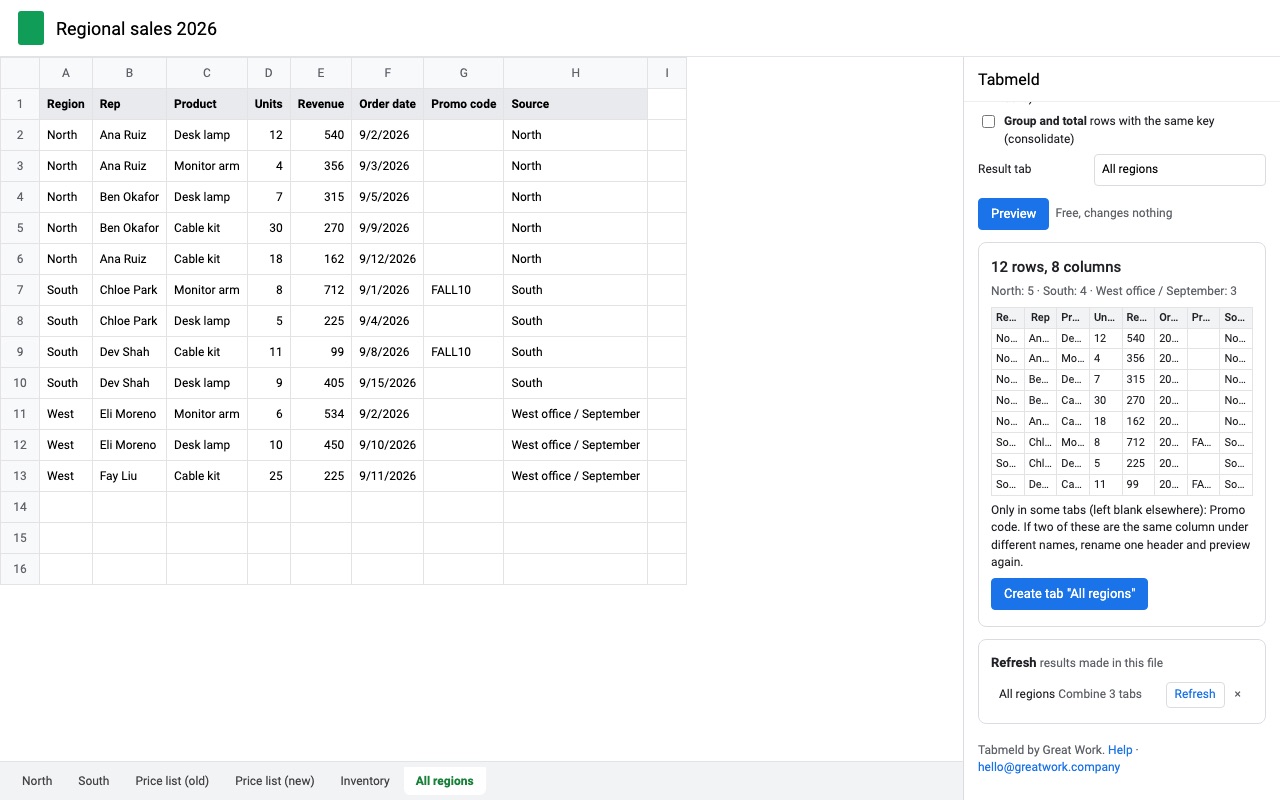
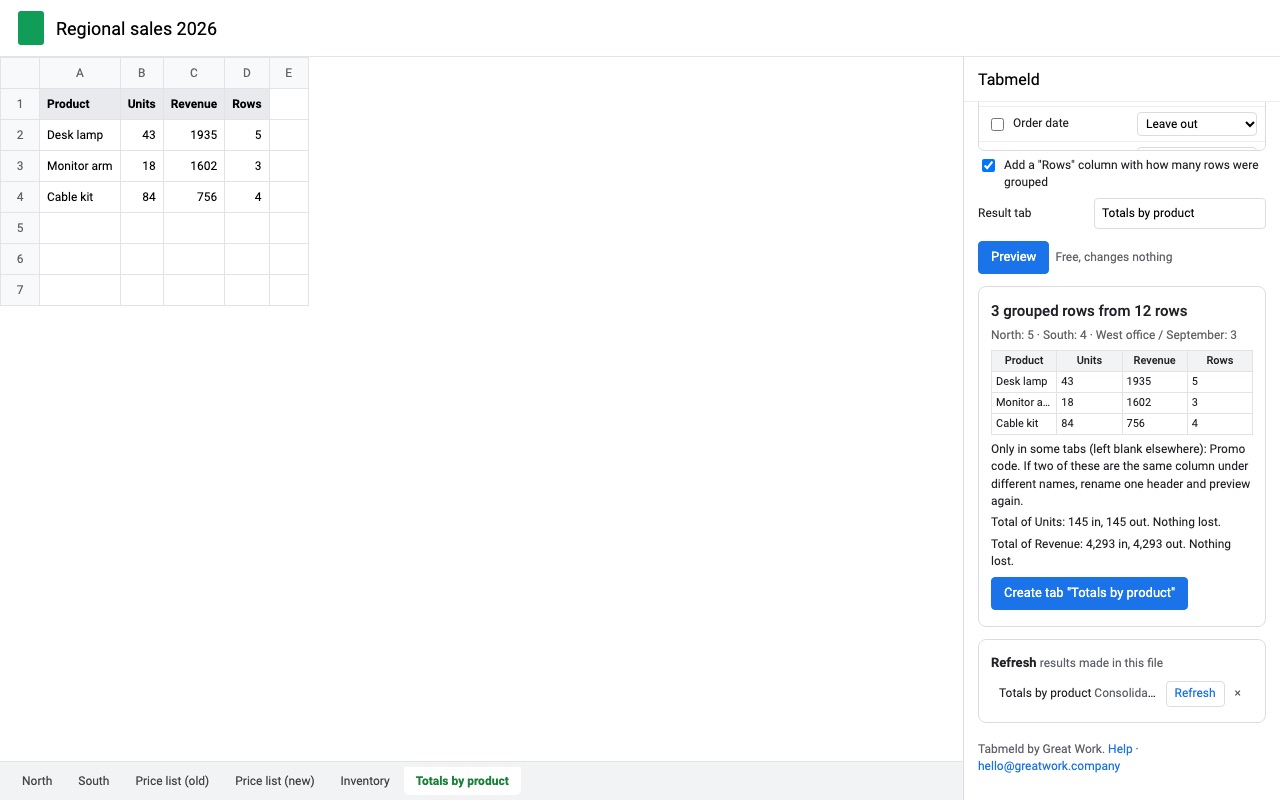
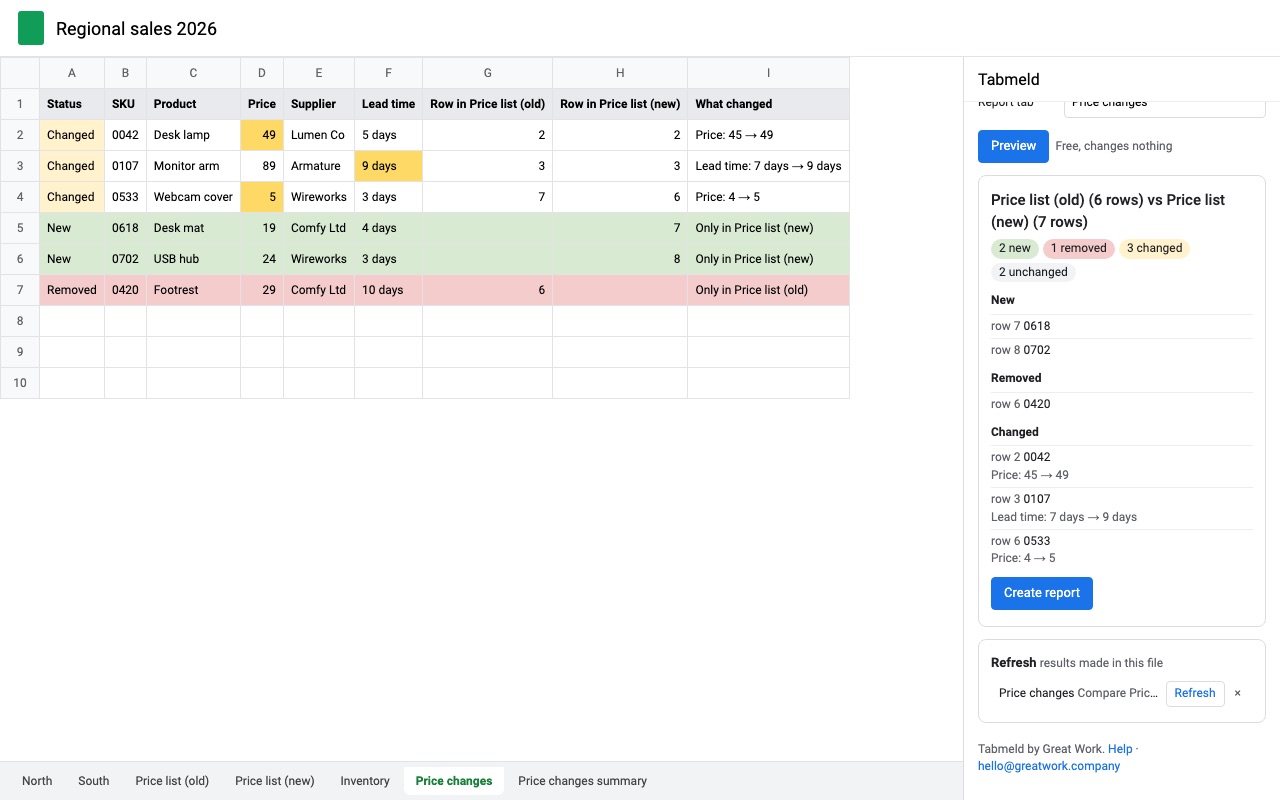
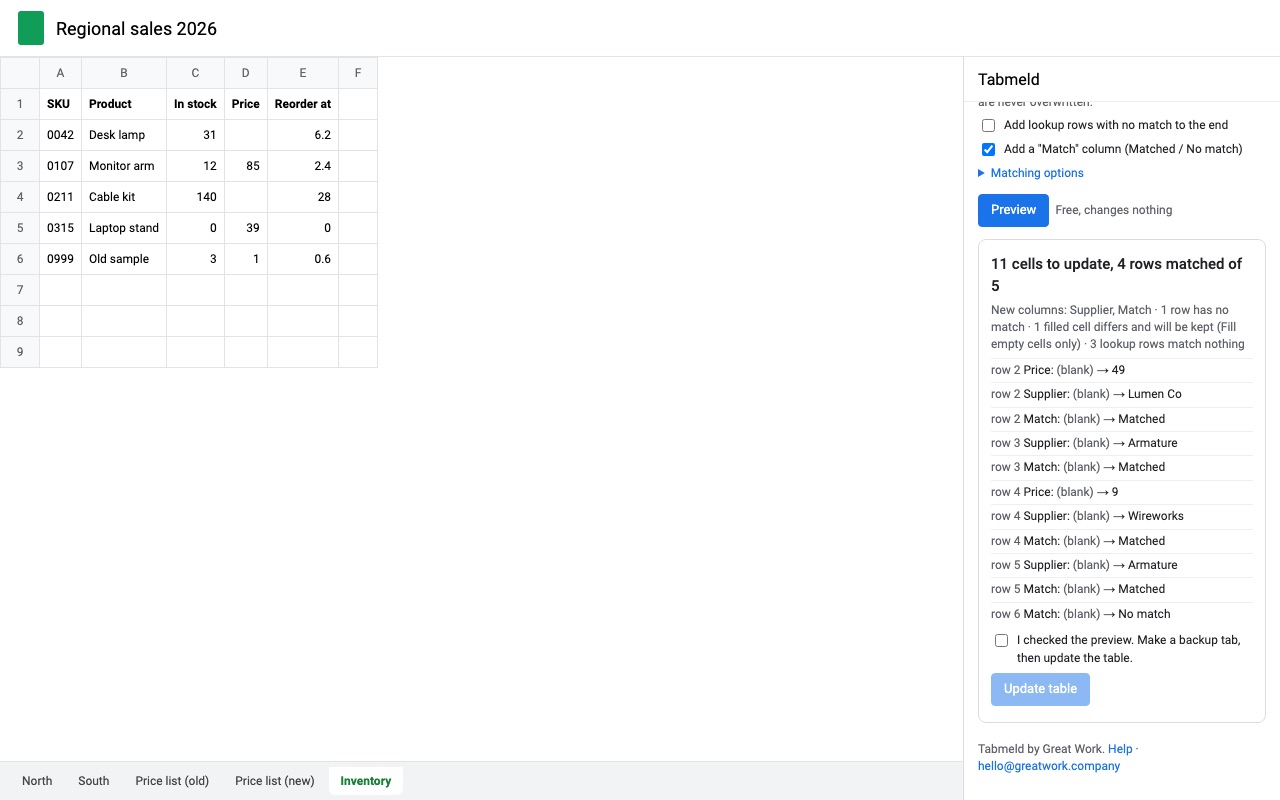
Tabmeld does four spreadsheet jobs in one add-on: combine many tabs and files into one tab, group and total them (consolidate), compare two tables to see what's new, removed and changed, and update one table from another by a key column. Every job shows a free preview first, and anything that changes your data makes a backup tab before it starts.
What you get
- Combine many tabs and files into one tab, columns lined up by header name, with a source column
- Group and total (consolidate) with a check that totals in match totals out
- Compare two tables by any number of key columns: new, removed and changed rows, cell by cell
- Merge by key: fill blanks, overwrite or add columns from another table, never over formulas
- Refresh any combined or compare tab later with one click
- Only opens the spreadsheet you're in and files you pick; always previews and backs up first
How Tabmeld works
- Open Extensions, Tabmeld and pick a job: Combine sheets, Compare sheets or Merge sheets by key. All three live in one sidebar with a tab for each.
- Add the sources. Add tabs from this spreadsheet, click Add all tabs in this file, or choose Pick a file from Drive... to add tabs from other spreadsheets. All tabs can also take only tabs whose name contains some text, such as
2026. - Pick how columns line up. By header name matches "E-mail Address" with "email address" even when the columns are in a different order on each tab. By position stacks column A on column A.
- Choose the Source column: tab name, file and tab, file name, or none, so you know where each row came from.
- Set the options: skip empty rows, keep pictures, or group and total rows that share a key.
- Click Preview. It shows the columns, the row counts per source, and any column only some tabs have. Previews are free and write nothing.
- Click Create tab. The combined rows go into a new tab. When the sources change, click Refresh in the sidebar or choose Refresh combined tabs from the menu.
Who it's for
Monthly or weekly tabs that need one view
Sales logs, timesheets or orders kept as one tab per month become one table for a pivot table or chart. With All tabs set to names containing 2026, next month's tab is included the next time you refresh.
Teams that each keep their own spreadsheet
Five stores or five reps each fill in their own file. Pick all five files, combine by header name, and a Source column says which file each row came from, even if one store put the columns in a different order.
Anyone checking two versions of a list
Compare sheets reads last week's export and this week's and lists the new, removed and changed rows, with the changed cells colored.
Keeping a master table in step with a lookup table
Merge sheets by key fills in or updates columns in your table from another table wherever an ID or email matches, without a column of VLOOKUP formulas to maintain.
Tabmeld or formulas in Google Sheets
Google Sheets can stack ranges with array braces or VSTACK, and pull ranges from other files with IMPORTRANGE. That works when every tab has the same columns in the same order and the list of tabs never changes. Each new month's tab has to be added to the formula by hand, a column moved on one tab puts its values under the wrong header, and the result is a formula range you can't sort or edit in place. Tabmeld matches columns by name, picks up new tabs on refresh, and writes plain values you can sort, filter and edit.
Limits and requirements
- Up to 3,000,000 cells read and 2,000,000 written in one run.
- Refresh runs when you click it. There is no background schedule.
- Tabmeld only rewrites tabs it created. If one of your tabs has the same name, the result goes to a new tab.
- It can open the spreadsheet you're in and the files you pick in Google's file picker, and nothing else in your Drive. Picked files are only read.
- Pictures from
=IMAGE()come across from any file. Pictures placed inside cells come across only from tabs in this spreadsheet.
Tabmeld guides
Questions about Tabmeld
What does Tabmeld do?
Combine, consolidate, compare and merge Google Sheets tabs and files in one add-on. Tabmeld does four spreadsheet jobs in one add-on: combine many tabs and files into one tab, group and total them (consolidate), compare two tables to see what's new, removed and changed, and update one table from another by a key column. Every job shows a free preview first, and anything that changes your data makes a backup tab before it starts.
What does Tabmeld work with?
Tabmeld works in Google Sheets, in any browser.
How much does Tabmeld cost?
$4.99 a month or $39 a year per Google account. $69 once for lifetime access on one Google account. Team plan: $149 a year covers everyone at your company or school who signs in to Google with an email address on your domain (not Gmail or other personal addresses). Billed through Stripe. Cancel any time from Plans and billing in the add-on.
Is there a free trial?
Free trial: 14 days or 20 runs, whichever comes first. No card needed.
Where do I install Tabmeld?
From the Google Workspace Marketplace. Use the Install button on this page, or search for "Tabmeld: Combine, Merge & Compare Sheets" there.
Who makes Tabmeld?
Great Work LLC, an independent software company. Email hello@greatwork.company with any question about Tabmeld and someone will answer.
What happens to a column that only some tabs have?
It's kept, and left blank for rows from the tabs that don't have it. The preview lists those columns so you can spot a misspelled header.
Are leading zeros and codes kept?
Yes. Text stays text, so 00123 and codes like 1-2 are written exactly as they were, and dates stay dates.
Can I combine files I don't own?
Yes, if you can open them. Choose Pick a file from Drive... and select them in the file picker. A pasted link works only for files already picked once.
Does combining change my source tabs?
No. Combine and Compare only read the sources. Merge by key is the one job that changes a table, and it makes a backup tab first.
What counts as a run in the trial?
Each job that writes something: creating a tab, creating a report, updating a table or refreshing. Previews, backups and restores are free.
Can I undo a merge?
Yes. Every merge makes a backup tab before it writes, and Restore in the sidebar puts the table back.
More Google Sheets apps
 Trafficledger
 Tabherd
 Cellendar
 Scheduled Sheet Reports