



Tabherd Hide, sort, rename, protect and copy many Google Sheets tabs at once, with a preview and undo for every change
Listed on the Google Workspace Marketplace as “Tabherd: Bulk Tab Manager for Sheets”
$2.99 a month or $19 a year per Google account. Free trial: 30 days or 60 applied changes, whichever comes first. No card needed.
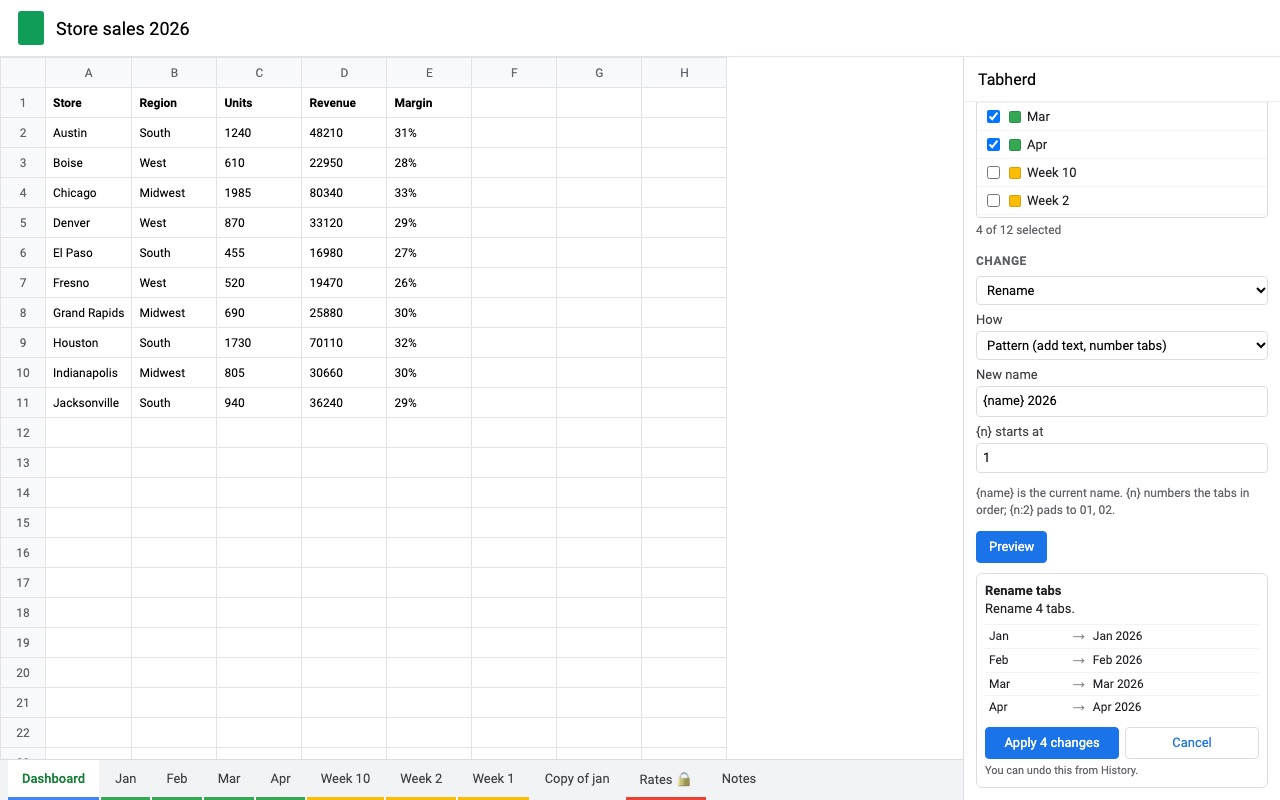
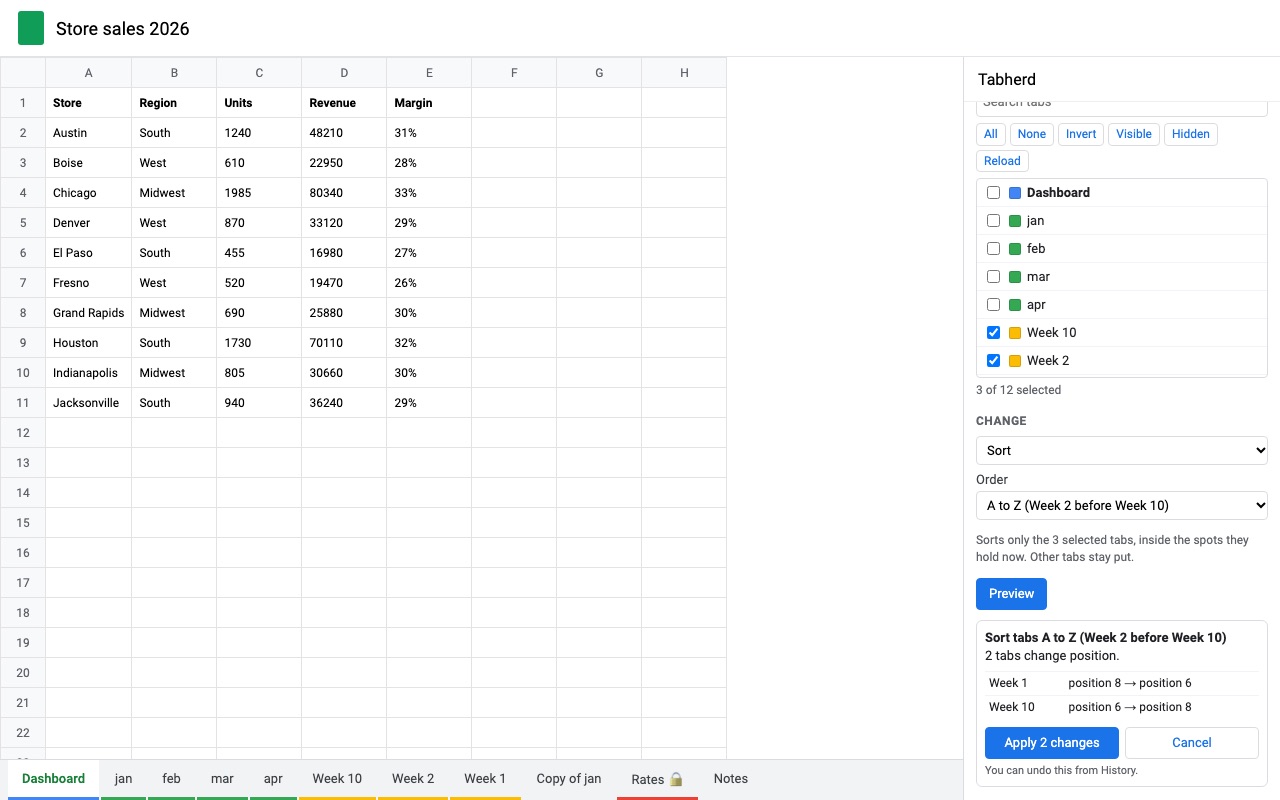
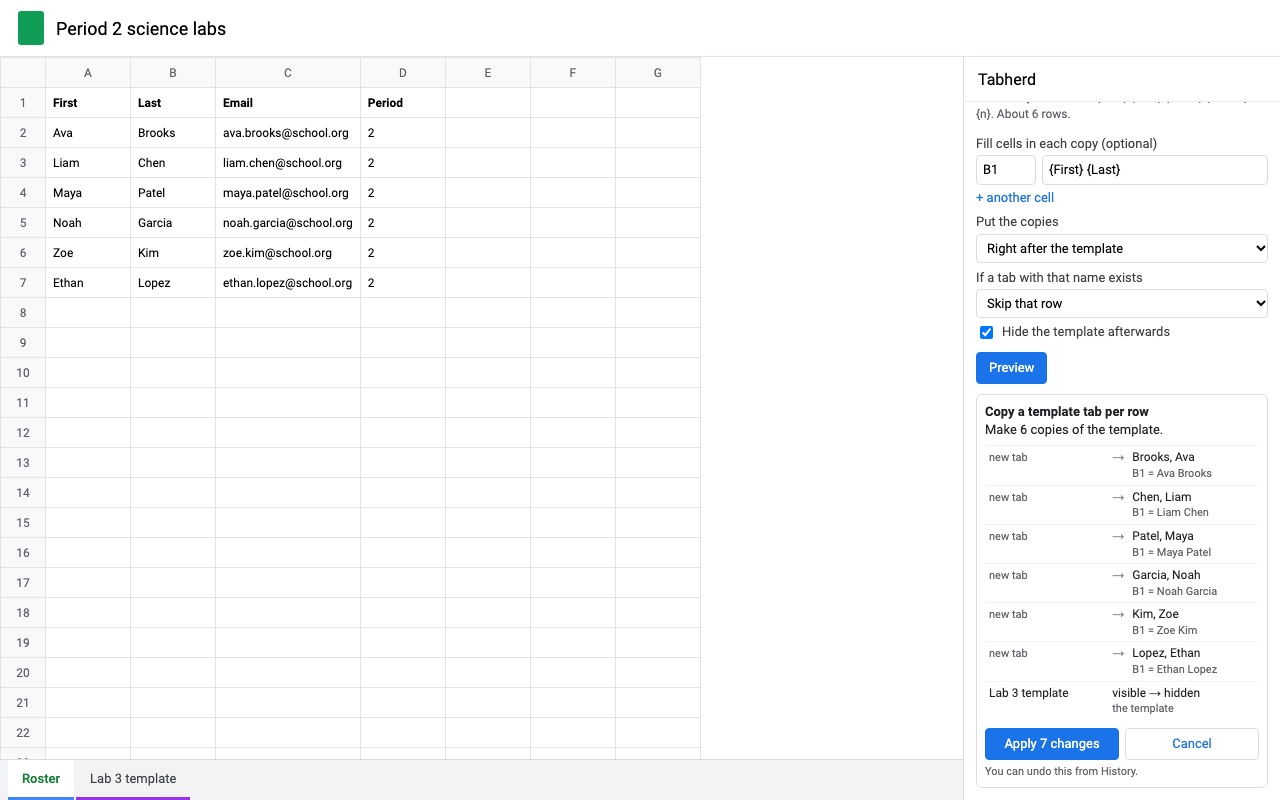
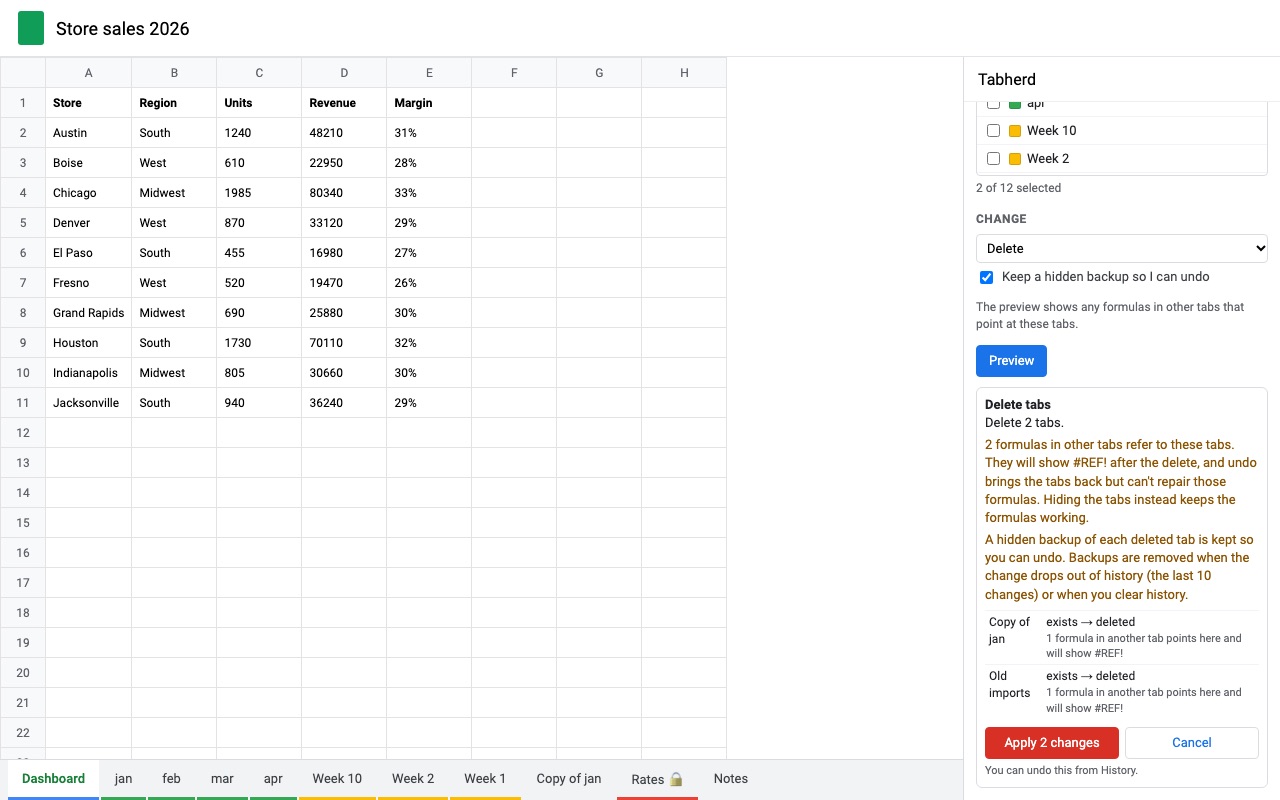
Tabherd manages the tabs of a big spreadsheet in bulk. Tick the tabs you want (search, select all, select hidden), pick a change, and see a preview of exactly what will happen to each tab. Click Apply, and the change goes into History with an Undo button.
What you get
- Hide, show, rename, sort, move, color, protect, duplicate and delete many tabs at once
- A preview of every change, tab by tab, before anything happens
- Undo for every change, even after your trial ends
- One copy of a template tab per row of a roster or list, named and filled in
- Natural sort (Week 2 before Week 10), sort by color, or drag your own order
How Tabherd works
- Open Extensions, Tabherd, Open Tabherd. The sidebar lists every tab in the spreadsheet.
- Tick the tabs to change. Search by name, or use All, None, Invert, Visible and Hidden to pick many at once.
- Choose a change: Hide, Show (unhide), Rename, Sort, Move, Tab color, Protect, Remove protection, Duplicate, Copy a template tab per row, Delete or Table of contents tab.
- Fill in the details. For a rename, that might be find and replace, a pattern such as
Week {n}, a change of case, or a pasted list of new names. - Click Preview. Every tab that will change is listed with its name or state before and after, along with any warnings.
- Click Apply. The change goes into History with an Undo button. Undo the last change is also in the Extensions menu.
Who it's for
Spreadsheets with a tab per week, month, client or student
A workbook with 60 tabs named "Week 1" to "Week 60" sorts as Week 1, Week 10, Week 11 in plain text order. Tabherd's A to Z (Week 2 before Week 10) puts numbers in number order, and a pattern rename such as {name} 2026 labels the whole year in one go.
Teachers making one tab per student
Copy a template tab per row takes a roster tab and makes one copy of a gradebook or feedback template for each student, named from the row, such as {Last}, {First}, with their name already in cell B1.
Finance and ops workbooks shared with many people
Protect every monthly tab at once with warn before editing or only you and the owner can edit, color the closed months gray, and hide last year's tabs without deleting them.
Anyone cleaning up an inherited file
Find the tabs that no one uses, check whether any formula points at them, and delete or hide them in one step, with a backup kept so the delete can be undone.
Tabherd or Google Sheets' tab menu
Google Sheets lets you Shift-click or Ctrl-click several tabs and hide, duplicate, color or delete them together. That covers a quick tidy of a few tabs. It has no way to unhide many tabs at once (hidden tabs come back one at a time from View, Hidden sheets), no sort for tabs, no bulk rename, no copy of a template per row of a list, and once a tab is deleted and the file has moved on, getting it back means version history for the whole file. Tabherd adds those, and a preview and undo for each change.
Limits and requirements
- At least one tab has to stay visible, so Tabherd won't hide every tab.
- Duplicate makes up to 50 copies of each selected tab per run. Copy a template tab per row makes up to 200 copies per run, within Google Sheets' 10 million cell limit for the file.
- History keeps the last 10 changes, stored with the file, so anyone using Tabherd in that spreadsheet can undo them.
- Undo only reverts tabs that still look the way Tabherd left them. A tab renamed again since then is left alone, and you're told which.
- Undoing a delete brings the tab back, but formulas in other tabs that pointed at it already show
#REF!and stay that way. The delete preview counts those formulas first.
Tabherd guides
Questions about Tabherd
What does Tabherd do?
Hide, sort, rename, protect and copy many Google Sheets tabs at once, with a preview and undo for every change. Tabherd manages the tabs of a big spreadsheet in bulk. Tick the tabs you want (search, select all, select hidden), pick a change, and see a preview of exactly what will happen to each tab. Click Apply, and the change goes into History with an Undo button.
What does Tabherd work with?
Tabherd works in Google Sheets, in any browser.
How much does Tabherd cost?
$2.99 a month or $19 a year per Google account. $49 once for lifetime access on one Google account. Team plan: $99 a year covers everyone at your company or school who signs in to Google with an email address on your domain (not Gmail or other personal addresses). Billed through Stripe. Cancel any time from Plans and billing in the add-on.
Is there a free trial?
Free trial: 30 days or 60 applied changes, whichever comes first. No card needed.
Where do I install Tabherd?
From the Google Workspace Marketplace. Use the Install button on this page, or search for "Tabherd: Bulk Tab Manager for Sheets" there.
Who makes Tabherd?
Great Work LLC, an independent software company. Email hello@greatwork.company with any question about Tabherd and someone will answer.
Can I undo a change after my trial ends?
Yes. Preview and undo are always free, even after the trial.
How do I make a table of contents tab?
Choose Table of contents tab. Tabherd adds a first tab with a link to every tab. Run it again after you add or rename tabs to update it.
Can I sort only some of the tabs?
Yes. Tick the tabs to sort and they're sorted within the places they already hold; the other tabs stay put. Tick none to sort every tab.
Can I put tabs in my own order?
Yes. Choose Sort, then Custom: drag tabs in the list, and drag them in the sidebar.
Does Tabherd open my other files?
No. It works only in the spreadsheet you have open, and tab names and data never leave Google.
What counts as a change in the trial?
Each Apply counts as one, however many tabs it changes.
More Google Sheets apps
 Tabmeld
 Scheduled Sheet Reports
 Trafficledger
 Rowtree