



Scheduled Sheet Reports Email a range or a whole sheet on a schedule, with a stop button that always works
$6.99 a month or $59 a year per Google account. Free trial: 20 scheduled sends or 14 days, whichever comes first. No card needed.
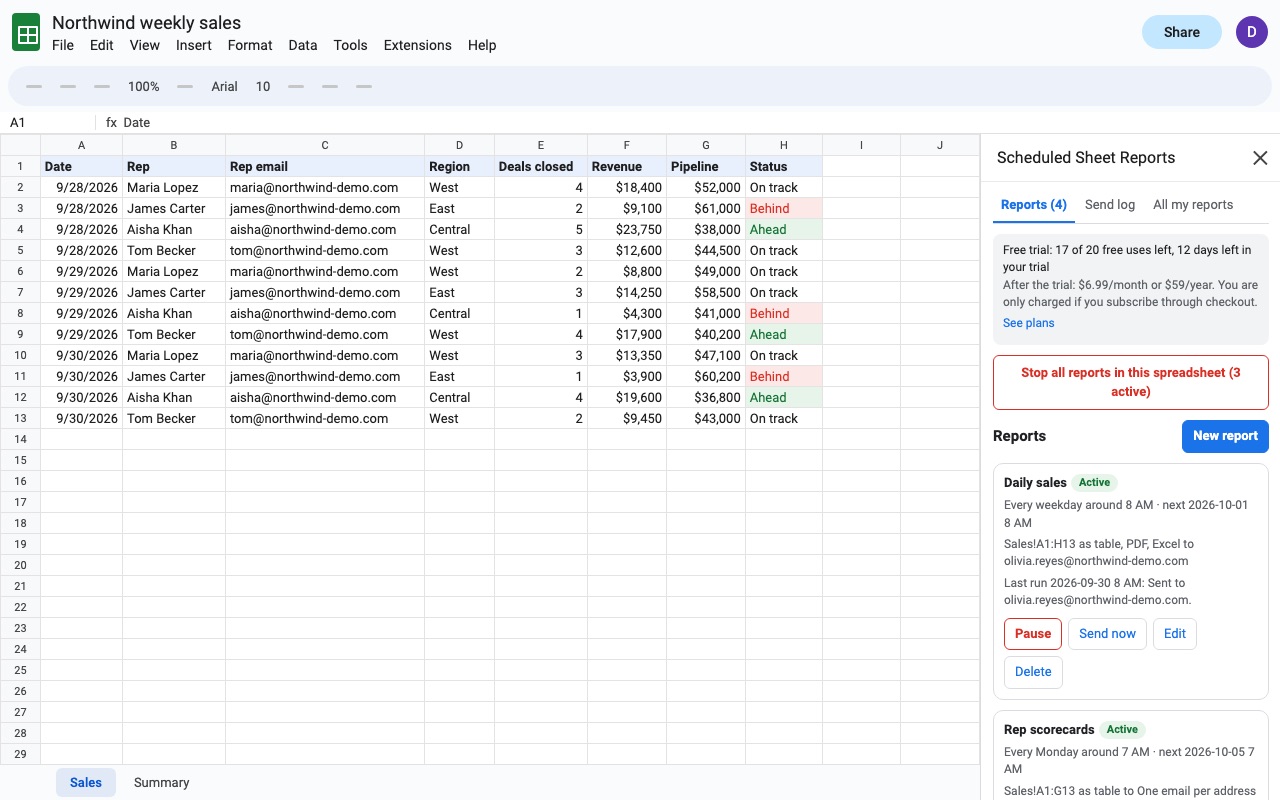
Send the numbers people ask you for, automatically, and stop any report in one click.
Scheduled Sheet Reports delivers a range, a tab or the whole spreadsheet at the times you set: every few hours during work hours, daily, on chosen weekdays, or monthly. Each report can be a formatted table in the message body, a PDF, an Excel (.xlsx) file, a CSV, or any mix.
What you get
- Up to 25 scheduled reports per spreadsheet and 50 recipients per report
- Inline table, PDF, Excel and CSV
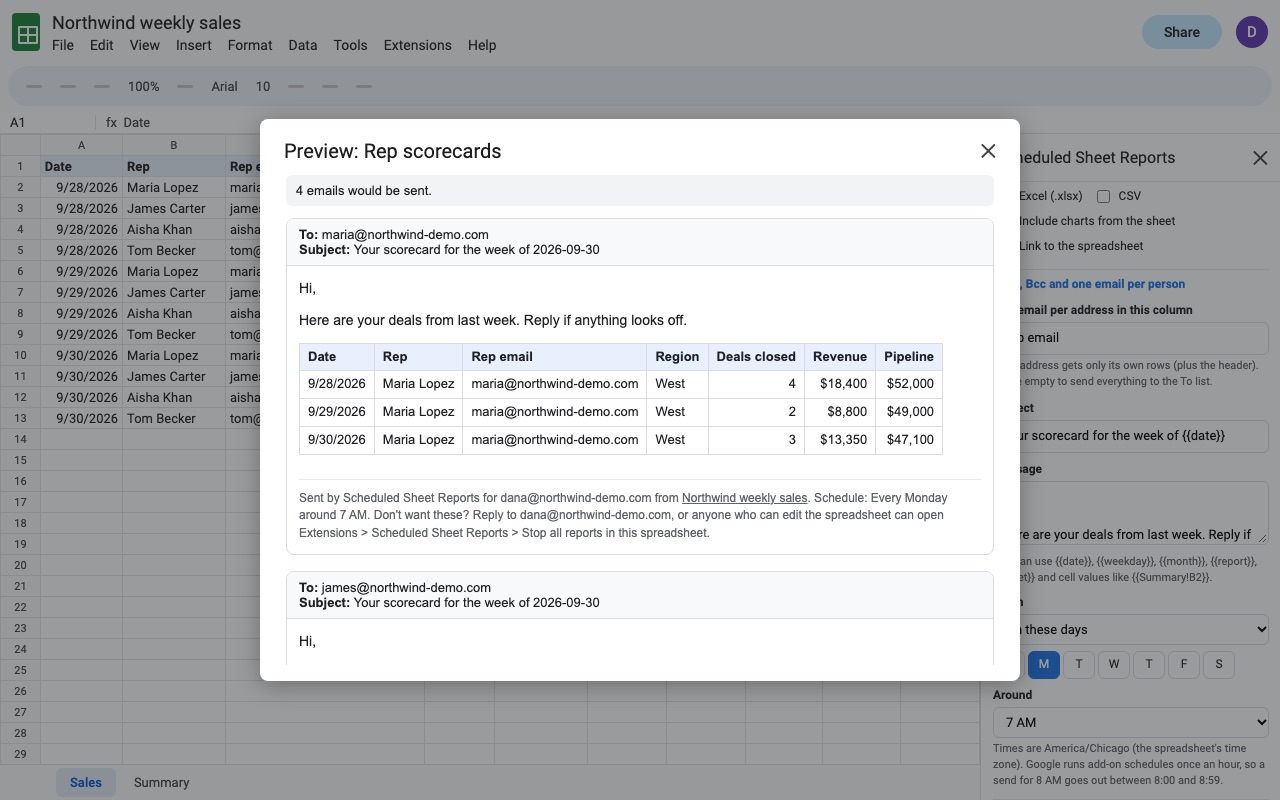
- One email per recipient with only their rows
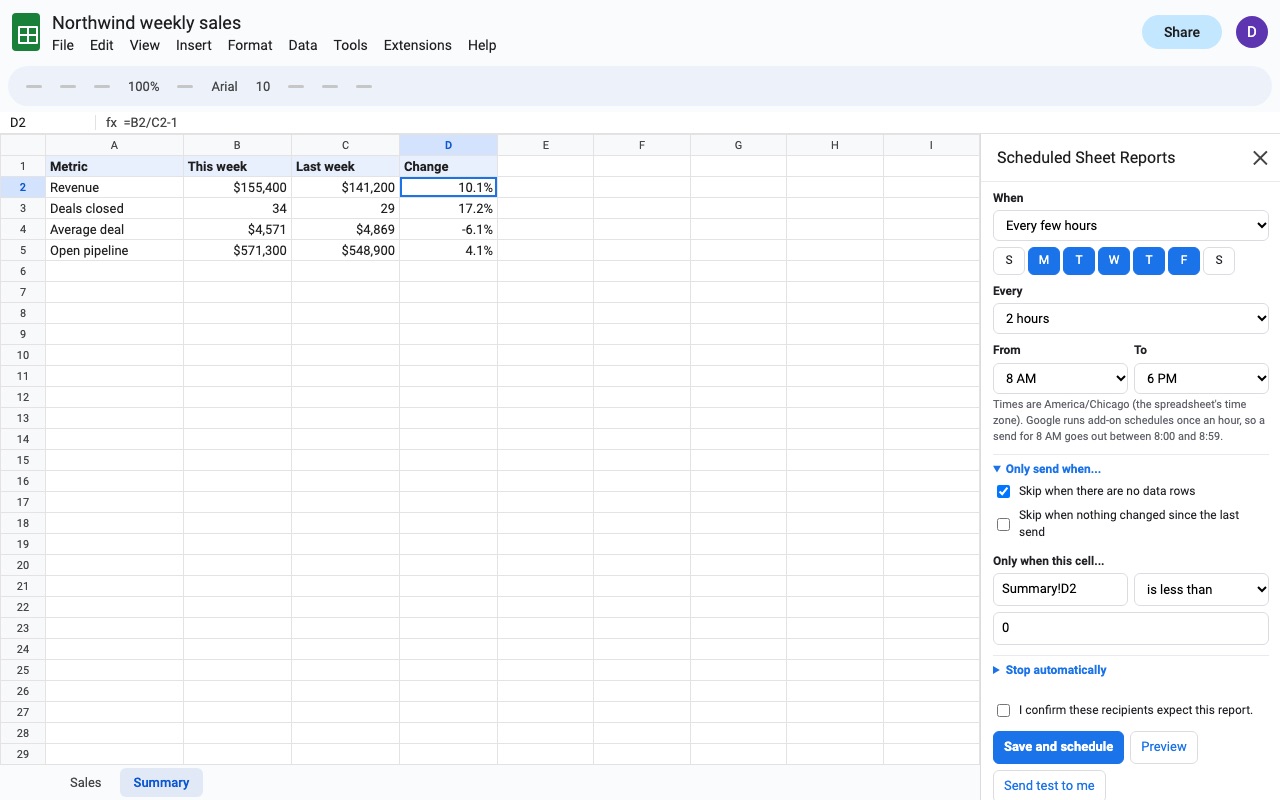
- Only send when data changed or a cell crosses a limit
- Stop all and pause-everywhere controls, plus a send log
How Scheduled Sheet Reports works
- Install it from the Google Workspace Marketplace, open your spreadsheet and choose Extensions, Scheduled Sheet Reports, Open reports.
- Click New report and give it a name.
- Pick What to send: A range of cells (type it or click Use selection), A whole sheet (tab), or Every visible sheet.
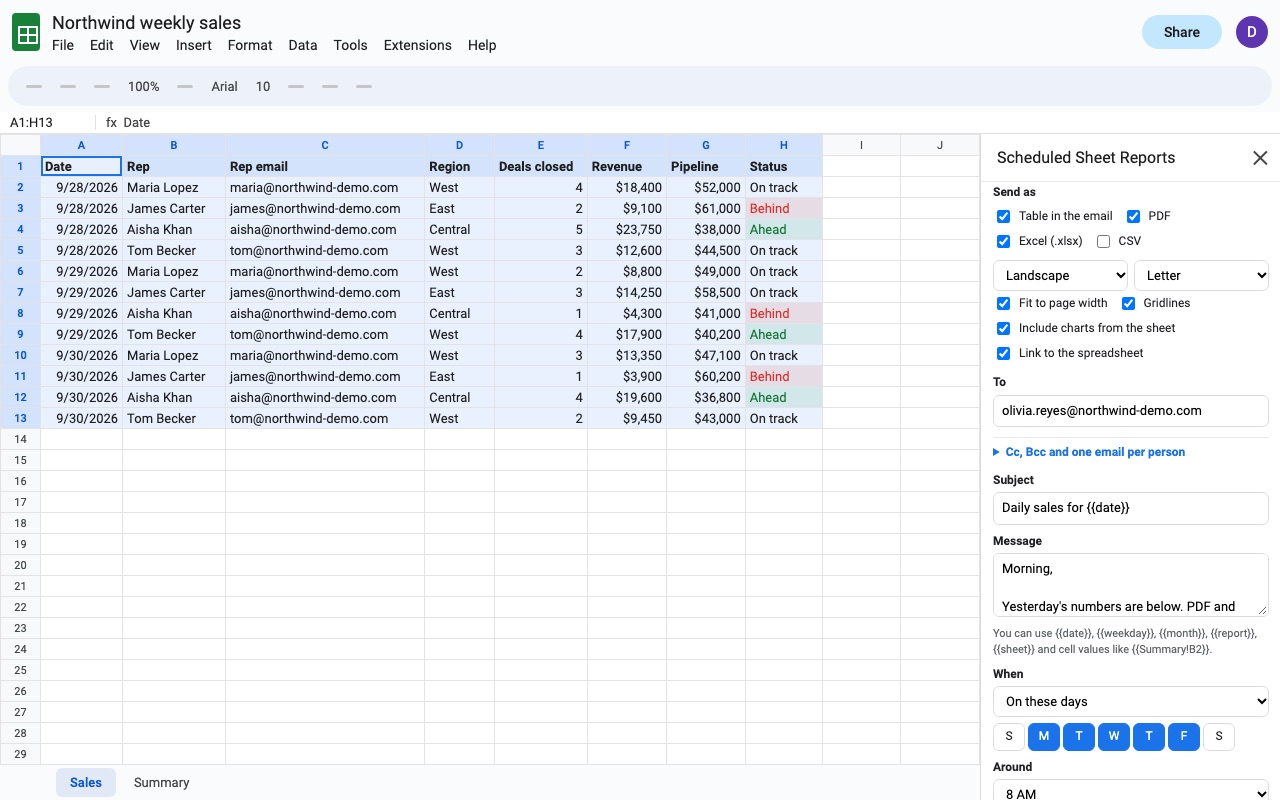
- Pick Send as: a table in the email body, a PDF (portrait or landscape, Letter or A4), an Excel file, a CSV, or any mix. You can include charts from the sheet and a link back to the spreadsheet.
- Add recipients in To, Cc and Bcc, or choose One email per address in this column to send each person only their rows.
- Write the Subject and Message. Both can include
{{date}},{{weekday}},{{month}},{{report}}and the value of any cell, such as{{Summary!B2}}. - Set When: daily around an hour on the days you pick, every 1 to 12 hours between two hours of the day, or monthly on a day you choose, including the last day.
- Click Preview to see every message and who gets it, Send test to me, then Save and schedule.
Who it's for
A manager who gets asked for the same numbers every Monday
The weekly sales tab goes to the team as a PDF and an inline table at 8 AM on Mondays, with the total in the subject line from {{Summary!B2}}. Nobody has to remember to send it.
Operations teams sending each branch its own list
A sheet of open orders with a store manager's email in one column becomes one email per manager with only that store's rows, and nobody sees another branch's data.
Bookkeeping and client reporting
A month-end summary goes out as an Excel file on the last day of each month, and the report stops on its own after the date you set under Stop automatically.
Watching a number
A report set to run every 2 hours during work hours, with Only when this cell... set to Inventory!C2 is less than 20, sends only when stock runs low.
Scheduled Sheet Reports or Google Sheets on its own
Google Sheets can email a file by hand from File, Email, Email this file, where you choose the format each time. It has no way to repeat that on a schedule, send only part of a sheet in the body, or send each person their own rows. People who need more often write their own Apps Script with a time trigger; that works, and then someone has to maintain it and find it when it keeps sending after it's no longer wanted. This add-on is for reports that should run without a script, and stop the moment anyone asks: Stop all reports in this spreadsheet is right in the Extensions menu, and any editor can use it.
Limits and requirements
- Google runs add-on timers once an hour, so a report set for 8 AM goes out during the 8 AM hour, not at an exact minute.
- Reports send from the owner's Google account and count toward Google's daily recipient limit for that account: 100 recipients a day on a personal Gmail account and 1,500 on Google Workspace. The add-on checks what's left before it sends.
- Up to 25 reports per spreadsheet and 50 recipients per report.
- The inline table shows the first 300 rows and 30 columns. Attachments carry everything.
- The PDF is laid out by the add-on, not by Google Sheets' print settings.
Scheduled Sheet Reports guides
Questions about Scheduled Sheet Reports
What does Scheduled Sheet Reports do?
Email a range or a whole sheet on a schedule, with a stop button that always works. Send the numbers people ask you for, automatically, and stop any report in one click.
What does Scheduled Sheet Reports work with?
Scheduled Sheet Reports works in Google Sheets, in any browser.
How much does Scheduled Sheet Reports cost?
$6.99 a month or $59 a year per Google account. Billed through Stripe. Cancel any time from Plans and billing in the add-on.
Is there a free trial?
Free trial: 20 scheduled sends or 14 days, whichever comes first. No card needed.
Where do I install Scheduled Sheet Reports?
From the Google Workspace Marketplace. Use the Install button on this page, or search for "Scheduled Sheet Reports" there.
Who makes Scheduled Sheet Reports?
Great Work LLC, an independent software company. Email hello@greatwork.company with any question about Scheduled Sheet Reports and someone will answer.
Who do the reports come from?
From the Google account of the person who created the report. Other editors can see, pause and delete it, but only the owner can edit or resume it.
What happens if a report keeps failing?
After 3 failures in a row, such as a renamed tab, the report pauses itself and emails its owner the reason. Every send, skip and error is listed in the Send log.
Can I send only when the data changed?
Yes. Under Only send when..., tick Skip when nothing changed since the last send. Skip when there are no data rows is on by default, so an empty report isn't sent.
How do I stop reports I made in other spreadsheets?
Choose Pause or resume my reports everywhere from the menu. Every report you own, in every spreadsheet, pauses until you resume them.
Can a report end on its own?
Yes. Under Stop automatically, set After this many sends or After this date.
Do recipients see each other's addresses with one email per person?
No. Each person gets their own email with the header row and their rows only, with no Cc or Bcc added.
Does a skipped send count against the trial?
No. Only reports that are sent count. Test sends to yourself are free, up to 20 a day.
More Google Sheets apps
 Tabherd
 Rowtree
 Tabmeld
 Rowsplit