



Cellendar Two-way sync between Google Sheets rows and Google Calendar events
$7.99 a month or $59 a year per Google account. Free trial: 100 event changes or 14 days, whichever comes first. No card needed.
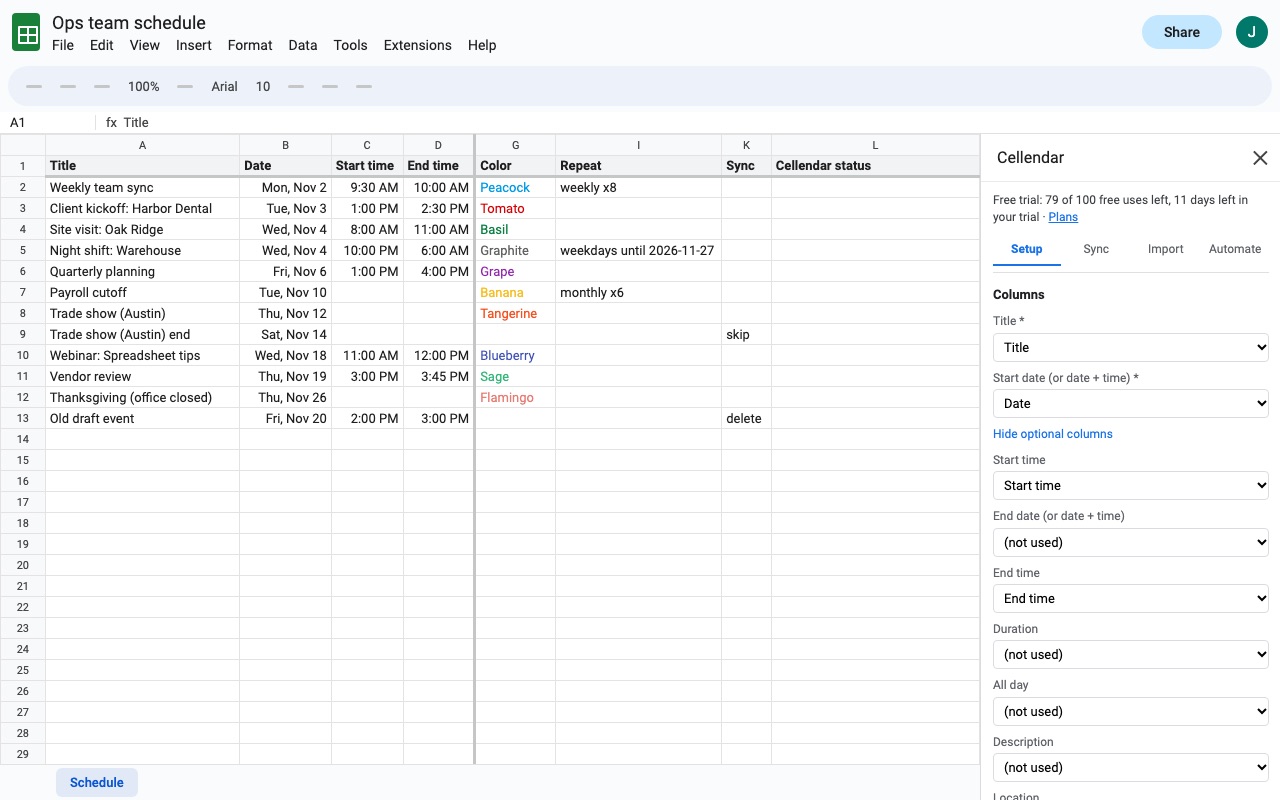
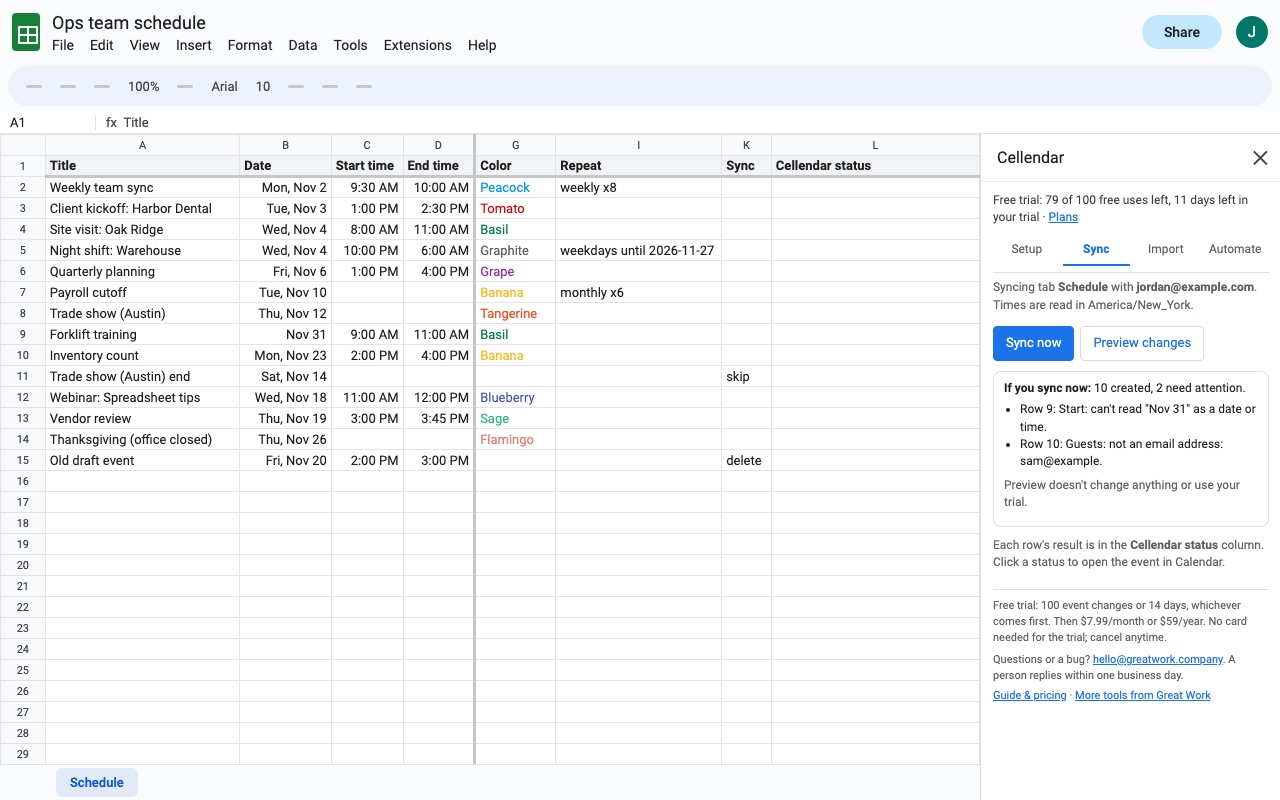
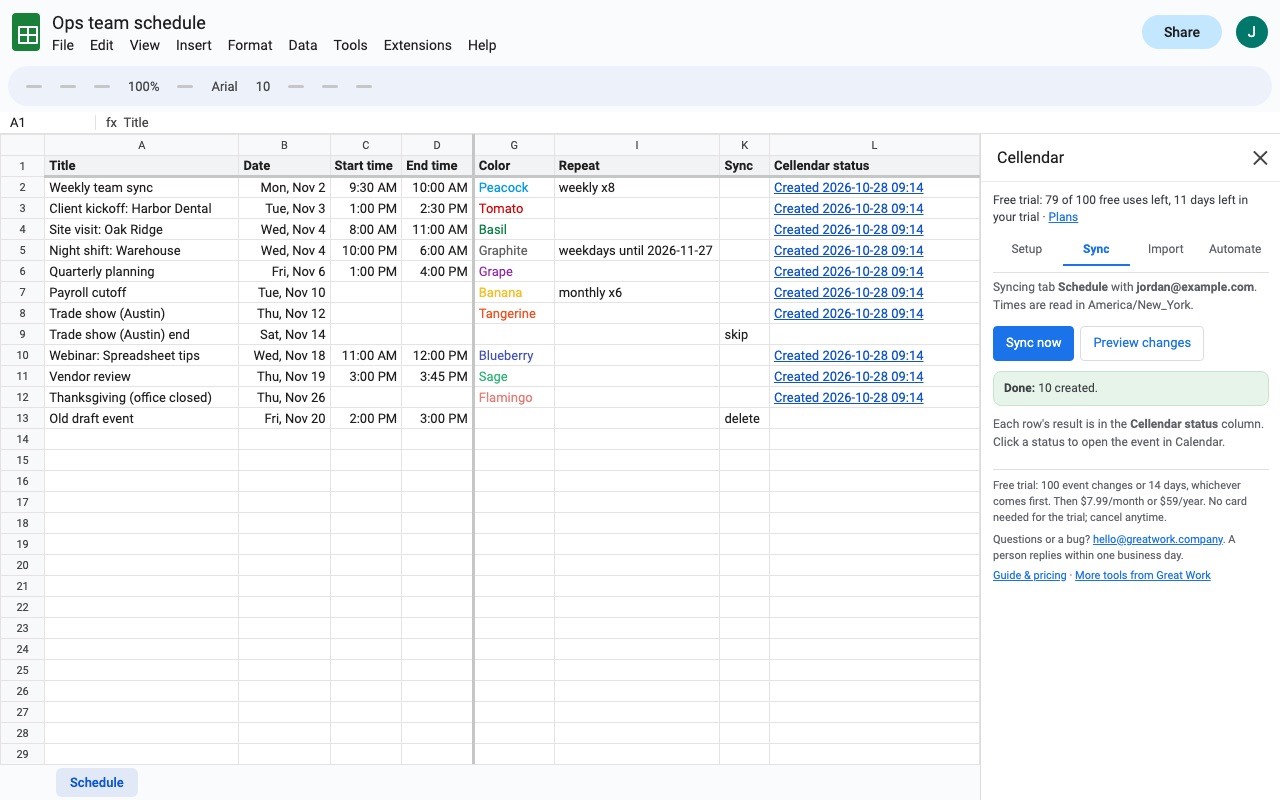
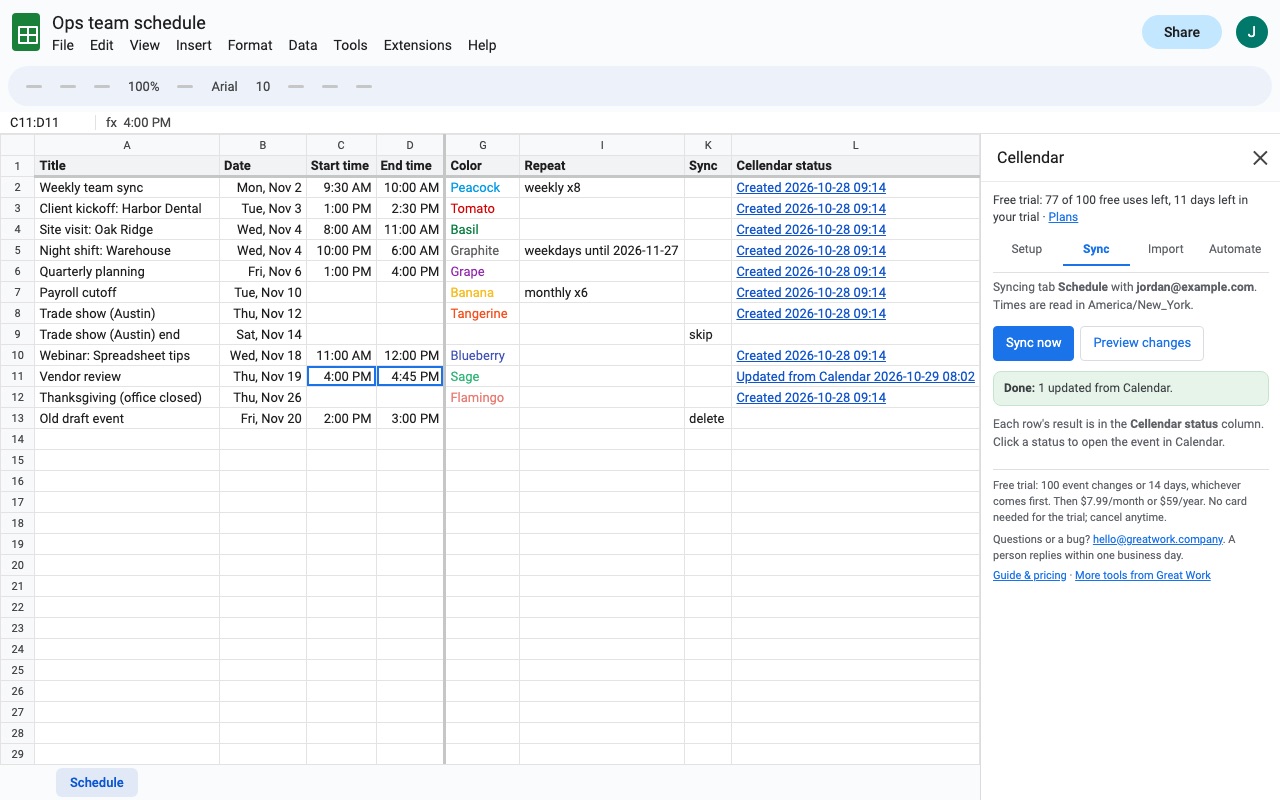
Cellendar connects a Google Sheets tab to Google Calendar. Each row becomes an event. Change the row and the event updates. Change the event in Calendar and the row updates. Run it a hundred times and you still have one event per row.
What you get
- Unlimited events and rows, no per-run caps
- Two-way sync: Calendar edits flow back into the sheet
- Automatic hourly or daily sync, plus Google Form submissions
- Import any date range from Calendar into a synced tab
How Cellendar works
- Install Cellendar from the Google Workspace Marketplace, open your spreadsheet and choose Extensions > Cellendar > Open Cellendar. No sheet yet? Start with a sample sheet builds one to try.
- On the Setup tab, pick the tab and the header row, and set the calendar. "primary" is your main calendar; for another one, paste its Calendar ID from Calendar settings > Integrate calendar and click Check. Cellendar guesses which columns hold the title, date, start time, end time and the rest from your headers; correct any it got wrong under Columns.
- Choose the time zone: the spreadsheet's, the calendar's, or a time zone column per row. Cellendar warns you when the sheet and calendar disagree.
- Tick Two-way if edits made in Google Calendar should come back into the sheet, and choose what wins when a row and its event both changed: Keep the sheet version or Keep the Calendar version. Click Save setup.
- On the Sync tab, click Preview changes. You see how many events would be created, updated, pulled back or deleted. A preview changes nothing and doesn't use the trial.
- Click Sync now. Each row gets a Cellendar status such as "Created" or "Updated from Calendar", or a plain error, with a link to its event.
- Automate it on the Automate tab: Every hour, Once a day, or create the event the moment a Google Form response lands in the tab.
Who it's for
Teams that plan in a sheet
Content calendars, shift rotas, class timetables and project milestones usually start as rows. Cellendar puts them on a shared Google Calendar, with a color, location, guests or a Google Meet link from columns, and keeps them current as the plan changes.
Anyone who moves events in Calendar and loses track in the sheet
With two-way on, dragging an event to Thursday in Calendar changes the date in its row on the next sync. RSVPs and attachments aren't counted as edits, so guests replying doesn't rewrite your sheet.
Bookings that arrive through Google Forms
When a Form writes responses into the tab, Cellendar can create each event as soon as the response arrives.
People who need repeating and multi-day events from rows
A Repeat column takes plain wording such as "weekly", "every 2 weeks x10" or "weekdays until 2026-12-31", or an RRULE. Multi-day all-day events and overnight shifts (10 PM to 6 AM) are handled too.
Cellendar or building it yourself
Google Calendar can import a CSV or iCal file, but that's a one-time copy: change the sheet afterwards and nothing updates, and importing the file again creates every event a second time. An Apps Script you write yourself can create events, but keeping one event per row through reruns, timeouts and daylight-saving changes, and bringing Calendar edits back, is the part that takes the work.
Cellendar saves each row's event id in a hidden column before it creates the event, so running it again, a timeout or a crash never makes a copy. Times are sent with their time zone, so daylight-saving changes don't shift events by an hour.
If what you want is a heads-up email before a date in the sheet rather than an event on a calendar, Due Date Reminders is the add-on for that.
Limits and requirements
- Google Sheets in a desktop web browser. Each tab syncs to one calendar by default; a calendar column lets single rows go to other calendars.
- There are no per-run caps. Big sheets sync in batches with a progress bar and pick up where they stopped. Google's own daily Calendar quota still applies, and Cellendar tells you when it's reached.
- Guests aren't emailed unless you turn invitations on, and then you see how many people would be emailed first.
- Deleting a row never deletes its event silently. Put "delete" in the Sync column, or use Rows you deleted > Find them to review events whose rows are gone.
Cellendar guides
Questions about Cellendar
What does Cellendar do?
Two-way sync between Google Sheets rows and Google Calendar events. Cellendar connects a Google Sheets tab to Google Calendar. Each row becomes an event. Change the row and the event updates. Change the event in Calendar and the row updates. Run it a hundred times and you still have one event per row.
What does Cellendar work with?
Cellendar works in Google Sheets, in any browser.
How much does Cellendar cost?
$7.99 a month or $59 a year per Google account. Billed through Stripe. Cancel any time from Plans and billing in the add-on.
Is there a free trial?
Free trial: 100 event changes or 14 days, whichever comes first. No card needed.
Where do I install Cellendar?
From the Google Workspace Marketplace. Use the Install button on this page, or search for "Cellendar" there.
Who makes Cellendar?
Great Work LLC, an independent software company. Email hello@greatwork.company with any question about Cellendar and someone will answer.
Can Google Sheets sync with Google Calendar automatically?
Not on its own. With Cellendar, choose Every hour or Once a day on the Automate tab, and the spreadsheet syncs while it's closed.
Will running the sync again create duplicate events?
No. Each row's event id is stored in a hidden column before the event is made, so a row is always linked to the same event.
Does it work with an existing calendar full of events?
Yes. Cellendar only changes events its own rows created. To bring events you already have into a sheet, use the Import tab.
Which columns can I sync?
Title, start and end date or date-time, start and end time, duration, all day, description, location, guests, color, reminders (such as 10m, 1h or email 1d), repeat, Google Meet link, calendar per row, time zone per row and a Sync column for skip or delete.
What date formats does it understand?
Real date and time cells, and dates typed as text in month/day or day/month order. Tick "Dates typed as text are day/month/year" if your sheet uses that order.
What counts toward the free trial?
Each event created, updated or deleted is one change; the trial is 100 changes or 14 days. Unchanged rows, previews and errors don't count, and an import uses one change per 25 events.
Can I sync more than one tab?
Yes. Set each tab up on its own, each with its calendar.
More Google Sheets apps
 Cellfetch
 Trafficledger
 Cellwell
 Tabmeld