



Rowtree Org charts from a Google Sheet: dotted lines, open roles, your own order, and charts in Slides and Docs that update from the sheet
Listed on the Google Workspace Marketplace as “Rowtree: Org Chart from Google Sheets”
$99 a month or $999 a year per Google account. Free trial: 14 days or 10 exported charts, whichever comes first. No card needed.
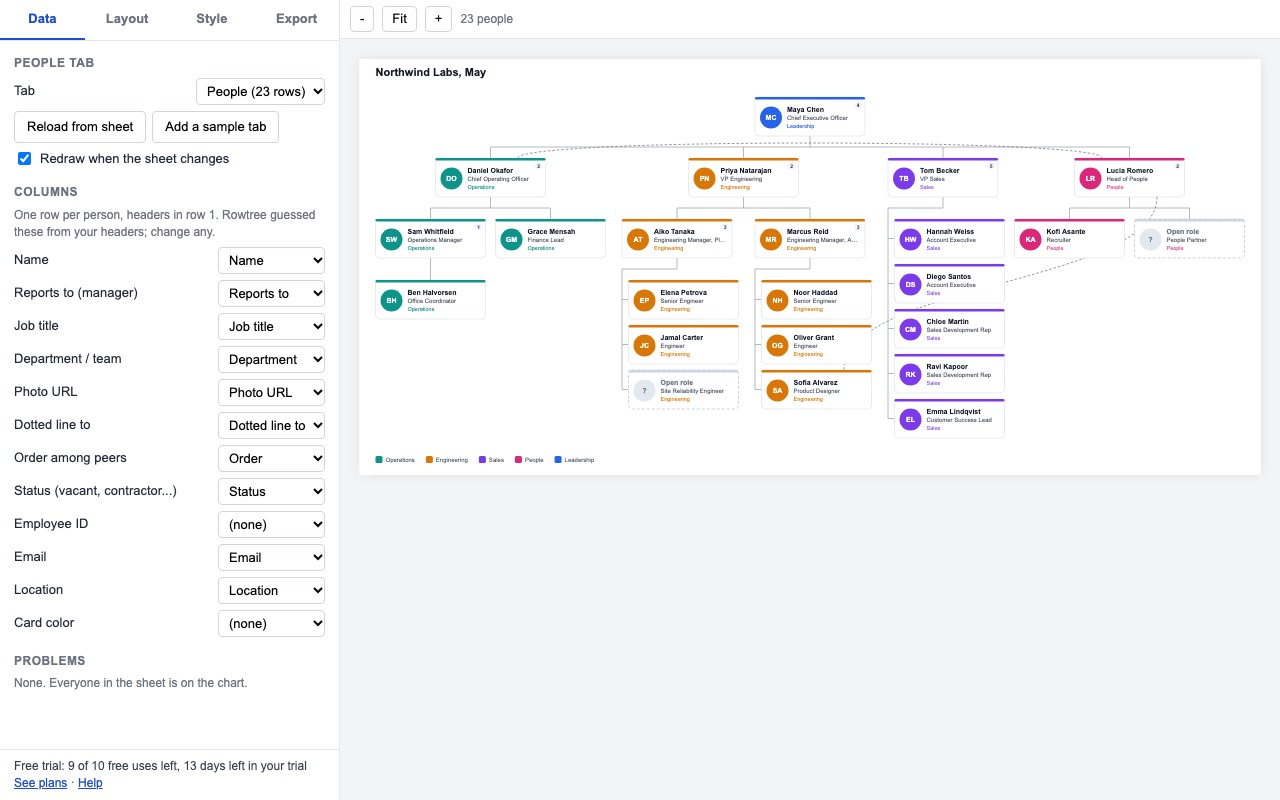
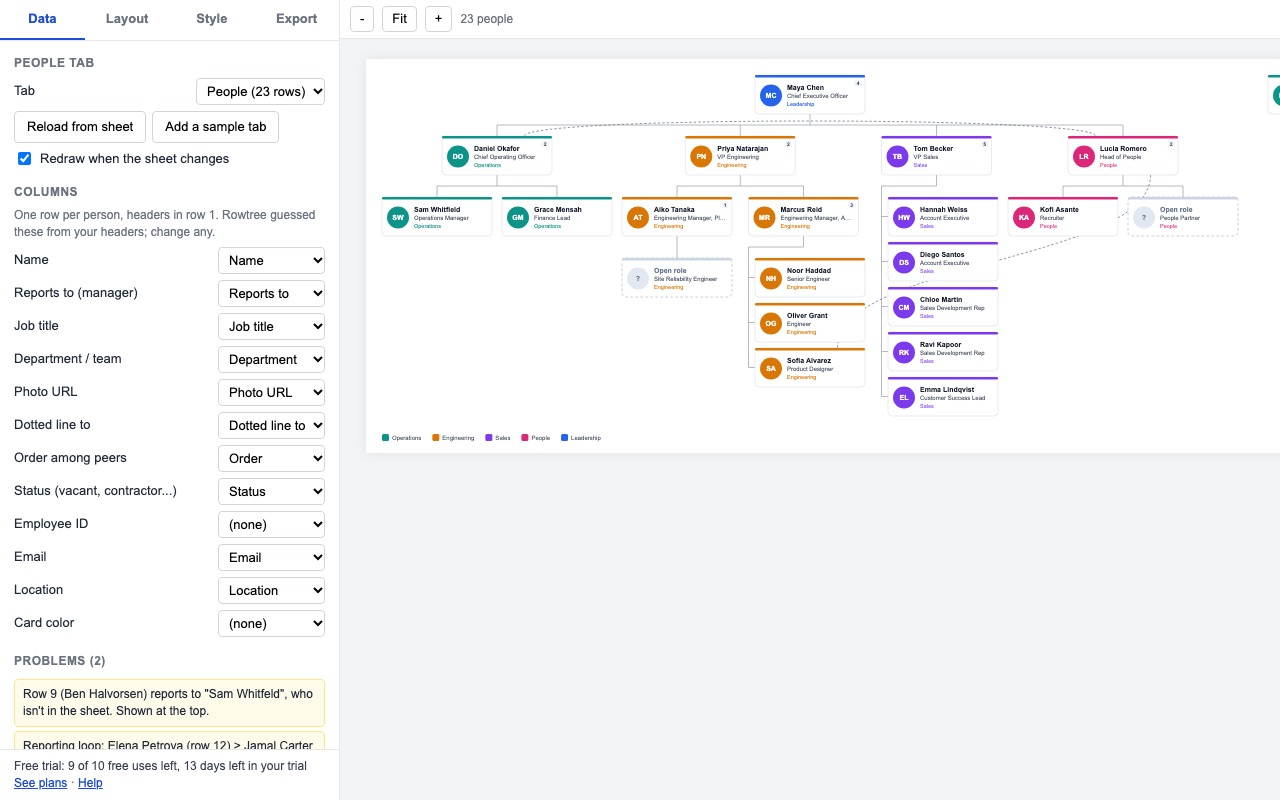
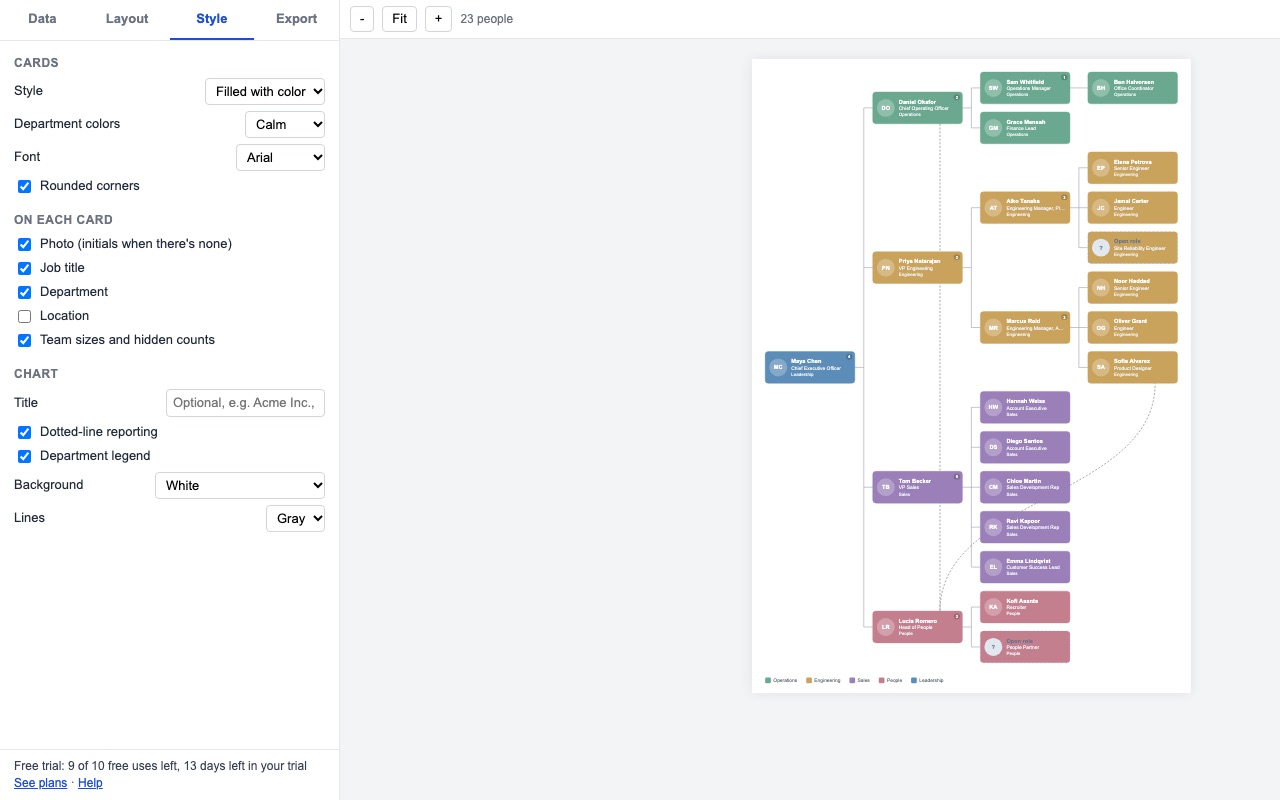
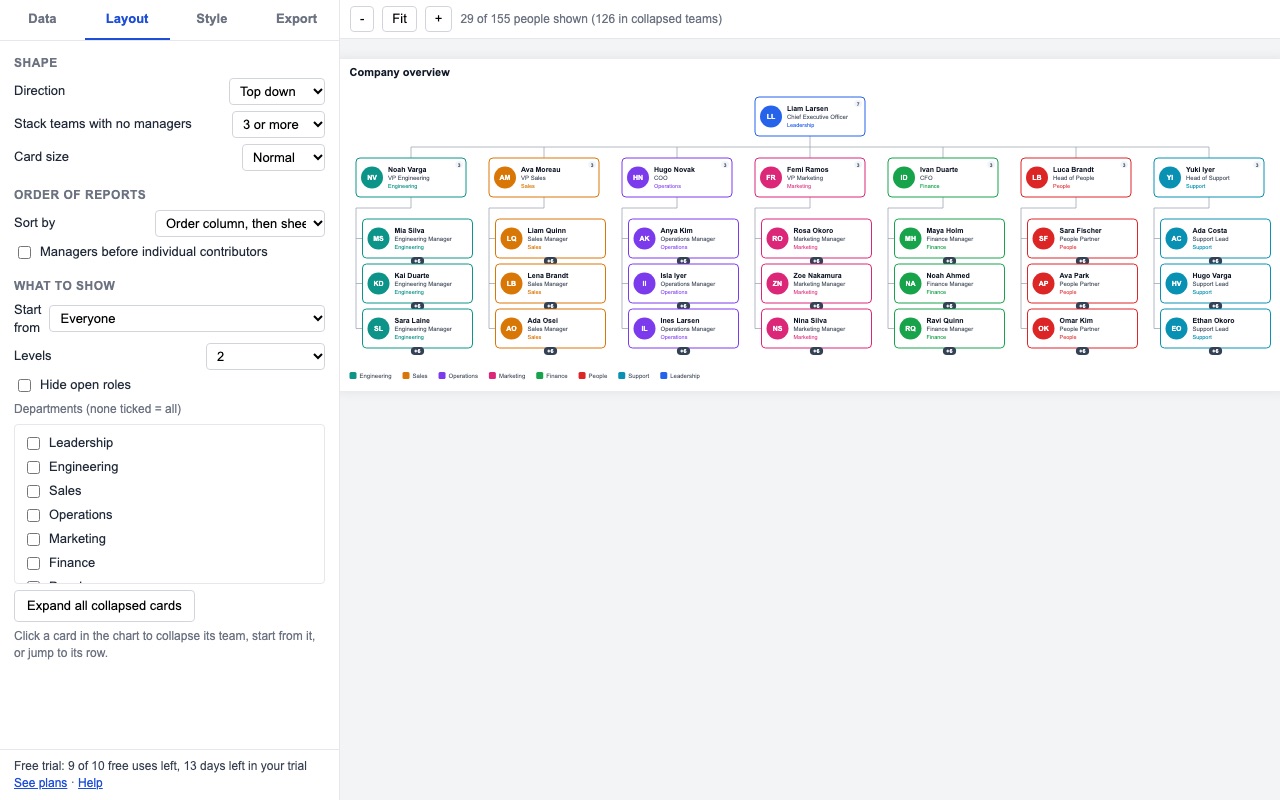
Rowtree draws your org chart from a Google Sheet: one row per person, who they report to, and anything else you track. Change the sheet and the chart redraws. Send it to Google Slides or Docs and update those later with one click.
What you get
- Draws the org chart from a sheet: one row per person, Reports to by name, email or ID
- Dotted-line managers, open roles, department colors, photos or initials
- Your order for direct reports (Order column), not just A to Z
- Every row that can't be placed is listed with a link to the row; nobody silently drops off
- Filter by department, start from any manager, limit levels, collapse teams
- PNG, SVG and PDF, or split by team into pages
- Google Slides decks and Docs that update from the sheet in one click
How Rowtree works
- List your people in a sheet, one per row, with headers in row 1. Rowtree needs only a name column and a Reports to column; job title, department, photo link, email, employee ID, location, status and color are optional.
- Open Extensions, Rowtree, Open org chart. Rowtree guesses which column is which from the headers, such as "Manager", "Supervisor" or "Line manager" for Reports to, and you can change any of them on the Data tab.
- Check Problems. Every row that couldn't be placed as written is listed, such as a manager who isn't in the sheet, a reporting loop or a duplicate ID. Click one to jump to that row. Nobody is left off the chart.
- Arrange it on Layout: top down or left to right, stack teams of individual contributors into columns, pick Order of reports (your Order column, sheet order, name or job title), start from any manager, filter by department, or limit the number of levels.
- Style the cards: a color band, outline or fill by department, and what each card shows, such as title, photo or initials.
- Export from Export: PNG at 1x, 2x or 3x, SVG, or PDF in Letter, A4, Tabloid, A3 or fit to the chart. For a big org, Split into pages by team puts each team on its own page.
- Send it to Google Slides or Docs with New deck or New Doc. When the sheet changes, choose Update charts in Slides and Docs from the menu and the chart is redrawn in the same file.
Who it's for
HR and people teams who keep the org in a spreadsheet
The employee list already exists as a sheet or an HRIS export. Rowtree draws from it as it is, matching Reports to by name, email or employee ID, and "Last, First" names too.
Founders and managers planning a reorg
Add rows for roles you're hiring, with the name left empty or "Open", "Vacant" or "TBH" in Status, and they're drawn with a dashed outline. Copy the tab, move people around, and compare the two charts.
Anyone presenting the org in a deck
A board deck or all-hands slide that needs the current org gets a chart from New deck, split by team across slides if it won't fit on one. After the next hire, one menu item updates every linked deck and Doc instead of rebuilding the slides.
Matrix teams
People who report to one manager and work for another get a curved dashed line to their second manager from the Dotted line to column.
Rowtree or the org chart built into Google Sheets
Google Sheets has an organizational chart type under Insert, Chart. It takes a name column and a manager column, and suits a small team where every manager's name is typed exactly the same way each time. It draws one box per name with an optional tooltip, and has no photos, dotted lines, open roles, department colors, chosen order of reports or splitting into pages. Rowtree is for charts that people outside the spreadsheet will read: printed, presented, or kept in a deck that has to match the sheet.
Limits and requirements
- Personal plans chart up to 250 people at a time; the Team plan and the trial up to 1,000.
- Photos come from links in a Photo column. The link has to open the image without a sign-in.
- The chart redraws on its own while the Rowtree window is open. Linked decks and Docs update when you choose the menu item, not in the background.
- Rowtree can open only the spreadsheet you're in and the decks and Docs it made. It can't read the rest of your Drive.
To try a quick chart from pasted rows first, the free org chart generator draws one in your browser.
Rowtree guides
Questions about Rowtree
What does Rowtree do?
Org charts from a Google Sheet: dotted lines, open roles, your own order, and charts in Slides and Docs that update from the sheet. Rowtree draws your org chart from a Google Sheet: one row per person, who they report to, and anything else you track. Change the sheet and the chart redraws. Send it to Google Slides or Docs and update those later with one click.
What does Rowtree work with?
Rowtree works in Google Sheets, in any browser.
How much does Rowtree cost?
$99 a month or $999 a year per Google account. Team plan: $299 a month or $3000 a year covers everyone at your company or school who signs in to Google with an email address on your domain (not Gmail or other personal addresses). Billed through Stripe. Cancel any time from Plans and billing in the add-on.
Is there a free trial?
Free trial: 14 days or 10 exported charts, whichever comes first. No card needed.
Where do I install Rowtree?
From the Google Workspace Marketplace. Use the Install button on this page, or search for "Rowtree: Org Chart from Google Sheets" there.
Who makes Rowtree?
Great Work LLC, an independent software company. Email hello@greatwork.company with any question about Rowtree and someone will answer.
What if two people have the same name?
Add an Employee ID or Email column and put the manager's ID or email in Reports to. Rowtree matches on whichever it finds, and lists a name it can't tell apart under Problems.
Can I put managers before individual contributors?
Yes. Under Order of reports, Rowtree can place people who manage others ahead of those who don't, then order each group your way.
Can I start the chart from one department head?
Yes. Click that person's card and start the chart from them, or filter by department. Managers above the people you kept are shown faded for context.
Can I put the chart in the spreadsheet itself?
Yes. Under This spreadsheet, Insert picture places it over the cells, and Replace the last one swaps in a fresh copy later.
Does sending one chart to Slides, Docs and a PDF use three trial charts?
No. The same chart sent to several places counts once.
Is my staff list sent to Great Work?
No. The sheet is read and drawn inside Google and your browser. Google's servers download photo links so they can be drawn. The licensing server sees only your Google account email.
More Google Sheets apps
 Scheduled Sheet Reports
 Rowsplit
 Tabherd
 Rowcode