



Rowsplit Split a Google Sheet into tabs or separate spreadsheets by column value, shared and refreshed automatically
Listed on the Google Workspace Marketplace as “Rowsplit: Split Sheets into Tabs & Files”
$4.99 a month or $39 a year per Google account. Free trial: 30 days or 50 runs, whichever comes first. No card needed.
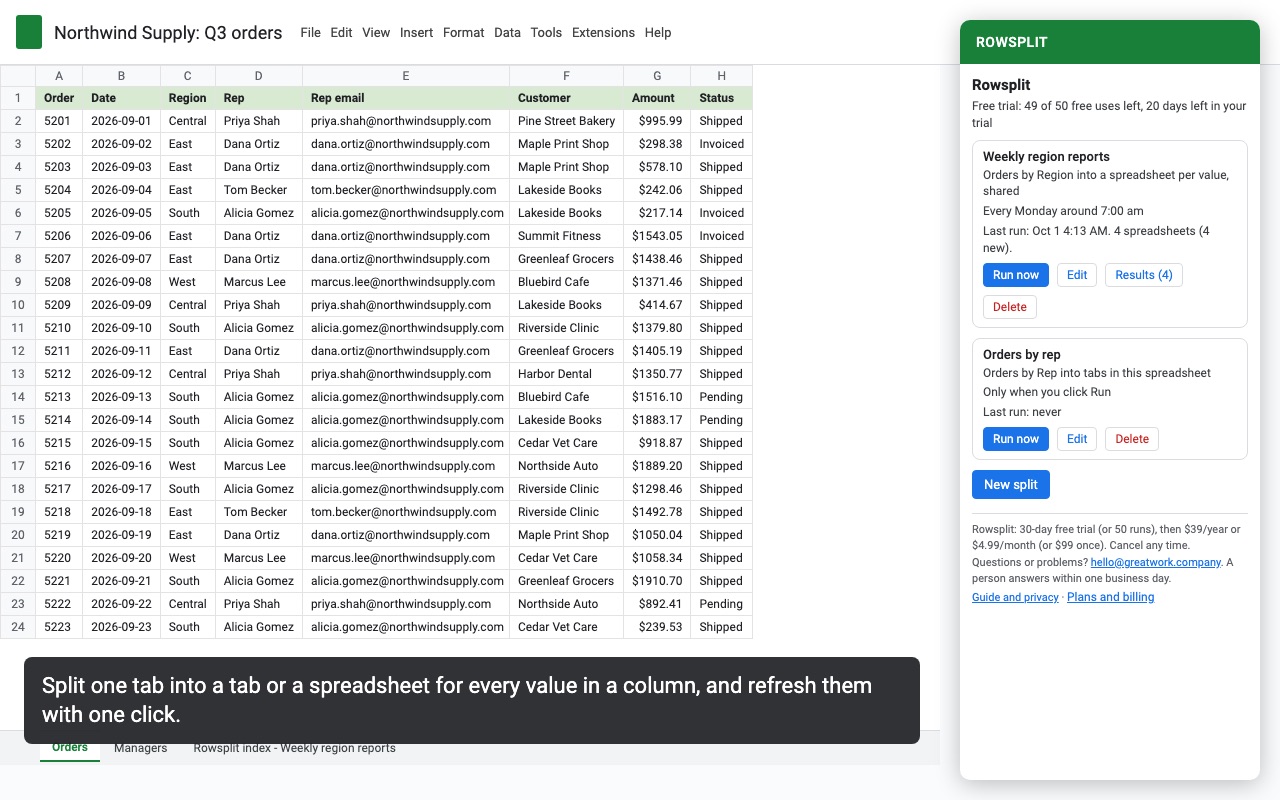
Rowsplit turns one big tab into one tab, or one spreadsheet, per region, sales rep, client, class or any other value in a column. Run it again next week and it updates the same tabs and files in place.
What you get
- Split by the values in any column, or by two or three columns together, or every N rows
- Results as tabs in this spreadsheet, one new spreadsheet with a tab per value, or a separate spreadsheet per value
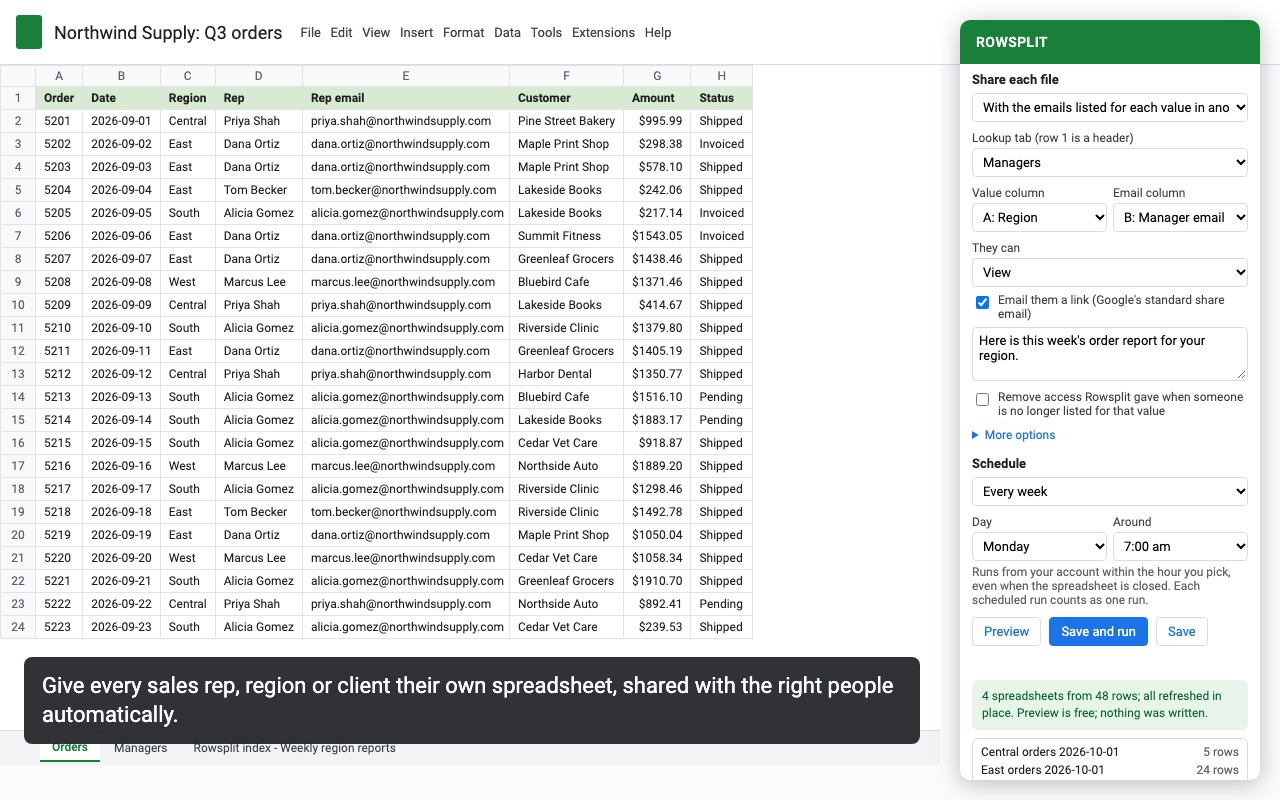
- Share each spreadsheet with the right people automatically, from an email column or a lookup tab
- Re-run any time: updates the same tabs and files in place, removes outdated ones
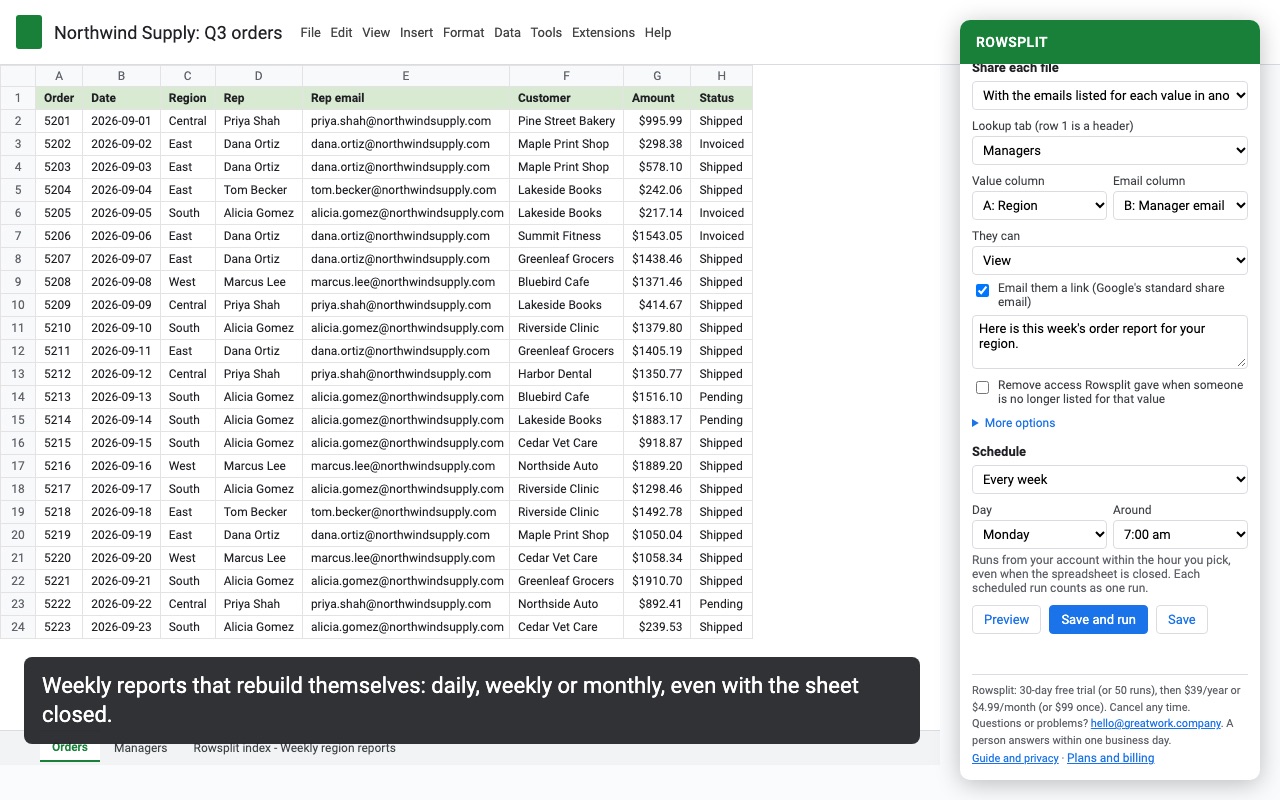
- Daily, weekly or monthly scheduled splits, even with the spreadsheet closed
- Keeps the header, number formats, colors, bold, column widths and frozen rows
- Free preview of every tab and file before anything is written
- Only touches files it creates and a folder you pick, never the rest of your Drive
How Rowsplit works
- Open Extensions, Rowsplit, Open Rowsplit and click New split.
- Pick the Tab to split and how many Header rows to copy to every output (none to 3).
- Choose Split by. Values in a column makes one output per value, such as one per region. Tick two or three columns for one output per combination, such as region and month. Blocks of rows makes one output every N rows, such as 500 rows per file.
- Decide about blanks and case. Rows with a blank value can go in their own output or be left out, and "East" and "east" can be one value or two.
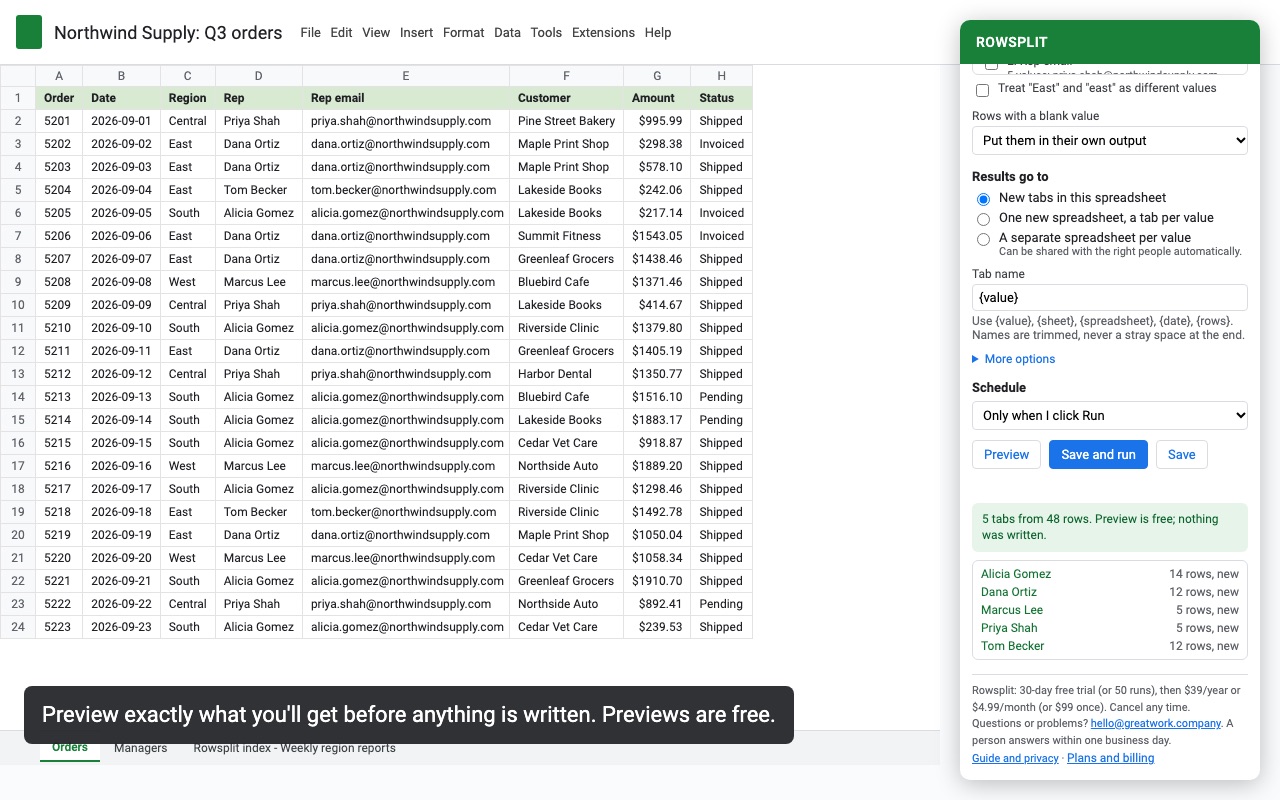
- Choose Results go to: New tabs in this spreadsheet, One new spreadsheet, a tab per value, or A separate spreadsheet per value. Name them with
{value},{sheet},{spreadsheet},{date}and{rows}. - Open More options to copy only some columns, sort outputs A to Z or in the order they first appear, and keep an index tab with a link to every output.
- Click Preview. You see every tab or file that will be made or updated, with its row count, before anything is written.
- Click Save and run. Next time, click Run now on the saved split, or set a schedule.
Who it's for
Sales and operations teams with one master list
One tab of leads or orders with a rep column becomes a tab or a file per rep. Edit the master, run the split again, and every rep's copy is updated in place, with outputs for reps who are no longer in the list removed.
Teachers splitting a gradebook or roster
A class list with a Section or Period column becomes one tab per section, each with the header and the same column widths and colors, ready to print or share with a co-teacher.
Agencies and bookkeepers handing out client data
A combined export becomes one spreadsheet per client in a Drive folder, each shared with the client's email from a lookup tab, so each client sees only their own rows.
Anyone whose file got too big
Blocks of rows cuts a long export into files of a fixed size, for example for an upload that takes 1,000 rows at a time.
Rowsplit or Google Sheets formulas
Google Sheets can show one group's rows on another tab with a FILTER or QUERY formula, and a filter view shows one value at a time. For three or four groups that never change, a formula tab per group is fine. They don't create tabs for new values that appear, they copy no formatting or column widths, and a formula in the same spreadsheet still gives everyone with access the whole file. Rowsplit writes real tabs or files, one per value, adds and removes them as values come and go, and can put each group in its own spreadsheet with its own sharing.
Limits and requirements
- Up to 200 outputs per split, and up to 25 people shared on each file.
- Values, number formats, colors, bold and italic, alignment, column widths and frozen rows are copied. Formulas are copied as their values. Conditional formatting, data validation, merged cells, borders and notes aren't copied.
- Scheduled splits run daily, weekly or monthly, during the hour you choose, even with the spreadsheet closed.
- Rowsplit can open only the spreadsheet you're in and the files and folder it creates or you pick. It never writes to tabs you made; if a name is taken it adds " (2)".
Rowsplit guides
Questions about Rowsplit
What does Rowsplit do?
Split a Google Sheet into tabs or separate spreadsheets by column value, shared and refreshed automatically. Rowsplit turns one big tab into one tab, or one spreadsheet, per region, sales rep, client, class or any other value in a column. Run it again next week and it updates the same tabs and files in place.
What does Rowsplit work with?
Rowsplit works in Google Sheets, in any browser.
How much does Rowsplit cost?
$4.99 a month or $39 a year per Google account. $99 once for lifetime access on one Google account. Team plan: $199 a year covers everyone at your company or school who signs in to Google with an email address on your domain (not Gmail or other personal addresses). Billed through Stripe. Cancel any time from Plans and billing in the add-on.
Is there a free trial?
Free trial: 30 days or 50 runs, whichever comes first. No card needed.
Where do I install Rowsplit?
From the Google Workspace Marketplace. Use the Install button on this page, or search for "Rowsplit: Split Sheets into Tabs & Files" there.
Who makes Rowsplit?
Great Work LLC, an independent software company. Email hello@greatwork.company with any question about Rowsplit and someone will answer.
Can I split by more than one column?
Yes. Tick up to three columns under Values in a column and you get one output per combination, such as each region and product line together.
What happens to an output when its value disappears from the data?
At the end of a run, Rowsplit removes outputs for values that are gone: their tab is deleted, or their file is moved to the trash.
Will rerunning a split make duplicate tabs?
No. Rowsplit remembers the tab or file it made for each value and writes into it again. Changing the destination or folder starts fresh outputs and leaves the old ones where they are.
Can I copy only some columns?
Yes. Under More options, tick the columns to copy. With none ticked, every column is copied.
Can it keep my numbers as text, like ZIP codes with a leading zero?
Yes. Text stays text, so a ZIP code or ID stored as text keeps its leading zero and isn't turned into a number or a date. Number formats are copied too.
Does Rowsplit change my original tab?
No. The source tab is only read.
How does the trial count runs?
Each new run counts as one, however many outputs it writes. A large run that continues in a second step counts once.
More Google Sheets apps
 Rowtree
 Rowcode
 Scheduled Sheet Reports
 Queryledger