


Labelyard Print address labels, name tags and stickers from Google Sheets rows, lined up on the first try
Listed on the Google Workspace Marketplace as “Labelyard: Print Labels & Envelopes”
$9.99 a month or $39 a year per Google account. Free trial: 300 labels or 14 days, whichever comes first. No card needed.
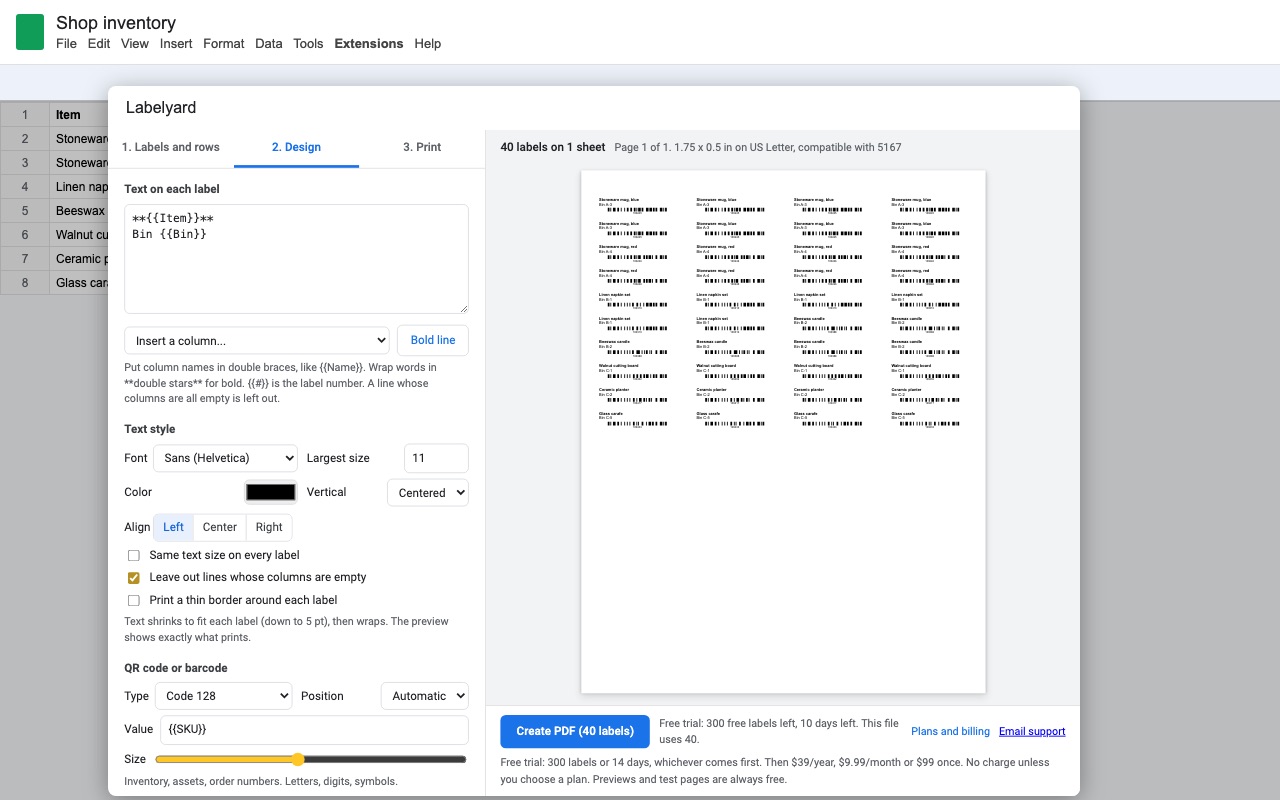
Labelyard turns the rows of a Google Sheets tab into a print-ready PDF of address labels, name tags, product stickers or envelopes, lined up on the sheet the first time.
What you get
- Unlimited labels and envelopes
- Layouts compatible with 140+ label sheet codes, US Letter and A4, plus custom sizes
- Text shrinks to fit; empty lines and stray commas cleaned up
- QR codes, barcodes and your logo on every label
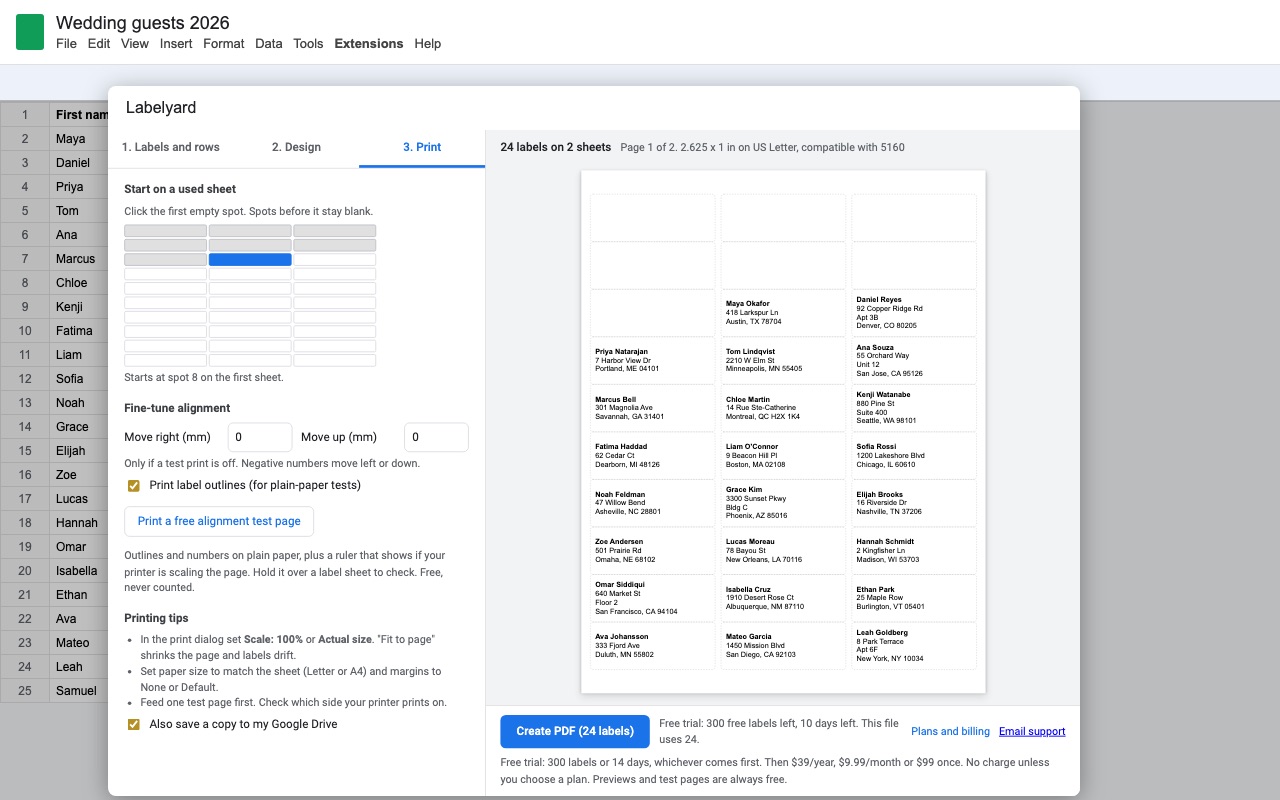
- Start on a partly used sheet, copies per row, free alignment test page
- Never asks for access to your Google Docs or Drive files
How Labelyard works
- Put one label per row in a tab, with column names in the first row: Name, Address, Address 2, City, State, ZIP.
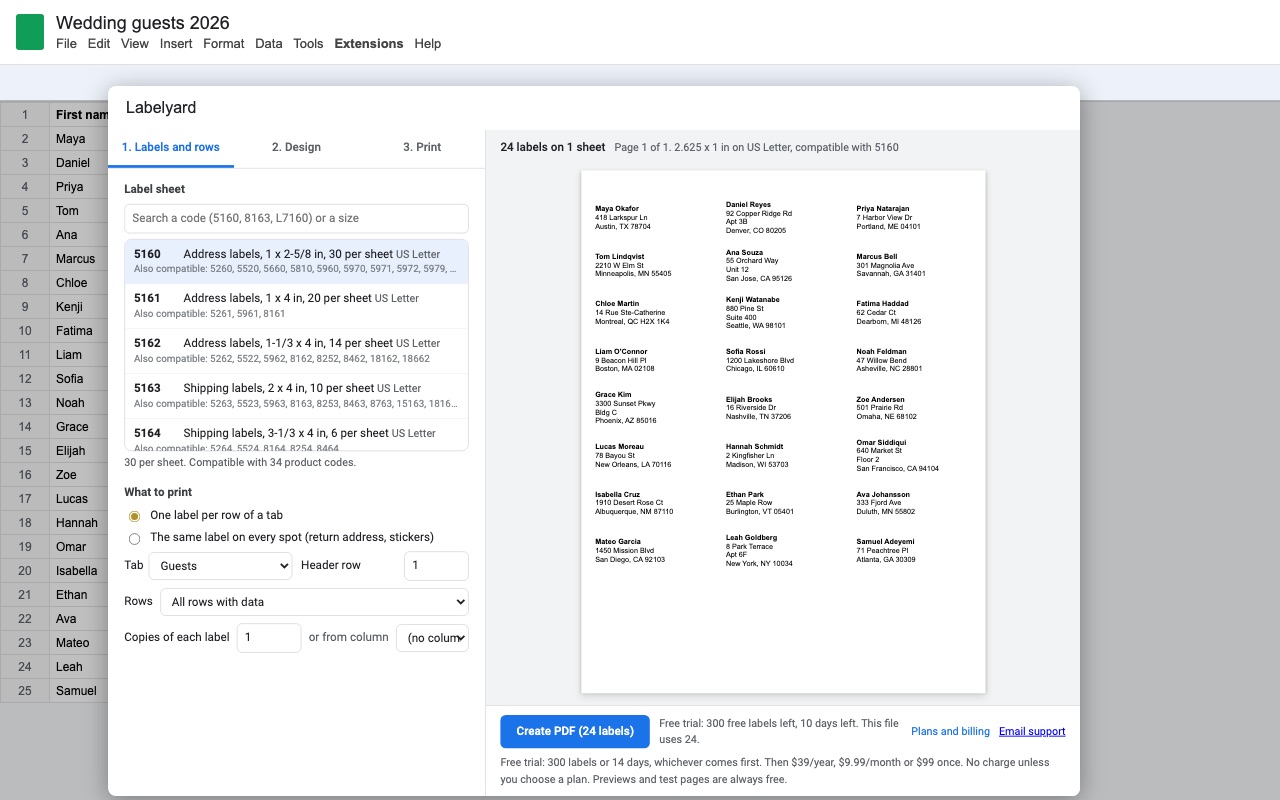
- Open Extensions > Labelyard > Create labels. A dialog opens with three tabs (Labels and rows, Design, Print) and a live preview on the right.
- Search the code on your label box under Label sheet: 5160, 8160, 5163, L7160 or a size like "2 x 4". If your sheet isn't listed, pick Custom and type the columns, rows, label size, margins and gaps printed on the box.
- Pick the rows. All rows with data, Only the rows I select in the sheet, Only rows visible after filtering, or Row numbers... such as
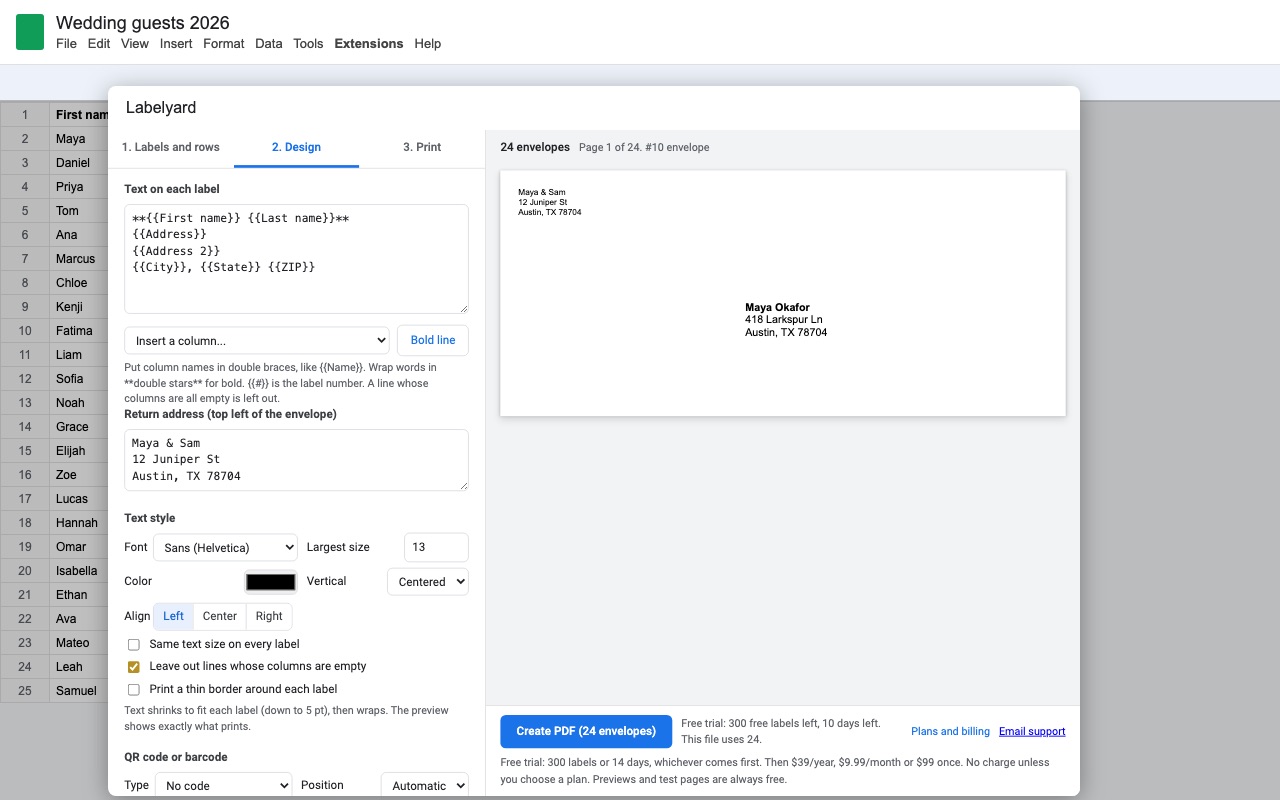
2-40, 45. Copies of each label prints several of each, or reads the count from a column like Qty. - Write the label on the Design tab with column names in double braces, like
{{Name}}. Insert a column... adds a field for you, and**double stars**make a line bold. - Print a free alignment test page from the Print tab. It prints outlines and a ruler on plain paper so you can hold it over a label sheet before you use one.
- Click Create PDF and print it at 100% or Actual size.
Who it's for
Holiday cards and wedding invitations
A guest list in a spreadsheet becomes a stack of 5160 address labels or printed A7 envelopes. A couple with no Address 2 doesn't get a blank line, and a ZIP code like 02134 keeps its leading zero, because Labelyard reads the values exactly as the sheet shows them.
Small shops shipping orders
Paste the day's orders into a tab, pick the 2 x 4 in shipping layout (5163, 10 per sheet), and print only the rows you selected. Add a Code 128 or QR code from the order number column and it prints next to the address.
Events and classrooms
Name badges (5395, 8 per sheet) with the name large and bold, the company or class underneath, and your logo on every badge. {{#}} prints a running number for raffle tickets or numbered stickers.
Offices outside the US
20 A4 layouts sit next to the US Letter ones, including L7160, L7163 and the edge-to-edge 3474 and 3425 sheets, plus DL and C5 envelopes.
Labelyard or a Google Docs label template
Google Docs and Google Sheets don't have a label or mail merge feature of their own, so most label templates are a Docs table sized to the sheet. That works for one page typed by hand. It gets harder when the addresses live in a spreadsheet, when a table row grows taller than the label, or when the print dialog shrinks the page to fit and every label drifts a little further down the sheet. Labelyard makes a PDF measured in points for the exact sheet you picked, shrinks long text (down to 5 pt) and then wraps it inside each label, and shows the same drawing in the preview that it prints.
Limits and requirements
- Google Sheets in a browser. The add-on reads only the spreadsheet you open it in.
- Up to 5,000 labels in one PDF. For a longer list, make a second file by row numbers.
- Text prints in Helvetica or Courier. Accented Latin letters print as typed; Cyrillic, Chinese, Japanese and emoji print as "?", and the preview warns you first.
- Your printer must print at 100%. Labelyard can't stop a print dialog set to "Fit to page", which is why the test page has a ruler.
Labelyard guides
Questions about Labelyard
What does Labelyard do?
Print address labels, name tags and stickers from Google Sheets rows, lined up on the first try. Labelyard turns the rows of a Google Sheets tab into a print-ready PDF of address labels, name tags, product stickers or envelopes, lined up on the sheet the first time.
What does Labelyard work with?
Labelyard works in Google Sheets, in any browser.
How much does Labelyard cost?
$9.99 a month or $39 a year per Google account. $99 once for lifetime access on one Google account. Team plan: $149 a year covers everyone at your company or school who signs in to Google with an email address on your domain (not Gmail or other personal addresses). Billed through Stripe. Cancel any time from Plans and billing in the add-on.
Is there a free trial?
Free trial: 300 labels or 14 days, whichever comes first. No card needed.
Where do I install Labelyard?
From the Google Workspace Marketplace. Use the Install button on this page, or search for "Labelyard: Print Labels & Envelopes" there.
Who makes Labelyard?
Great Work LLC, an independent software company. Email hello@greatwork.company with any question about Labelyard and someone will answer.
Can I print Avery 5160 labels from Google Sheets?
Yes. Search 5160 in the Label sheet box. The same layout fits the 8160, 5260, 5960, 18160 and the other 1 x 2-5/8 in, 30-per-sheet codes listed on the box.
Do I need to make a Google Doc first?
No. Labelyard goes straight from the sheet to a PDF. It never creates a Doc and never asks for access to your Google Docs.
My labels print a little off. How do I fix it?
Print the free alignment test page on plain paper. If the ruler doesn't measure exactly 4 in (or 100 mm), the print dialog is scaling the page; set it to 100% or Actual size. If the ruler is right but the outlines miss the labels, use Move right (mm) and Move up (mm) on the Print tab. Labelyard remembers the setting for that spreadsheet.
Can I start on a sheet that already has some labels used?
Yes. On the Print tab, under Start on a used sheet, click the first empty spot. The spots before it stay blank.
Can I print the same label on every spot?
Yes. Under What to print, choose The same label on every spot. Set How many labels, or leave it at 0 to fill one sheet. This is the mode for return address labels and stickers.
Do previews and test pages count against the trial?
No. Only labels in a PDF you create count, and the dialog shows how many trial labels a job will use before you click. If a job is bigger than what's left, Labelyard offers to make the first part now.
Can I print envelopes too?
Yes: #10, 6 x 9, A7, DL and C5. Pick the envelope in the Label sheet list, write the return address in the box for the top left corner, and set the same envelope size in your print dialog.
Does Labelyard work with Dymo or other roll label printers?
Labelyard lays labels out on sheets. For a roll printer, a Custom layout with one column and one row sized to the label prints one label per page, but check it with a test print first.
More Google Sheets apps
 PickMerge
 Includewell
 Queryledger
 Huecount