



Includewell Accessibility checker and fixer for Google Docs, Slides and Sheets, with a report for your compliance records
Listed on the Google Workspace Marketplace as “Includewell: Accessibility Checker & Fixer”
Also for Webflow
$24.99 a month or $189 a year per Google account. Free trial: 5 files or 7 days, whichever comes first. No card needed.
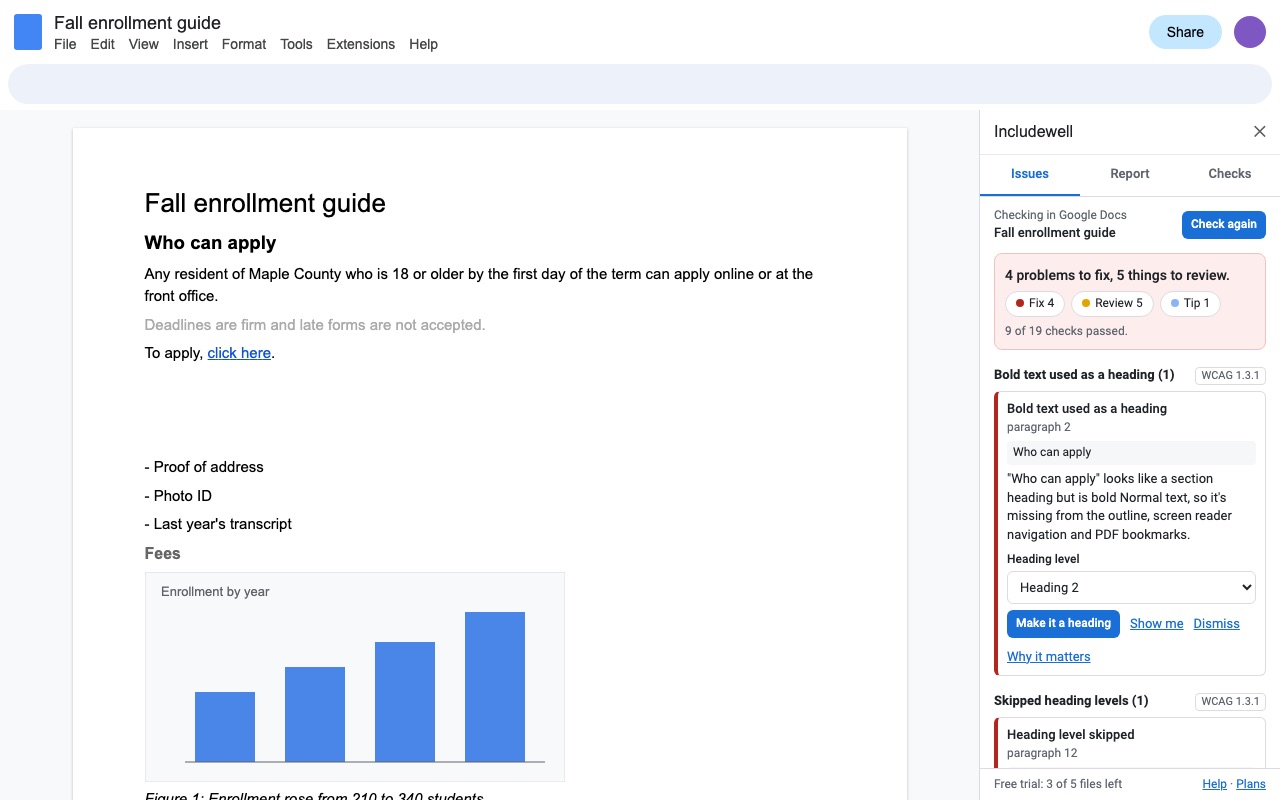
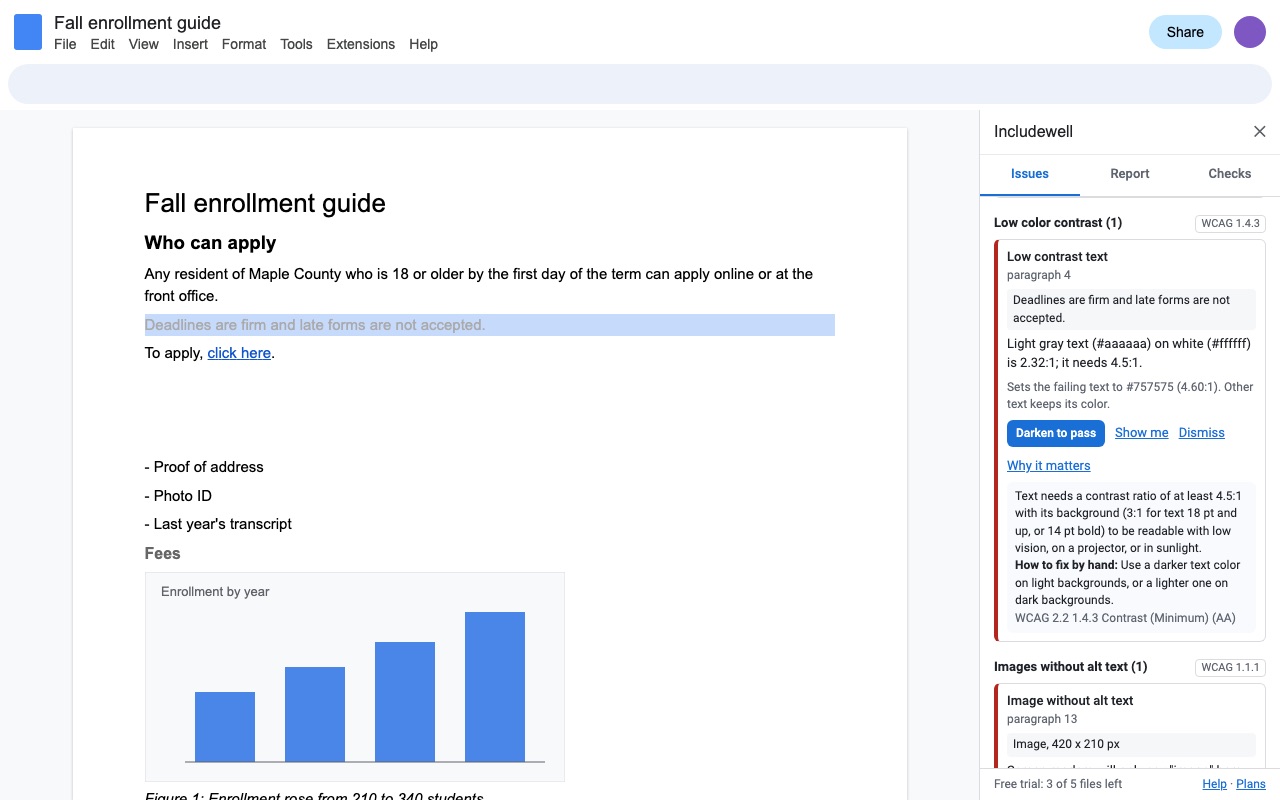
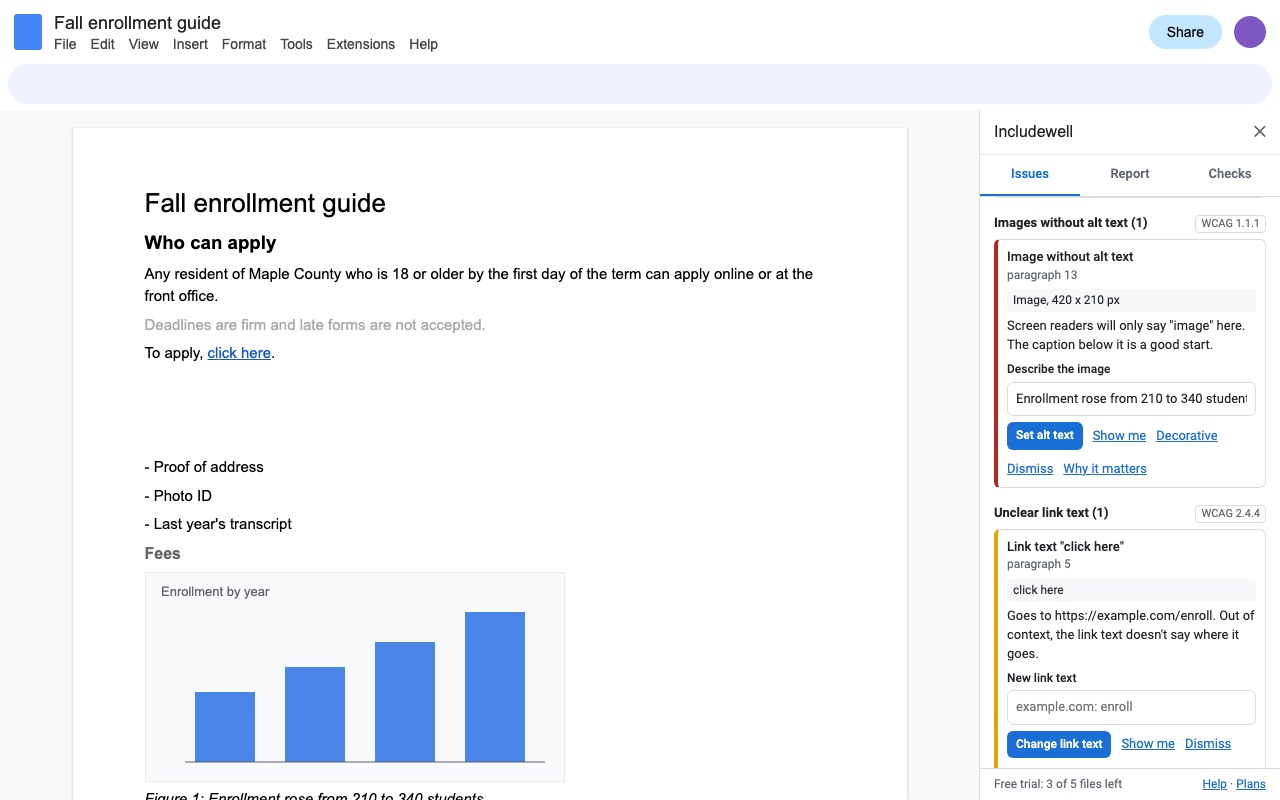
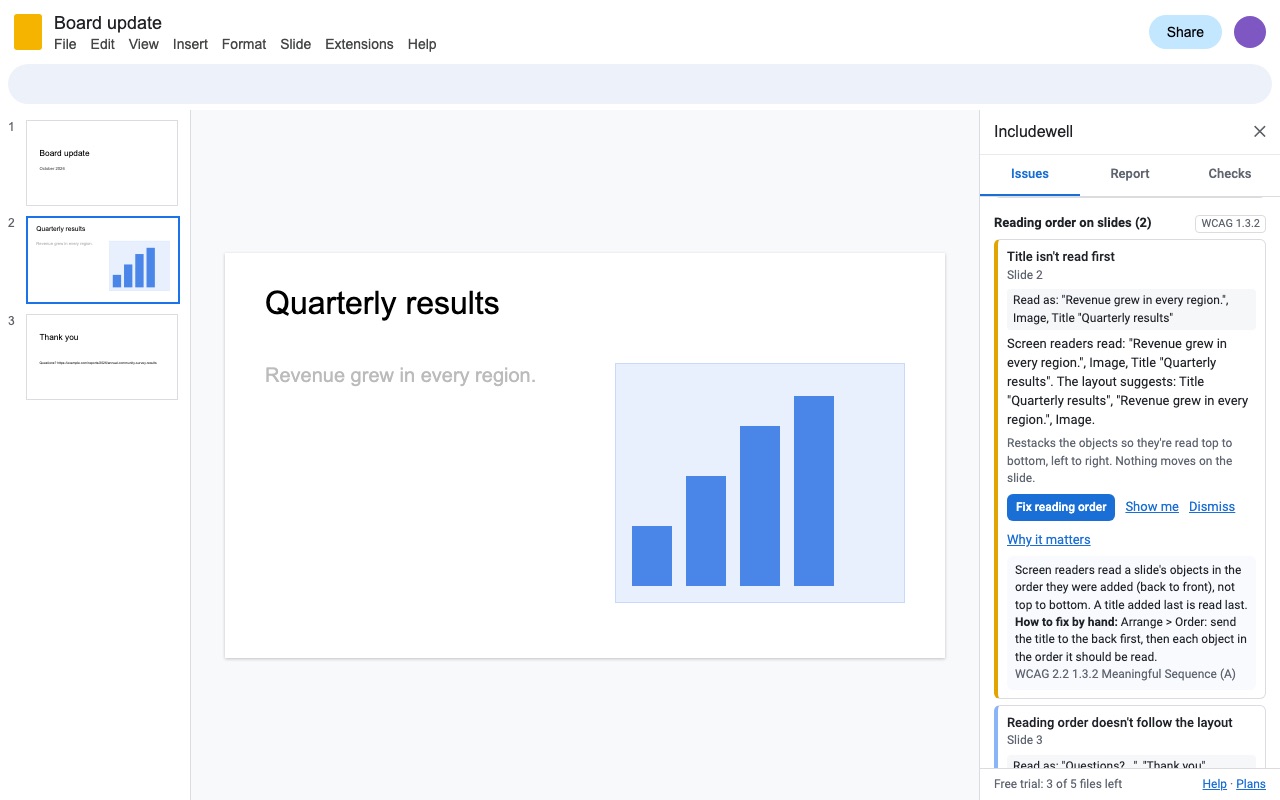
Includewell checks the Doc, presentation or Sheet you're working on against WCAG 2.2 level A and AA, shows you each problem, and fixes it in one click where that's safe. Then it gives you a report for your records.
Built for the documents public schools, colleges and government offices now have to make accessible under ADA Title II and Section 508.
What you get
- Checks Google Docs, Slides and Sheets against WCAG 2.2 A/AA: alt text, headings, contrast, link text, tables, lists, titles, language, reading order
- One-click fixes: bold lines into real headings, skipped heading levels, contrast to the nearest passing color, alt text, link text, typed bullets into real lists, spacer lines, slide reading order, frozen header rows
- Show me jumps to each problem; every issue explains why it matters and how to fix it by hand
- Copyable accessibility report and CSV per file, with who dismissed what, for ADA Title II and Section 508 records
- Mark images as decorative and manual checks as done; the decision is shared with everyone who checks the file
- Team plan covers everyone at your school or company domain, no per-seat setup
- Only reads the file you open it in; nothing about your files is sent anywhere
How Includewell works
- Open the file and choose Extensions > Includewell > Check accessibility. The same add-on works in Docs, Slides and Sheets. The sidebar has three tabs: Issues, Report and Checks.
- Read the Issues tab. Each issue names the problem, where it is and the WCAG 2.2 success criterion it relates to, with Why it matters and How to fix by hand underneath.
- Click Show me to jump to the paragraph, image, slide object or cell.
- Fix it from the sidebar. Depending on the issue, the button reads Make it a heading, Darken to pass, Set alt text, Change link text, Make a real list, Replace with spacing or Set language. Some take a value, such as the alt text or the heading level, before anything changes.
- Decide the rest. Click Decorative for an image that carries no information, Mark as checked for a check only a person can do, or Dismiss. Each decision is recorded with your name and the date.
- Click Check again, then open the Report tab and use Copy report, Copy as CSV or Download CSV for your records.
What it checks in a Google Doc
- Headings: a document with no headings, no Heading 1, skipped levels (Heading 1 straight to Heading 3), empty headings, and bold lines of Normal text that look like headings.
- Images: missing alt text, and alt text that says nothing, like "image" or a file name.
- Contrast: text below 4.5:1 against its background, or 3:1 for large text (18 pt, or 14 pt bold), which is the WCAG 1.4.3 minimum. The fix picks the nearest color that passes and keeps the hue.
- Links: "click here", "read more" and raw web addresses as link text.
- Tables: no header row, empty header cells, merged cells, and tables used for layout.
- Structure: typed bullets and numbers instead of real lists, runs of empty lines used for spacing, very small text (under 9 pt), the file title and the document language.
Who it's for
Teachers posting class materials
A syllabus, worksheet or slide deck shared with students is a document a screen reader user has to get through. The fixes that take longest by hand (turning bold lines into headings, fixing contrast, writing alt text) happen from the sidebar.
Accessibility coordinators at schools and colleges
The report and CSV show what passed, what's still open and who marked what as decorative or checked, file by file. The team plan covers everyone at your school or company domain.
Staff at state and local government offices
Public documents shared from Google Docs, Slides and Sheets go through the same checks, with a dated record of the review.
Anyone handing a document to a client
Contrast, headings and link text also make a document easier for everyone to skim, print and search.
Standards and what a clean report means
Includewell tests the parts of WCAG 2.2 Level A and AA that can be read from a Google file. Every success criterion it checks (1.1.1, 1.3.1, 1.3.2, 1.4.1, 1.4.3, 1.4.4, 2.4.2, 2.4.4, 2.4.6 and 3.1.1) is also in WCAG 2.0 and 2.1. The ADA Title II rule for state and local governments names WCAG 2.1 Level AA, and the Section 508 standards were harmonized with WCAG 2.0.
A clean Includewell report means these checks found nothing open. It doesn't certify a file as compliant: whether alt text describes the image well, and whether a complex layout reads in a sensible order, still take a person's judgment, which is why some issues are manual checks you mark as done.
Google Docs, Slides and Sheets have no accessibility checker of their own. Google's help pages describe how to add alt text and point to outside tools for checking contrast. To check one color pair before you choose a theme, the free color contrast checker shows the ratio; Includewell checks the text throughout the file against its background.
Limits and requirements
- Google Docs, Slides and Sheets in a browser. Includewell reads only the file you open it in, and its checks run inside Google's editors.
- Some things the add-on can't read are listed as manual checks: repeated header rows in Docs tables, alt text on images set to wrap around text in Docs, and chart alt text in Sheets.
- Google has no "decorative" setting for images, so Decorative is recorded in the report rather than in the file.
- A Doc shows up to 400 issues at a time. In Sheets, each tab is read up to 60,000 cells, 3,000 rows or 60 columns.
- Includewell doesn't export PDFs. Google Docs exports tagged PDFs itself.
- Each file you check uses one trial use. Checking the same file again within 24 hours, every fix and the report don't use another.
Includewell guides
Questions about Includewell
What does Includewell do?
Accessibility checker and fixer for Google Docs, Slides and Sheets, with a report for your compliance records. Includewell checks the Doc, presentation or Sheet you're working on against WCAG 2.2 level A and AA, shows you each problem, and fixes it in one click where that's safe. Then it gives you a report for your records.
What does Includewell work with?
Includewell works in Google Docs, Slides and Sheets, in any browser.
How much does Includewell cost?
$24.99 a month or $189 a year per Google account. $499 once for lifetime access on one Google account. Team plan: $249 a month or $2750 a year covers everyone at your company or school who signs in to Google with an email address on your domain (not Gmail or other personal addresses). Billed through Stripe. Cancel any time from Plans and billing in the add-on.
Is there a free trial?
Free trial: 5 files or 7 days, whichever comes first. No card needed.
Where do I install Includewell?
From the Google Workspace Marketplace. Use the Install button on this page, or search for "Includewell: Accessibility Checker & Fixer" there.
Who makes Includewell?
Great Work LLC, an independent software company. Email hello@greatwork.company with any question about Includewell and someone will answer.
Does Google Docs have a built-in accessibility checker?
No. Docs, Slides and Sheets have accessibility settings for readers, such as screen reader support, but no command that checks a document. Includewell adds one to all three under the Extensions menu.
Which WCAG version does Includewell check against?
WCAG 2.2 Level A and AA, for the success criteria that apply to a document and can be read through Google's editors. Each issue shows its criterion number.
Can Includewell write alt text for me?
No. It finds every image without useful alt text, takes you to it, and lets you type the description in the sidebar. You write the words, because only you know why the image is there.
What does the accessibility report include?
A summary, the open issues with where they are, what passed, and every image marked decorative, check marked as done or issue dismissed, with who did it and when. You can copy it as text or as CSV, or download the CSV.
Does a fix ever change something I didn't ask for?
A fix only touches the paragraph, object or cells the issue points to. Before it runs, Includewell checks that the text is still the same as when it was checked; if you edited it in between, it asks you to check again first.
Will my coworkers see the images I marked as decorative?
Yes. Decisions are saved with the file, so anyone who checks it with Includewell sees the same decorative marks and dismissals.
Is a file that passes Includewell compliant with ADA Title II or Section 508?
Not by itself. A passing report shows the automated checks found nothing open and records the decisions people made. Compliance also depends on checks a person has to make and on how your organization applies the rule.
Does Includewell check Microsoft Word or PDF files?
No. It checks Google Docs, Slides and Sheets. A Word file opened in Google Docs as a Google Doc can be checked once it's converted.
More Google Sheets apps
 Labelyard
 Huecount
 PickMerge
 Geocode & Map Addresses