



Formshelf for Notion Every Google Forms response becomes a Notion page, with every answer in the right property
$8 a month or $69 a year per Google account. Free trial: 100 responses or 14 days, whichever comes first. No card needed.
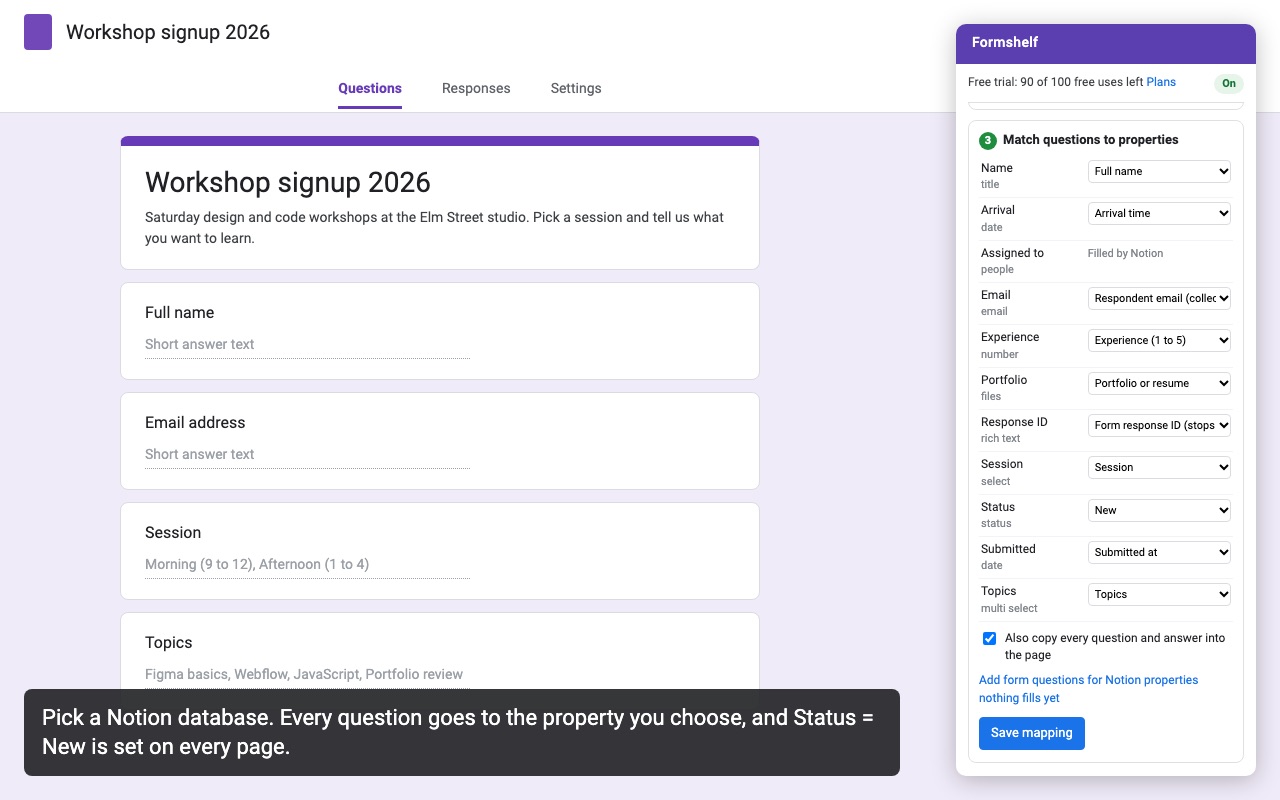
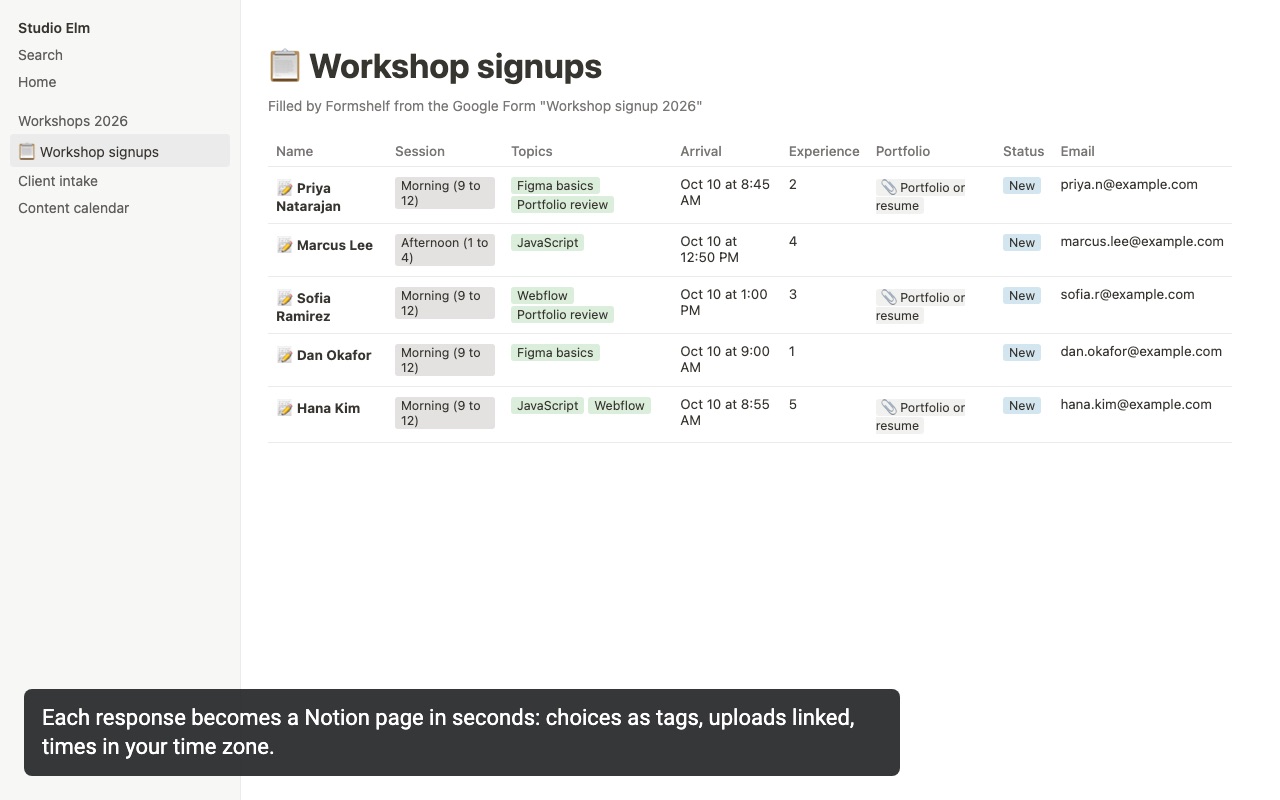
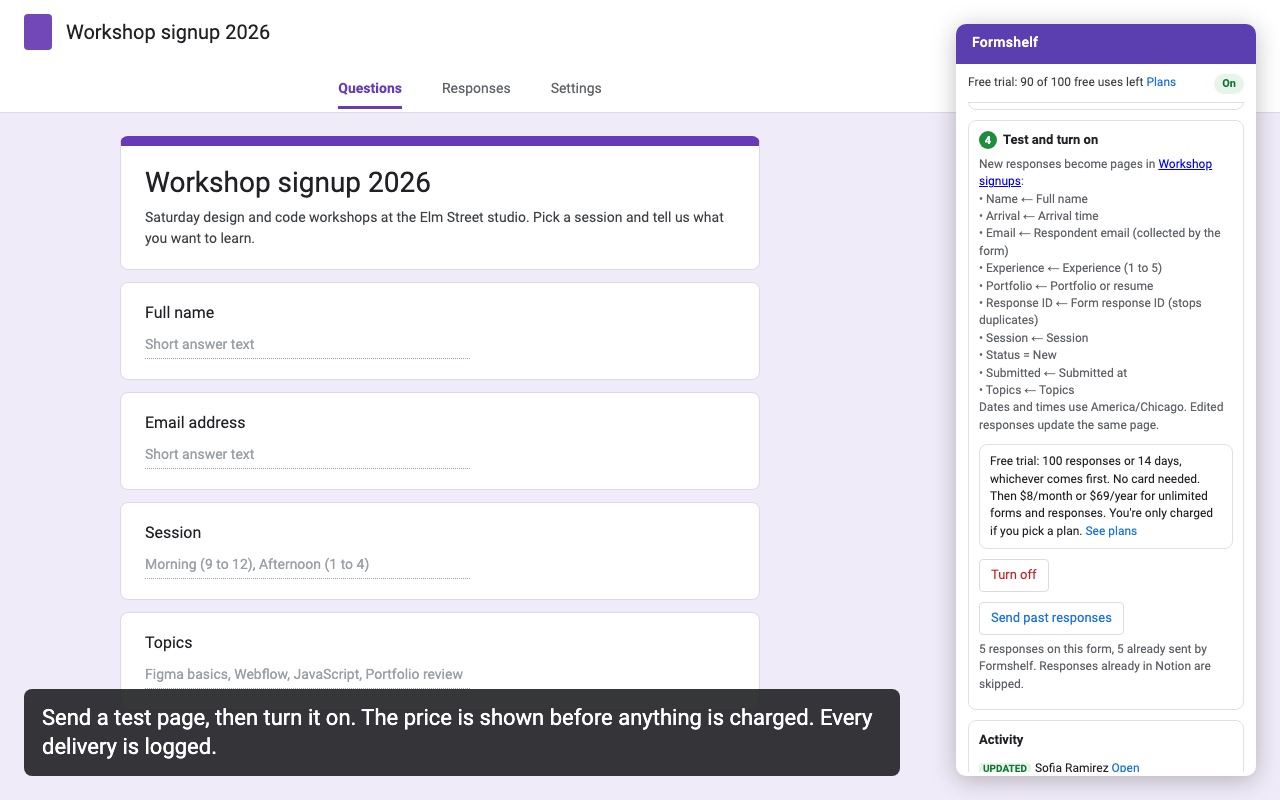
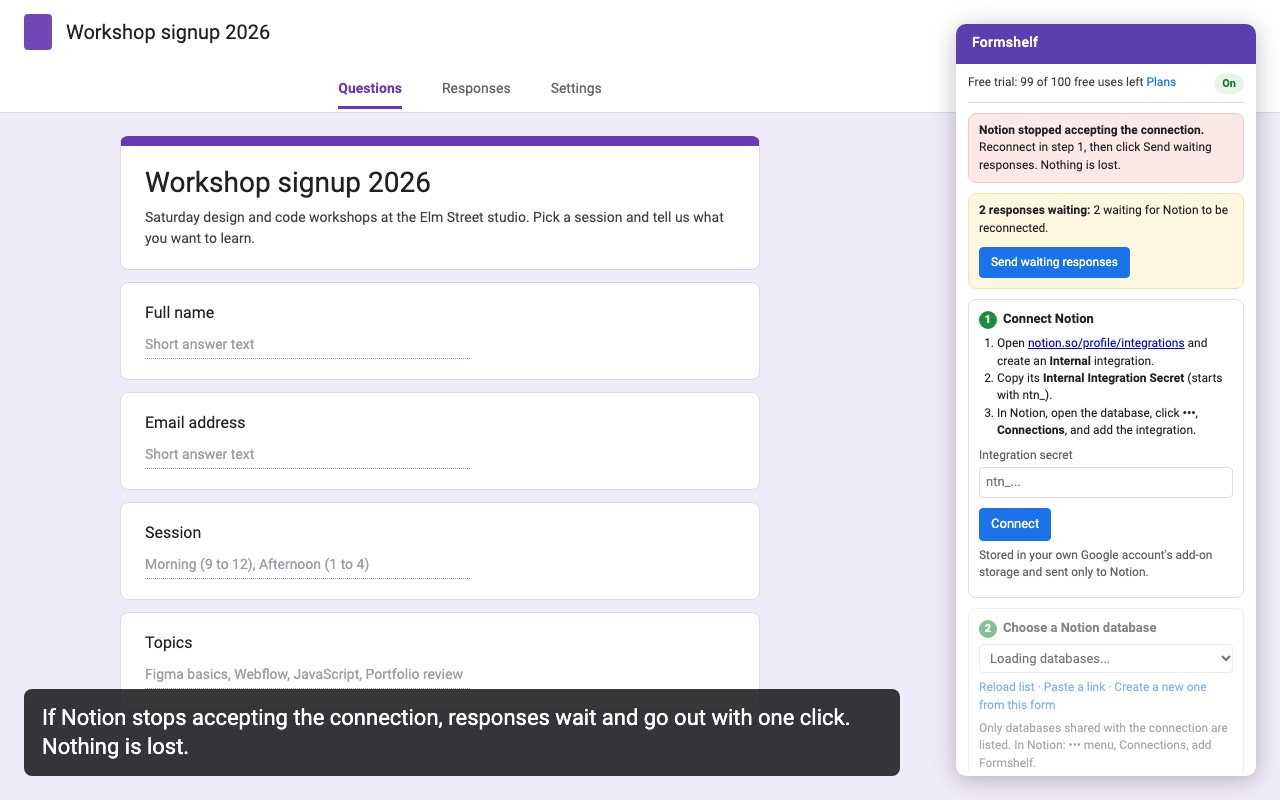
Formshelf sends each new Google Forms response to a Notion database as its own page, a few seconds after it's submitted. Every answer goes into the Notion property you pick, so your database stays sortable, filterable and ready for boards and calendars.
What you get
- Unlimited forms, responses and Notion databases
- Every answer mapped to your own properties, dates in your time zone
- File uploads linked on the page
- Edited responses update the same page instead of duplicating it
- Nothing is lost: responses wait and resend if Notion is down
- Create the Notion database from your form in one click
How Formshelf works
- Install Formshelf from the Google Workspace Marketplace, open your form in Google Forms and choose Add-ons (the puzzle piece icon) > Formshelf for Notion > Send responses to Notion.
- Connect Notion. Notion asks which pages and databases to share. You can use your own internal integration secret instead under Or use your own integration secret.
- Choose a Notion database, paste a database link, or click Create a new one from this form. A new database gets one property per question, with choice questions turned into select options, plus Submitted, Respondent email, Edit link and Response ID.
- Match questions to properties. Each question is matched to a property by name and type; change any of them. Select, Status, Multi-select and Checkbox properties no question fills can get a fixed value, such as Status "New".
- Click Send a test page to see a sample response arrive in Notion, then Turn on.
- Optional: click Send past responses to add the responses the form already has.
From then on, each submitted response becomes a page in the database a few seconds later. The form doesn't need to be open.
Who it's for
Teams that manage requests in Notion
Content requests, IT tickets and event registrations arrive as pages with a Status, so the team can work them on a Notion board instead of scrolling a response spreadsheet.
Recruiters and hiring managers
Application forms with a resume upload become candidate pages, with the file linked in a Files property and every answer sortable in the database.
Teachers and program coordinators
Sign-ups and check-ins land in a database you can filter by class or session, and a respondent who edits their answers updates their existing page instead of adding a second one.
Anyone who already likes Google Forms
Forms stays the form: its question types, sections, branching and response limits keep working. Formshelf only moves each response to Notion.
Formshelf or Notion's own forms
Notion has its own form builder that saves straight into a database, and for a simple form that may be all you need. Teams pick Google Forms when they need its question types (grids, linear scales, file uploads into Drive), its quiz mode, sections that branch on answers, or a form many people already know how to fill in. Formshelf keeps that form and adds the database on the Notion side.
If you also want each response emailed to someone, or confirmations sent to respondents, Form Mailroom does that for the same form.
What to know
- Nothing is lost. If Notion is down, the connection is revoked or the trial ends, responses wait in a queue with the reason shown, and Send waiting responses sends them once it's fixed.
- Dates keep their time zone. Date and time answers are saved in your time zone, not converted to UTC.
- File uploads are links. Uploaded files stay in the form owner's Google Drive. The page links to them, and people need access to the Drive files to open them.
- One person runs it. Responses are sent through the account of the person who clicked Turn on, and the trial and plan are theirs.
Formshelf for Notion guides
Questions about Formshelf for Notion
What does Formshelf for Notion do?
Every Google Forms response becomes a Notion page, with every answer in the right property. Formshelf sends each new Google Forms response to a Notion database as its own page, a few seconds after it's submitted. Every answer goes into the Notion property you pick, so your database stays sortable, filterable and ready for boards and calendars.
What does Formshelf for Notion work with?
Formshelf for Notion works in Google Forms, in any browser.
How much does Formshelf for Notion cost?
$8 a month or $69 a year per Google account. Billed through Stripe. Cancel any time from Plans and billing in the add-on.
Is there a free trial?
Free trial: 100 responses or 14 days, whichever comes first. No card needed.
Where do I install Formshelf for Notion?
From the Google Workspace Marketplace. Use the Install button on this page, or search for "Formshelf for Notion" there.
Who makes Formshelf for Notion?
Great Work LLC, an independent software company. Email hello@greatwork.company with any question about Formshelf for Notion and someone will answer.
How do I connect Google Forms to Notion?
Open the form, choose the Formshelf for Notion add-on, connect your Notion account, pick or create a database, match questions to properties and click Turn on.
Can it create the Notion database for me?
Yes. Choose Create a new one from this form, pick the Notion page to put it on and name it. See how to create a Notion database from a Google Form.
What happens when someone edits their response?
Formshelf updates the same Notion page. Fixed values such as a Status you changed in Notion aren't reset.
Can I send old responses that came in before I installed it?
Yes. Click Send past responses. Responses already in Notion are skipped.
Does every answer have to go to a property?
No. Leave a question unmatched, or tick Also copy every question and answer into the page to get the full response on the page as well.
Can my Notion database ask for something the form doesn't?
Click Add form questions for Notion properties nothing fills yet. Formshelf adds matching questions to the end of the form, with select options as choices.
More Google Forms apps
 Quizferry
 Form Mailroom
 Tickwell
 Form Bugle