


FillferryFill PDF forms from Google Sheets: one filled PDF per row, saved to Drive, with each link written back to its row
Full name: “Fillferry: Fill PDF Forms from Sheets”
$40 a month or $199 a year per Google account. Free trial: 50 filled PDFs or 14 days, whichever comes first. No card needed.
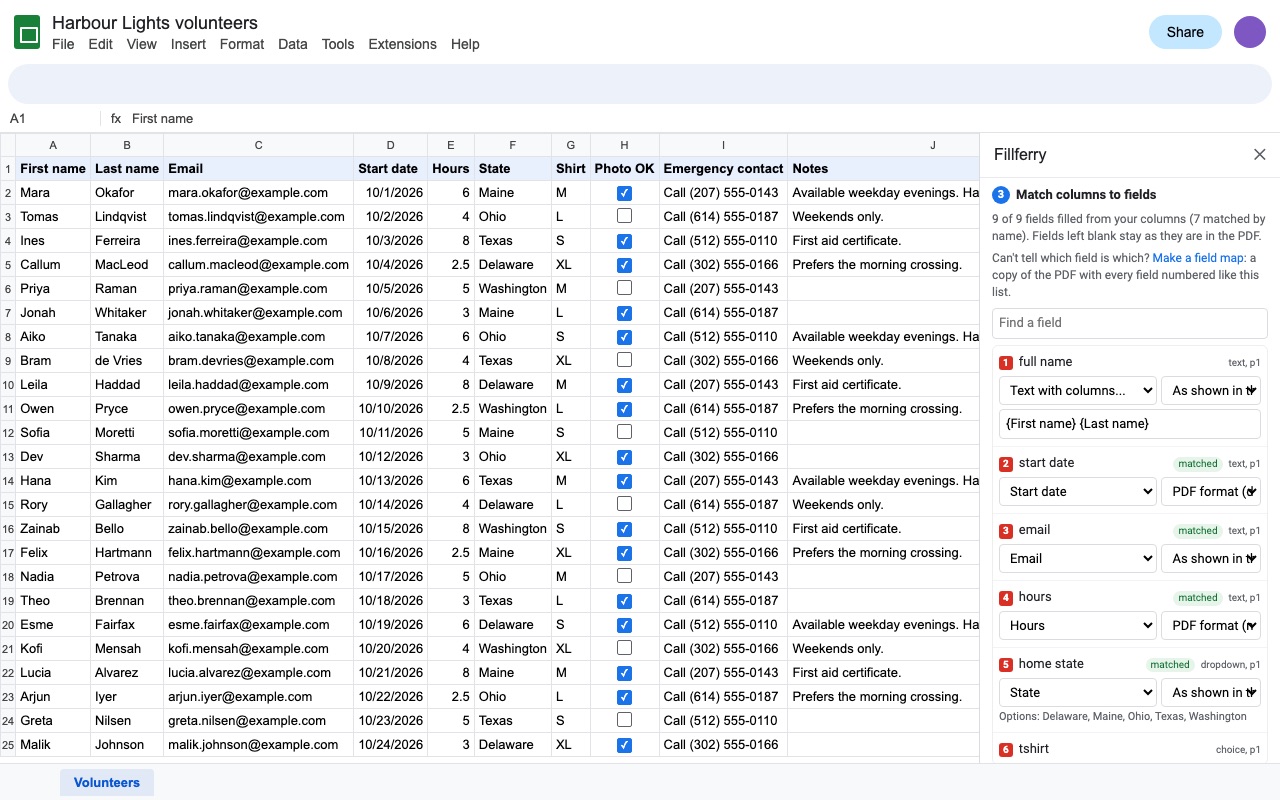
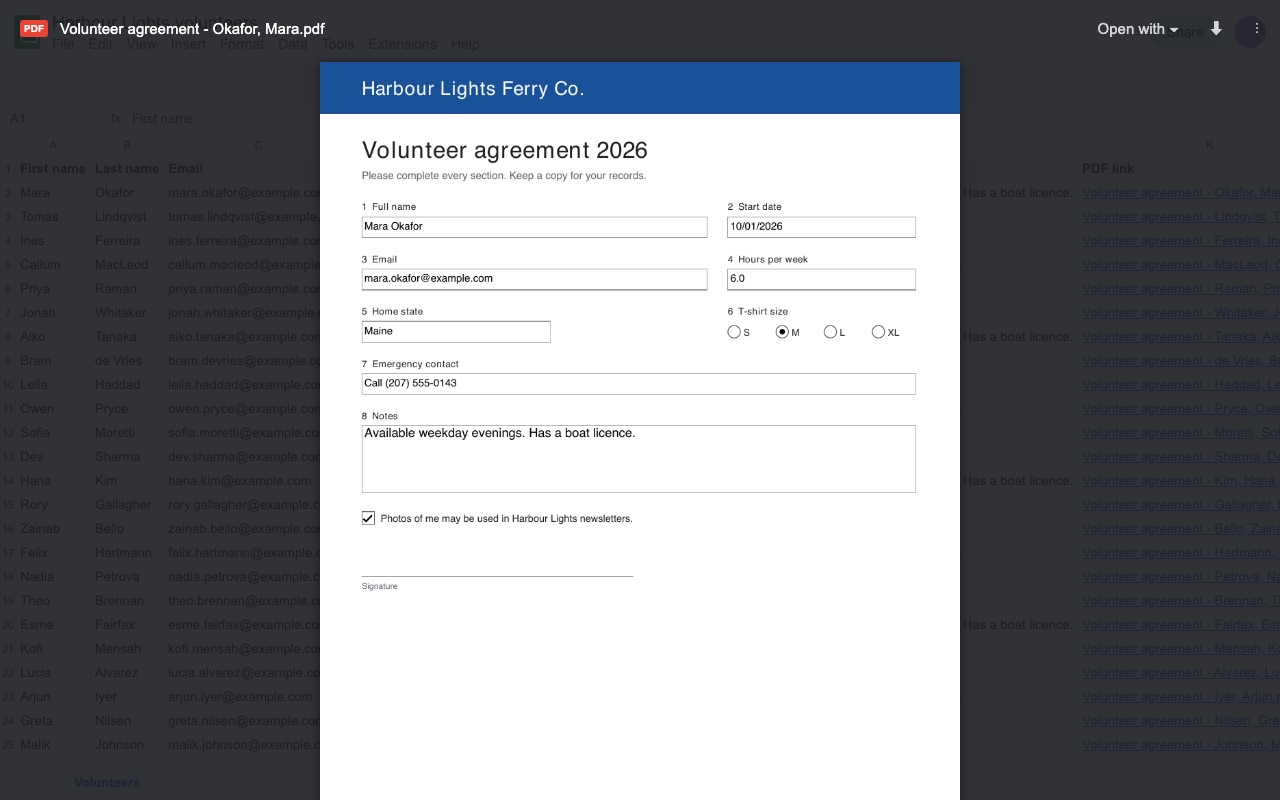
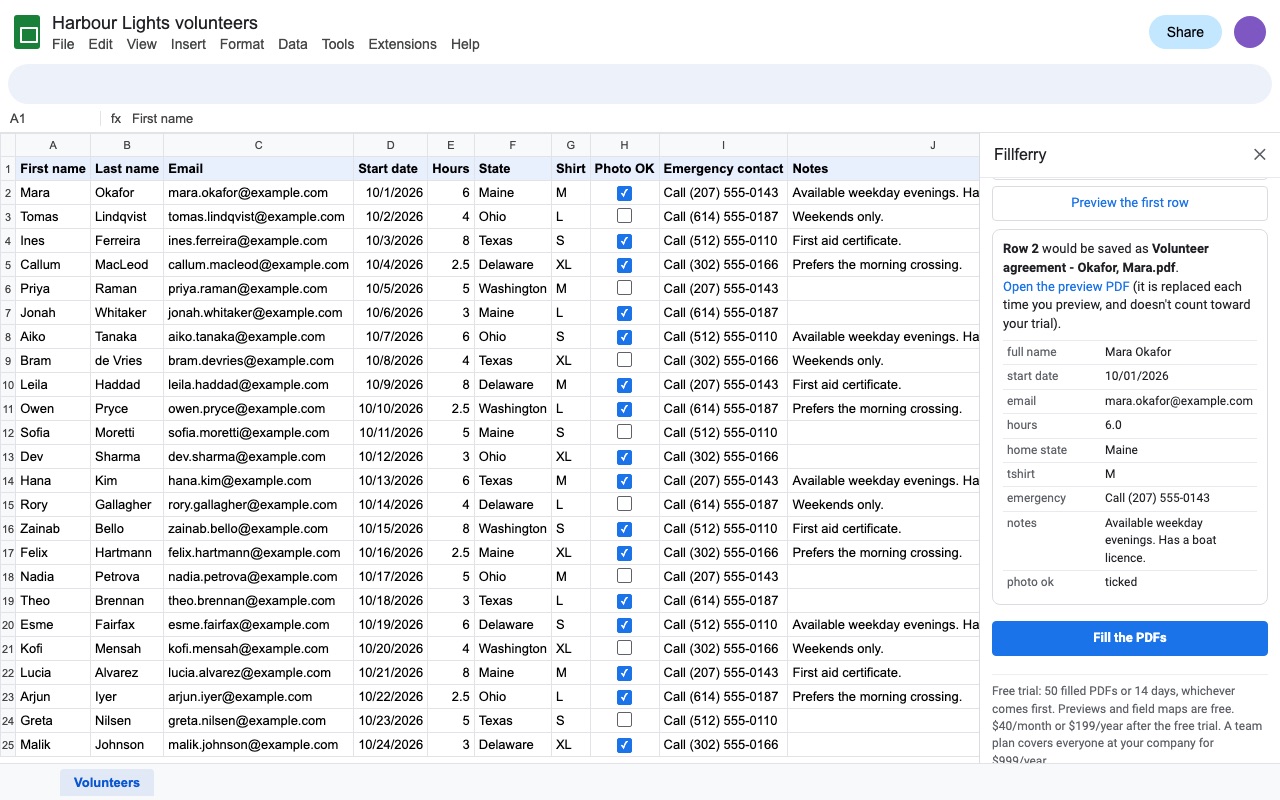
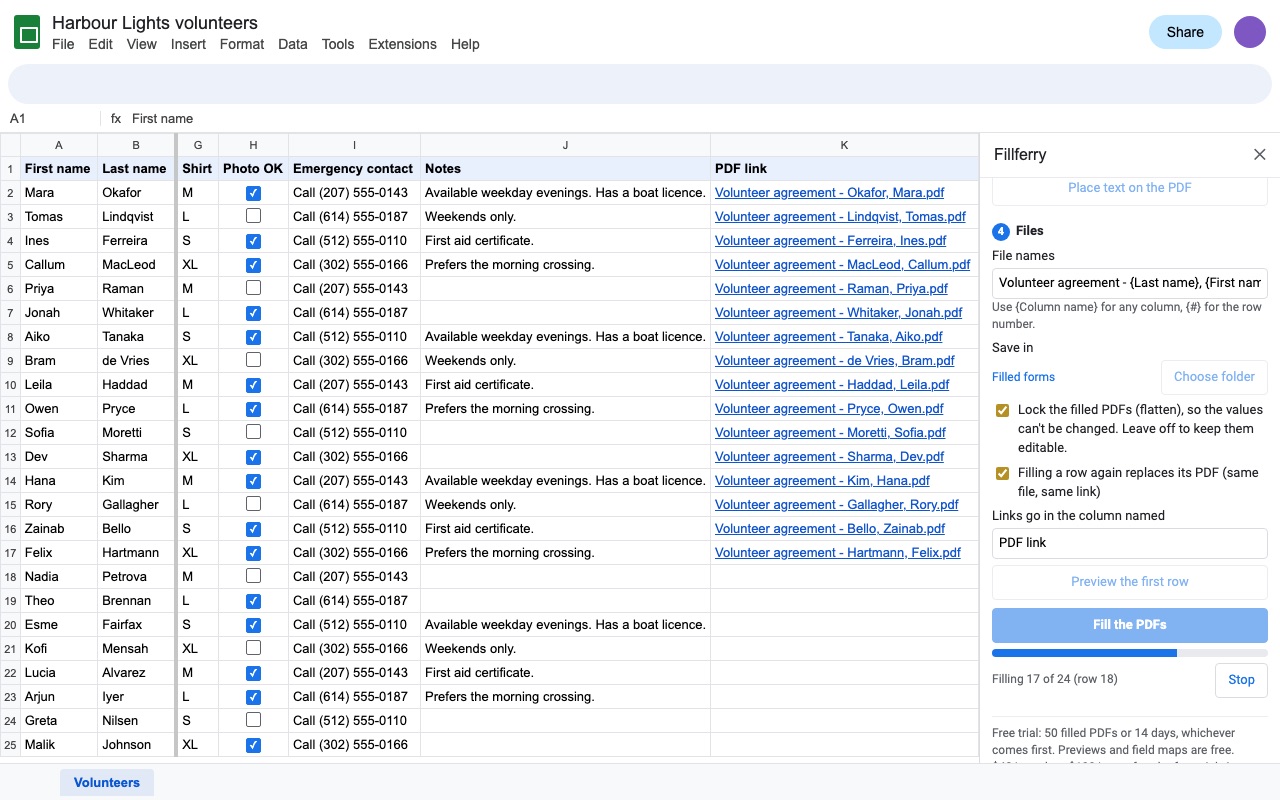
Fillferry fills a PDF form from your Google Sheet: one filled PDF per row, saved in the Drive folder you choose, with each file's link written next to its row. Government, tax, insurance, HR, school and medical forms, or any fillable PDF you made yourself.
What you get
- Fill any fillable PDF form from your sheet: one PDF per row, no 20-row cap
- Columns matched to field names automatically; combine columns like {First name} {Last name}
- Text, checkboxes, option buttons, dropdowns and list boxes; dates and numbers in the format the PDF asks for
- Numbered field map for forms with names like f1_01, and a free preview of any row
- Optional flatten, so the filled values can't be edited
- File names from your columns, saved into the Drive folder you pick, with each link written next to its row
- Fill only new rows later; filling a row again replaces its PDF in place, same link
- PDFs without fields: click where each value goes and Fillferry places the text
- Big sheets run in batches with a progress bar and pick up where they stopped
- PDFs are filled inside your Google account: nothing is sent to Great Work
Questions about Fillferry
What does Fillferry do?
Fill PDF forms from Google Sheets: one filled PDF per row, saved to Drive, with each link written back to its row. Fillferry fills a PDF form from your Google Sheet: one filled PDF per row, saved in the Drive folder you choose, with each file's link written next to its row. Government, tax, insurance, HR, school and medical forms, or any fillable PDF you made yourself.
What does Fillferry work with?
Fillferry works in Google Sheets, in any browser.
How much does Fillferry cost?
$40 a month or $199 a year per Google account. Team plan: $999 a year covers everyone at your company or school domain. Billed through Stripe. Cancel any time from Plans and billing in the add-on.
Is there a free trial?
Free trial: 50 filled PDFs or 14 days, whichever comes first. No card needed.
How do I get Fillferry?
Email hello@greatwork.company and we'll help you get Fillferry set up.
Who makes Fillferry?
Great Work LLC, an independent software company. Email hello@greatwork.company with any question about Fillferry and a person will answer.
More Google Sheets apps
 Fuzzwell
 Due Date Reminders
 Geocode & Map Addresses
 Doorstub