



Changeleaf Release notes from Jira versions, written by your team, shaped per audience, across spaces, saved and published to Confluence.
Listed on the Atlassian Marketplace as “Changeleaf: Release Notes from Versions for Jira”
From $6 a month for up to 10 users. Billed by Atlassian, with a 30-day free trial.
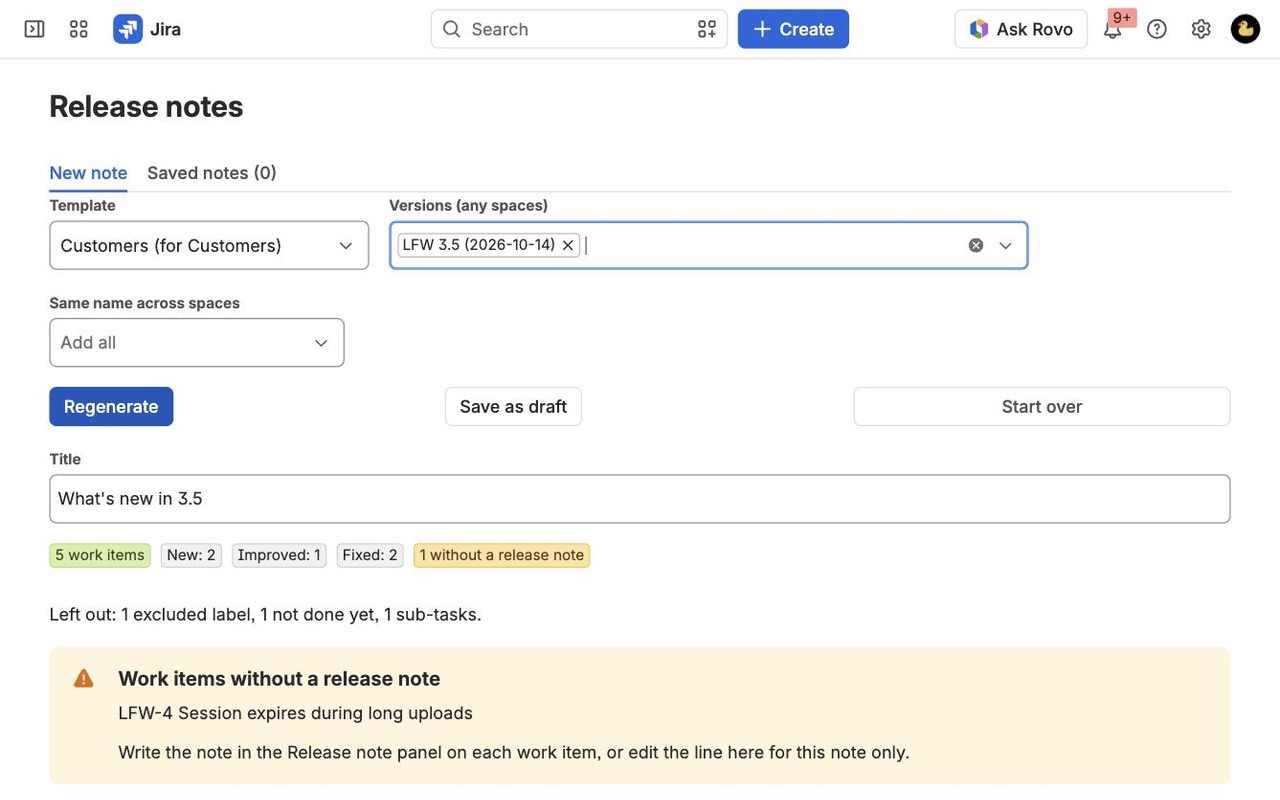
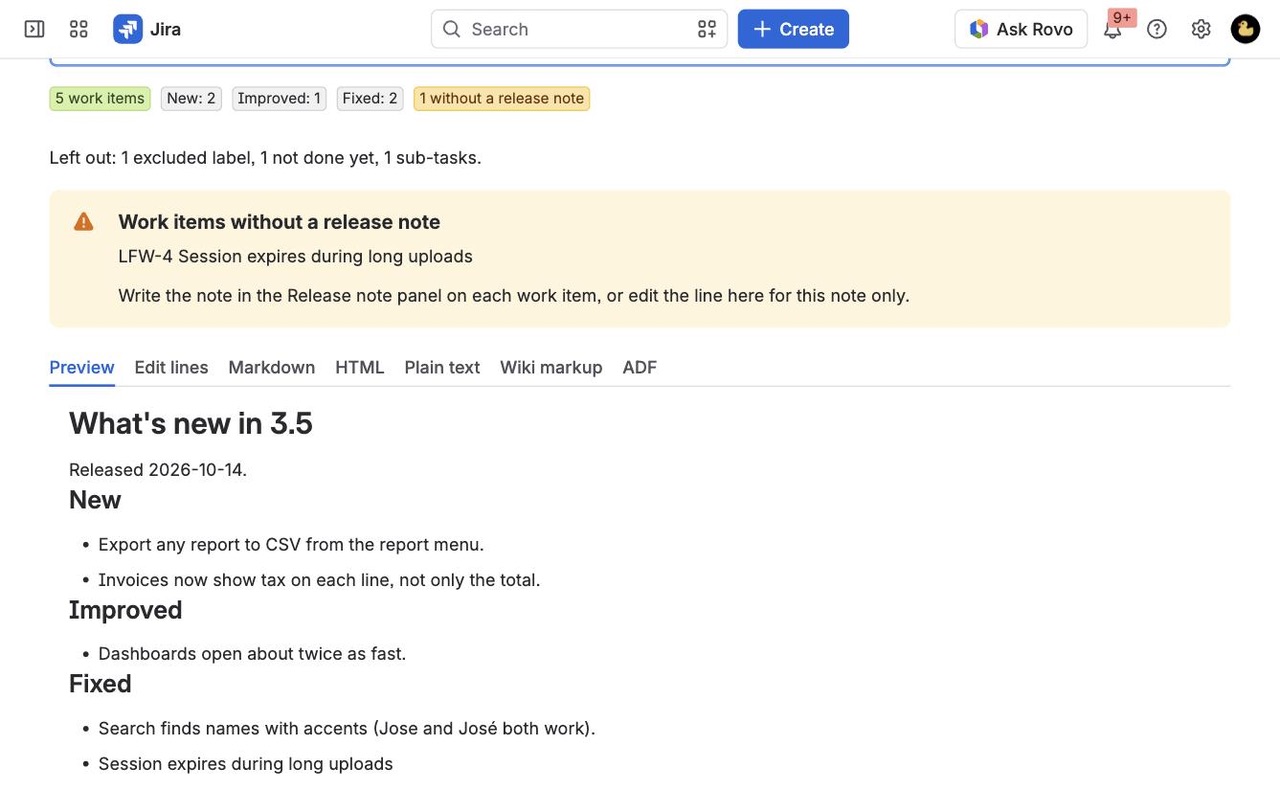
Turn one or many Jira versions into release notes for customers, support or your team. Notes written on each work item, templates per audience, notes across spaces, saved drafts with hand edits, and Confluence pages that update only on change.
What you get
One note from many versions and spaces
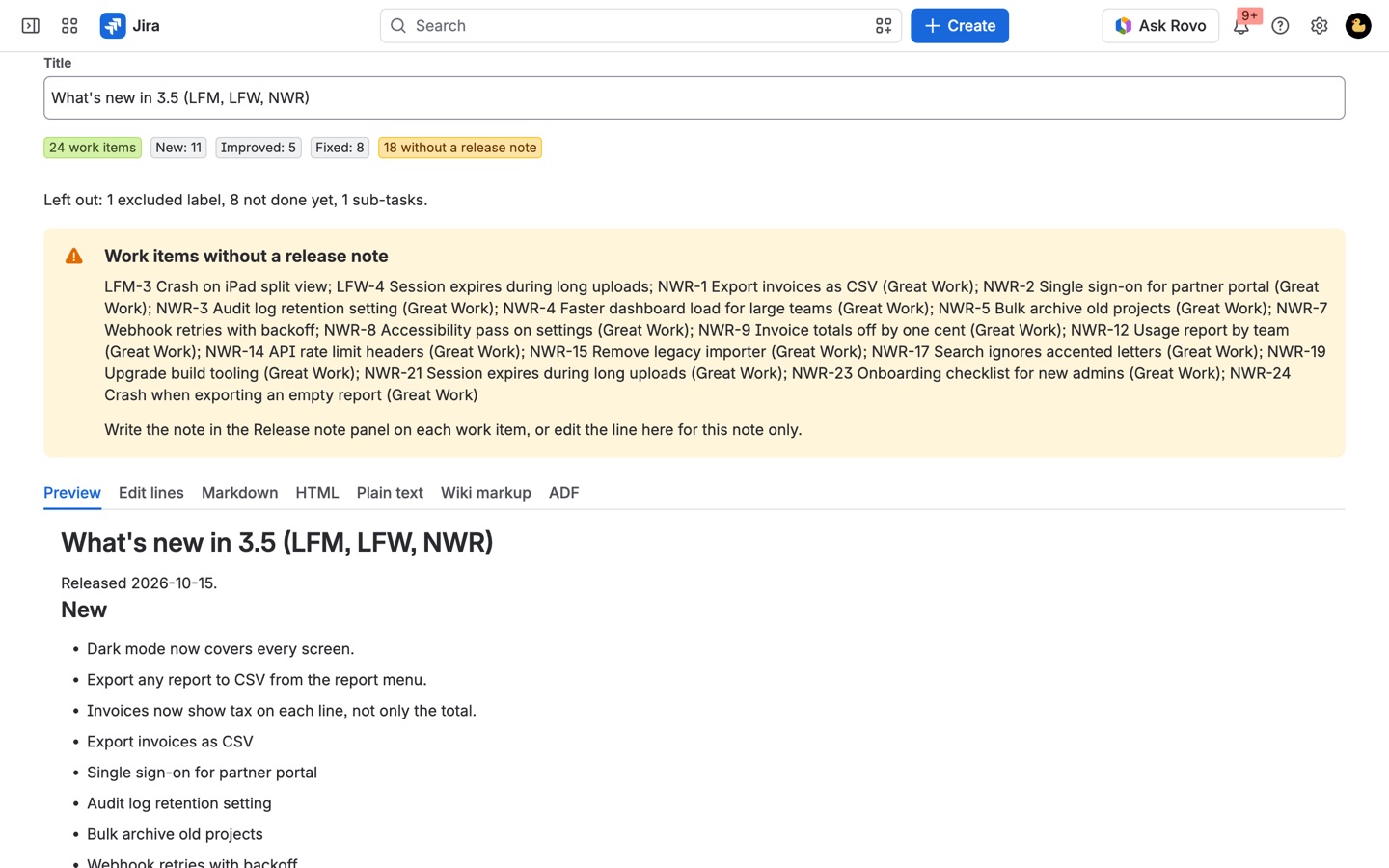
Pick any versions from any spaces, or every version with the same name, and get one note with sections per audience. Work items in several versions appear once. Copy it in five formats.
The sentence your team wrote, not the ticket title
A Changeleaf panel on every work item. Templates use that text, flag what is still missing and who owns it, and let you edit a line for one note without touching the work item.
Saved, and published to Confluence
Save drafts that regenerate from Jira and keep your edits. Publish to any Confluence space; publishing again updates the same page, only when the note really changed.
How Changeleaf works
- Install Changeleaf on Jira from the Atlassian Marketplace. To publish pages, add it to Confluence on the same site too; one subscription covers both.
- Review the templates. A Jira admin opens Jira settings > Apps > Changeleaf, where three templates are ready: Customers, Internal and Support. Change them or copy one as a new template.
- Write the note on the work item. Developers open the Changeleaf panel on a work item and write a sentence or two for the reader, or tick Leave this work item out of release notes for internal work. Left empty, the summary is used.
- Generate. Anyone opens Apps > Changeleaf, picks versions from any spaces they can browse (or Same name across spaces for every "3.5"), picks a template and clicks Generate notes.
- Fix what's missing. The summary line counts work items per section and what was left out and why. Work items without a release note lists the ones that still need a sentence, with who owns them.
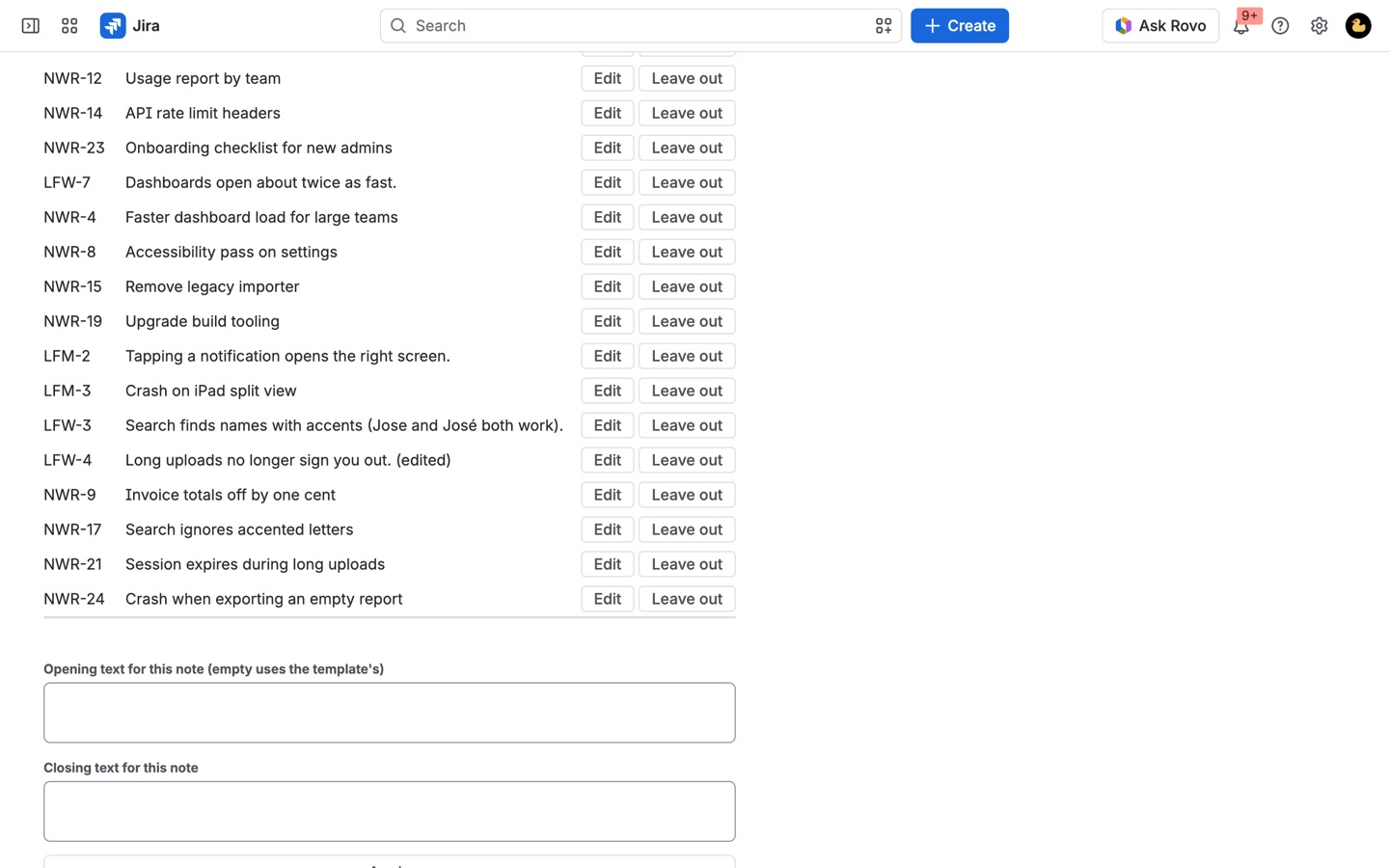
- Edit, save and publish. In Edit lines, change the wording of one line for this note only. Save as draft, then Publish to Confluence. Later, Update the page rewrites the same page, only when the note changed.
Who it's for
Product teams writing notes customers read
Ticket titles like "NPE in ExportService when locale null" don't belong in a customer changelog. The panel holds the sentence the customer should read, and the Customers template can show only that sentence, grouped under New, Improved and Fixed.
One release that spans several Jira spaces
A web app, a mobile app and an API often each have their own space and their own "4.2" version. Pick all of them, or click Same name across spaces, and get one note. A work item that sits in more than one of the versions appears once.
Support and internal audiences
The same versions can go out three ways: customer-facing wording, a support note with work item keys and components, and an internal list with keys, summaries and assignees, grouped by space. Each is a template, so nobody reformats by hand.
Teams that publish every release to Confluence
Turn on Save a draft note when a version in this space is released in the space's settings and each release gets a draft, published to a chosen Confluence space and parent page if you want. Releasing again refreshes the same draft and page.
Changeleaf or Jira's own release notes
Jira Cloud can already turn one version into release notes: from the version, create a Confluence page that lists its work items, or have Rovo draft one if your site has it turned on. For a single version where ticket summaries are good enough to publish, that may be all you need.
Changeleaf is for what that leaves out: notes your team wrote rather than summaries or a generated draft, fixed templates per audience (Atlassian's request JRACLOUD-87058 is still Gathering Interest), one note across versions and spaces, saved notes that keep your edits, custom fields in each line, sub-tasks left out, and copies in Markdown, HTML, plain text, wiki markup and ADF. It doesn't write notes for you; every line comes from your team's text, a Jira field you choose or the summary.
Requirements
- Jira Cloud. Confluence Cloud on the same site only if you publish pages.
- Notes are generated as you, so they only include work items you can see. Writing a note on a work item needs permission to edit it.
- Templates are managed by Jira admins; release-time drafts are set up by space admins.
- Changeleaf runs on Atlassian's Forge platform and sends nothing outside Atlassian.
Changeleaf guides
Questions about Changeleaf
What does Changeleaf do?
Release notes from Jira versions, written by your team, shaped per audience, across spaces, saved and published to Confluence. Turn one or many Jira versions into release notes for customers, support or your team. Notes written on each work item, templates per audience, notes across spaces, saved drafts with hand edits, and Confluence pages that update only on change.
What does Changeleaf work with?
Changeleaf works in Jira Cloud.
How much does Changeleaf cost?
$6 a month for up to 10 users, or $60 a year. From 11 users: $1.10 per user a month, with lower rates for larger sites.
Is there a free trial?
Billed by Atlassian, with a 30-day free trial.
Where do I install Changeleaf?
From the Atlassian Marketplace. Use the Install button on this page, or search for "Changeleaf: Release Notes from Versions for Jira" there.
Who makes Changeleaf?
Great Work LLC, an independent software company. Email hello@greatwork.company with any question about Changeleaf and someone will answer.
How do I find work items that still need a release note?
Search Jira with fixVersion = "3.5" AND releaseNoteWritten is EMPTY. That lists every work item in the version with no note that isn't marked to be left out. releaseNote ~ "export" searches the note text itself.
Can Changeleaf use a "Release note" field we already have?
Yes. In the template, set where the note text comes from to any Jira field instead of the Changeleaf panel.
Will publishing again notify every page watcher?
Only when the note changed. Update the page compares first and leaves the page alone if nothing is different.
What if a Confluence page with that title already exists?
Changeleaf updates that page instead of failing.
Do drafts made on release include restricted work items?
Drafts made at release time are created by the app, so work items with an issue security level are left out. Open the draft and refresh it to add them as yourself.
Are sub-tasks and unfinished work included?
Both are off by default and can be turned on per template. Work items labelled no-release-note are left out by default too.
Does it work with Cutline?
Yes. A common setup is a Cutline release checklist item "Release notes published" for the Changeleaf page, so the release gate asks for the notes before anyone clicks Release.
More Jira apps
 Cutline
 Berth
 Mergewell
 Attachwell