



Cellfetch Import any API or JSON into Google Sheets, on a schedule
Listed on the Google Workspace Marketplace as “Cellfetch: API & JSON Importer for Sheets”
$15 a month or $144 a year per Google account. Free trial: 50 runs or 14 days, whichever comes first. No card needed.
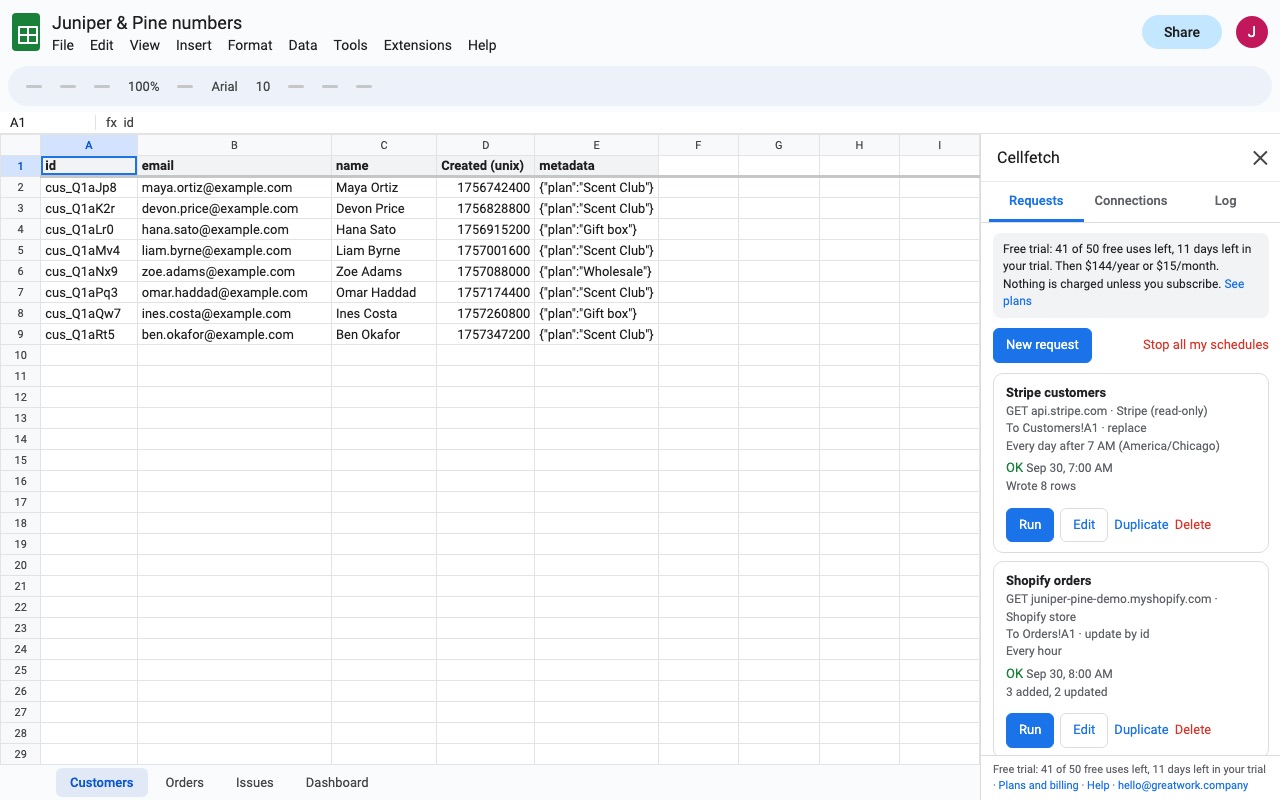
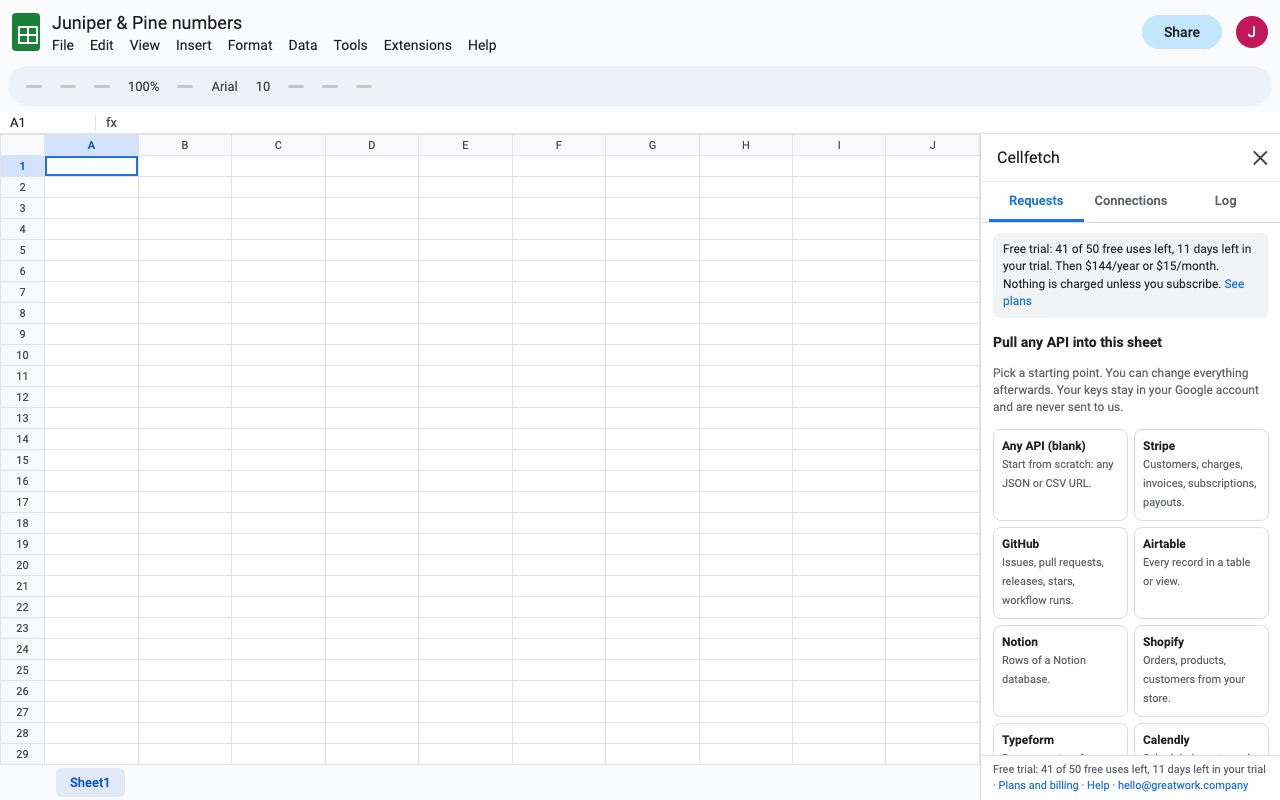
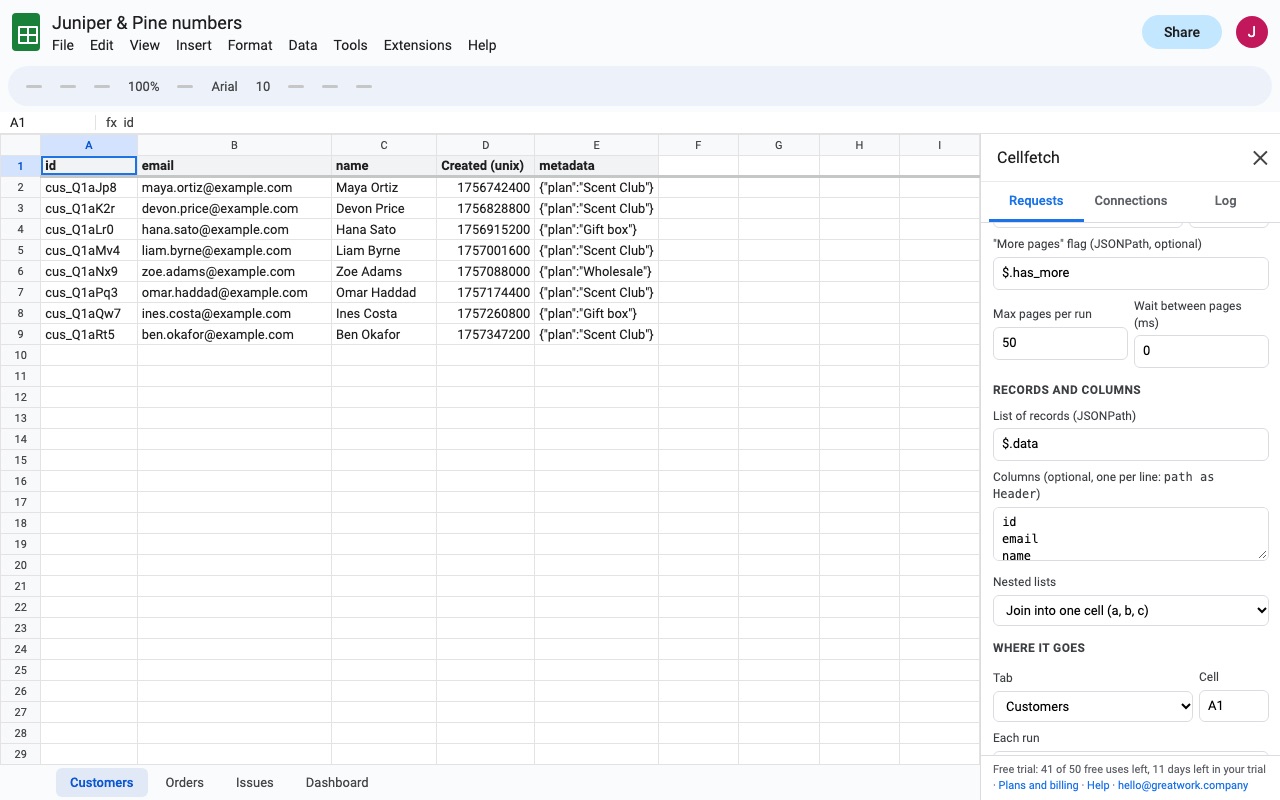
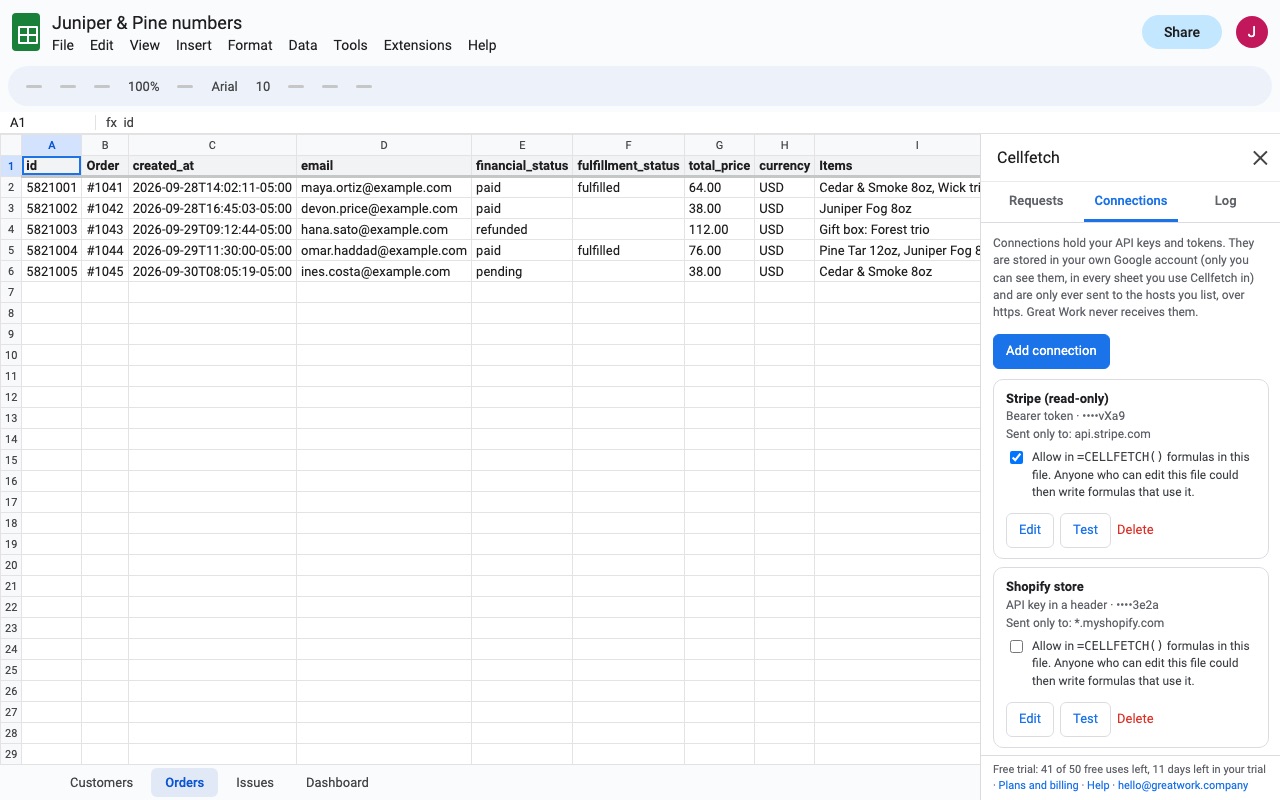
Cellfetch brings data from any web API into your spreadsheet and keeps it fresh.
What you get
- Unlimited saved requests, connections and schedules
- Stripe, GitHub, Airtable, Notion, Shopify and more presets
- API keys, Bearer, Basic and OAuth 2.0, kept in your own Google account
- Pagination of every common kind, JSONPath columns
- Hourly, daily or weekly refresh; replace, append or update rows
- =CELLFETCH() formula and a request log
How Cellfetch works
- Install Cellfetch from the Google Workspace Marketplace, open a spreadsheet and choose Extensions > Cellfetch > Open.
- Click New request and pick a Start from preset: Stripe, GitHub, Airtable, Notion, Shopify, Typeform, Calendly, ClickUp, WooCommerce, Etsy, an OAuth 2.0 API, or Any API (blank). A preset fills in the URL, how its pages work and a set of columns.
- Add a connection if the API needs a key: API key, Bearer token, Basic or OAuth 2.0. Each connection lists the hosts it may be sent to, and is only ever sent over https to those hosts.
- Set the URL, parameters and headers. Any value can come from a cell with a placeholder like
{{Settings!B2}}, so a date range or an ID typed in the sheet changes the request. - Click Preview. Cellfetch fetches the first page and shows up to 25 rows, the raw response and where it found the list of records, without writing anything or using a trial run.
- Pick the columns and where they go. Under Records and columns, list the fields you want, one per line, such as
customer.email as Email. Choose the tab and cell, and what Each run does: replace the previous results, add new rows below, or update matching rows by a key column. - Click Save and run, then set Refresh automatically to every hour, every 6 hours, daily or weekly. Scheduled runs happen from your Google account with the sheet closed.
Who it's for
Finance and operations reports from a billing or store API
Customers, invoices and payouts from Stripe, or orders from Shopify and WooCommerce, land in a tab that refreshes overnight, ready for a pivot table or a chart.
Teams tracking work in another tool
GitHub issues, ClickUp tasks or Airtable records come into Sheets for a weekly status report that people outside the tool can read.
Analysts who need one call per row
Run once per value in a range calls the API for each value in a range such as Inputs!A2:A, with {{value}} in the URL, so a column of order IDs or SKUs becomes one result row each.
Spreadsheet builders who want a formula
=CELLFETCH("https://...", "$.data[*]") returns a table right in the cell, from a URL or the name of a saved request, with options like pages=3; fields=id,name as Name.
Cellfetch or what Sheets already has
Google Sheets' IMPORTDATA reads a public CSV or TSV URL, and IMPORTXML and IMPORTHTML read web pages. None of them can send an API key, follow pages of results, read JSON or write on a schedule into a fixed range. Writing your own Apps Script can do all of that, at the cost of code you maintain and keys stored in the script where any editor can read them.
Cellfetch keeps connections in your own Google account, not in the spreadsheet, so another editor can't see or use your key. Errors and the run log never show keys or tokens.
Limits and requirements
- The API has to answer over https with JSON or CSV. Each run has about 4.5 minutes; Cellfetch retries rate limits and server errors on its own.
- Google runs add-on schedules at most hourly. Five scheduled failures in a row pause that request until you click Resume.
=CELLFETCHformulas read up to 10 pages, 5,000 rows and 25 seconds each, and cache results for 10 minutes by default.- During the trial, each run (by hand or on a schedule) is one of 50 runs; previews and formulas don't use runs.
Cellfetch guides
Questions about Cellfetch
What does Cellfetch do?
Import any API or JSON into Google Sheets, on a schedule. Cellfetch brings data from any web API into your spreadsheet and keeps it fresh.
What does Cellfetch work with?
Cellfetch works in Google Sheets, in any browser.
How much does Cellfetch cost?
$15 a month or $144 a year per Google account. Billed through Stripe. Cancel any time from Plans and billing in the add-on.
Is there a free trial?
Free trial: 50 runs or 14 days, whichever comes first. No card needed.
Where do I install Cellfetch?
From the Google Workspace Marketplace. Use the Install button on this page, or search for "Cellfetch: API & JSON Importer for Sheets" there.
Who makes Cellfetch?
Great Work LLC, an independent software company. Email hello@greatwork.company with any question about Cellfetch and someone will answer.
How do I connect an API to Google Sheets without code?
Open Cellfetch, click New request, paste the API's URL or choose a preset, add your key as a connection, then Preview and Save and run. Nothing to write in Apps Script.
Does it handle APIs that return results in pages?
Yes. Cellfetch follows page numbers, offsets, cursors, next-page URLs, Link headers and "starting after the last ID", up to a Max pages per run you set.
Can I update rows instead of replacing the whole tab?
Yes. Set Each run to Updates matching rows, adds new ones, and name the key column, such as id. Columns you added to the table that the API doesn't return, such as a Notes column, keep their values, and formulas in the block stay formulas.
What happens to nested JSON?
Nested objects become dotted columns like customer.address.city. For lists inside a record, choose under Nested lists: join into one cell, one column per item, or keep as JSON text.
Can a value from the API become a formula in my sheet?
No. Any text that starts like a formula is written as plain text.
Can other editors of the sheet use my API key?
No. Connections live in your own Google account. A schedule runs as the person who saved it, with their connection, and formulas in the file can use your connection only if you tick Allow in formulas in this file.
Does it support POST requests with a body?
Yes. Set the method and type a JSON body; the Notion preset, for example, sends a POST with a page size.
More Google Sheets apps
 Cellwell
 Cellendar
 Due Date Reminders
 Trafficledger