



Team CalendarEvery project on one calendar, on any Jira plan. Use your own date fields, color by any field, and see time off next to deadlines.
Full name: “Multi-Project Team Calendar for Jira”
From $5 a month for up to 10 users. Billed by Atlassian, with a 30-day free trial.
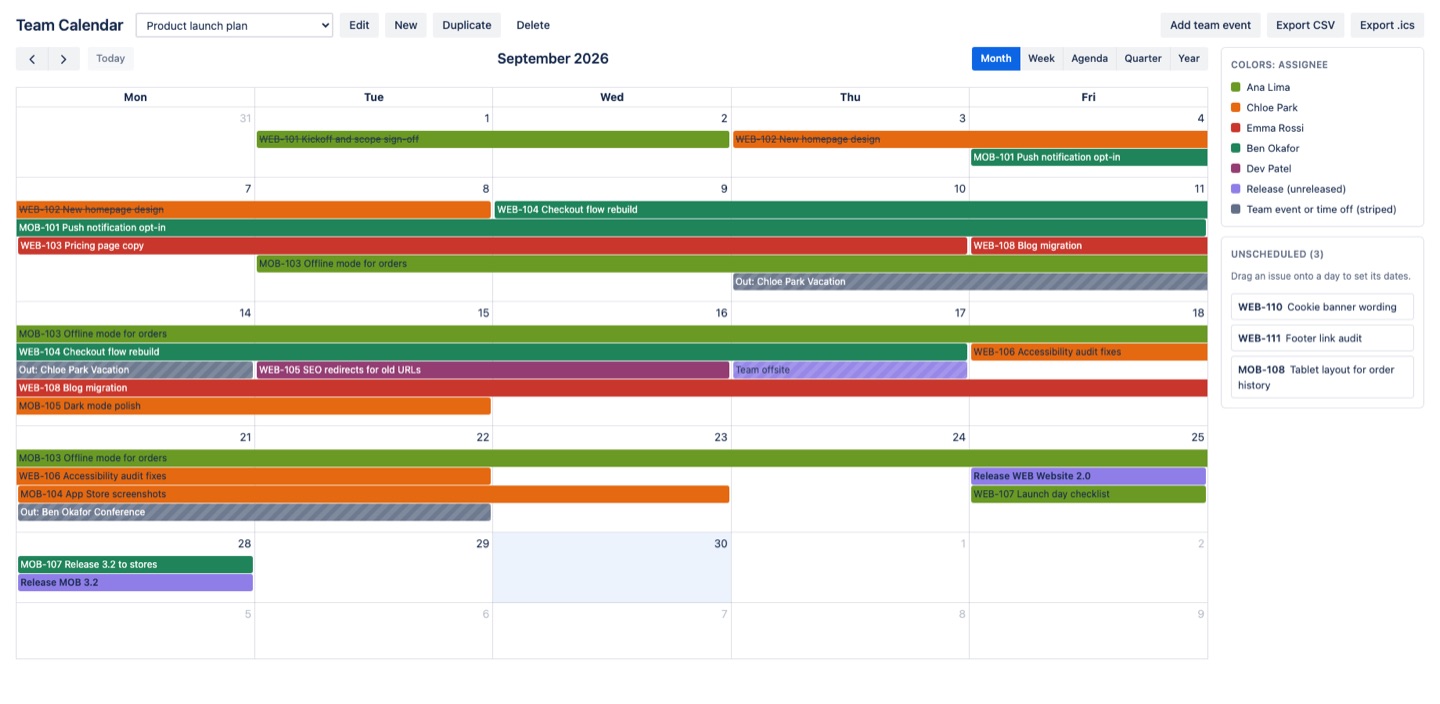
A team calendar for Jira Cloud. Plot issues from any projects or JQL on any date field, drag to move or resize, schedule undated work by dropping it on a day, and add team events and time off. Runs on Atlassian. 30-day free trial.
What you get
All your projects on one calendar
Pick projects or write JQL, then plot any date field: due date, start and end, release date, or your own custom fields. Jira checks your JQL as you type, so a saved calendar always opens.
Plan across projects by dragging
Move work from several projects on one calendar, stretch it to change the end date, or drop undated work on a day. No Premium plan needed. Changes save to Jira with each person's own permissions.
Colors that mean something
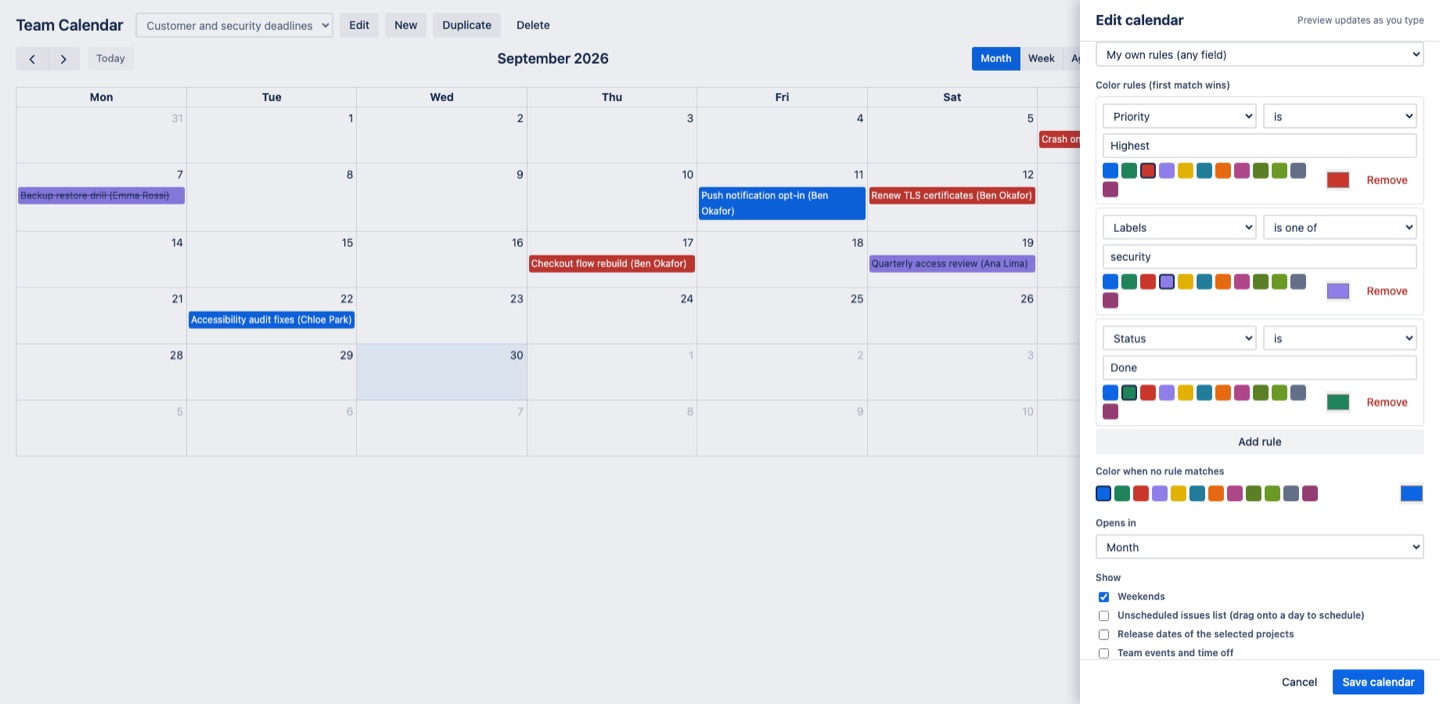
Color by status, person, project, type, or priority, or write rules on any field such as "Labels is one of security". The preview updates while you edit, and a legend explains every color.
Questions about Team Calendar
What does Team Calendar do?
Every project on one calendar, on any Jira plan. Use your own date fields, color by any field, and see time off next to deadlines. A team calendar for Jira Cloud. Plot issues from any projects or JQL on any date field, drag to move or resize, schedule undated work by dropping it on a day, and add team events and time off. Runs on Atlassian. 30-day free trial.
What does Team Calendar work with?
Team Calendar works in Jira Cloud.
How much does Team Calendar cost?
$5 a month for up to 10 users, or $50 a year. From 11 users: $0.70 per user a month, with lower rates for larger sites.
Is there a free trial?
Billed by Atlassian, with a 30-day free trial.
How do I get Team Calendar?
Email hello@greatwork.company and we'll help you get Team Calendar set up.
I installed it. Where is it?
Under Apps in the top navigation, in each project's sidebar, and as a dashboard widget.
Can a bad JQL query break my calendar?
No. Jira checks your JQL before the calendar can be saved, and every project and value is quoted for you. A saved calendar always opens and can always be edited or deleted.
Will it show all my issues, or only the most recent?
Up to 1,000 issues for the dates on screen, and it tells you when it stops. Nothing is dropped silently.
Can I drag issues instead of opening each one?
Yes. Drag to move, drag the edge to change the end date, and drag undated issues from the Unscheduled list onto a day.
Can I use times, not just whole days?
Yes. Date-time fields show as timed events in Week with times.
Can I tell people apart by color?
Yes. Assignee (one color per person) gives every person a distinct color, and color rules work on any field, including custom fields.
Who makes Team Calendar?
Great Work LLC, an independent software company. Email hello@greatwork.company with any question about Team Calendar and a person will answer.
More Jira apps
 Tracestitch
 Tagwell
 Twinwell
 Sumtree